


“RO Ragnarok: Love Like First Meeting,” which many players have been waiting for for a long time, was finally officially launched in Taiwan earlier. For mobile games that require idle play, I highly recommend using an Android emulator. The phone does not have to be occupied all the time, idle is easier, and you can open more accounts. More importantly, the screen is larger and more comfortable to play, which has many benefits. Earlier, I also quickly tested the effect of playing this game with “Yakami Simulator”. I have to say that it is very satisfying, so I will share it with you below.

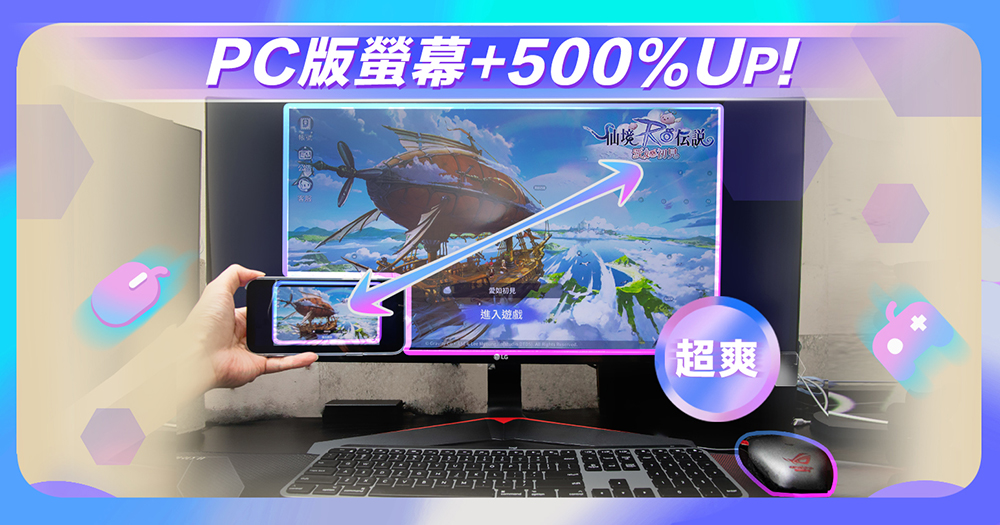
- Not just Android, iPhone accounts are also supported
- The PC version of the mobile game has a larger screen and allows you to experience the full game content
- Keyboard + mouse operation, also supports handle, which is very convenient
- Easily open multiple accounts on one computer, providing key wizard-like functions
- You can also play other mobile games while hanging up
- The PC version keeps your phone from getting hot, improves battery life, and makes it more efficient
- Provide official customer service, Android 12 version is coming soon
- Summarize
Not just Android, iPhone accounts are also supported
Android emulator is a free software that allows you to use Android Apps on your computer. It is completely free to use.
Although Yagami is an Android emulator, as long as the game is supported by both Android and iOS platforms, iPhone players can also use the Yagami emulator to play it. It is not limited to Android, and “RO Ragnarok: Love Is Like the First Meeting” is.
In other words, iPhone players can also use the Yagami emulator to play “RO Ragnarok: Love Like First Meeting”. Open the game and log in to the account you applied for on your iPhone to start playing. I played it on my iPhone. In fact, it is not just this game, but also mobile games such as Legend Duel, Jockey Girl, and Arknights. To put it simply, it isThe mobile game you want to play also has an Android version, so you can play it with Yashen。
The PC version of the mobile game has a larger screen and allows you to experience the full game content
This can be said to be one of the biggest advantages of using an emulator to play mobile games. Although mobile phone screens are getting bigger and bigger nowadays, they are still not enough for mobile games like “RO Ragnarok: Love Like First Meeting”. There are many tasks in the game, so there will be a lot of plot dialogue, and sometimes it will be out of the window when watching it on a mobile phone.
Secondly, there are many function keys, covering almost the entire screen, and when you point a finger on a function, the screen will be blocked for a short time.
There is also a complex skill tree, each skill has unique bonuses and functions. It is quite difficult to see it on a mobile phone screen. My iPhone 13 Pro Max has a large screen of 6.7 inches, which I find very difficult. Not to mention those phones with smaller screens, it is also very hard on the eyes for a long time.
After switching to the Yagami simulator, the screen can be as large as you want, even playing in full screen. Every picture in the game can be seen clearly, as can the plot and story. Every word can be easily read, allowing you to fully understand the story of “RO Ragnarok: Love Like First Meeting” and what each task is about:
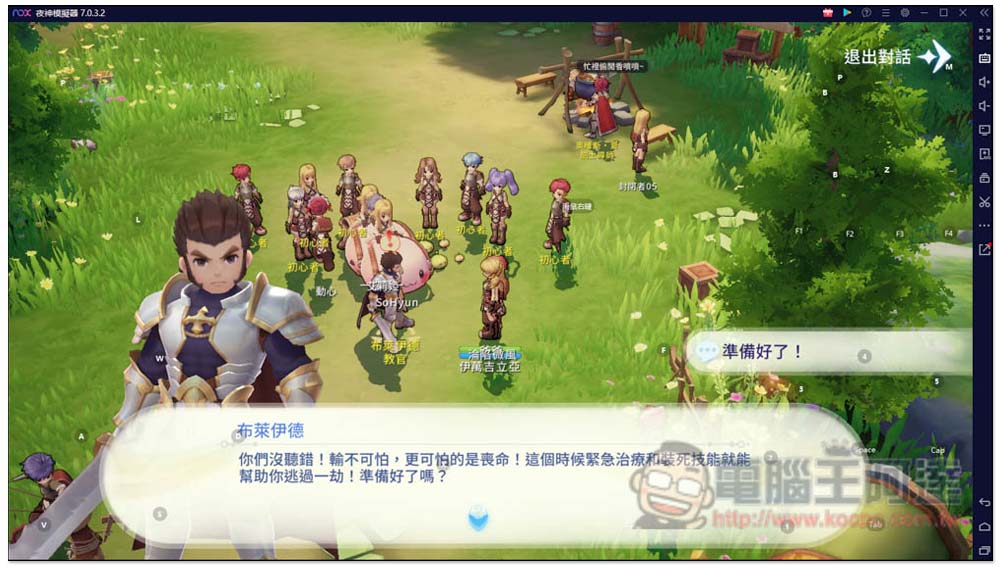
To use skills and functions, just presskeyboard keysOr usemouseClick to stop blocking the screen:
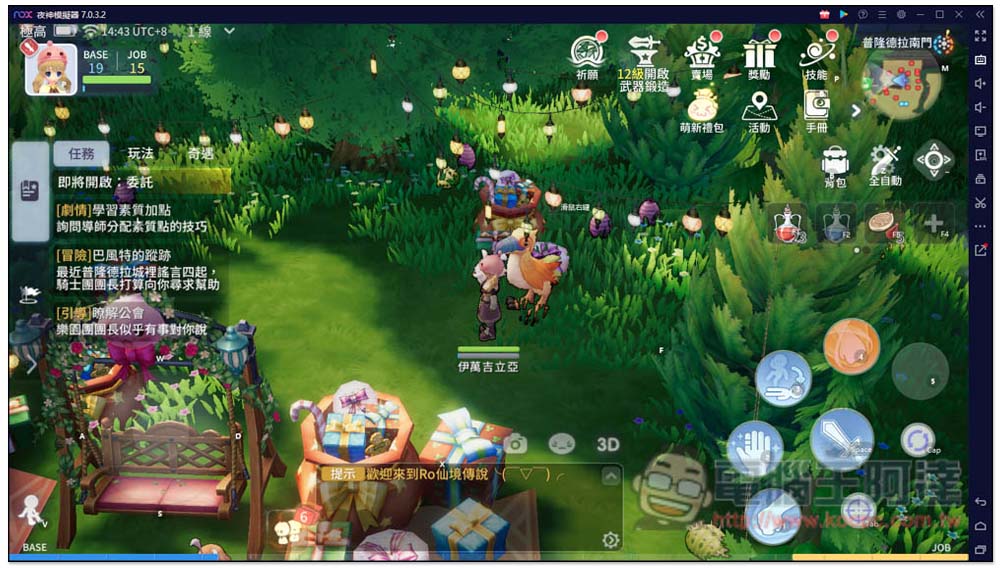
It’s easy to explain using your big screen reading skills:
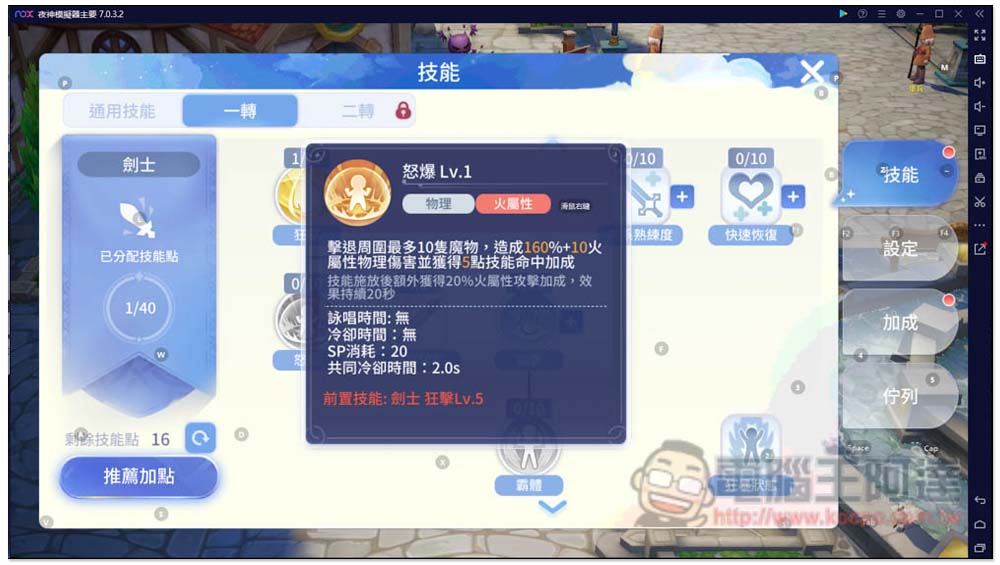
Keyboard + mouse operation, also supports handle, which is very convenient
The Yagami simulator has preset function buttons for the “RO Ragnarok: Love Like First Meeting” mobile game. The representative said that after installation, you can start playing directly without additional manual settings. I have to say that Yagami is really awesome. The game has been configured just after it was launched, which is very convenient for players and saves a lot of time:
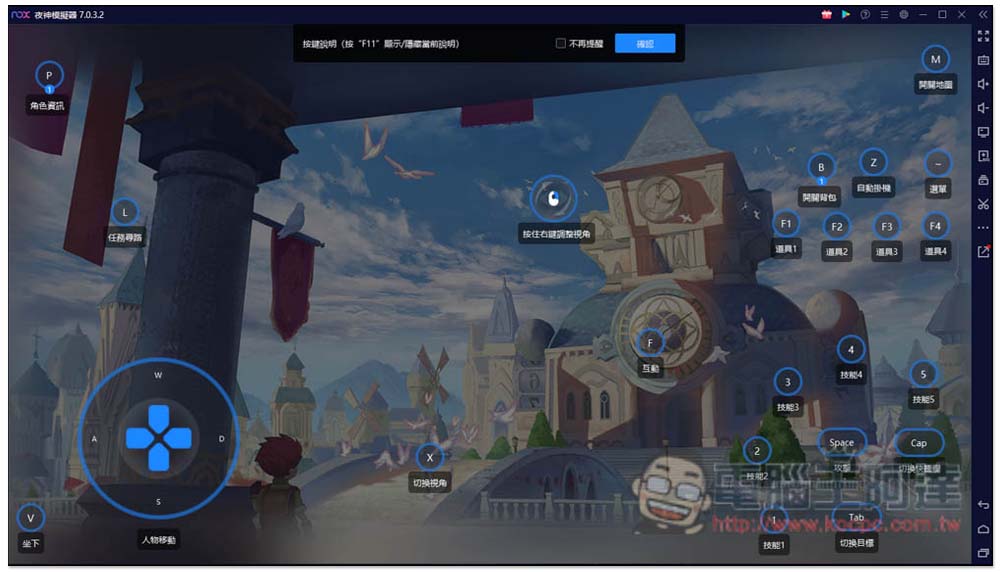
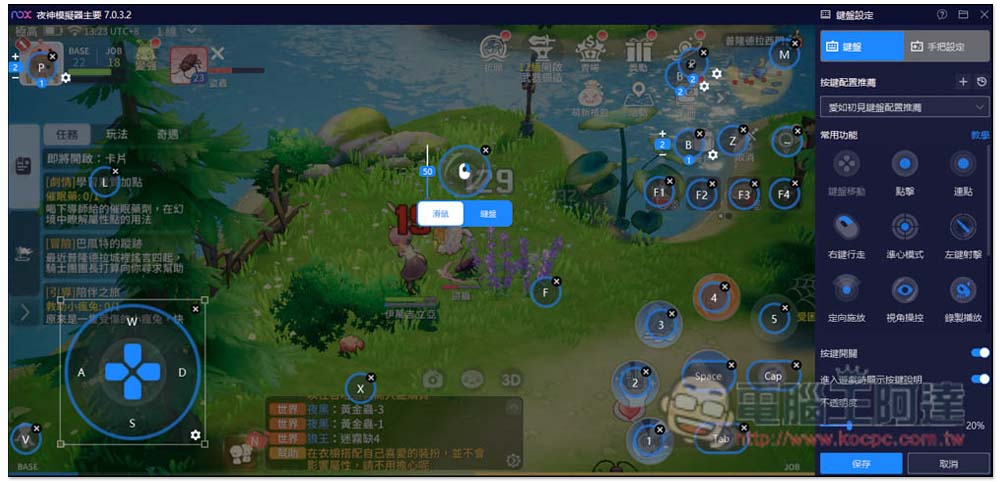
Of course, if there are some keys that you don’t press so smoothly, you can also change them to other keys. Click the keyboard icon on the right to modify:
In addition, for those who like to usehandleFriends who play games, Yagami Simulator also supports ithandle, you can use it by connecting it to your computer without installing anything. Even the latest PS5 and Xbox controllers are supported. Although “RO Ragnarok: Love Is Like First Meeting” does not have preset buttons, it can still be set manually. Click on this function and then press the handle button you want:
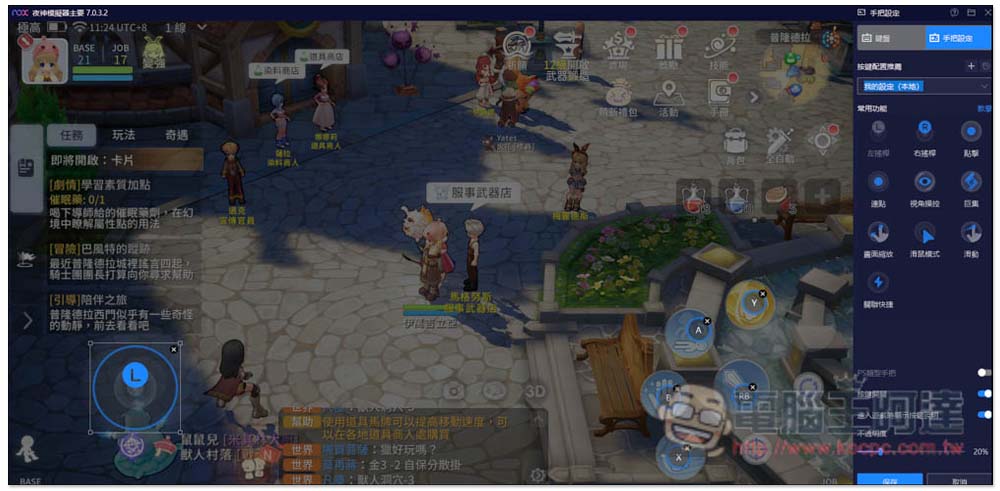
However, I don’t recommend playing “RO Ragnarok: Love Like First Meeting” with your hands, because this game has too many functions that can’t be satisfied by the handle.
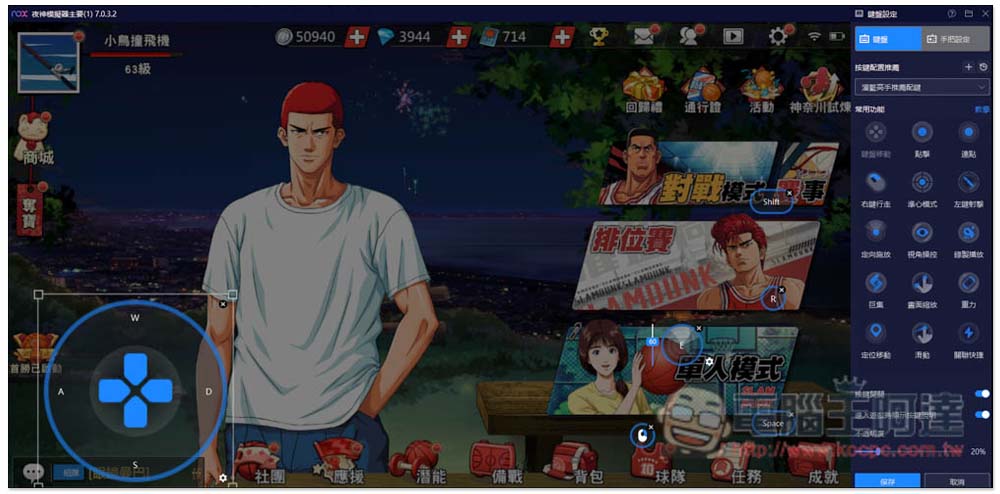
If it is a competitive game such as “Slam Dunk” or an FPS first-person shooting game, Yashen Simulator has preset handle buttons, so there is no need to manually set them:
Easily open multiple accounts on one computer, providing key wizard-like functions
A mobile phone can only open one “RO Ragnarok: Love Like First Meeting” game. If you want to open more, you must prepare multiple mobile phones, which is very expensive. This is not a problem with a computer. The Yagami simulator supports the multi-open function, and it depends on your computer configuration. If the hardware is stronger, you can open several simulators, such as four-player, six-player, or eight-player, as long as your computer can run it.
After opening Yagami’s multi-opener, you can directly copy the emulator of “RO Ragnarok: Love Like First Meeting” that you have downloaded and installed, so you don’t need to spend time downloading additional files. Just copy as many as you need:
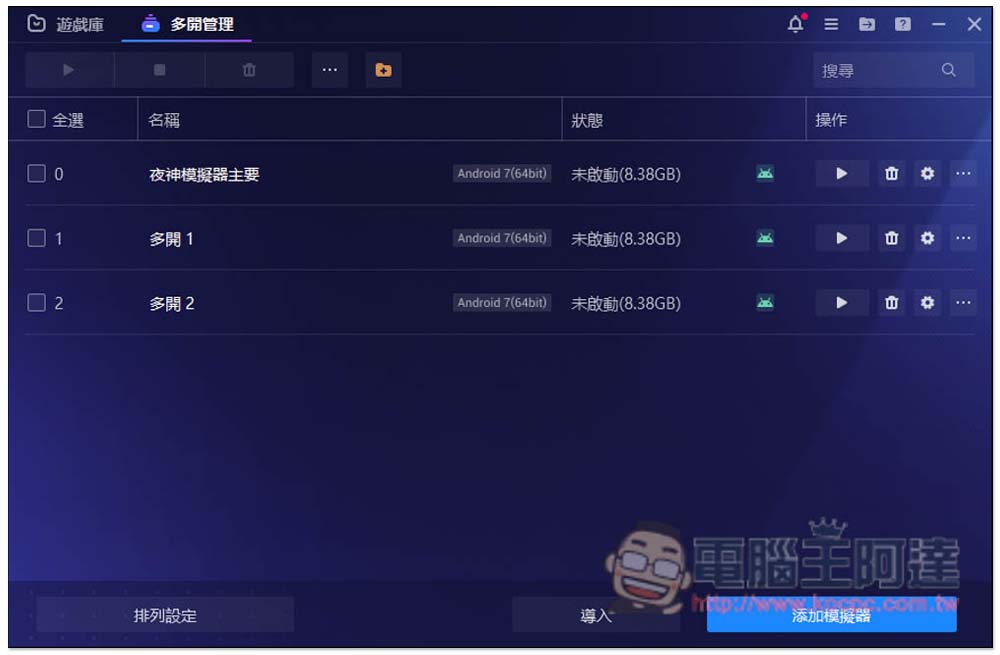
I suggest you try double-turn on first, and then slowly turn on three or four. When you feel that the computer is not running very well, the monitoring software shows that the CPU and GPU temperatures are too high, or you even hear the fan spinning very loudly, it is recommended not to add more. It may even be safer to turn on one less. I have turned it on too much before, which caused the power supply to burn out. Please pay attention to this.
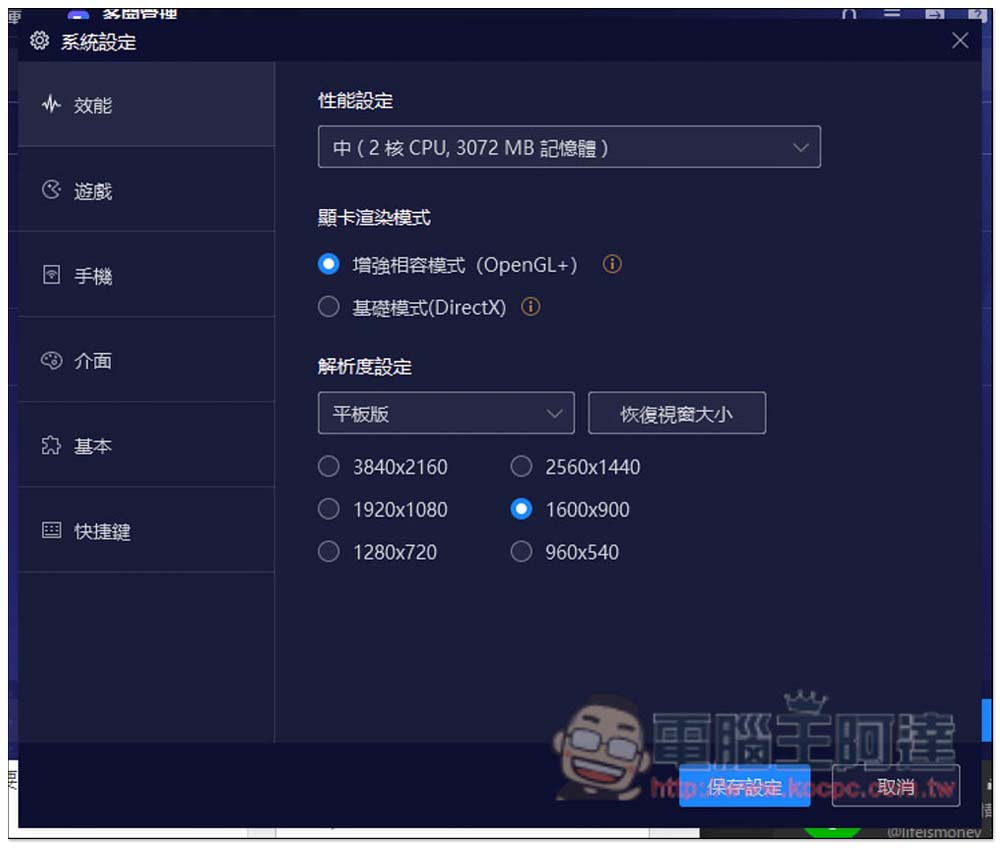
In addition, it is recommended to lower the CPU and RAM usage of each emulator when opening multiple simulators, which can reduce performance usage, but it should not be too low. If it is too low, the game may not be able to be opened, so you have to test it yourself:
Yeshen simulator also provides a very convenient “synchronous operation” function. When you open multiple simulators, you only need to operate one, and the other simulators will follow the action. You can quickly receive the daily rewards, emails, etc. for all accounts at once, saving a lot of time. People who have multiple simulators must use it.
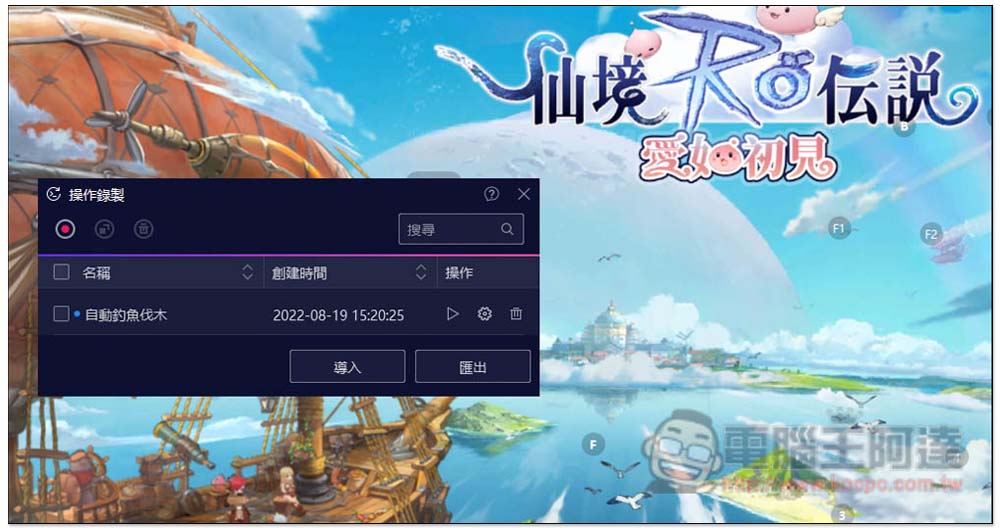
In addition, operation recording can also be used in multiple ways. It can record the sequence and interval of each button you press, and then play it repeatedly. Therefore, it can automatically do fishing, logging, etc., depending on what games you play:
You can also play other mobile games while hanging up
When you hang up and practice “RO Ragnarok: Love Like First Meeting”, if you want to play other games, you can do it through the multi-open function of the Yagami Simulator. This is something that a mobile phone cannot do. For example, I often play “Pokémon Gathering” at the same time, so I am not afraid of boring practice while hanging up:
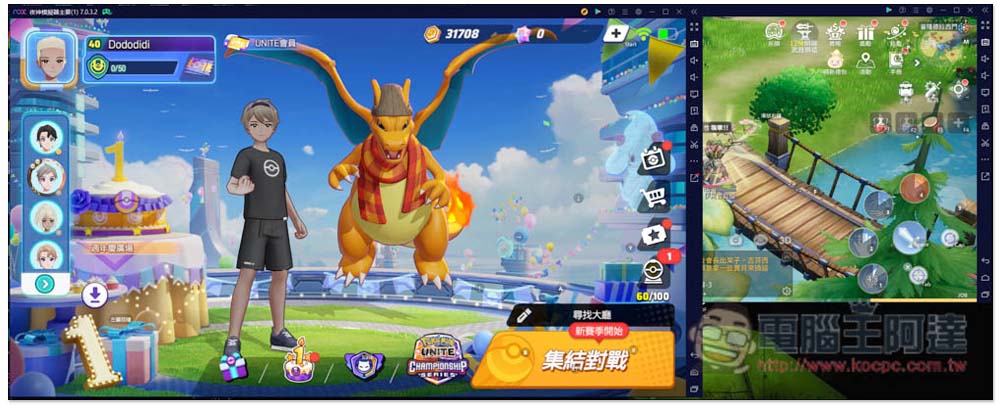
The same goes for “Legend Showdown”. You can play RO at the same time:
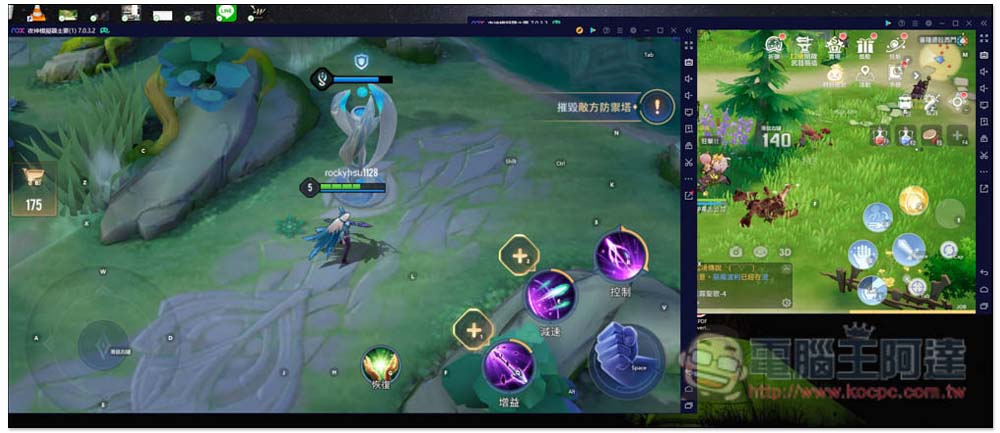
What’s more worth mentioning is that the Apps installation of Night God SimulatorThe sources are all from the Google Play Store, so you can rest assured, also provides APK file installation function.
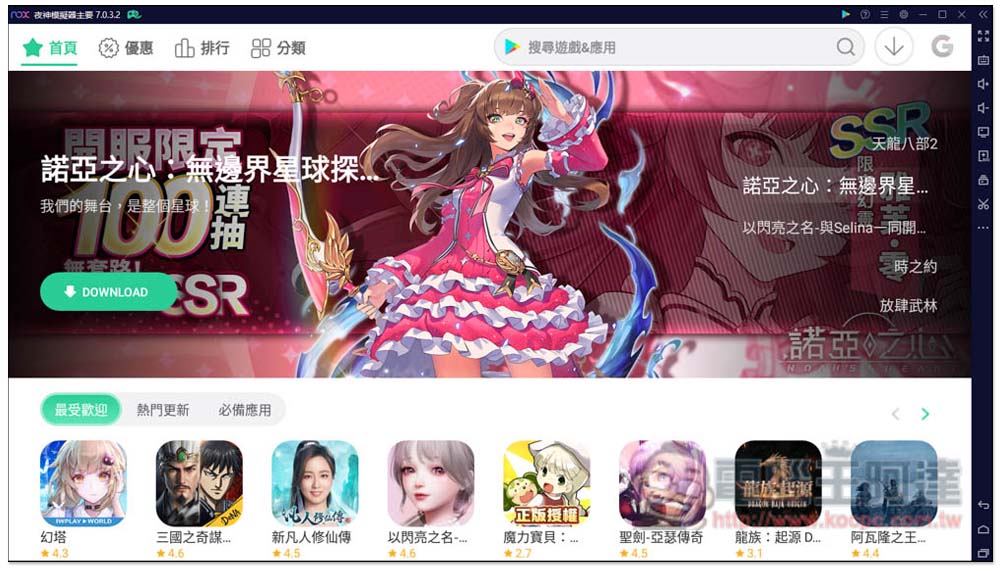
If you don’t know what games to play, I highly recommend browsing the “Game Center”. This is Yagami’s own Apps. It will compile a list of the most popular games at the moment. There are various types, and it is richer than the Play Store. In addition, all Apps in the “Game Center” are also jumped to the Play Store for installation, so there is no need to worry, it is very safe. This app only provides a recommended list of Apps:
The PC version keeps your phone from getting hot, improves battery life, and makes it more efficient
Using a mobile phone to play “RO Ragnarok: Love Like First Meeting” also has a big disadvantage: it consumes a lot of power and must be plugged in to charge. Over time, it will not only get hot, but also damage the battery of the mobile phone, causing the life of the mobile phone to become worse and worse, and the battery life to be shortened, which will affect the performance. Not only will the speed be slower, but crashes and crashes may occur, so I do not recommend using the mobile phone to practice kung fu.
After switching to a computer, the above problems will no longer exist, and the computer performance will be stronger and more stable. You can leave it idle with more confidence.
Official customer service is provided, and Android 12 version is coming soon
If you encounter any problems while using the Yagami emulator, the Yagami official website also provides official customer service. There are four contact methods: Email, FB, Twitter and Kakao. You can get assistance at any time. However, it is basically not used. At least I have been using it for several years and have almost never encountered any major problems.
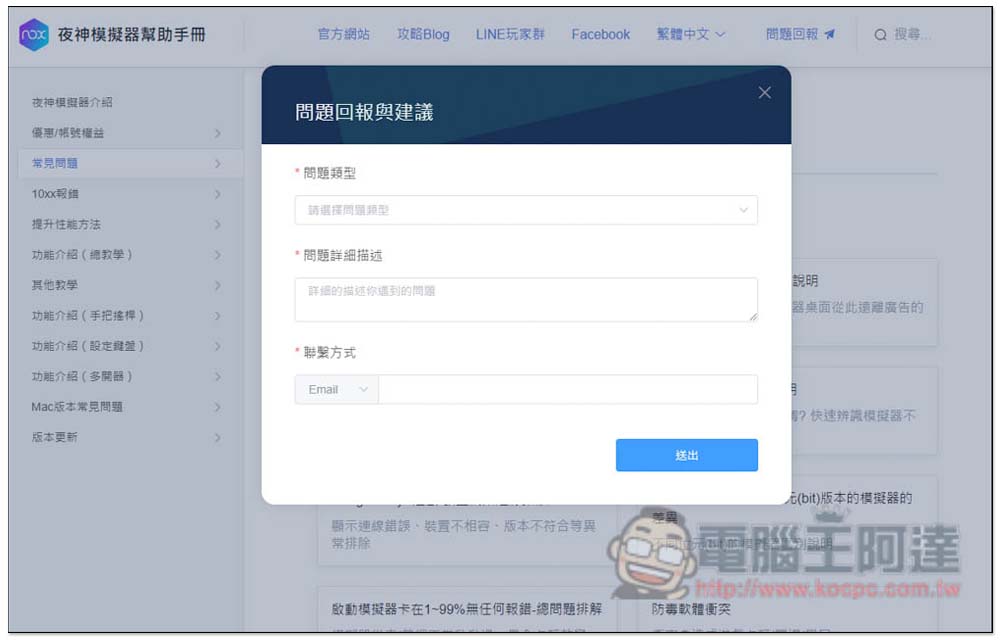
In addition, Yeshen previously launched the Android 9 version earlier than other emulator manufacturers. Recently, it has been announced that the Android 11/12 version will be released soon. The exact time is not yet known, but what is certain is that this version will be more stable and support more games.
How to optimize Night God to improve performance and make idle more stable?
For those of you who have never used an emulator, you will definitely want to know how to ensureNight God Simulator can hang up stably for a long time, I will also briefly share it with you here.
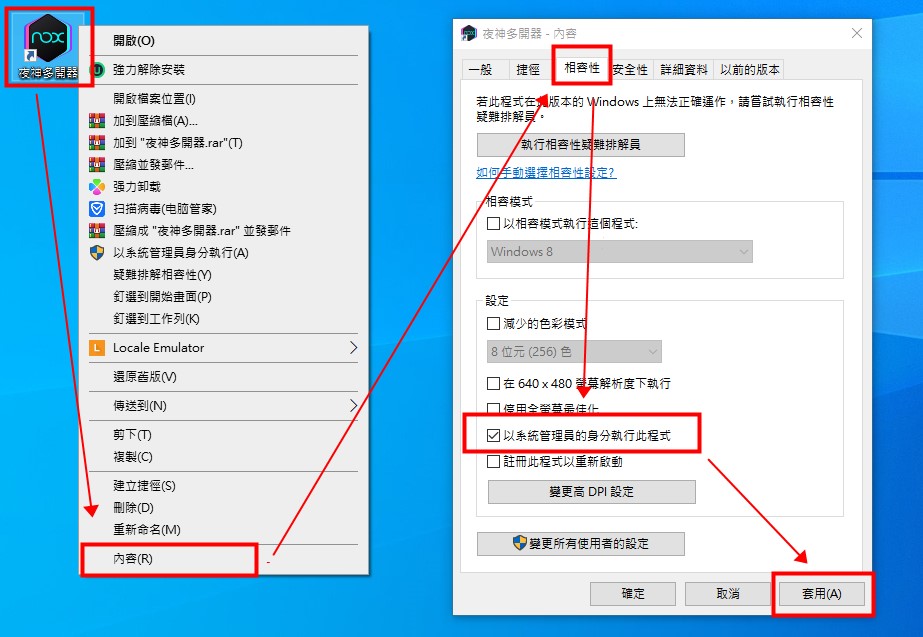
First of all, remember to open the right-click content menu of the Night God emulator NOX and set it to “Run this program as a system administrator” in the compatibility section, so that the high FPS mode can be enabled:
For the emulator version, it is recommended to use Android 7 64-bit. You can choose when creating multiple versions:
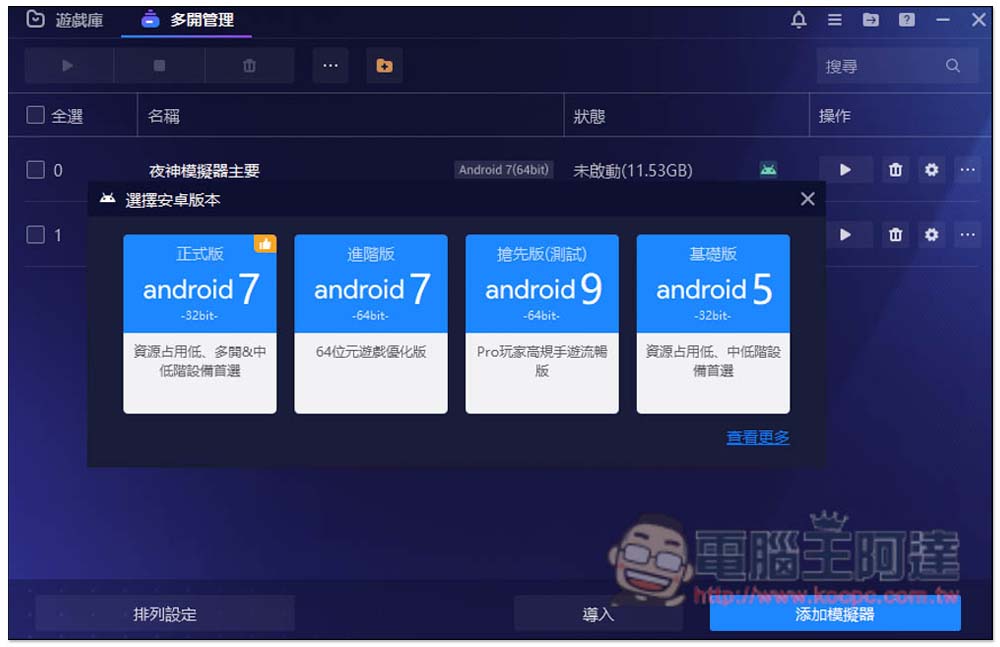
The next step is to look at the hardware specifications of your computer? And how many times do you need it? If the hardware is not very powerful, please open the settings of each emulator, adjust the performance to “Custom”, and then reduce the CPU and RAM. However, it cannot be set too low. I have tested that if there is only 1 core, the game “RO Ragnarok: Love Is Like First Meeting” cannot be opened. In addition, check whether the enhanced graphics card rendering mode (OpenGL+) is checked:
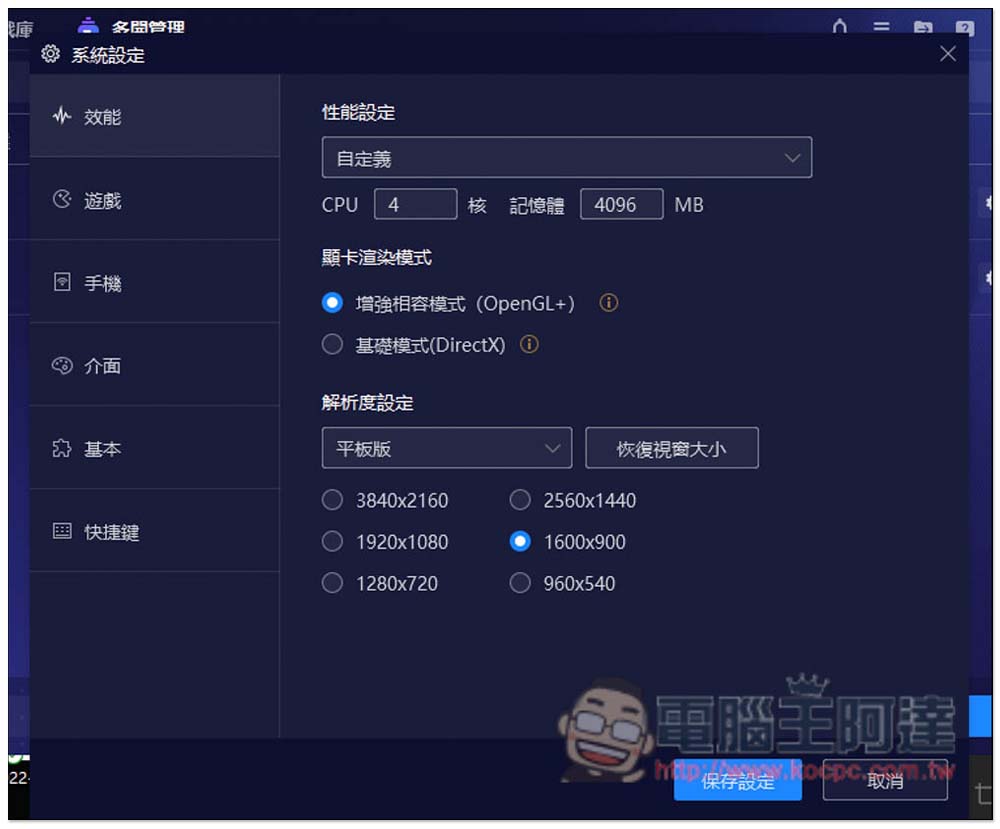
Finally, there is the picture quality in the game. People who have multiple settings recommend setting it lower to reduce the computer’s performance usage. Basically, after completing the above actions, you can hang up stably.
Summarize
For players of “RO Ragnarok: Love Like First Meeting”, I really recommend using the Yagami emulator to play. It has many advantages over mobile phones. It is more stable, fully functional, has preset buttons, multi-open and synchronizer functions, and the mobile phone does not need to be occupied all the time. It is a complete win.
Some people may think that mobile games should be played on mobile phones, but for games like “RO Ragnarok: Love Like First Meeting” that require idle practice, it is still more suitable to use a computer. There are too many restrictions on using a mobile phone, and the mobile network is not as stable as a computer. Especially if you take it out, you will definitely encounter places with poor reception, so your practice will be interrupted, and your level will definitely not be able to catch up with others in the long run.
Source: KOCPC Chinese