


For those who frequently use translation tools, you may have downloaded the desktop version of Google Translate on the Internet for convenience. It should be noted that a recent report issued by a foreign IT security organization pointed out that there are some “malicious mining software” disguised as Google Translate desktop version and other applications on the Internet. As long as the user installs it, it will secretly occupy your computer resources in the background for mining. If you feel that your computer is slowing down, this is probably the reason.
If you have ever downloaded and installed Google Translate for desktop (or other unofficial web applications), it is likely a malicious miner
A few days ago, IT security organization Check Point Research released a research report on “Detection of Crypto Miner Malware Disguised as Google Translate Desktop and Other Legitimate Applications.” The article stated that they had discovered a previously undisclosed Nitrokod crypto-mining activity that may have infected thousands of devices around the world.
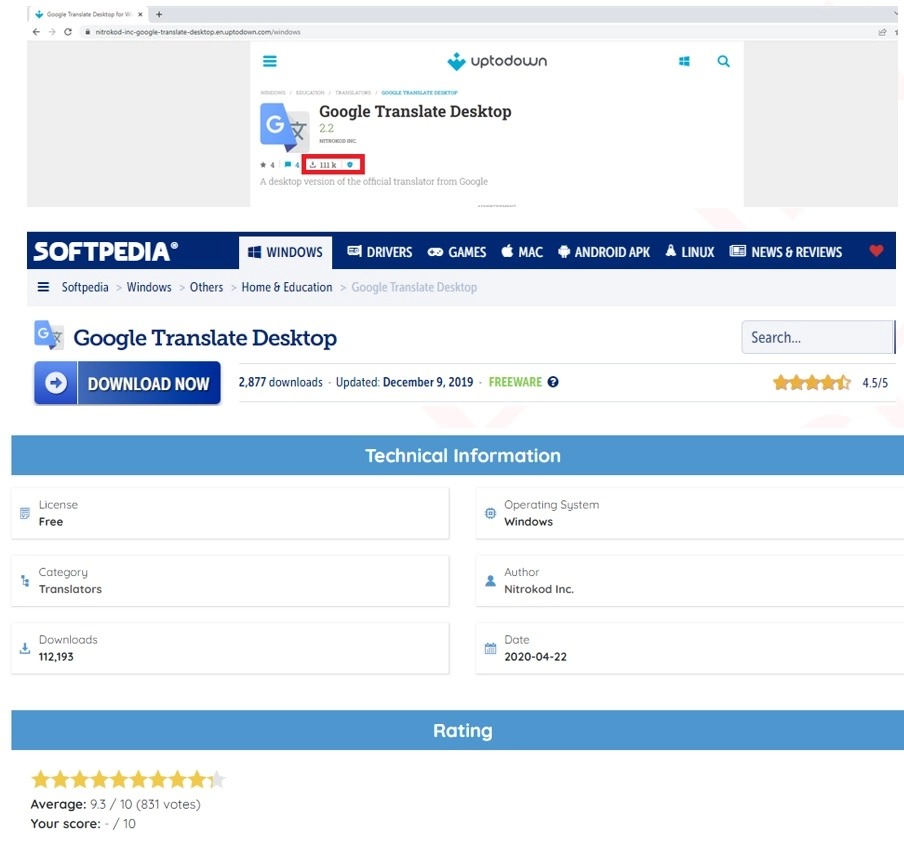
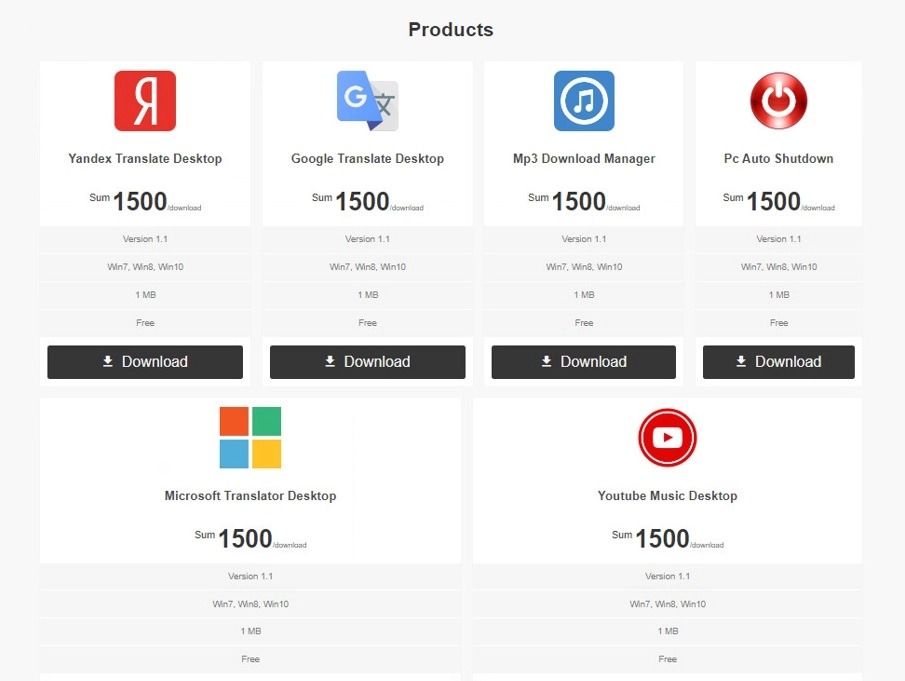
This mining activity will be hidden in some practical applications, such as Google Translate Desktop, Yandex Translate, Microsoft Translate, YouTube Music, MP3 download tools, and automatic shutdown applications, most of which are built through Chromium, and these malicious mining software are also placed on very well-known foreign software download websites: Softpedia and Uptodown:
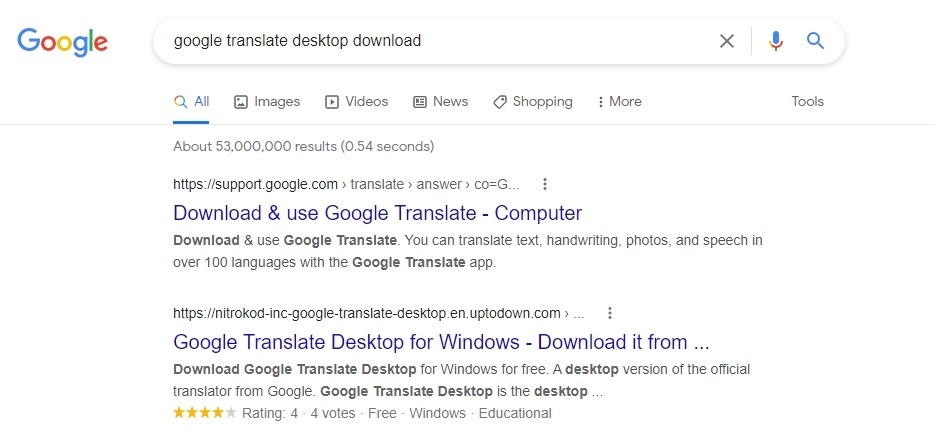
In addition, it is easy to find relevant results by entering relevant keywords in Google search, such as: Google Translate desktop version download. At present, the official has not launched its own desktop version, so most of the top rankings may be the Nitrokod malicious mining software version. Users who are not very familiar with computers may have the opportunity to install it by mistake.
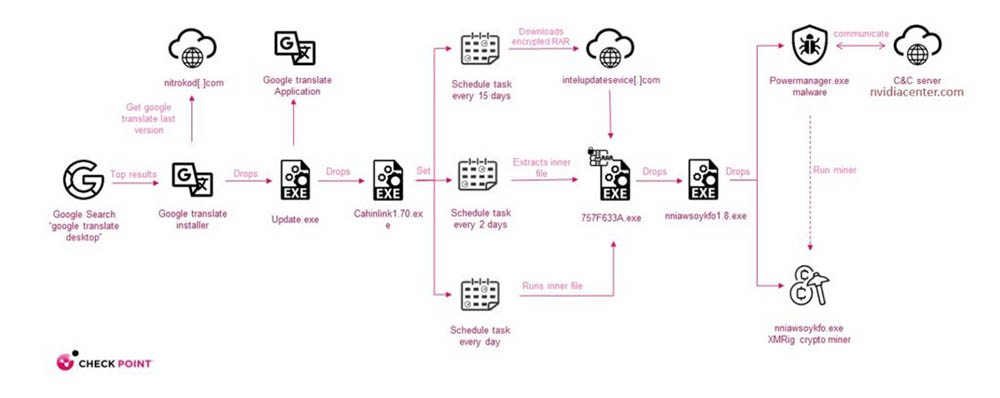
And you may not feel any problems after installation, because it will indeed provide relevant functions, and there will not be any suspicious behavior (such as mining) at the first time. It will wait for the user to restart the system at least four times within four days before it starts running, which means that it may take several weeks. The main reason for doing this is to avoid sandbox detection.
In addition, these malicious mining software also delete installation traces, making it more difficult for users to find suspicious activities. If signs of a virtual machine running are found, it will not start the mining city, so it is difficult to catch:
Therefore, if you have ever downloaded the desktop version of Google Translate on the Internet, or any other tool that has not officially launched a desktop version, it is best to pay attention, because it is likely to be secretly encrypted. If you can, delete it as soon as possible. After deletion, it is also recommended to use anti-virus software to scan to avoid any files that have slipped through the net.
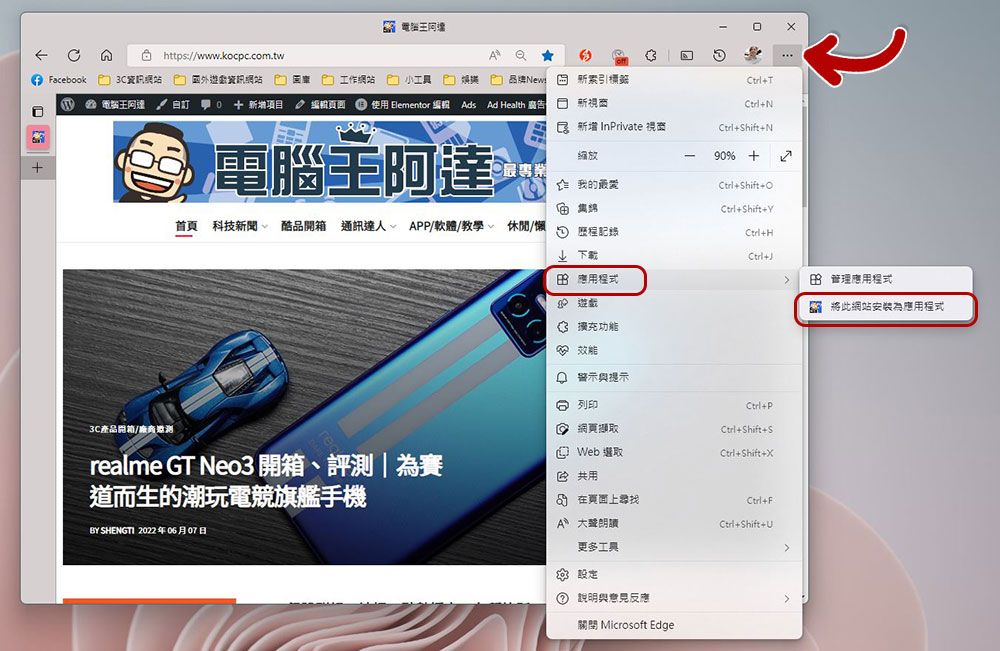
In fact, Chrome and Microsoft Edge browsers have built-in functions to make any website into a desktop version (Web application). The operation is very simple. If you don’t know yet, we have written a tutorial before.Anyone in need can click me to read:
Source: KOCPC Chinese