


Another batch of malicious apps listed on Google Play have been caught! This batch of 35 apps was found to contain malicious code that would display unwanted ads on users’ phones and have been installed more than 2 million times. More importantly, they would disguise their app icons in a more inconspicuous way, lurking in your phone without you easily noticing it.

Hurry up and delete these 35 malicious Android apps. After installation, they will disguise themselves as “Settings” and reduce their presence.
Bitdefender Security ResearchersThis batch of apps was discovered using a method based on real-time behavioral analysis. At first, these apps followed the standard policy of pretending to provide some special features to attract users to install them, but then changed the app name and icon immediately after installation, making it more difficult for you to find and remove them. From the moment of installation, malicious applications will abuse WebView to provide intrusive advertisements to users. In addition to earning advertising revenue, fraud may also occur. Because the ads pushed by these apps are loaded using their own framework, the infected device may lose other payloads.
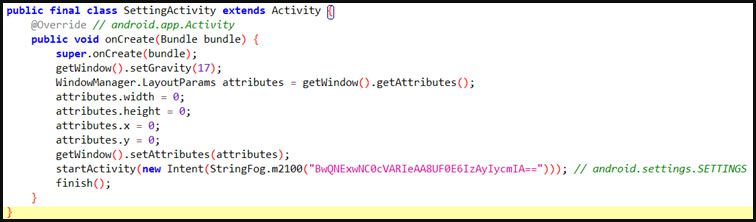
As stated in the security research report, adware apps hide in Android in a variety of ways, even receiving subsequent updates after installation to make it easier to hide on the phone. After installation, the application usually adopts the shape of a gear and changes its name to something like “Setting” or “Settings” to avoid detection and deletion. If the user clicks the icon, the app will launch size 0 malware and hide it from view. The malware then launches a legitimate Settings menu to trick users into thinking they have the correct Settings app open, in some cases impersonating the appearance of system apps from Motorolla, Oppo, or Samsung. Another way malicious apps can hide from users is by excluding themselves from the Recent Apps list, so even if they are running in the background, they won’t show up in publicly active processes.
The number of downloads of these 35 Android apps ranges from 10,000 to 100,000, with a total of more than 2 million downloads. Among them, the following most popular ones have at least 100,000 downloads:
- Walls light – Wallpapers Pack (gb.packlivewalls.fournatewren)
- Big Emoji – Keyboard 5.0 (gb.blindthirty.funkeyfour)
- Grand Wallpapers – 3D Backdrops 2.0 (gb.convenientsoftfiftyreal.threeborder)
- Engine Wallpapers (gb.helectronsoftforty.comlivefour)
- Stock Wallpapers (gb.fiftysubstantiated.wallsfour)
- EffectMania – Photo Editor 2.0 (gb.actualfifty.sevenelegantvideo)
- Art Filter – Deep Photoeffect 2.0 (gb.crediblefifty.editconvincingeight)
- Fast Emoji Keyboard APK (de.eightylamocenko.editioneights)
- Create Sticker for Whatsapp 2.0 (gb.convincingmomentumeightyverified.realgamequicksix)
- Math Solver – Camera Helper 2.0 (gb.labcamerathirty.mathcamera)
- Photopix Effects – Art Filter 2.0 (gb.mega.sixtyeffectcameravideo)
- Led Theme – Colorful Keyboard 2.0 (gb.theme.twentythreetheme)
- Animated Sticker Master 1.0 (am.asm.master)
- Sleep Sounds 1.0 (com.voice.sleep.sounds)
- Personality Charging Show 1.0 (com.charging.show)
- Image Warp Camera
- GPS Location Finder (smart.ggps.lockakt)
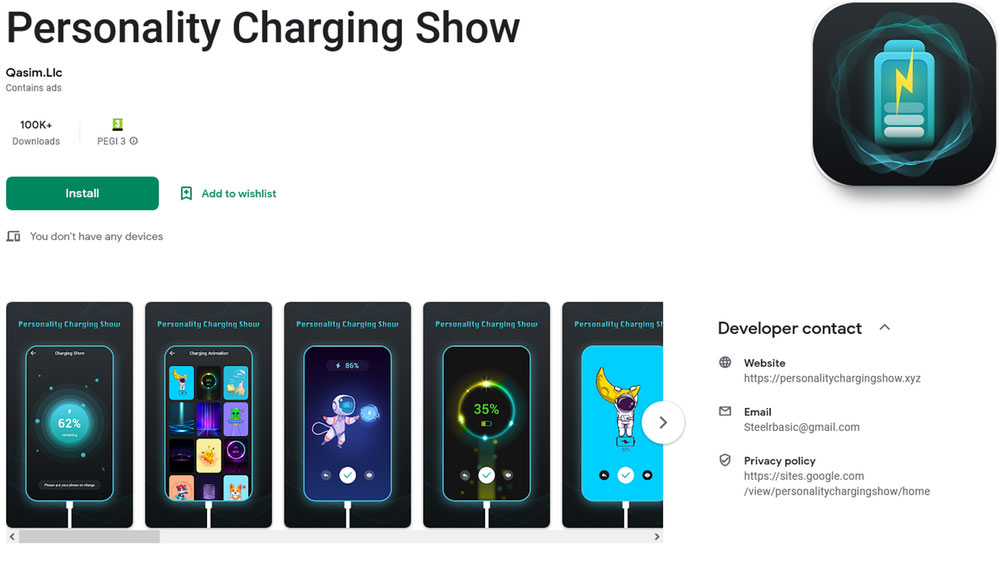
The rest of the apps are available on multiple third-party app stores such as APKSOS, APKAIO, APKCombo, APKPure, and APKsfull, but the download counts shown are from their Play Store data, so the number of victims should be higher. If you have installed any of these apps in the past, you should find them immediately and delete them from your device, and since they are good at camouflage, you can use your mobile antivirus software to detect and delete them.
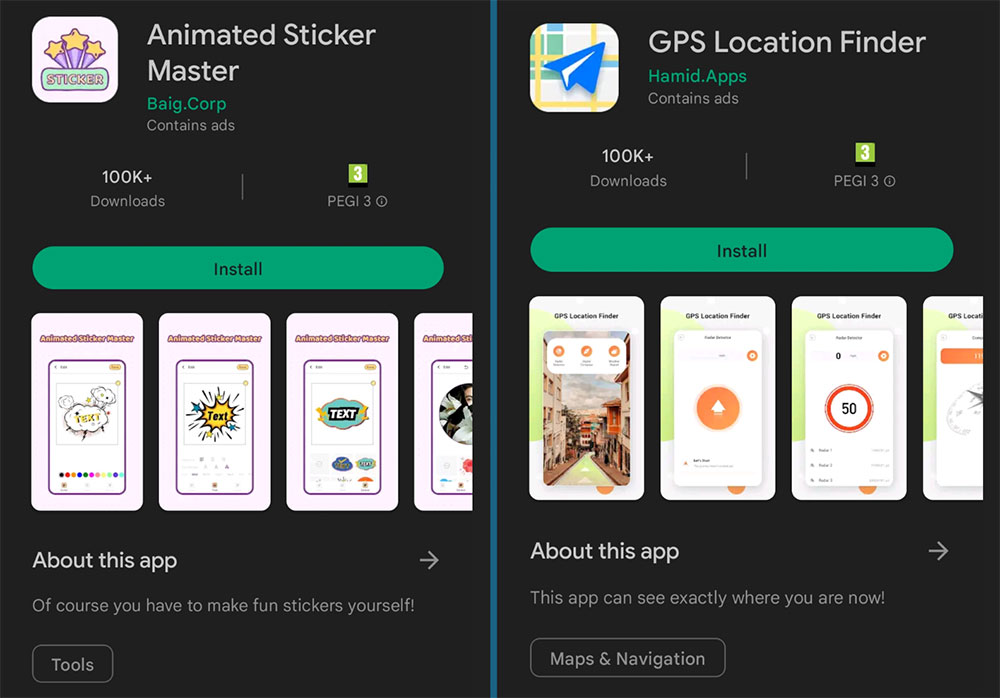
Although official stores are usually very good at removing malicious or dangerous apps, some history shows that a small number of bad apps will still manage to get past the official defense lines and will not be removed until reported by a third party. Therefore, downloading apps from the official store does not mean absolute safety. You can also follow these simple rules to ensure the safety of your personal device:
- Don’t install apps you don’t really need
- Regularly delete apps you no longer use
- Be wary of apps with large downloads but few or no reviews
- Pay attention to whether the app requests special authorization, such as access to accessibility features, etc.
- Watch out for apps requesting authorization that is not related to advertising features
Source: KOCPC Chinese