


If you are someone who often shares a computer with your family or colleagues, sometimes you always wonder if someone has opened your mailbox and checked your mail? All right! If you are a Gmail user, you can use the simple method provided by Google to check the login and usage history of your account, and see exactly where, when and how your account was accessed.
It seems like someone is reading your mail? Teach you how to view Gmail login and usage records
Google allows you to review Gmail history to view previous account activities. This can be done from smartphones and computers. In this tutorial, you will be taught how to view Gmail login and activity history from two different devices.
View from web version
- Open Google in your browser Go to the Gmail website and log in to your account.
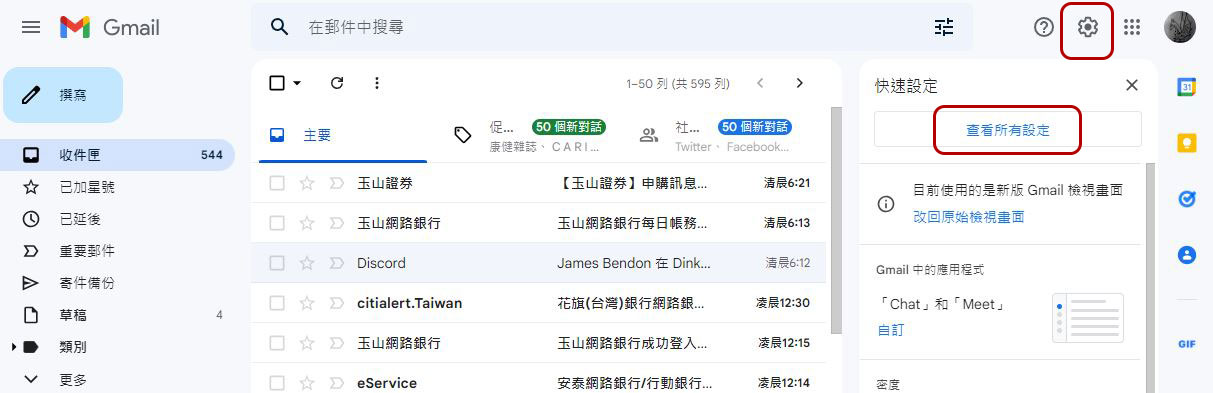
- Then click the gear icon next to your account in the upper right corner and select “View all settings”
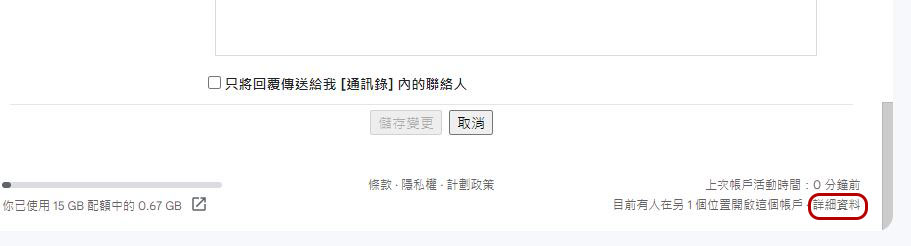
- Scroll the page to the bottom. You can find your last account activity in the lower right corner. If you want to view Gmail login activities, please click “Details” next to it.
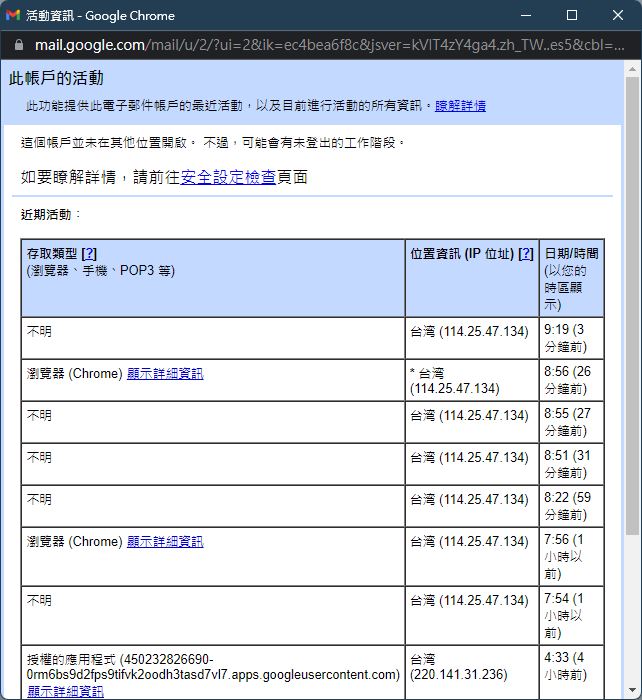
- In the window that pops up next, you can see all the times and addresses you used to log in to Gmail from your computer, and check whether there are any records of places and times that you don’t recognize and shouldn’t appear.
View from smartphone
- Open the Gmail app on your phone, click the three-bar menu in the upper left corner, and select “Settings.”
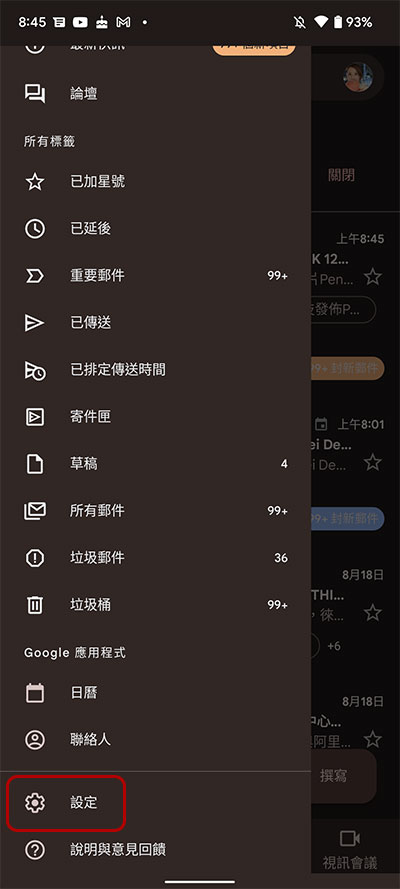
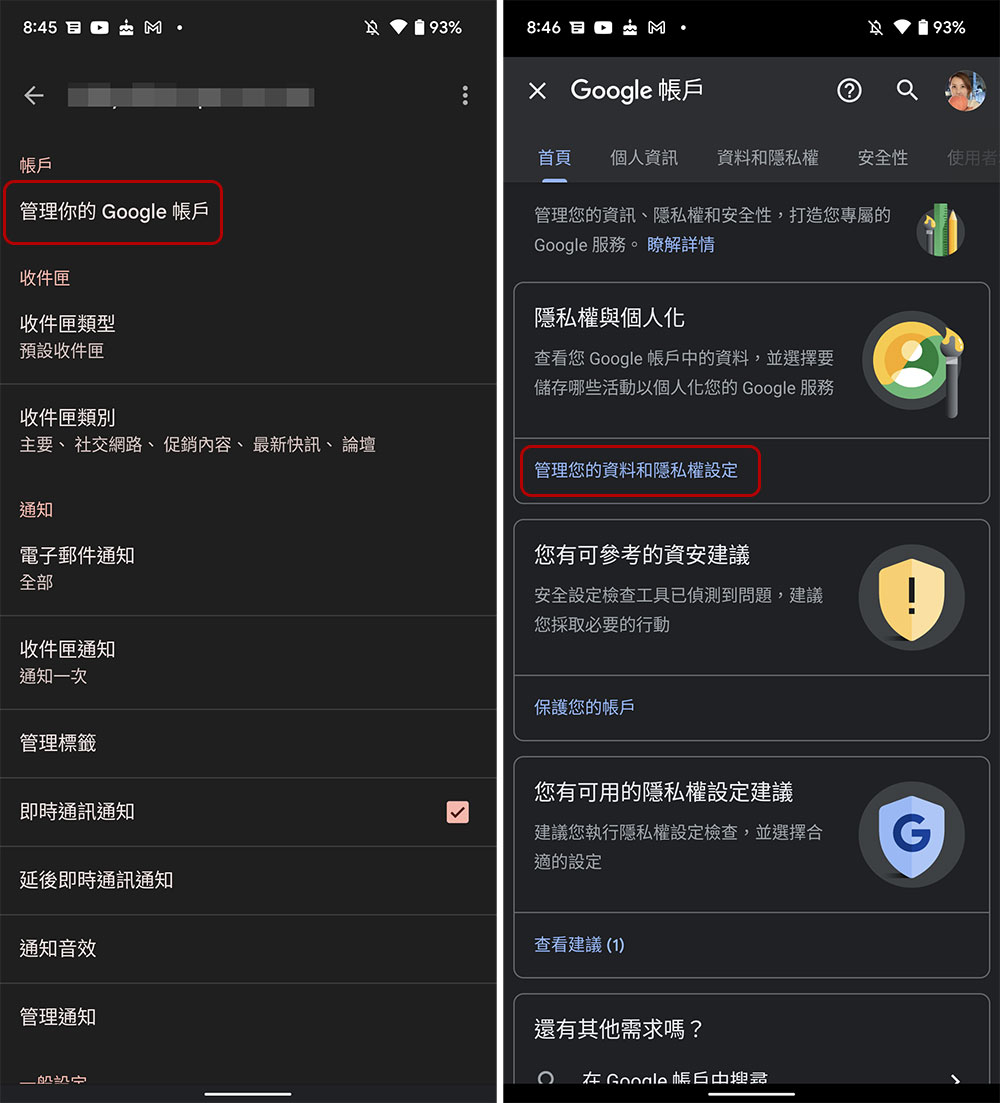
- Click “Manage your Google Account” at the top and select “Manage your data and privacy settings” in the “Privacy & Personalization” column on the next page.
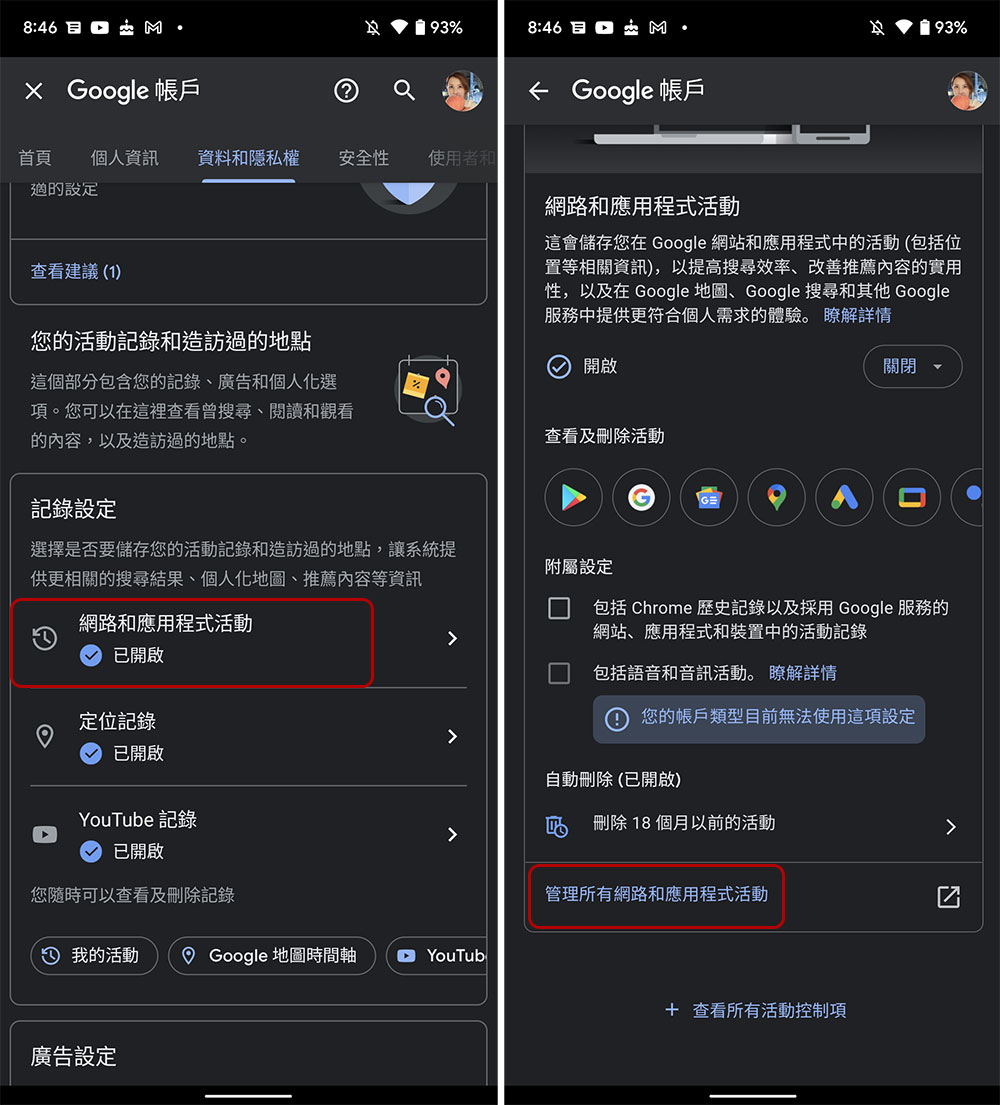
- Scroll down and click on “Web & App Activity”, then on the next page click on “Manage all web & app activity”.
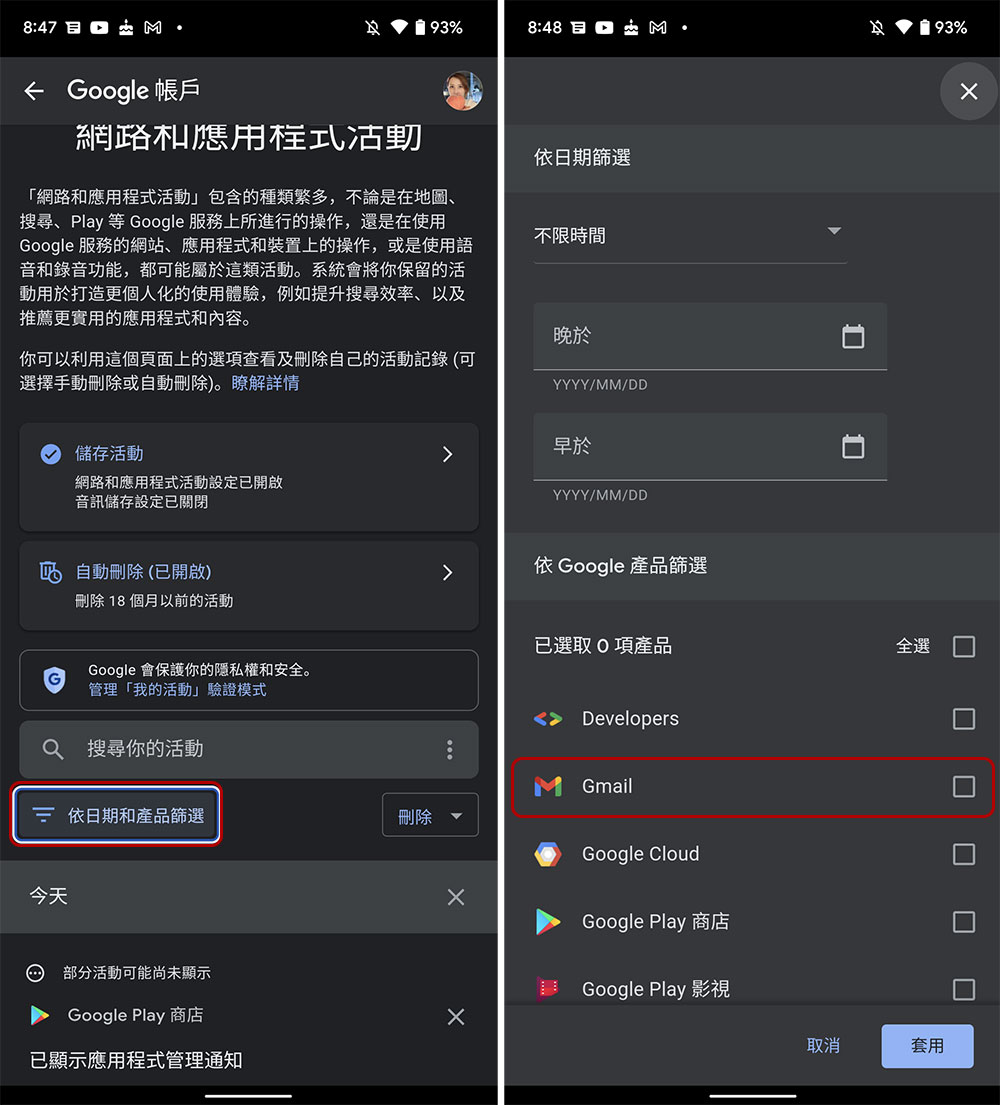
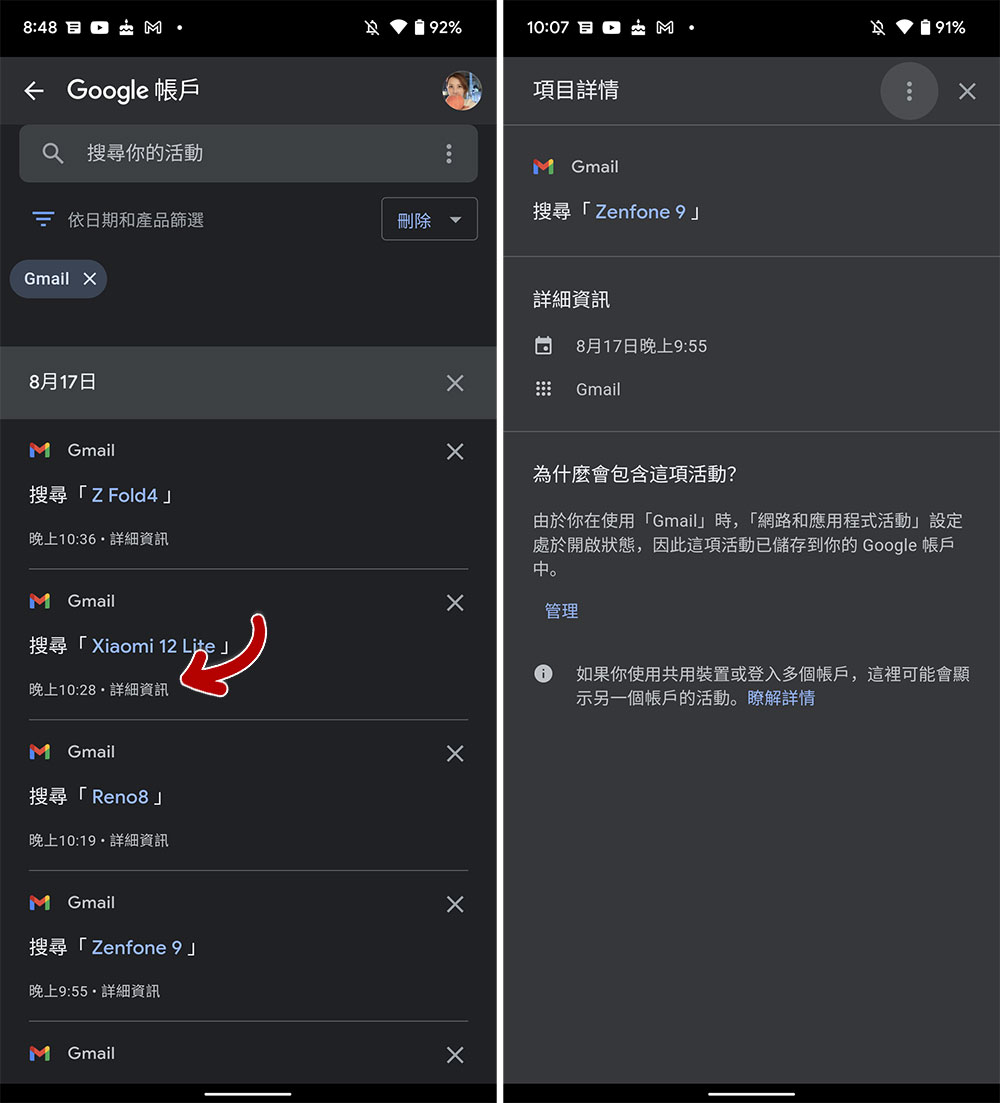
- After verification on this page (if you have a lock verification), scroll down to view the history records of all Google services. In addition, you can also click “Filter by date and product” to specify a time period and only list the usage records of the specified application services. Because we want to view Gmail records here, we select Gmail.
- After filtering the list, search activities in Gmail will be listed clearly and at a glance. If you want to check more detailed time information, you can click “Details” under each record to check the time of the event.
Gmail’s login history is a good way to know whether your account has been accessed by others without your knowledge and to track suspicious activity. If you want to better protect the security of your personal account, please enable Gmail’s 2FA authentication, which can make the account more difficult to crack and break into. In addition, if you log in to your account on a public computer, don’t forget to not store your password in the browser, and be sure to completely log out of your personal account after each use to prevent others from intentionally or accidentally touching your privacy area.
Source: KOCPC Chinese