


Nowadays, many people are running Instagram, and even share limited-time updates to friends and fans every day. However, the built-in Chinese fonts of IG do not have many choices, and there is no way to make too many changes. This article will recommend a pretty good free app for “writing”. It not only provides a lot of fonts, but also has style templates that can be applied directly. In three simple steps, you can create super high-quality, literary and beautiful IG limited-time dynamic Chinese characters. You will definitely fall in love with it. This one has also received nearly 5 awards in the App Store. Full star rating. Currently only iOS version.

Xiabi App easily creates IG limited-time dynamic high-quality Chinese text
“Xiabi” is a free app developed by a Taiwanese team. It is completely free at the moment, with no in-app purchases and no ads. It is really amazing and more importantly, it is really easy to use.
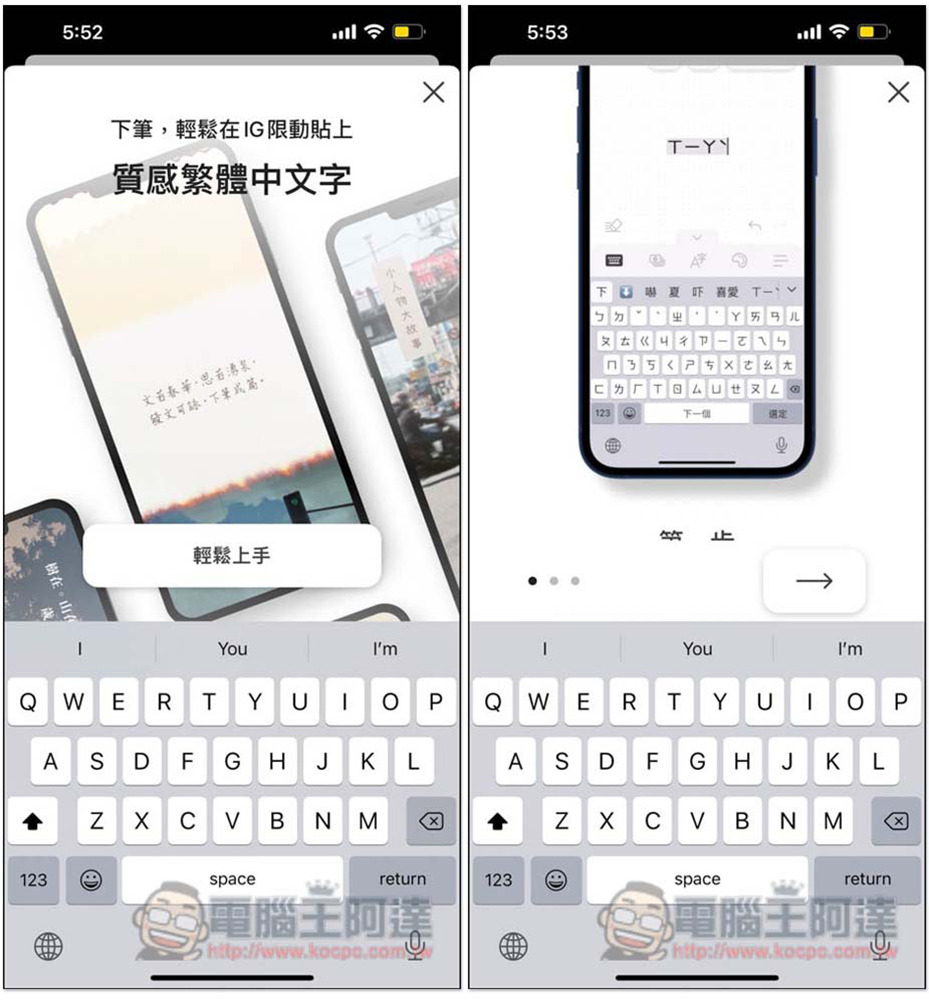
There will be a simple tutorial when you open the app for the first time. Those who are interested can take a look. It is a simple three-step process, enter text, select a style, and copy:
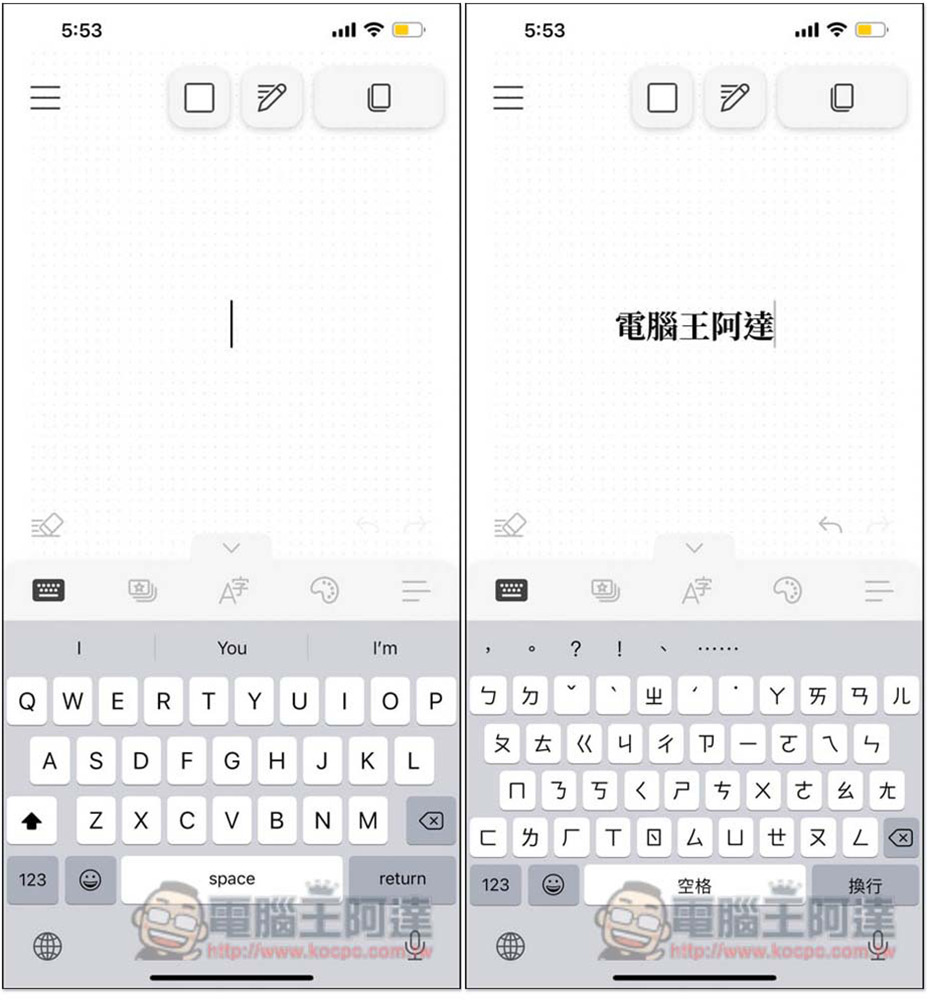
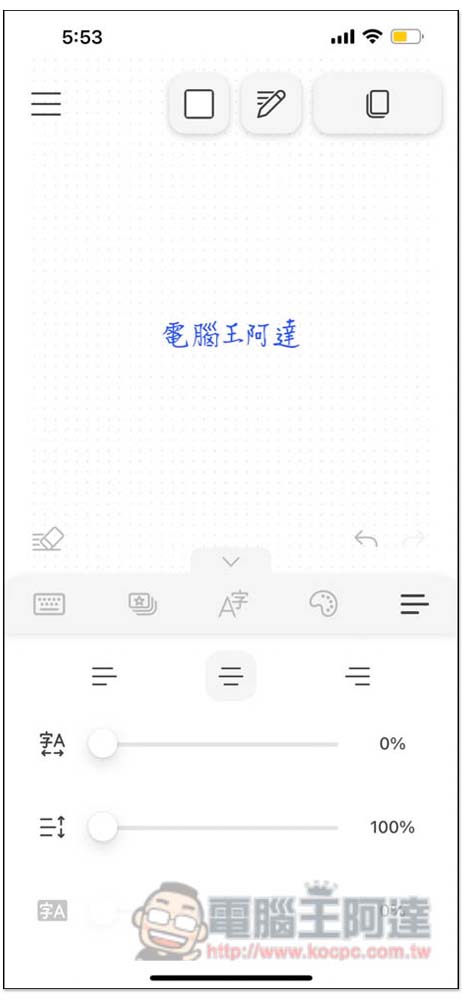
After entering the homepage, you can enter the Chinese character you want to use. I take “Computer King Ada” as an example:
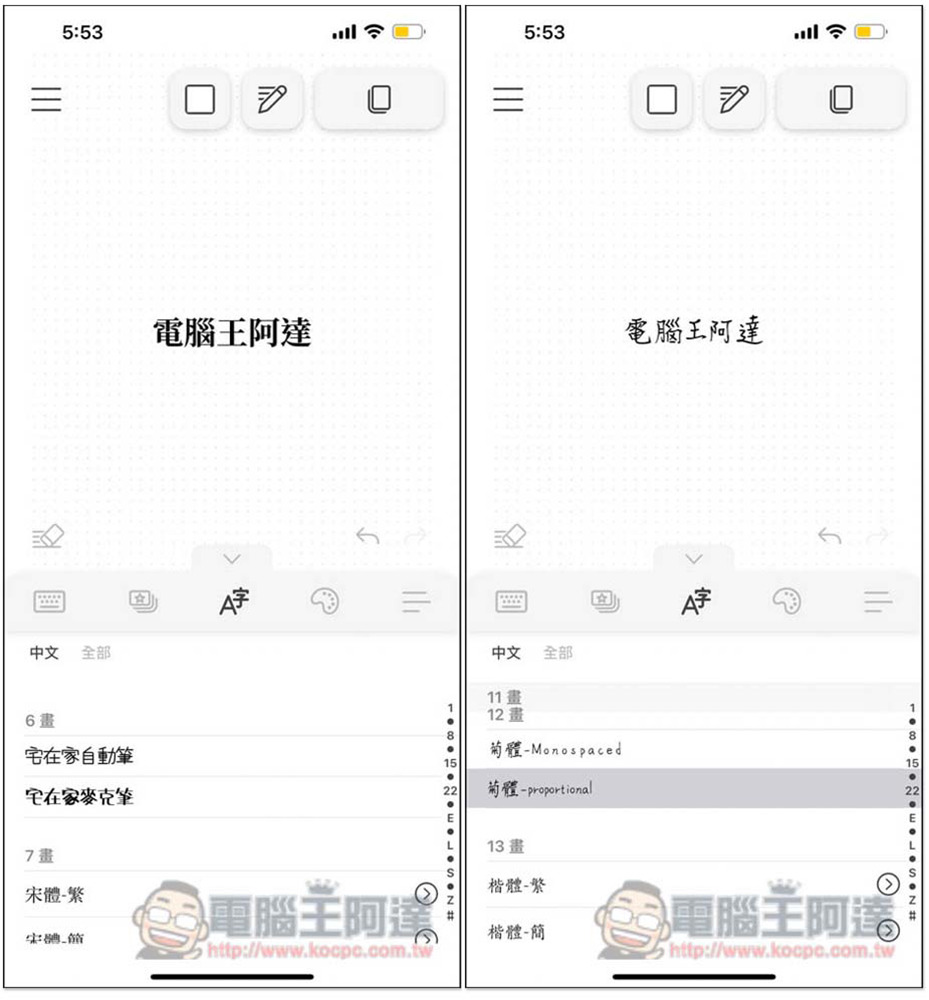
The menu is in the middle, and in the middle is the option to change the font. I quickly scanned it and there should be 20 options for Chinese. It also supports English. Click “All” to find it. In addition, if you have your favorite fonts, this App also supports the function of importing fonts (you can find “Expand more fonts” in the menu in the upper left corner), you can add it yourself:
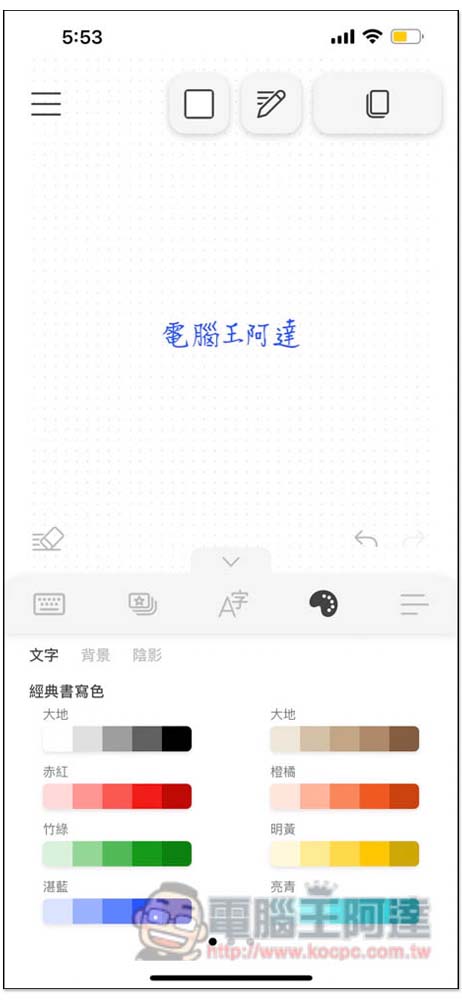
Of course the color part can also be adjusted, and not just the text itself. Backgrounds and shadows are also available:
Even the character spacing and the distance between upper and lower paragraphs can be modified, which is really powerful:
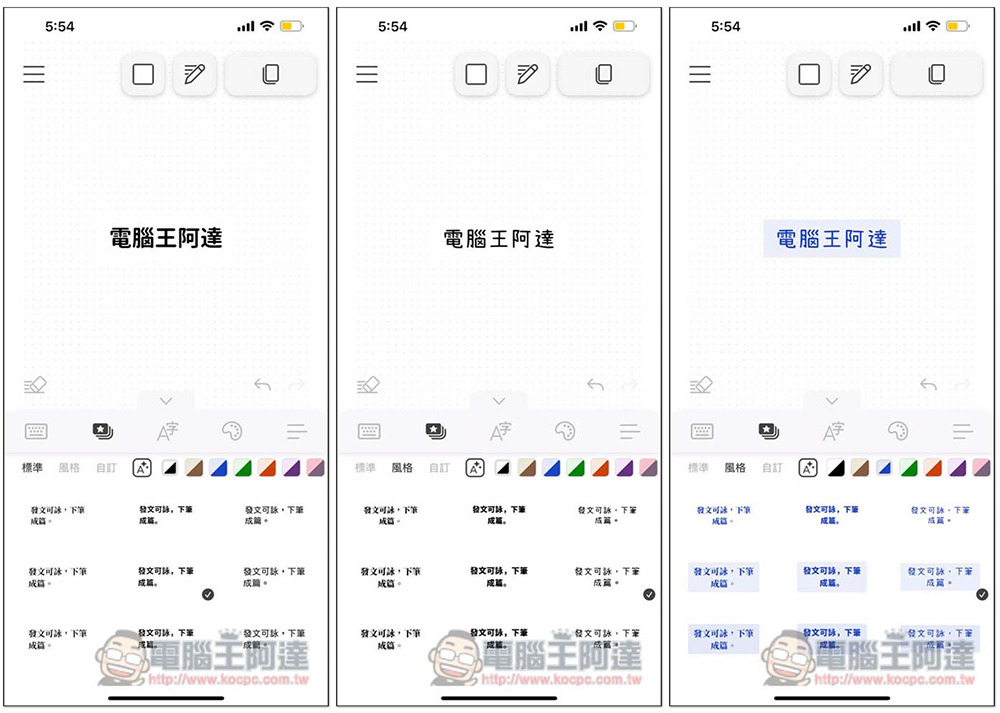
For those of you who are always unable to adjust the fonts to look good, the App also thoughtfully provides a sample function that allows you to apply it with one click. There are two types: standard and style. This is really useful and saves time and effort:
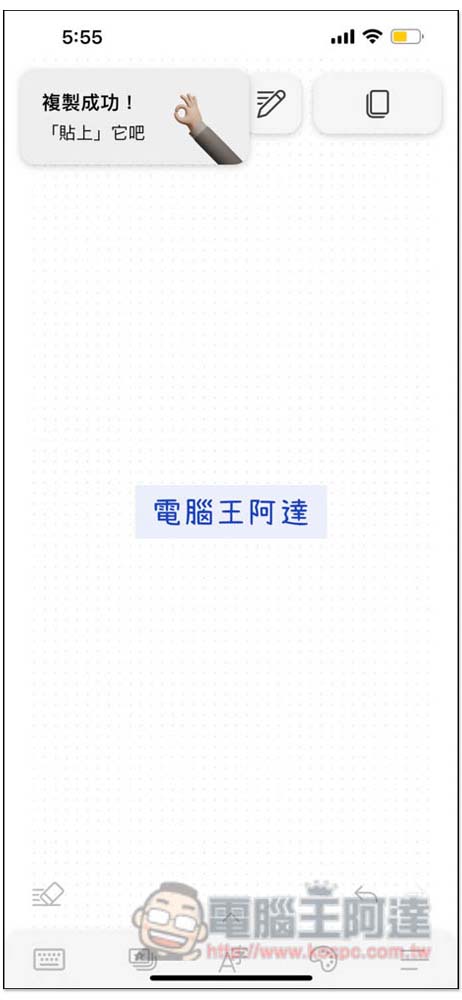
After the text is finished, press the copy function in the upper right corner and the “Copy successful! Paste it” function will be displayed, which means the copy is completed:
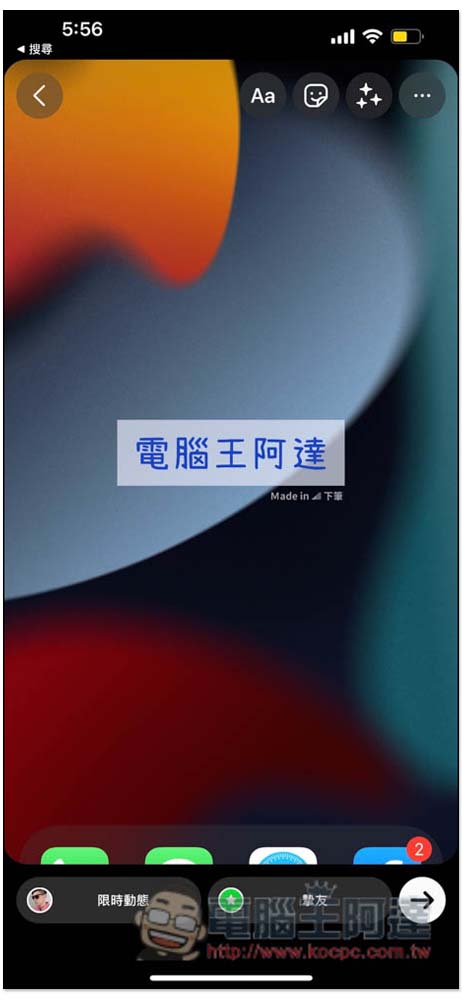
At this time, please open Instagram’s limited-time animation production page, then long press and paste, and the text you just made will appear:
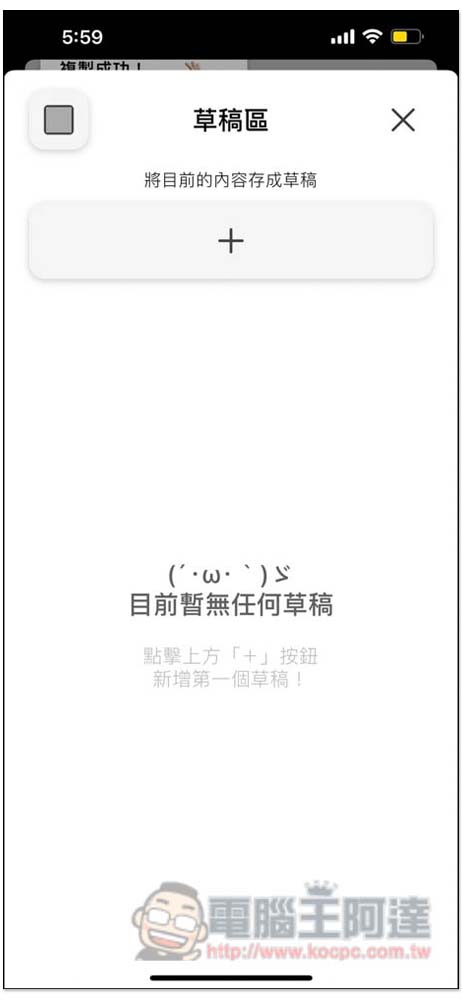
For some text that you are very satisfied with, or that has not been completed and has no inspiration, this product also supports the draft function, which can be stored in the draft area for future use and modification:
In the self-installed font menu, there are also preset “Adobe Creative Cloud” and “Fonts – Mobile Font Installation and Download App” font system apps, which can be imported directly. Those who are useful can try it out.
In addition, the watermark at the bottom right of the text can also be turned off. If you don’t like it, go into the settings and you can see the “watermark under pen”. If you turn it off, it will not appear.
Five major functional features:
- Traditional Chinese fonts: A variety of traditional Chinese fonts are built-in. Download and have them once, and use them as you like!
- Template function: A variety of design templates to meet various posting needs. Customized templates can also be stored to facilitate consistent formatting and style.
- Draft area: Start writing when you are inspired, and store it in the draft area if it is not finished. The words are worthy of careful polishing. Write and store your words safely.
- Expanded fonts: Want to add more fonts? No problem, import fonts easily, and exclusive fonts can be easily posted on IG limited-time updates on mobile phones!
- Simple design: The interface is simple, providing a quiet flow space for digital writing.
Source: KOCPC Chinese