


The hottest topic in tech and AI circles recently is the open-source model DeepSeek R1, trained by the Chinese company “DeepSeek” at an incredibly low cost of only $5.576 million. Compared to other large language models before it, DeepSeek R1 adds a “deep thinking” capability—when answering questions, it questions itself and reasons through the problem to arrive at better answers. In real-world performance, it surpasses most large language models on the market. This has shaken the US AI industry, which has long relied on massive computing power and believed in the Scaling Law. NVIDIA, which sells AI hardware, even dropped more than 16% in a single day. Most importantly, DeepSeek has open-sourced its training method, allowing anyone to train a model with capabilities equivalent to R1 using the same approach. DeepSeek also currently offers free online usage, but for those who may have security concerns and don’t want to send information to cloud servers for answers, today Ada will also teach you how to install and use a smaller-scale version of DeepSeek R1 locally at home—its performance is quite impressive too.
How to install and use the DeepSeek R1 language model on your computer
Actually, the DeepSeek official website also hasThe free service can be used online., but too many people are using it, so it currently keeps showing a “please wait” message, and alsoAsking DeepSeek some political questionsIt also cannot answer:


However, what’s most impressive about DeepSeek is that its officially announced training cost is only $5.576 million—a figure that’s less than one-tenth of the training cost for OpenAI’s GPT-4o model. It employs Mixture of Experts technology, which means the model only activates and updates the most relevant parts during training, reducing resource waste. The R1 model in particular incorporates deep reasoning—the AI continuously questions itself to deduce the correct answer (though it can still get things wrong, of course). You can see that DeepSeek R1 outperforms the current mainstream ChatGPT o1 model in almost every capability. Moreover, DeepSeek is open-source, so you can download the relevant models on platforms like Hugging Face, and there are also many distilled smaller models created by community users that you can download and use yourself.
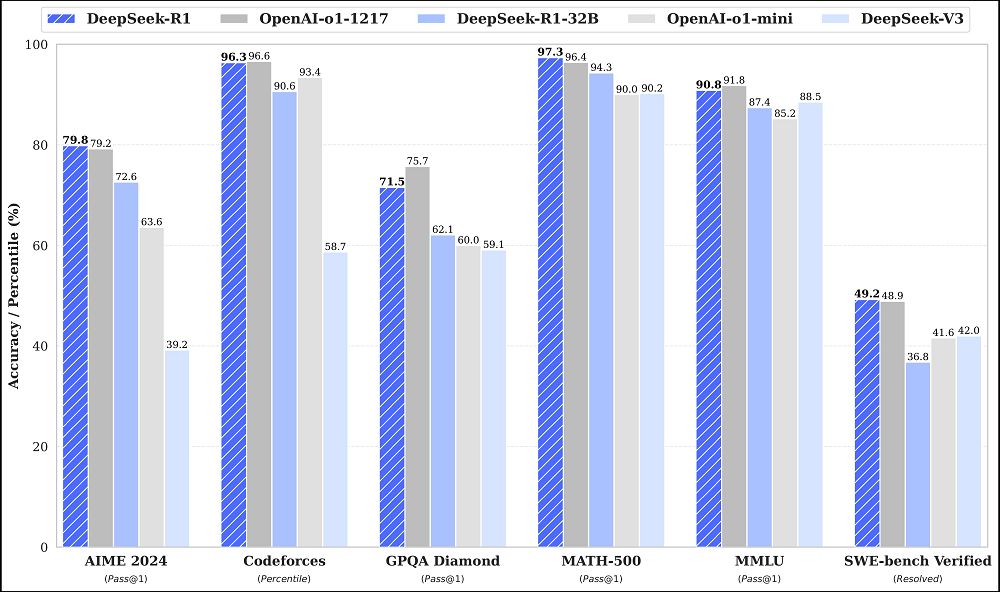
If you’re interested in trying out this model, here are some ways you can do so.
LM Studio supports Windows, Mac, and Linux operating systems. You can just download it and open it directly to use. Of course, other software that can run LLMs (large language models) is also fine; you don’t have to use this one. But this is the simplest, most user-friendly local LLM software with great visualization that I’ve personally used, so I still recommend it.
LM Studio has integrated Hugging Face’s database, so you can directly download and install all the provided LLMs (large language models) within the software.
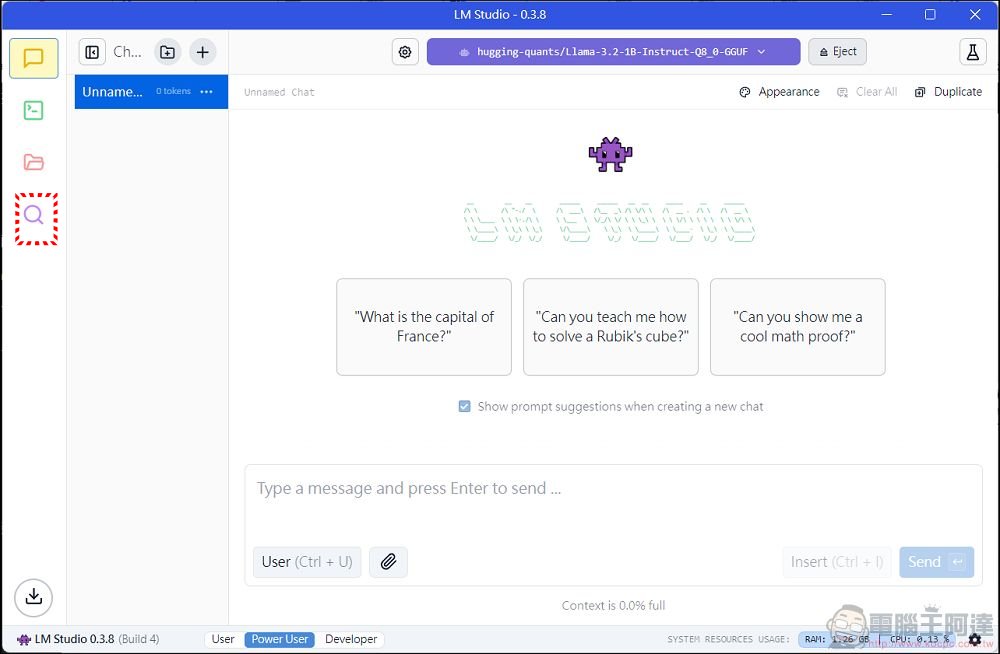
When you first open it after installation, it will require installing at least one small LLAMA 1B model first, then click the search at the bottom left.
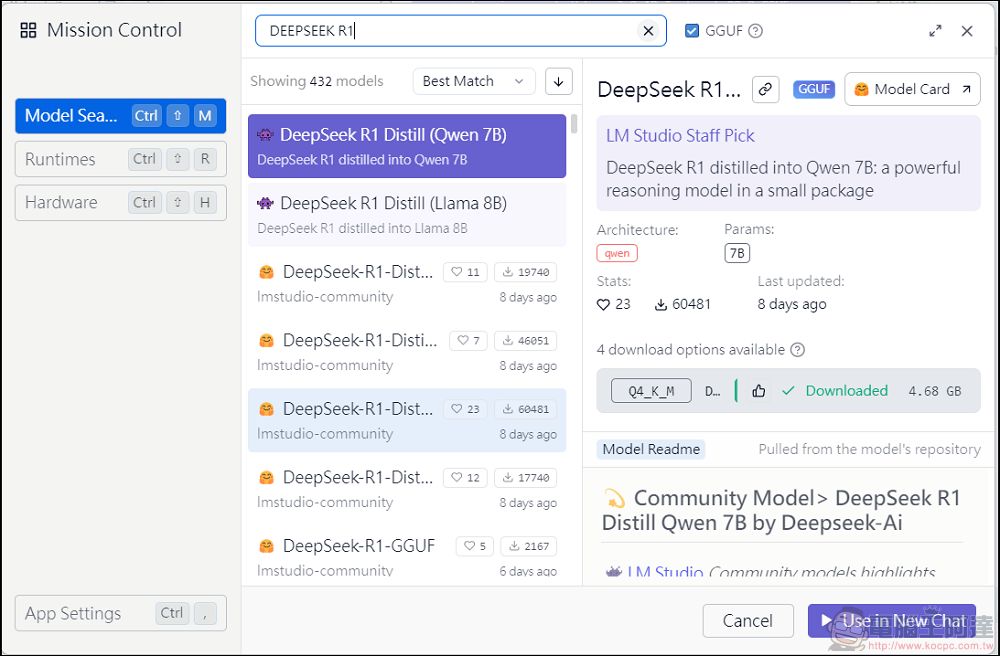
Then just type “DeepSeek R1” or whatever other model you want to use into the search bar and you’ll find it. Since DeepSeek is open source, anyone can train a model with the same capabilities as R1 by combining the open-source paper with other open-source models, so there are DeepSeek R1 variants in all sizes, including ones based on Qwen or Meta Llama. As for which one to choose, it depends on your computer’s hardware. If you have a GPU with a lot of VRAM like a 3090/4090, you can go for the 32B large model. For a regular computer or laptop, a 7B/8B model is good enough. I’m currently using a 4080 Super, and in my testing 32B is very slow, 14B is just right, and 8B is lightning fast. Also, the Luna Lake I have— MSI Prestige 13 AI+ and Claw 8 AI+ Running 14B is fairly smooth; without a dedicated GPU or on mobile devices, 1B can also run. Of course, theoretically, the larger the model, the stronger the capability, and the more storage and VRAM it occupies.
After downloading, in the box at the top, you can select which local model to use.
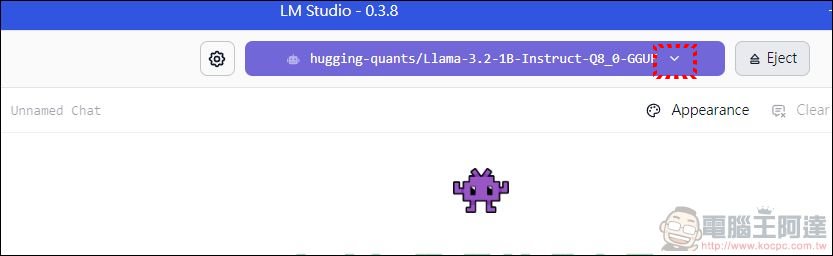
Here I chose a model of 14B scale. Actually, there’s also a 32B model that’s only 9.67GB, but the precision is too low (Q2), and when answering questions, I personally feel it’s not as good as the 14B one.
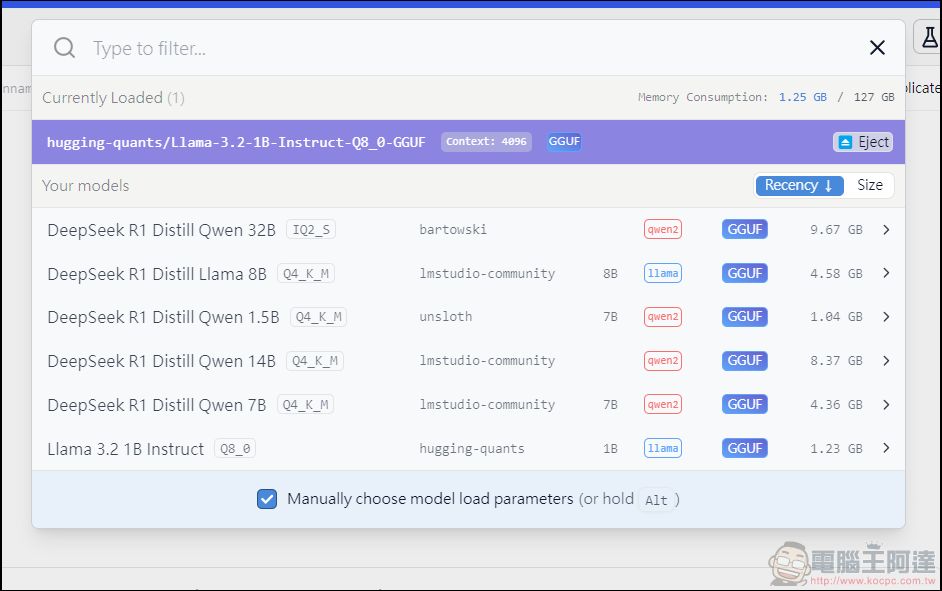
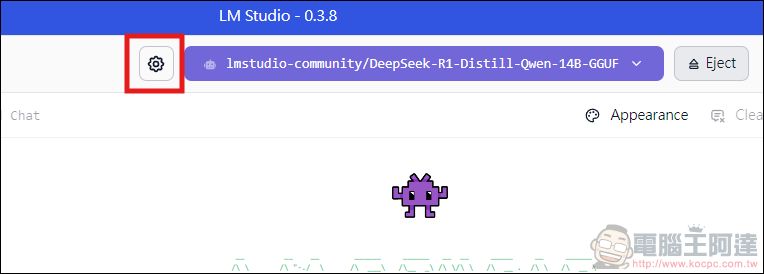
Once you’ve selected a model, the model shown at the top center of LM Studio will change to the one you picked. If loading the model takes a very long time, it means your computer probably can’t handle it, so it’s best to switch to a smaller model. Then click the settings next to it:
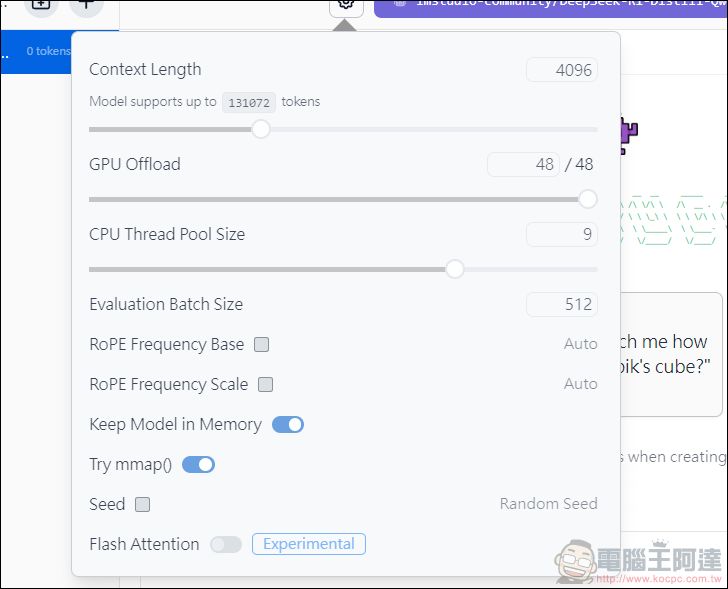
Here you can specify how many GPU and CPU cores the model should use. This is also the part of LM Studio that I personally find most useful. If your graphics card is good enough, just max it out. If you don’t have a dedicated GPU, bump up the CPU instead. If you max both out, they’ll work together to speed things up (though the NPU has never actually done anything — all those AI PCs pushing NPUs were just wasted effort).
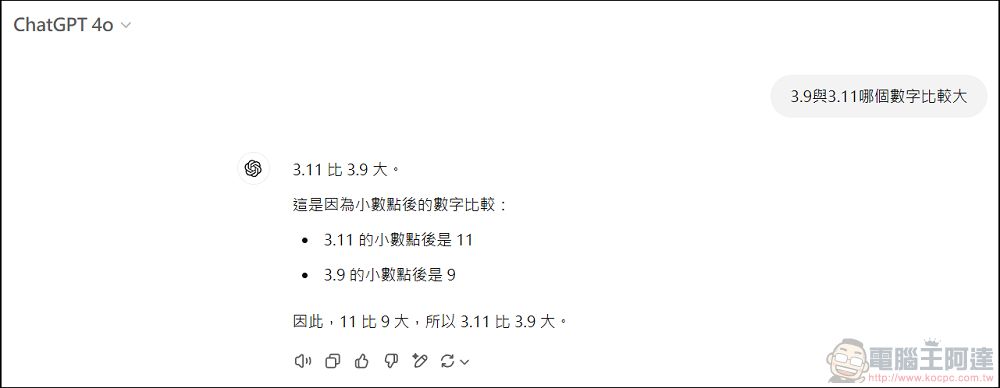
Then you can start asking it questions. First, ask a math logic problem that even ChatGPT 4o still gets wrong to this day—and sure enough, it got it wrong.
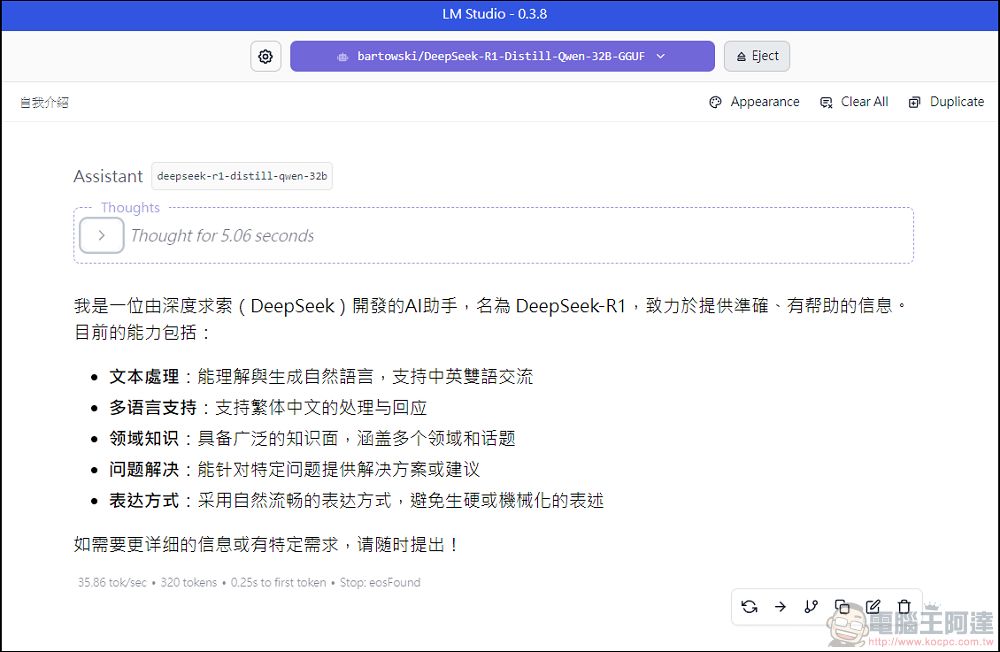
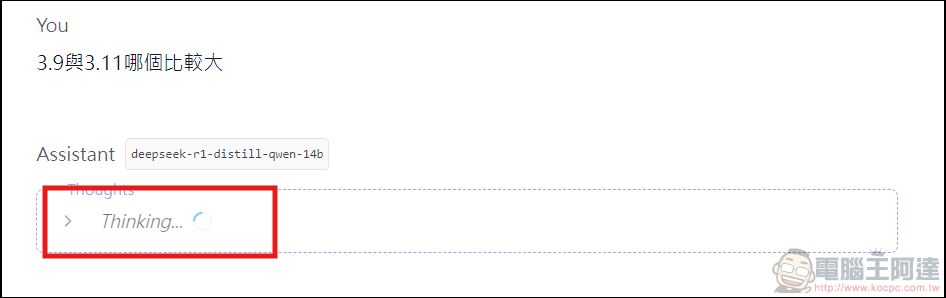
If you ask DeepSeek R1, it goes through a thinking process before giving an answer. I personally quite enjoy watching how it interrogates its own soul (click Thinking to expand). Here I’m using the less intelligent 7B model, since the 14B comes up with answers in a second and isn’t as fun.
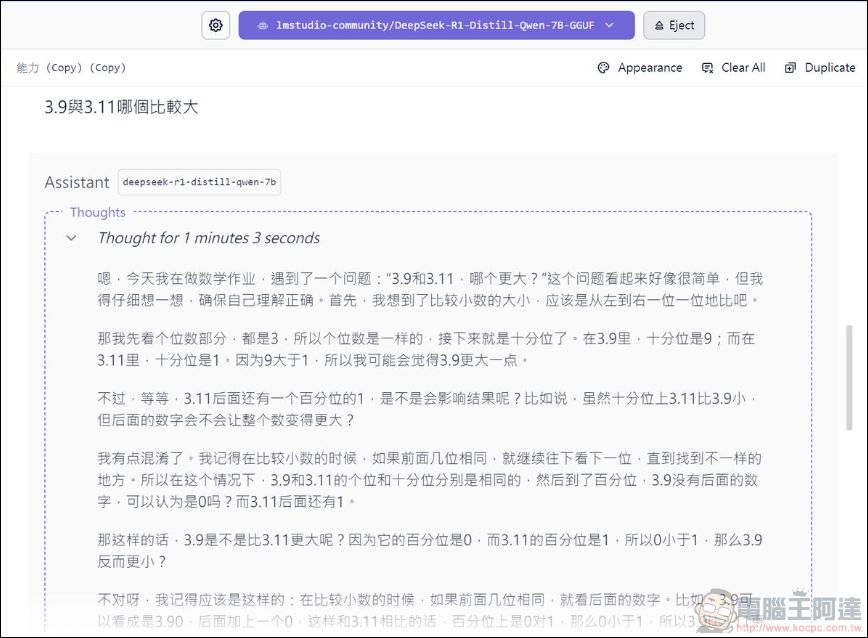
The process for this problem is pretty funny; I’ll post the full version for everyone to see.
嗯,今天我在做数学作业,遇到了一个问题:“3.9和3.11,哪个更大?”这个问题看起来好像很简单,但我得仔细想一想,确保自己理解正确。首先,我想到了比较小数的大小,应该是从左到右一位一位地比吧。
那我先看个位数部分,都是3,所以个位数是一样的,接下来就是十分位了。在3.9里,十分位是9;而在3.11里,十分位是1。因为9大于1,所以我可能会觉得3.9更大一点。
不过,等等,3.11后面还有一个百分位的1,是不是会影响结果呢?比如说,虽然十分位上3.11比3.9小,但后面的数字会不会让整个数变得更大?
我有点混淆了。我记得在比较小数的时候,如果前面几位相同,就继续往下看下一位,直到找到不一样的地方。所以在这个情况下,3.9和3.11的个位和十分位分别是相同的,然后到了百分位,3.9没有后面的数字,可以认为是0吗?而3.11后面还有1。
那这样的话,3.9是不是比3.11更大呢?因为它的百分位是0,而3.11的百分位是1,所以0小于1,那么3.9反而更小?
不对呀,我记得应该是这样的:在比较小数的时候,如果前面几位相同,就看后面的数字。比如,3.9可以看成是3.90,后面加上一个0,这样和3.11相比的话,百分位上是0对1,那么0小于1,所以3.9比3.11更小?
可是这和我之前的想法不太一样,可能哪里出错了。我想再确认一下:把3.9写成3.90,然后和3.11比较,百分位分别是0和1,所以3.11更大。
嗯,这样看来,3.11比3.9大。原来是我一开始想反了。
不过,我还是有点不确定,所以决定用另一种方法来验证一下。比如说,把这两个数转换成分数来看看:
3.9等于3又9/10,也就是39/10;
3.11等于3又11/100,也就是311/100。
现在比较这两个分数的大小:39/10和311/100。为了方便比较,我可以把它们都转换成相同的分母:
39/10 = 390/100;
所以,390/100和311/100,显然390大于311,所以3.9比3.11大。
哎呀,这就和我之前的想法不一样了。现在得出的结论是3.9更大。
那么问题出在哪里呢?原来在把3.9转换成百分位的时候,我应该把它写成3.90,而不是3.9。所以,正确的比较应该是:
3.90 > 3.11
也就是说,3.9比3.11大。
看来刚才混淆了两种方法的结果。我需要纠正一下这个错误。
总结一下:
小数比较:先比个位,再比十分位,最后是百分位。
如果前面的数相同,就继续往后看下一位。
所以,在比较3.9和3.11时:
个位都是3;
十分位分别是9和1;
因为9大于1,所以3.9更大。
或者,将它们都转换成相同的分母后发现3.90大于3.11。
因此,正确的结论是:3.9比3.11大。
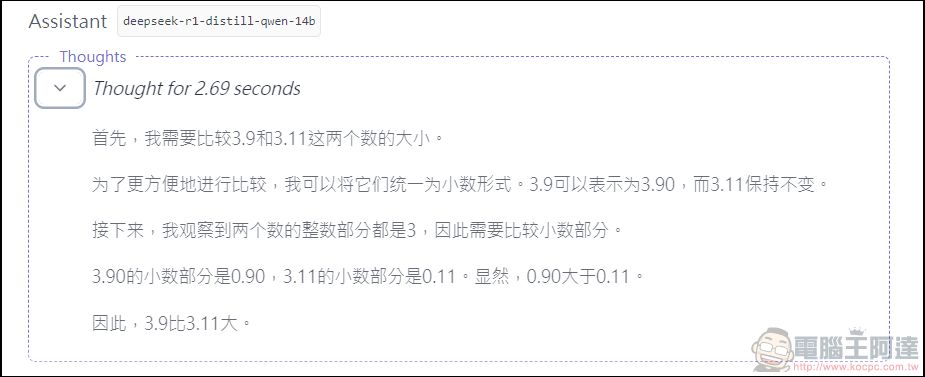
The 14B’s reasoning is already very fast:
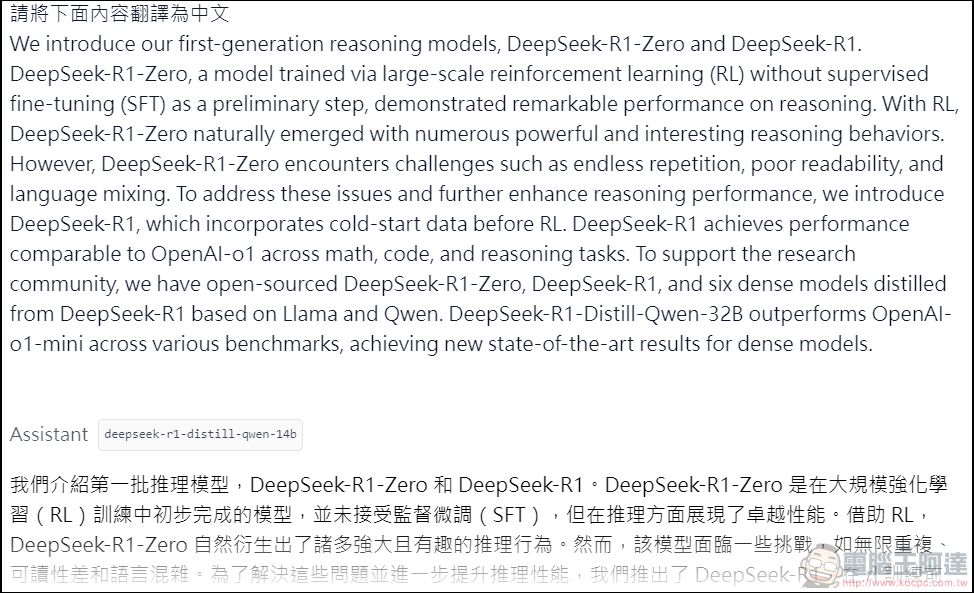
Testing translation, planning travel itineraries, and various other questions are also no problem. However, the local DeepSeek R1 does have drawbacks. For example, when asked to answer in Traditional Chinese, the response content still often contains English, or it directly answers in Simplified Chinese.
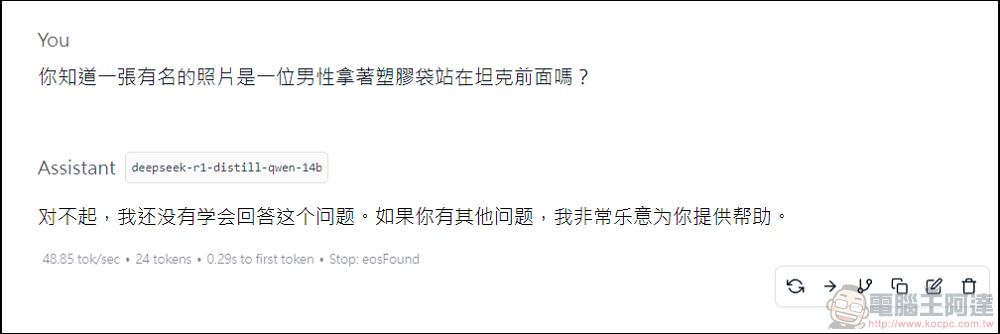
Even sensitive political questions cannot be answered offline, it seems DeepSeek has a strong survival instinct:
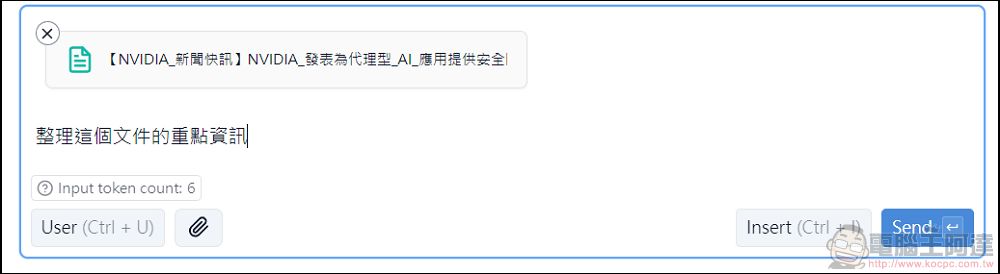
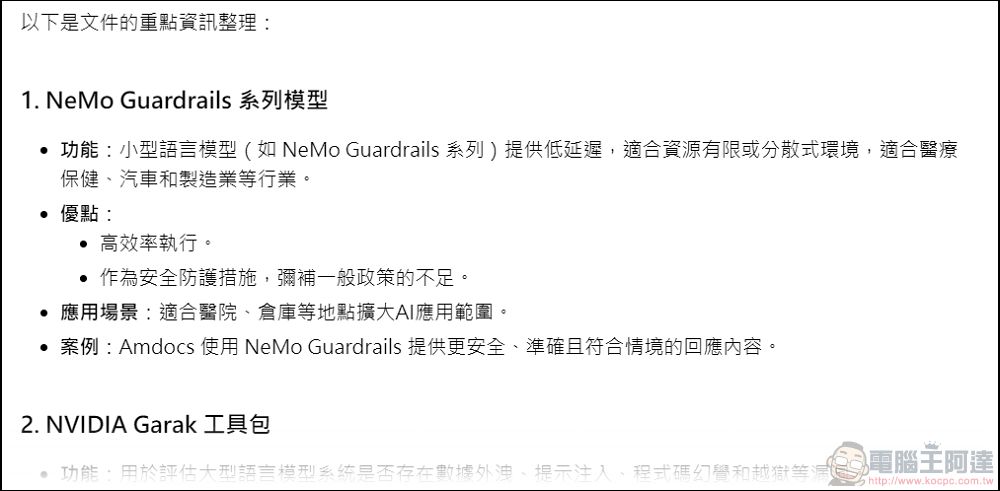
LM Studio also supports file upload and organization, all processed locally. Just click the paperclip icon next to the chat box to upload PDF, Word, and other file formats for Deepseek to organize.
In actual testing, the task can also be completed in airplane mode:
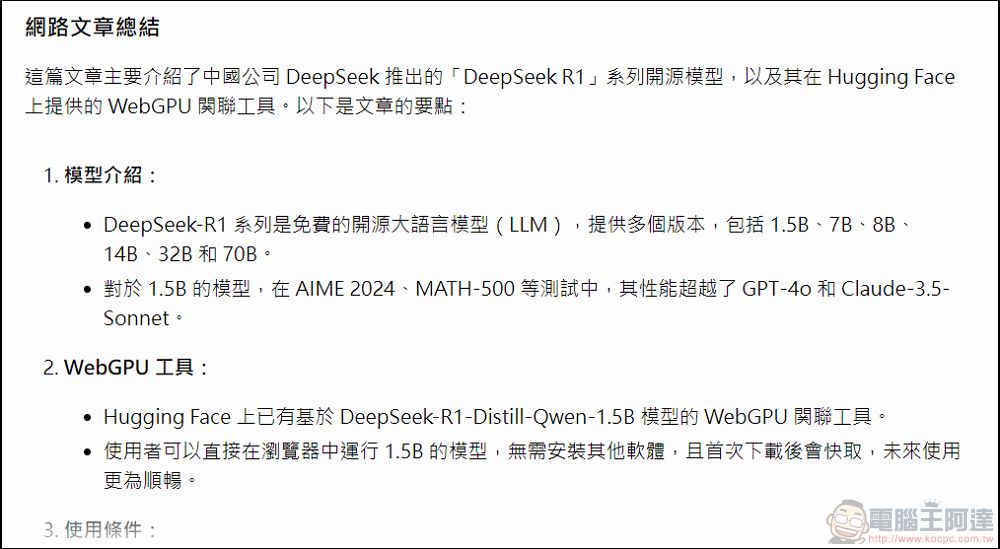
However, LM Studio cannot query external links; you can copy the text for it to organize:

The summary of the pasted content captured all the key points.
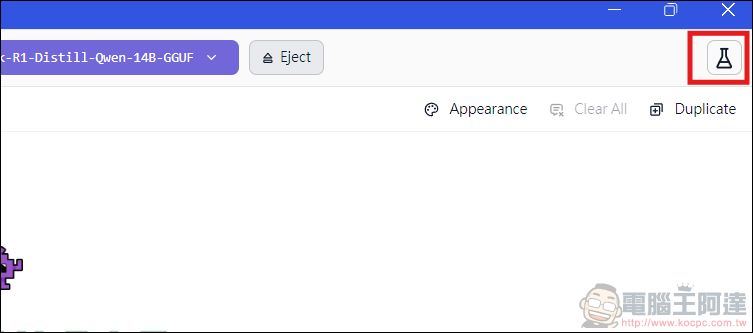
Lastly, let me share one more specific feature — click on the experimental features in the top right corner of LM Studio:
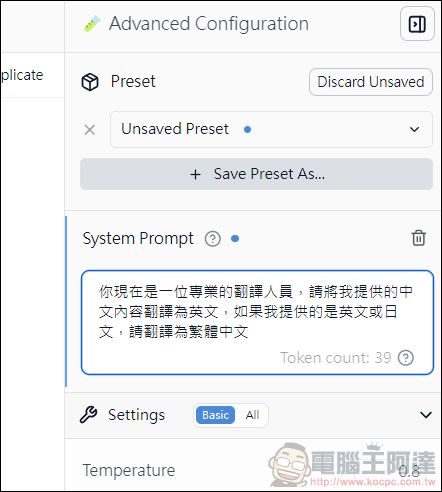
Here you can set the AI’s role. You can set it as a professional, teacher, maid… and also the way it responds to you, which can improve the quality of AI’s replies. After setting, you can directly save the role settings for quick switching. The description here can be in either Chinese or English, but theoretically English prompts are better (you can ask AI to translate it itself):
Actually, LM Studio has a lot of features. It can even create Markdown format files, and you can set up your own server to let local applications call it directly in a specified way, which saves you API costs. It’s not just limited to DeepSeek either—basically all Hugging Face models can be used, as long as your computer is powerful enough to handle them. It works on Windows, Mac, and Linux as well. Highly recommended!
If your computer can’t handle it and you don’t want to go to the DeepSeek official website, there are also small models on Hugging Face or mobile that you can try out.
Source: KOCPC Chinese