


Do you still remember Hailuo AI? We previously shared Hailuo AI’s free text/image-to-video feature. Recently, Hailuo AI has expanded its services and launched the Hailuo Audio feature, offering over 300 preset voices. You can find the voice you want in the Hailuo Audio feature. If you’re not satisfied with the preset voices, you can also customize your own voice—just a 10-second recording is enough to clone your voice. Today, we’ll show you how to use the Hailuo Audio feature. If you’re interested, keep reading~
Conch AI launches free Audio feature, with 300 built-in voices — clone your own voice in just 10 seconds.
Chinese tech company MiniMax’s Hailuo AI creative video platform recently added an Audio feature. The T2A-01-HD model that MiniMax launched for the Audio feature stores over 300 preset voices with different characteristics such as language, gender, accent, and age, and its intelligent emotion system can capture and reproduce subtle emotional tones. It’s free to use—just log in.
🔊Find Your Dream Voice with Hailuo Audio HD: A New Era in Voice Synthesis!
MiniMax proudly unveils T2A-01-HD, the next breakthrough in Text-to-Audio technology. With unmatched versatility, emotional depth, and multilingual authenticity, this model redefines what’s possible in… pic.twitter.com/ouWbcwqXgG
— Hailuo AI (MiniMax) (@Hailuo_AI) January 15, 2025
Go experience the Conch AI Audio feature.
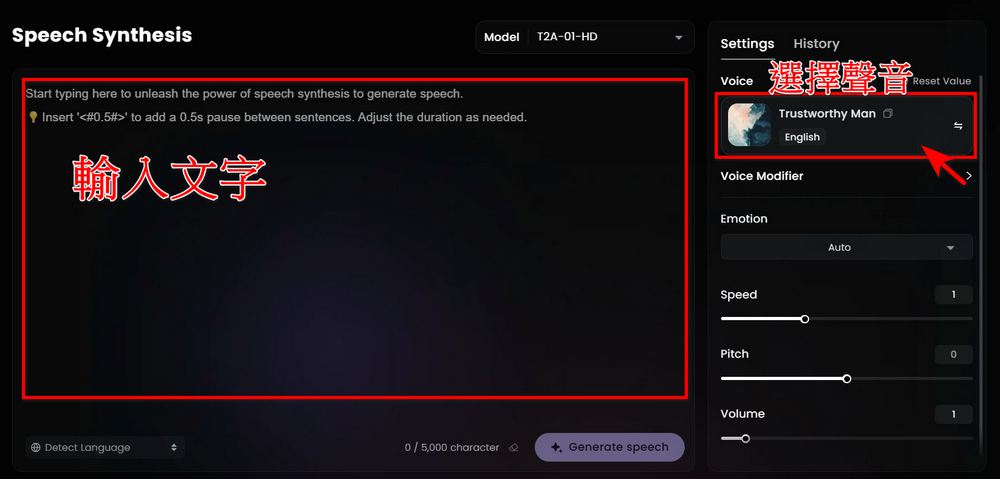
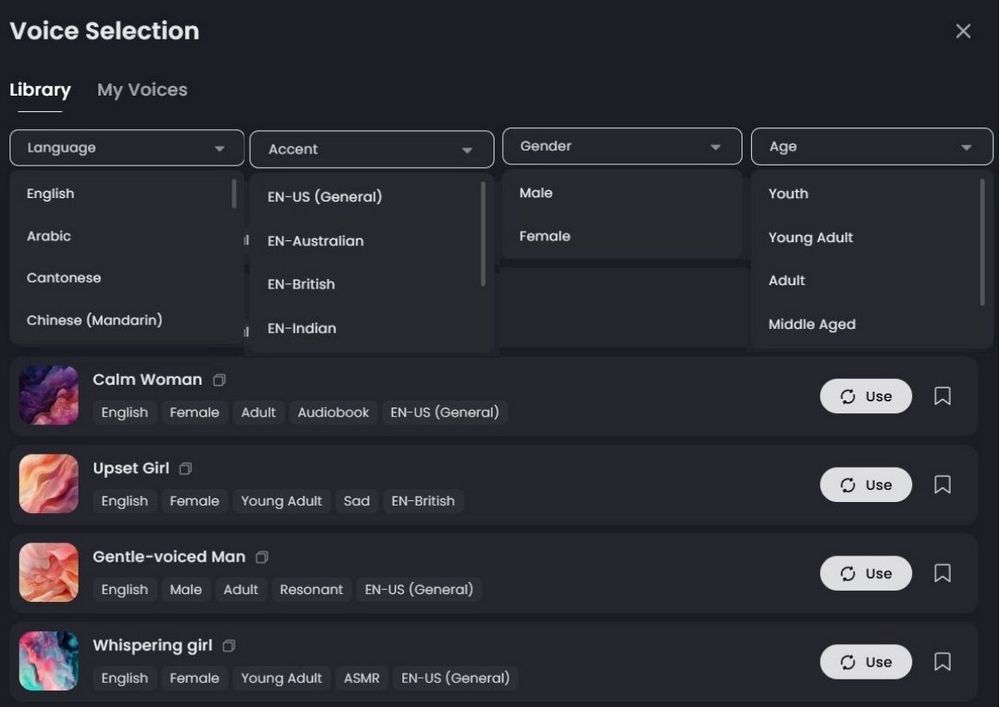
To use Hailuo AI’s features, you need to log in first. After logging in, you’ll see this screen. Enter the text you want to generate into speech in the input box. Then, if you have no special requirements, you can directly pick a voice you like from the Voice box on the right. You can filter by language, accent, gender, and age to choose a voice that suits you.
Custom voice
In addition to offering over 300 voices to choose from, Hailuo AI also provides the option to clone voices. Clicking Voice on the left side of the page will bring up Create your Voice Clone to clone your own voice. Hailuo AI allows you to clone up to three voices.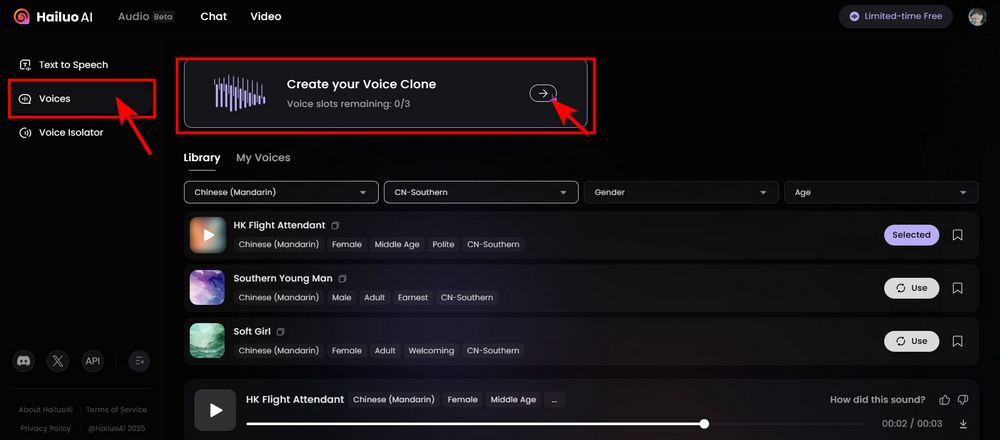
Cloning a voice is simple: you just need to upload an audio recording of at least 10 seconds, and Hailuo AI can clone the voice using that recording. When recording the audio, try to avoid echo, multiple voices, background noise, or any other sounds that might affect quality.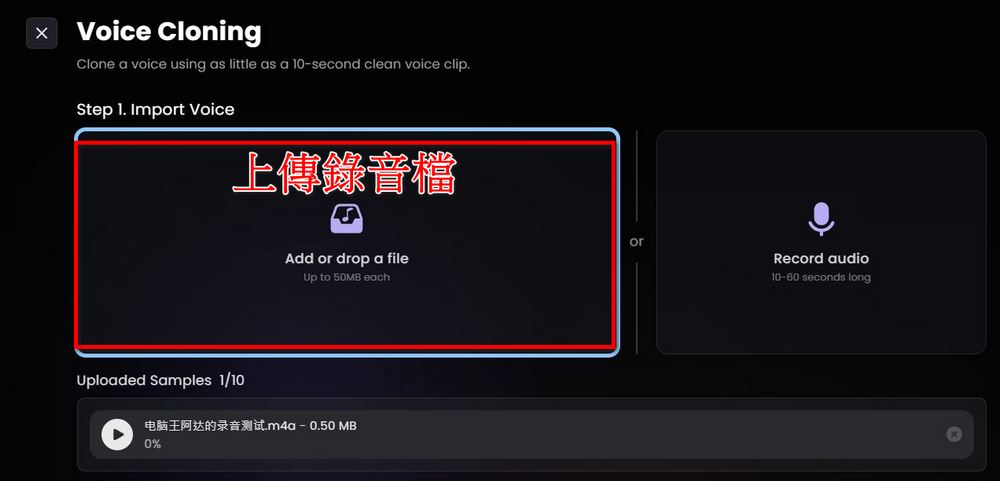
After uploading the recording file, name your clone and select the language you used for the recording, then click Convert, and Hailuo AI will clone a voice audio file that belongs to you.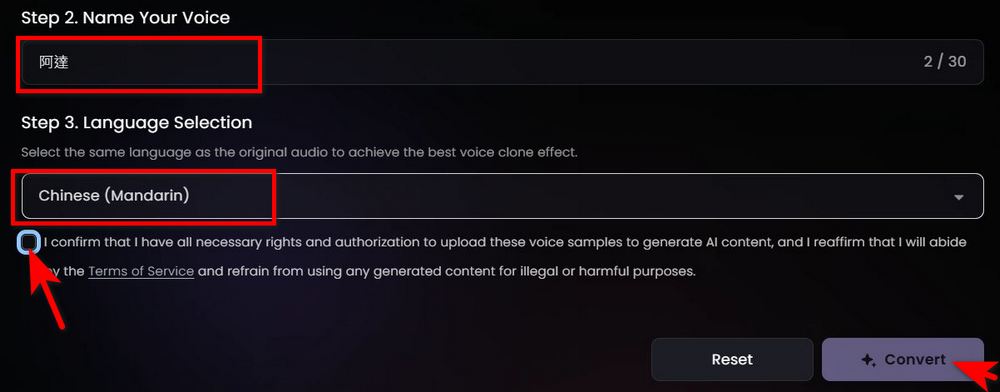
Once the cloned recording is complete, you can find your cloned voice under My Voices in the Voice options—just click to use it.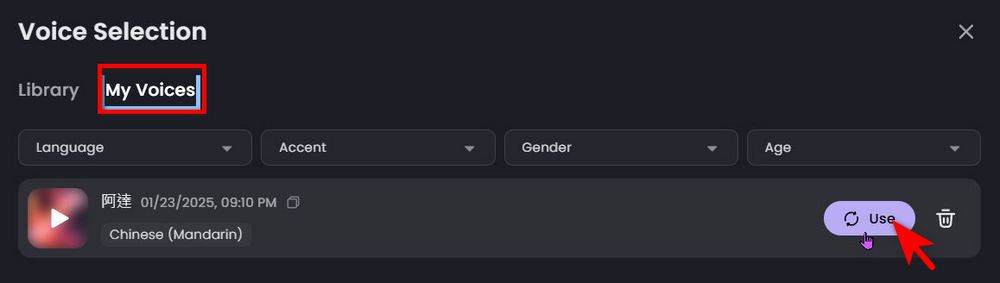
After testing, Hailuo AI’s Audio feature supports more than 17 languages, including English, Mandarin, Japanese, Korean, French, German, Spanish, Portuguese, and more. Here, the editor provides demonstration files of Mandarin, English, Japanese, and Korean generated using Ada’s clone. If you’re interested, you can head over to Hailuo AI yourself to experience the Audio feature! Based on current testing, perhaps because the Audio feature is still in the beta testing phase, using it right now does not deduct Shell Coins. Once the testing phase ends, it may require Shell Coins in the future!
Source: KOCPC Chinese