


Since Google focused on developing Gemini, this AI technology has quietly appeared across its various services, and the Android mobile operating system is naturally no exception. Google has been gradually improving Gemini’s features on Android, and now more users can see the Gemini window with a brand-new UI.
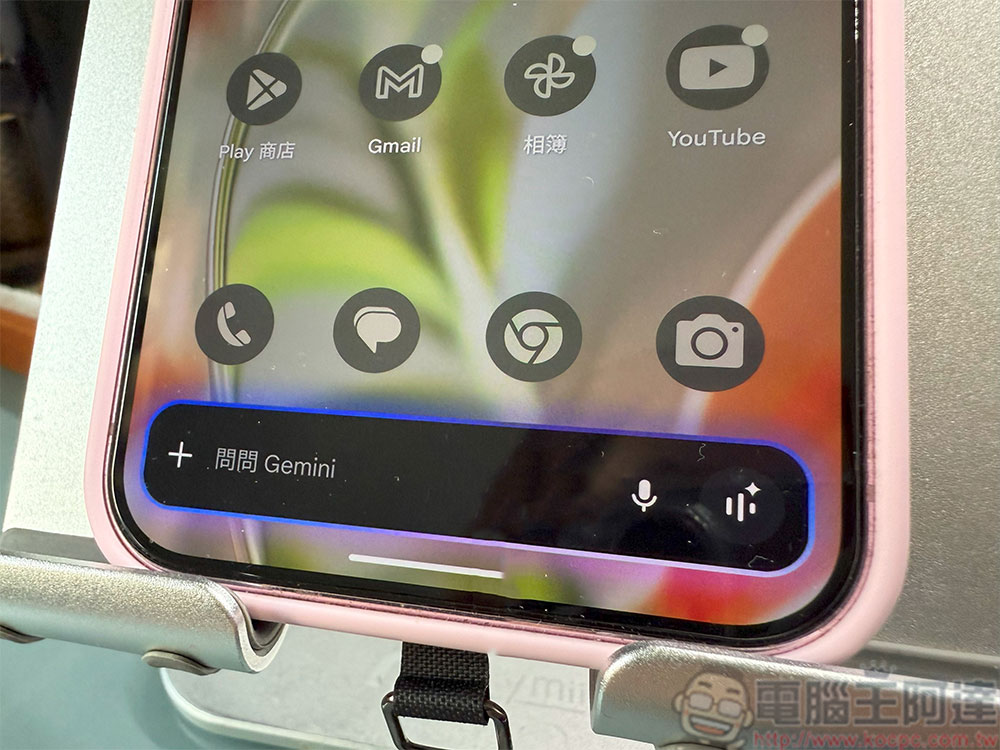
The Gemini interface on Android gets a redesign.
When you say “Hey Google” to your phone, long-press the power button, or swipe up from the bottom of the screen, you’ll notice that the default voice assistant is now Gemini. With this redesign, the Gemini overlay takes up less space and perfectly covers the Google search field, transforming from a large block into a slim text input bar with a + button, voice input, and Gemini Live quick buttons.
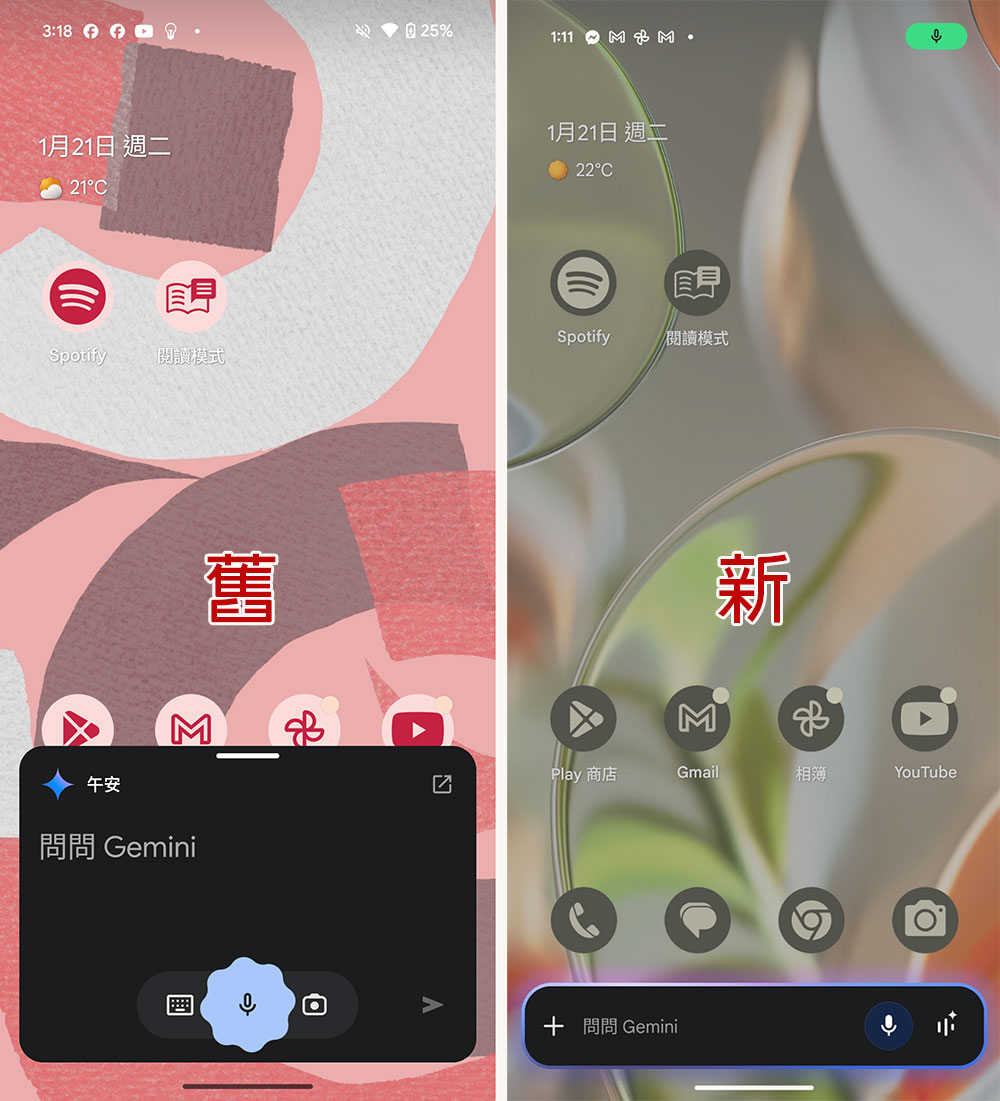
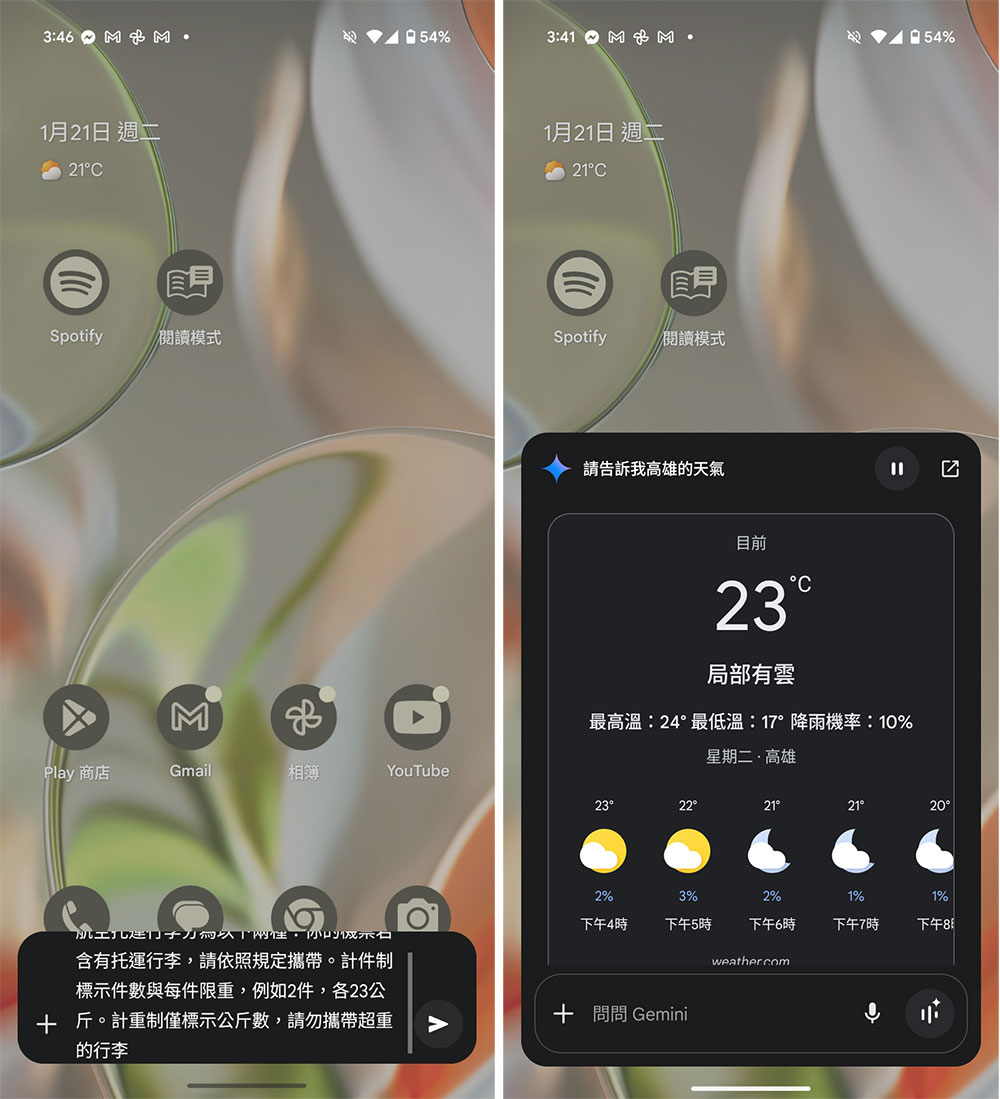
Around the Gemini window and voice button, there’s a striking blue-purple halo that shifts color. After clicking “Ask Gemini,” you can enter text; the original camera icon has now been moved into the “+” menu. Meanwhile, Google removed the previous good morning, good afternoon, and good evening greetings, along with the icon in the top-left corner that opened the full app. When making a query, you can type a lot of text, but the screen shows at most 4 lines, requiring you to drag on the right side to review the context. The query results then expand the window for easier browsing.
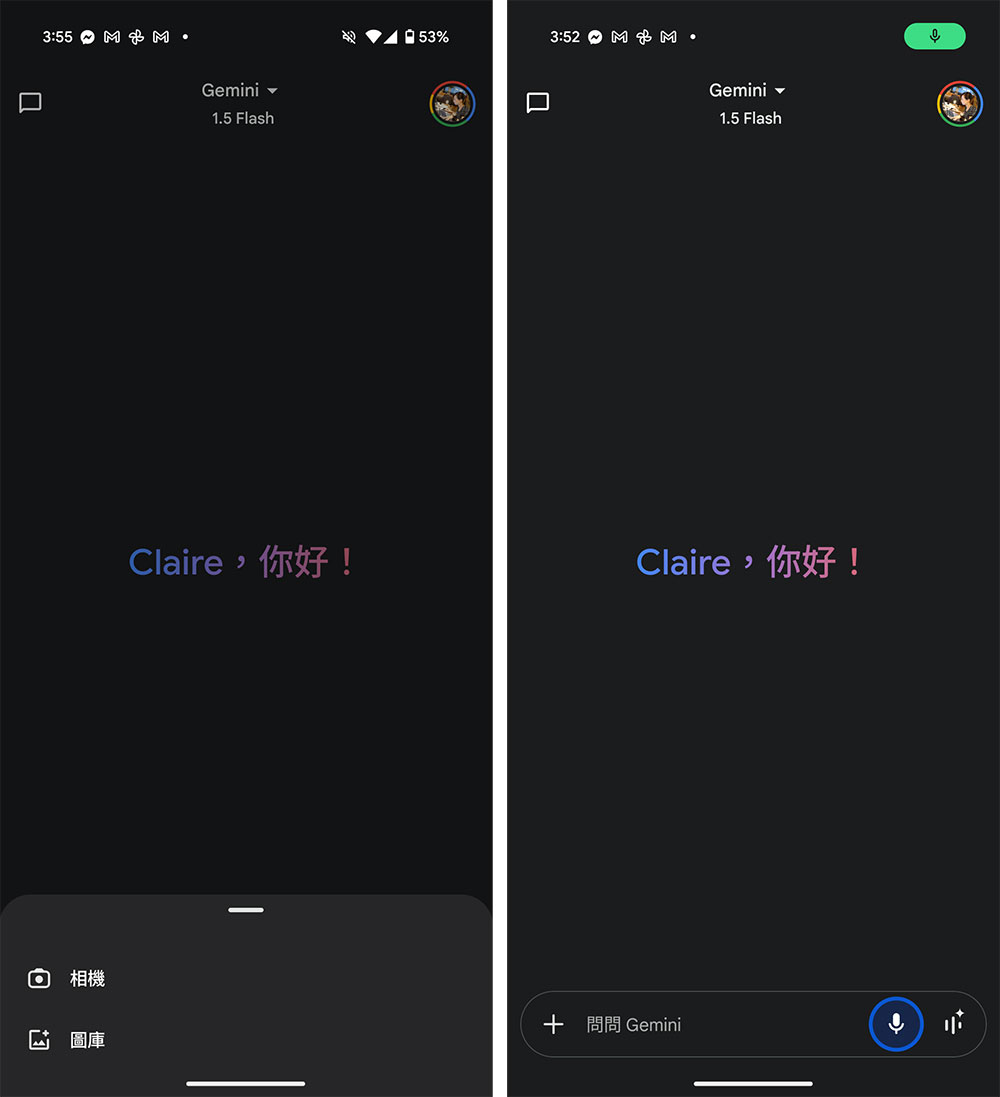
Additionally, the home page of the Gemini app has also been adjusted. Ask Gemini has moved the camera shortcut into the “plus” menu, which includes camera, gallery, files, and Cloud Drive (the last two are limited to Gemini Advanced users). The Gemini Live shortcut has been moved to the Gemini command box, and tapping it opens the Gemini Live home page. Google has also removed the previous refined text input animation; when the microphone is active and listening to your voice commands, it now displays a blue breathing circle around the microphone icon.
If you’re a beta user, whether you have a free, Gemini Advanced, or Workspace account, you can check for updates on your Pixel and see if this change is already available. If it’s not there yet, don’t worry — feature updates roll out gradually.
Source: KOCPC Chinese