


Although the convenient function of tracking revisions is almost standard in many text editing applications or online services, including Google Docs/Google Docs. However, it is often only when the file is reached that you see many modifications or “surprises” of file comments, and it is difficult to control the current editing progress. Thinking about it carefully, if it is a text editor service that is originally an online version, it seems to be a good idea to directly provide a notification function similar to the modification and editing of comments on social networking sites? Google now provides customizable notifications for its own file service function, and even a notification function that summarizes editing differences. Continue reading Google Docs will support the email notification function for document editing, and will also organize the content of the change scope information report for you.
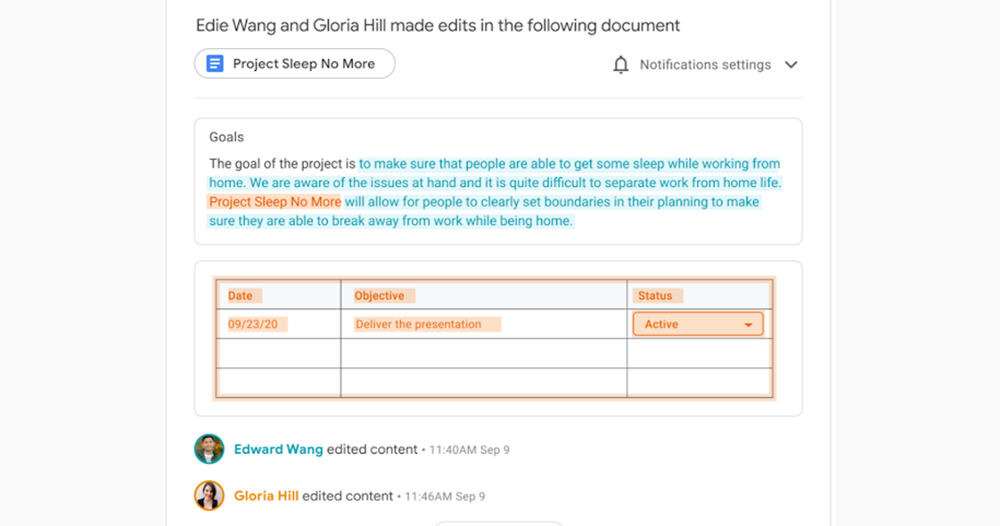
▲Image source: Google
Google Docs will support the email notification function for document editing, and will also organize the change scope information for you.
This new feature, which will be pushed to Workspace rapid release users in about two weeks, is mainly a new option that allows all Google Docs collaborators to receive relevant notifications about document edits more immediately. This feature is not a default option at least yet – this new notification option will need to be enabled on a file-by-file basis.
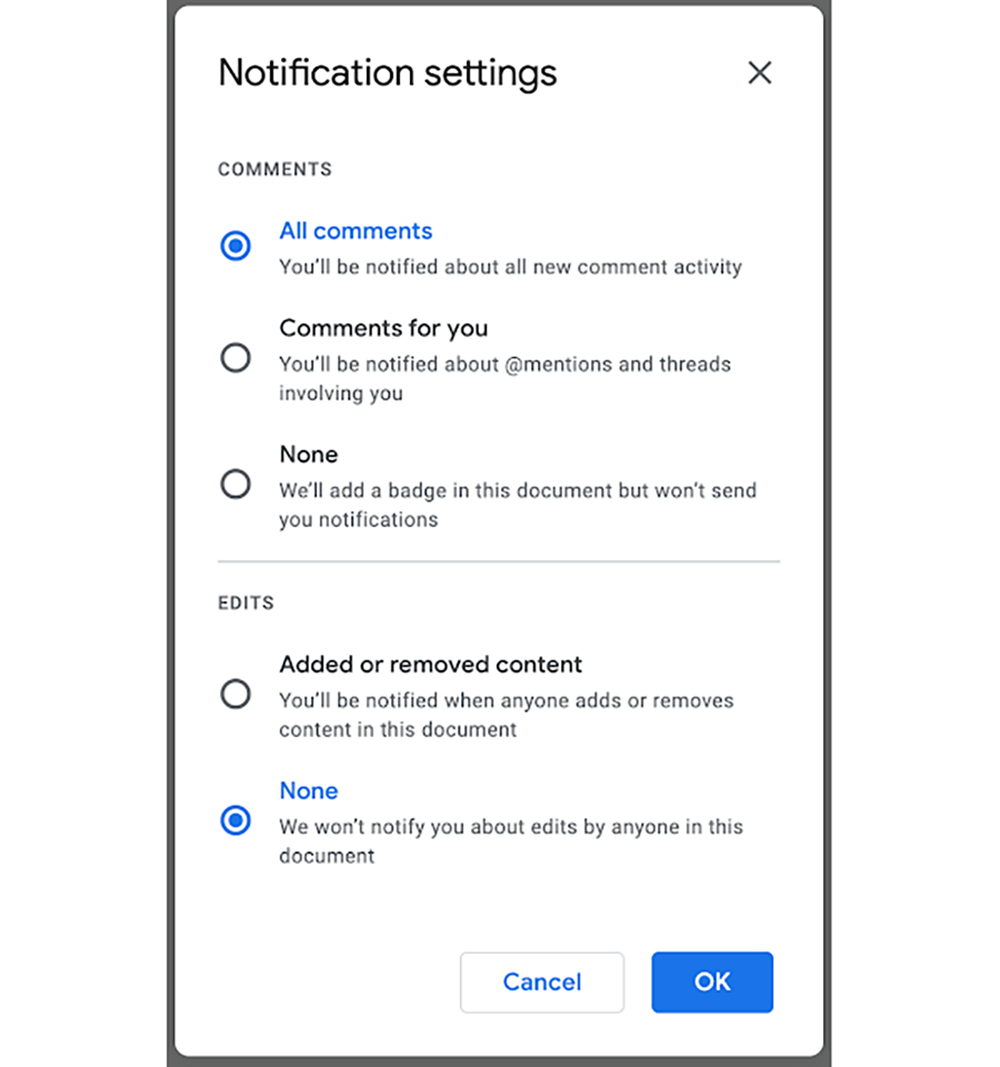
If you want to activate this feature, you will need to go to the notification bell button in the upper right corner of the file to expand the new notification settings page. Here, you can set the notification methods corresponding to comments (Comments) and edit items (Eds). After the settings are completed, the system will actively organize relevant information and send it to you via email when there are editing changes or comments on the collaborative document.
Personally, I think the best thing about this function is that it will also automatically mark the document paragraphs that have been added and modified, and it will also color-code which paragraph is owned by whom.tampered withEdited; as for the comment part, there will also be relevant marks.
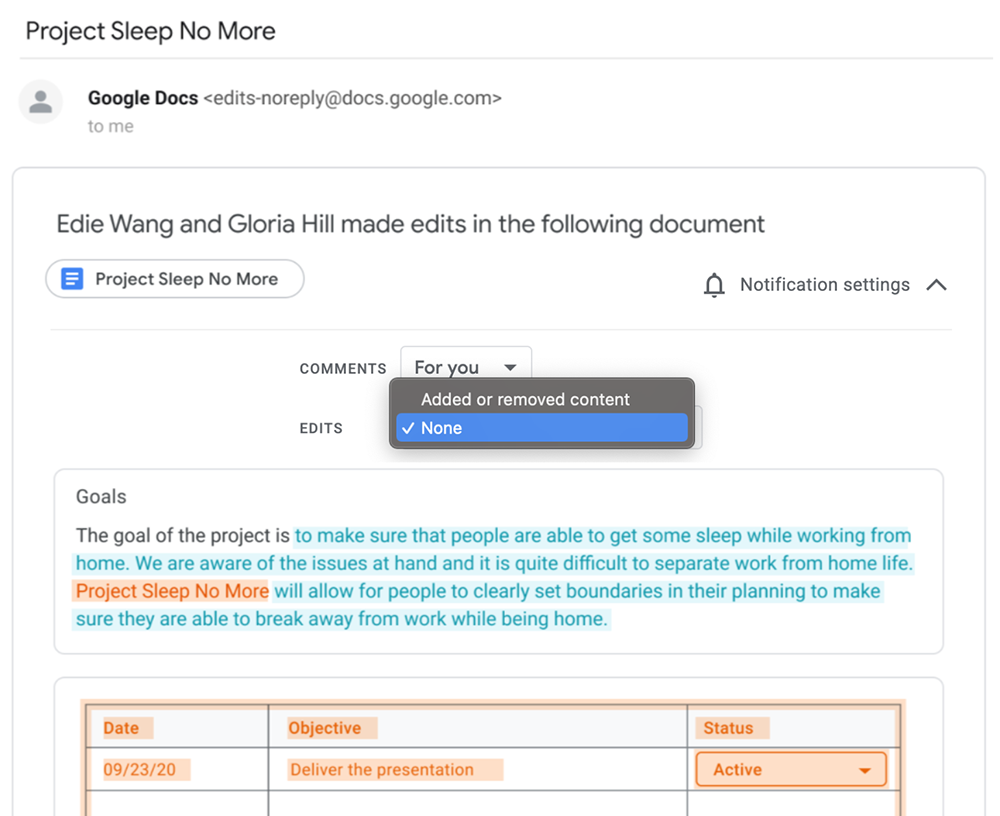
And if you feel that the frequency of the collaboration function is too frequent, you can also modify it directly through the options in Email. Or go to the notification function in the upper right corner of the document and select “for you” or simply turn off editing or commenting to suit your needs. This function should be very convenient for friends who often use Google Docs / Google Docs to collaborate with the team.
Google’s recent functional services for the cloud can be said to be very active. Previously we sorted out10 helpful tips to speed up your writing and reporting with Google Docs. You can also see that in response to the summer vacation travel trend, Google has also thoughtfully brought Google MapsMultitasking journey planningfunction. It can be said that the needs of users are taken care of quite thoughtfully.
Further reading:

Source: KOCPC Chinese