


People who often install systems know the importance of product keys. Maybe ordinary users don’t care, but this time Widnows 10’s free upgrade to Windows 11 saves everyone from having to rush to find a cold string of key text, because you don’t need to know the product key to upgrade directly. But what if you want to cleanly reinstall the system one day and don’t have a product key? Let’s try the free ShowKeyPlus tool, which can easily help you find your Windows product key.

用 Telegram 訂閱【挨踢路人甲】最新文章:https://t.me/itwshare
I remember that in the Windows 7 era, the Windows logo and product key would be affixed to the machine, but the sticker attached after Widnows 8 would not indicate the key, because most of the motherboards on new machines use UEFI, and are equipped with Windows 8/10 systems, so the serial number is on UEFI. When upgrading Widnwos After 11, it is speculated that the system will record the main hardware information of the computer and fill in the new serial number on the UEFI of the motherboard, so when reinstalling a new Widnows 11 in the future, it can start successfully without entering the serial number. However, Windows 7 does not support UEFI. Users who upgrade from Windows 7 may need a new startup serial number. In this case, the “ShowKeyPlus” tool can help you retrieve the installation serial number and also let you know how the serial number has changed before and after the upgrade.

【Official website】:http://www.tenforums.com/software-apps/2577-showkey.html
Please enter the author’s web page, scroll down to see the word “Downalod”, and click on the hyperlink file next to it to enter the download page.

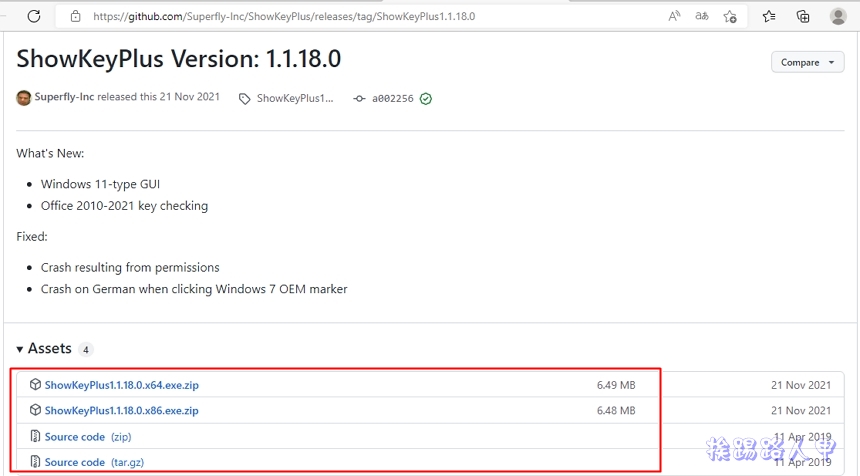
The latest version is 1.1.18. You can download 32 or 64-bit compressed files in the red box.
After downloading, unzip it and execute it on a Windows 10 Pro machine. The screen that appears is as follows, including the product name, product number, installation serial number and OEM serial number, as well as the Install Key for old-style installation.

The key information can also be found on another Windows 11 laptop.

You can also save the relevant information found in a text file.

After saving, you can open it and take a look. The information will be exactly the same as on the screen.

Further reading:
- Leawo Photo Enhancer, a smart photo enhancement tool, free for one year for a limited time
- DearMob iPhone Manager management tool, free serial number for a limited time
- RecoverXData Pro data rescue software, free for one year for a limited time
Source: KOCPC Chinese