


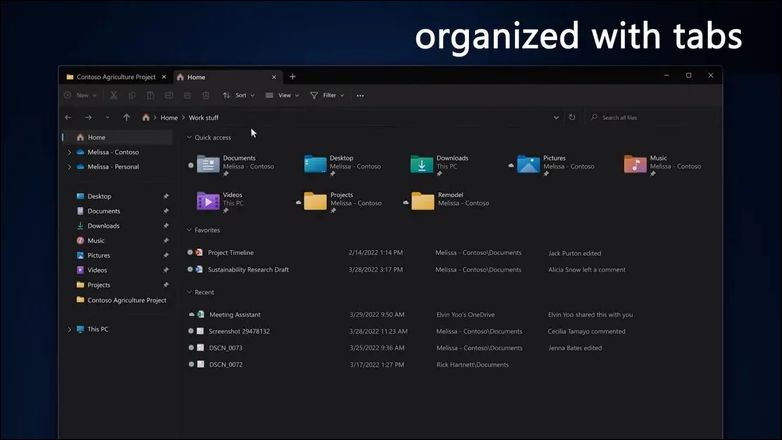
Many people hope that Microsoft can slightly revamp their file manager, at least to bring it in line with third-party file management programs, preferably by adding a paging function. It’s not that Microsoft hasn’t been testing this feature, but it has yet to announce the launch of this feature. Now, Microsoft has officially announced that it will add many practical features to the next version of Windows 11, including the long-awaited file manager paging function that many people have been waiting for. Perhaps this will have a good impact on Windows 11.
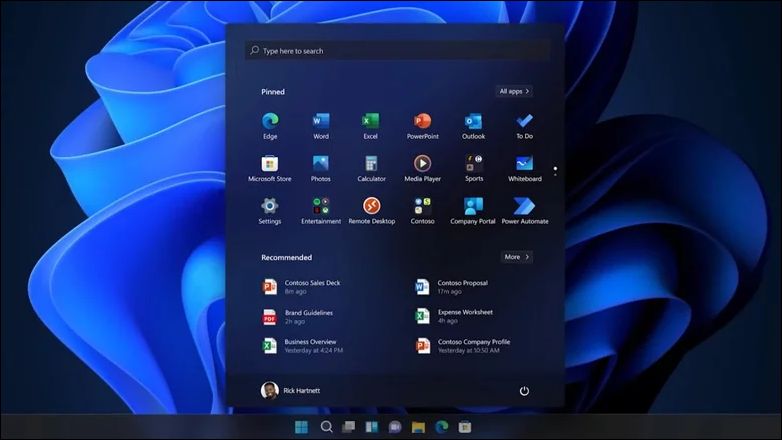
Windows 11 is a very new system, and in many ways it is not as popular as its predecessor, Windows 10. Among them, many users have been complaining about the major changes to the taskbar and start menu. They hope that Microsoft will improve them as soon as possible and add some custom functions so that players can use the new version of the system more comfortably.
On Wednesday (4/5), Microsoft held an online event with the theme of hybrid working model. The event mainly mentioned the integration of local Windows and cloud Windows 365, and also mentioned the new look of Windows 11 in the future. Among them is the file manager paging function that many users are looking forward to implementing. However, this feature currently does not appear in the current preview version of Windows 11. Even if Microsoft promises to implement it in the next version, this feature cannot be seen on the preview version at this stage.
The File Explorer function has been updated iteratively with Windows versions. Although it does not have any special features in terms of functionality, it is already a management tool that many users are familiar with because it is built into the system. However, the Yangchun of the file manager is often criticized by many professional players, so similar to Total Commander,Q-Dir Third-party file management software like this always has stable customers.
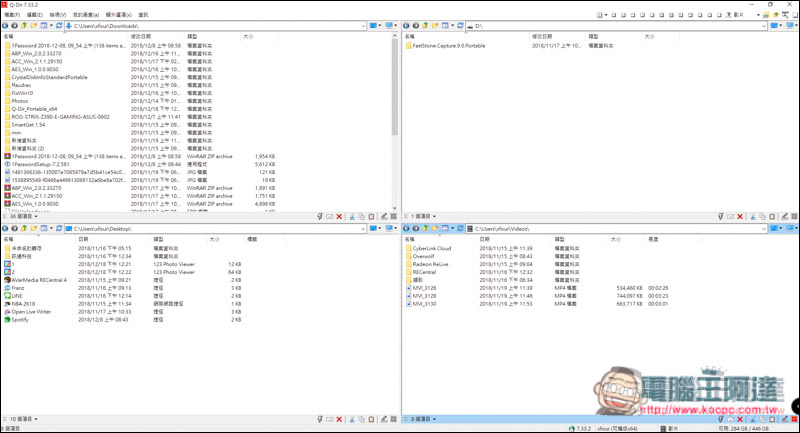
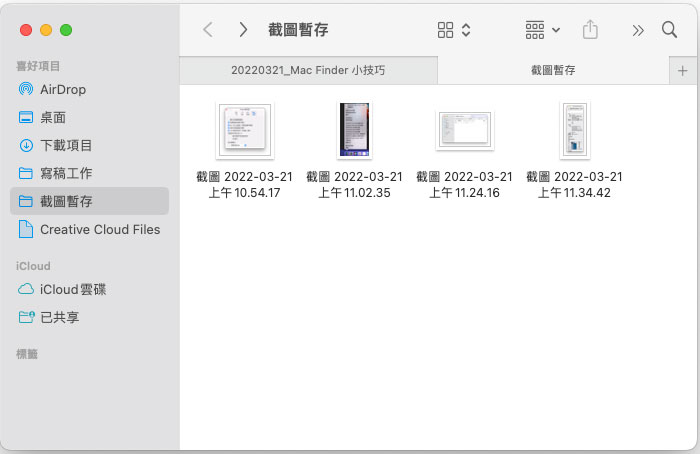
considering now Finder on Mac, Common file management programs in Linux such as Nautilus/Nemo, Dolphin, PCManFM and other software have paging (or tab page) mechanism and other convenient management functions. Software like Windows File Manager that sticks to its true nature is rare. Since Windows 11 It has subversively adopted many advanced interface design languages. For so many years, File Manager has maintained its traditional appearance and only made minor changes in some details. Perhaps it is time for a facelift.
In addition to the paging function, the biggest change in File Manager in the future is to cooperate with Microsoft’s policy of integrating local and cloud systems and add some cloud service functions. However, this part may not be visible to ordinary consumers. Perhaps when Windows 11 22H2 is launched, we will know whether Microsoft has some hidden cards.
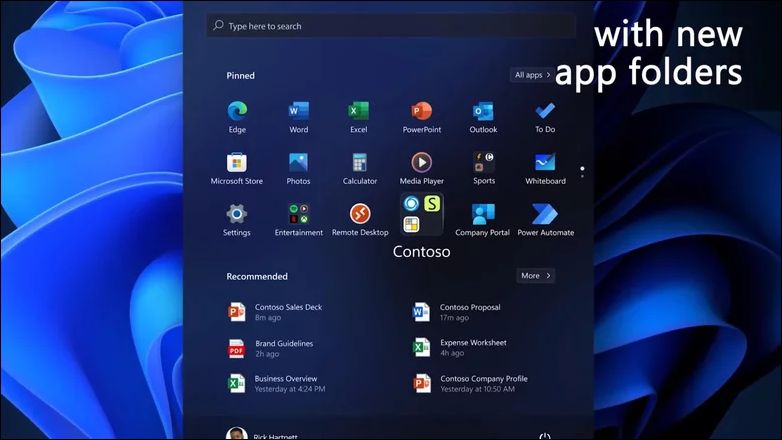
In addition, the Start Menu function that has always lacked customization elements will now have a new feature that has been available in Windows 10 for a long time but has never been implemented in Windows 11, which is icon grouping. This function allows users to pull several program icons into customized folders and display them on the screen in the form of small windows.
Considering that this feature has been a feature since Windows 8, it is strange that Windows 11 did not adopt it at the beginning. Perhaps Microsoft still has other ideas about the interface language of Windows 11, so it put aside this small feature that is actually quite practical. However, apart from such a small change in the start menu, there is not much focus on the taskbar or start menu functions. The taskbar can still only be attached to the bottom of the screen and cannot be dragged to the top or side of the screen as desired in Windows 10.
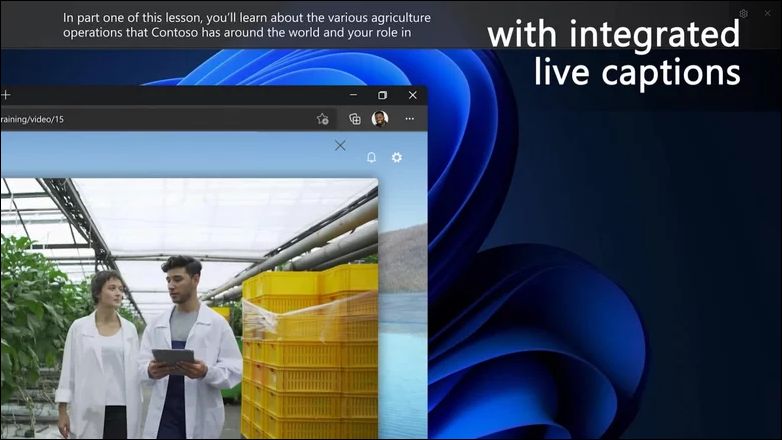
In addition to these features, Windows 11 is also expected to launch real-time subtitles. This function is placed in the accessibility function and mainly serves users with hearing impairment. It will display subtitles in real time when playing videos. However, even if you don’t have any physical problems, this function can also be helpful when you want to watch a video to understand the content after playing music because the working environment is inconvenient. Of course, this new feature has not been implemented yet, and we will have to wait until the next version of the system to see it.
Microsoft’s new features may not satisfy all users, but they are already a big improvement for some users. As people’s usage environment changes, Windows 11 may have more new features that fit the habits of modern users. However, Microsoft still has a lot of room to work hard on Windows 11. The implementation of new features may not be enough to make up for the original problems of the system. However, as the version changes, Windows 11 should one day be like the current Windows 10, becoming the best helper for people at work and games.
Source: KOCPC Chinese