


After buying a new computer or assembling a new computer, you will definitely be curious about the performance of your computer. Although there are many performance benchmarking software on the market, many people may not know whether the score after running is good or bad. Whether the game runs or not may be more intuitive. This article will introduce a very good “Can I Run It!” website, which has gathered more than 9,000 people on the market. There are many well-known games, including “Elden’s Ring”. With just one click, you can test how many games your computer can run, or you can test a single game.
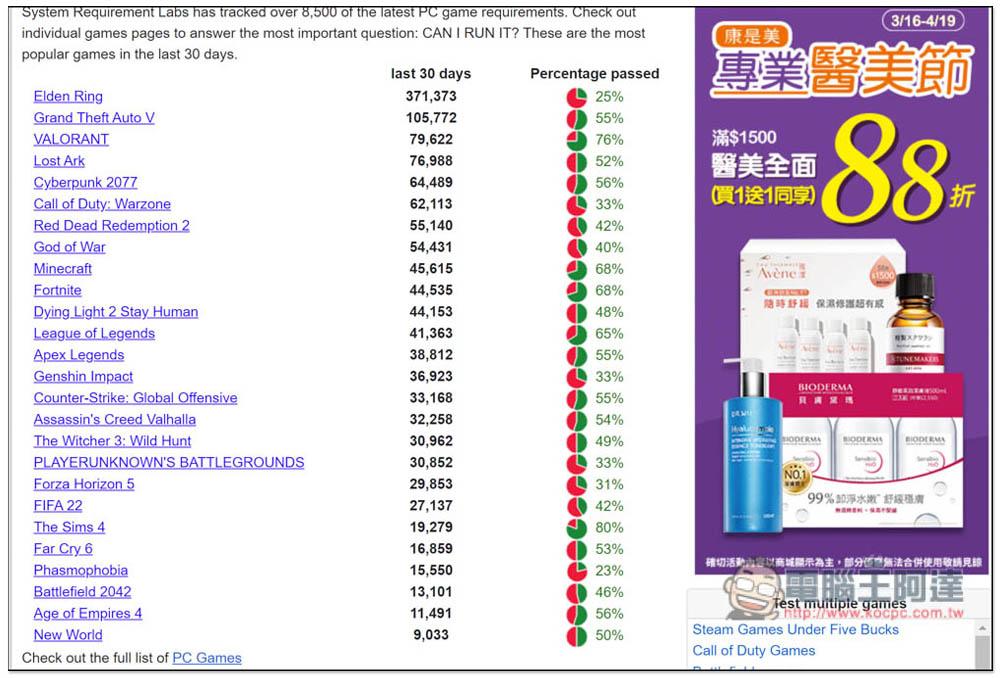
Can I Run It! Test whether your computer can run more than 9,000 well-known games on the market with one click
After entering the Can I Run It website, you will see the function of searching for games. If you already have a game you want to test, you can directly enter the name and click Can You Run It? (English name), if you haven’t already, please scroll down. Also, this website has a lot of ads, so you need to get used to them:

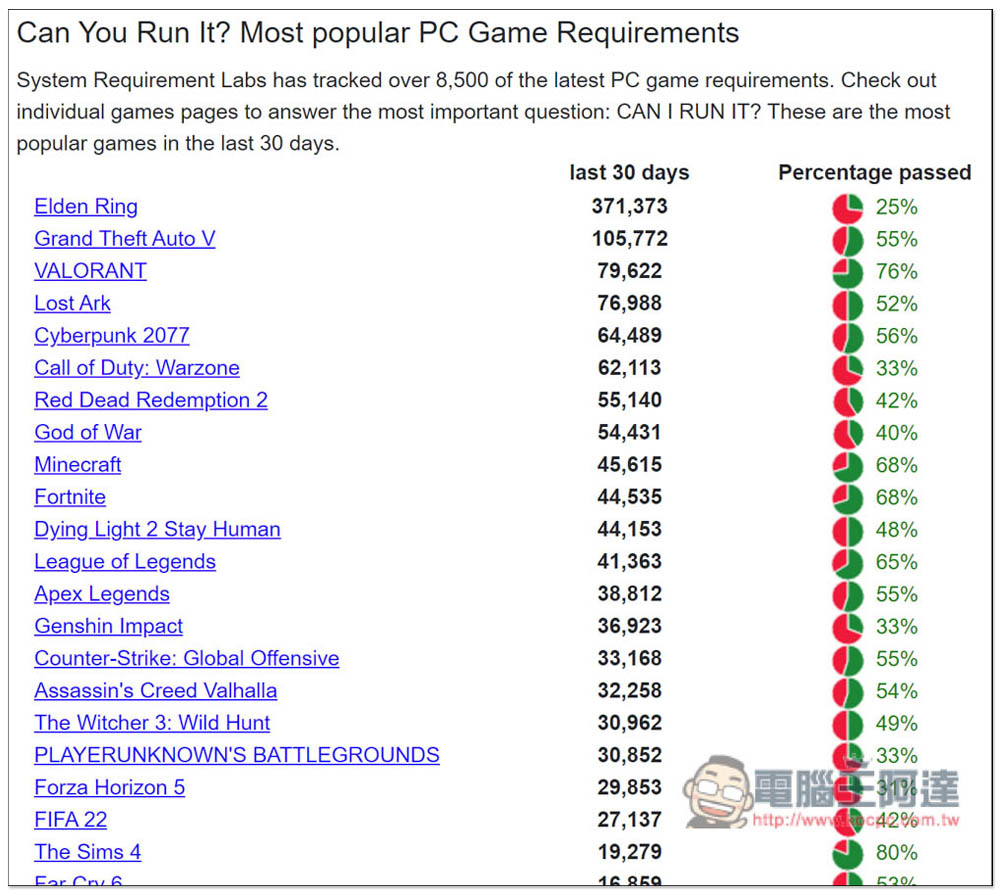
Then you can see the games that have been tested by the most people in the past 30 days. How many people have tested and how many computers have passed will tell you. If you only want to test a single game, click on the game name:
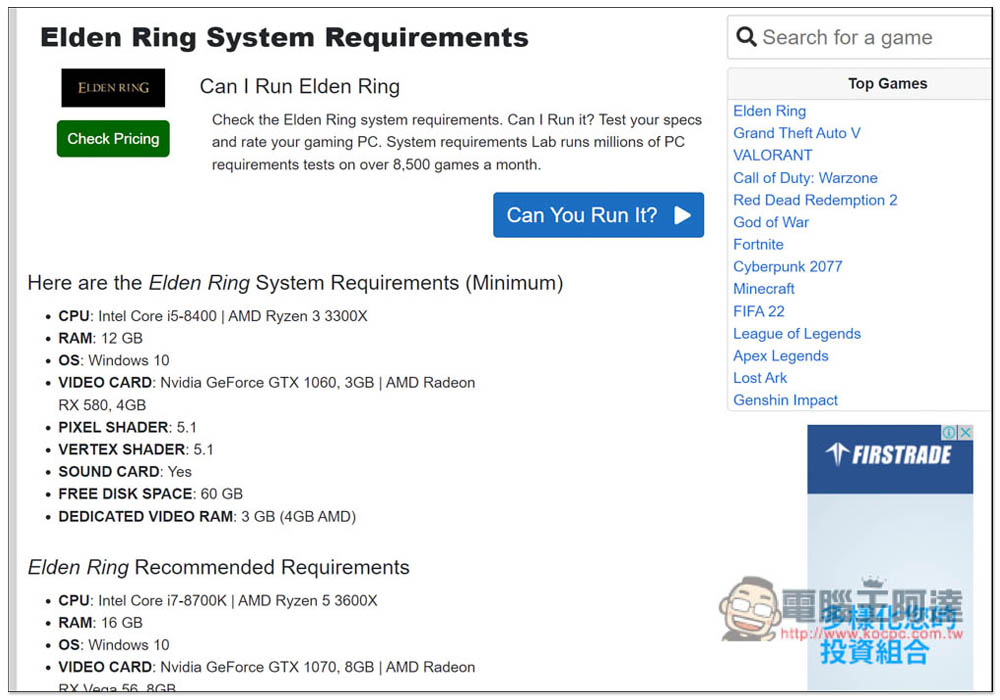
I take “Elden Ring” as an example. After entering the inner page, you can see the minimum and recommended hardware specifications table of “Elden Ring”. Please click Can You Run It? :
Then a test tool will be downloaded. After downloading, please open:
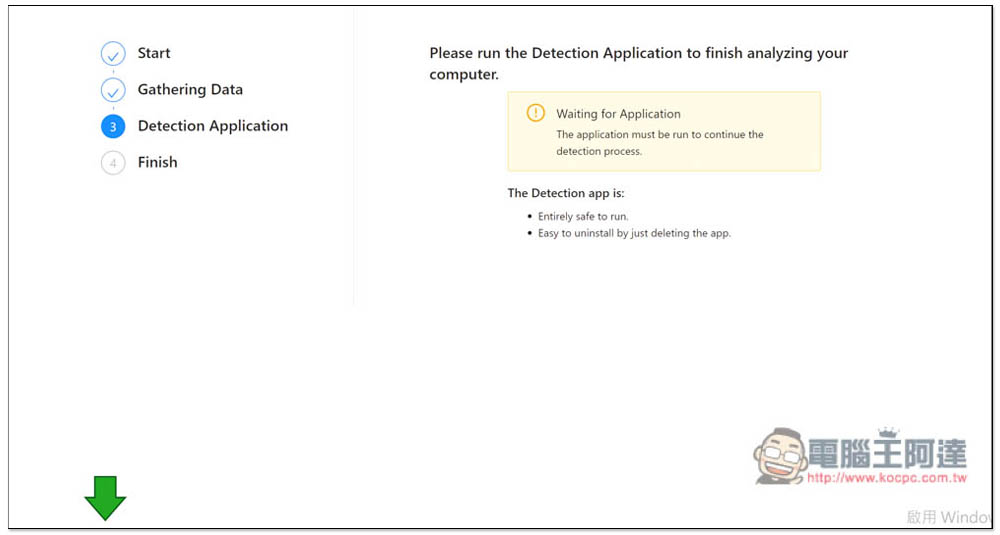
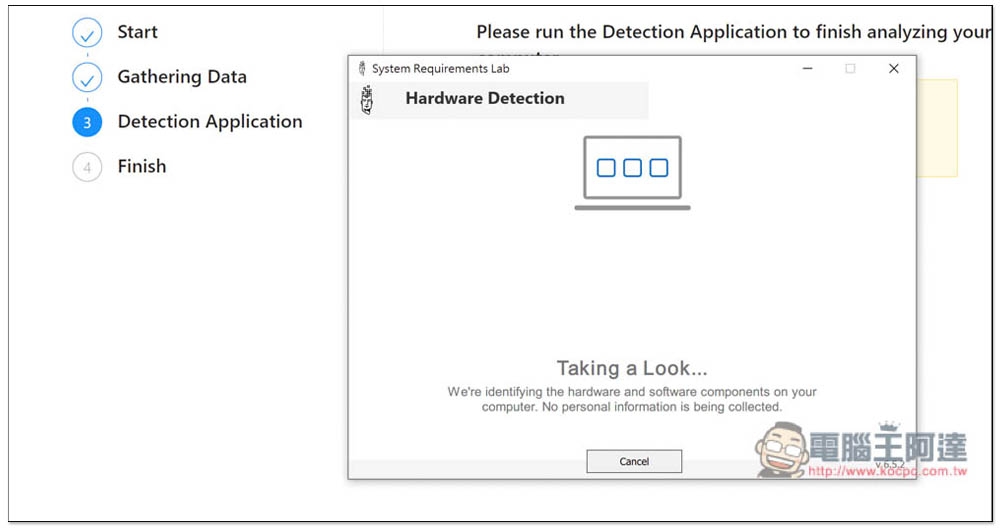
Wait for it to finish running, about tens of seconds, not very long. If detection fails, please rerun or download again. I have encountered this once or twice:
After the game is over, you can see whether your computer can run the game, including the minimum and recommended specifications. Mine cannot. The principle of this website’s test is to compare your computer’s hardware to see if it meets or exceeds the minimum and recommended specifications of the game:
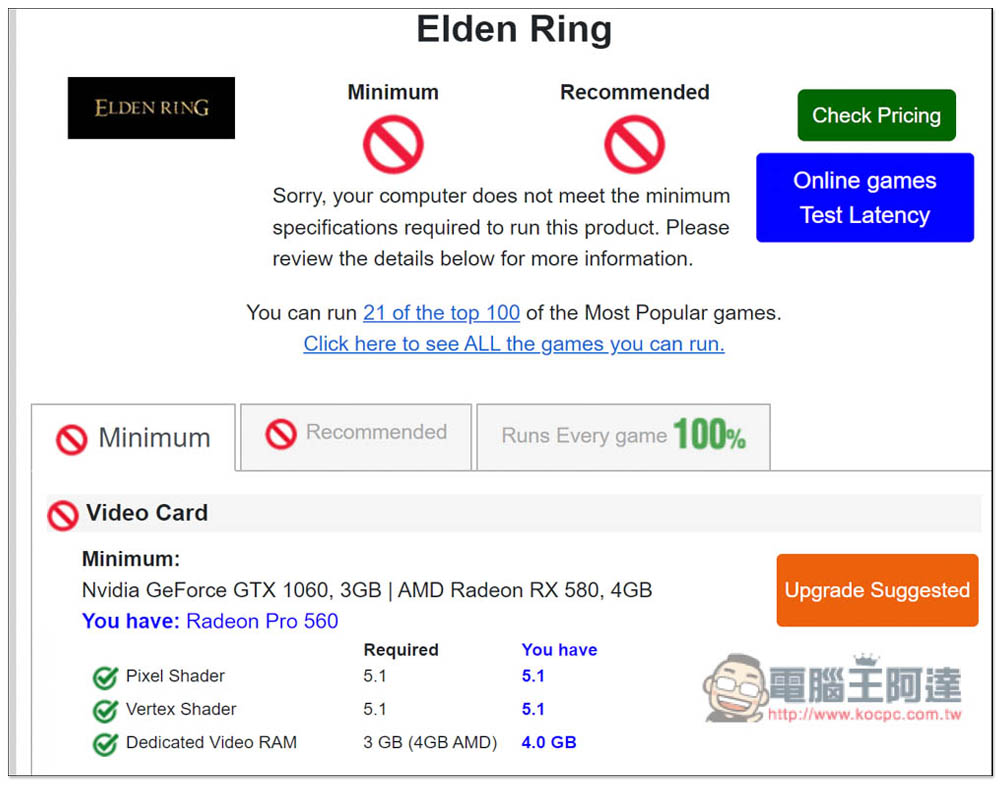
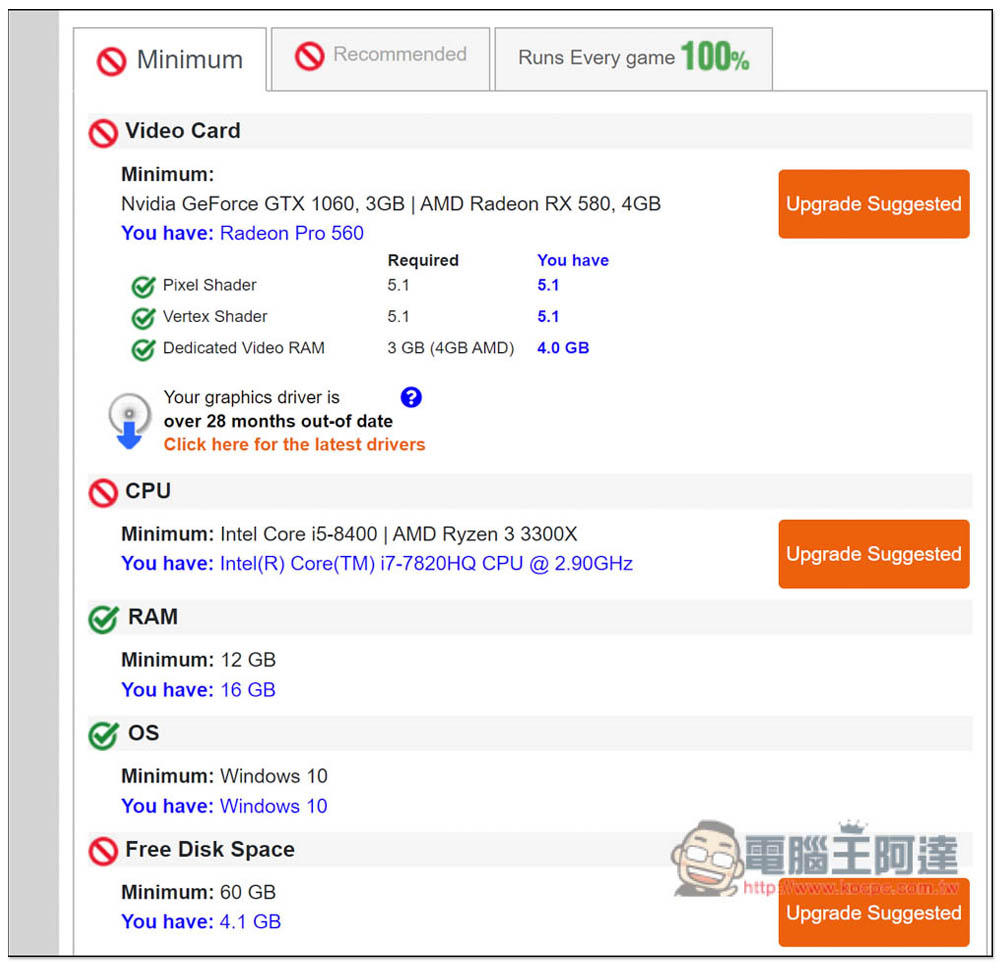
It will clearly tell you which hardware is not compliant. For example, my graphics card, processor and hard disk space are all insufficient. The graphics card will also prompt you how long it has been since the driver was updated:
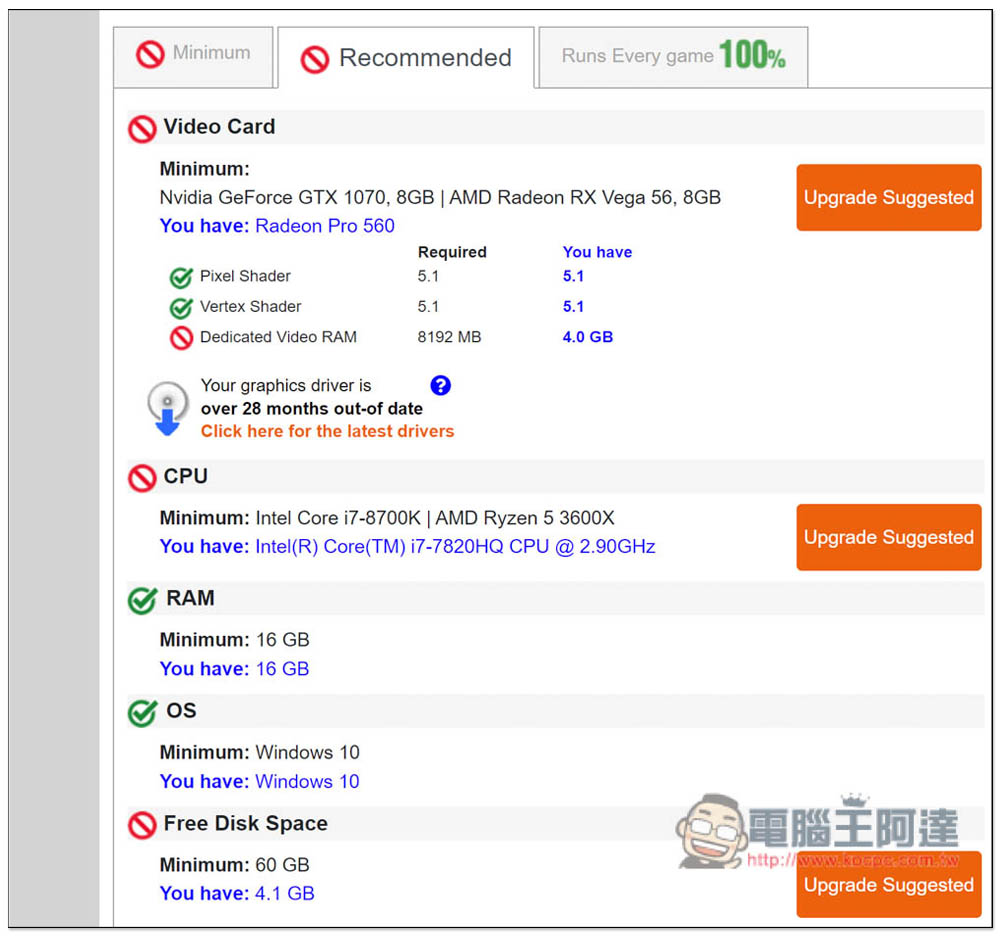
Recommended specifications are also:
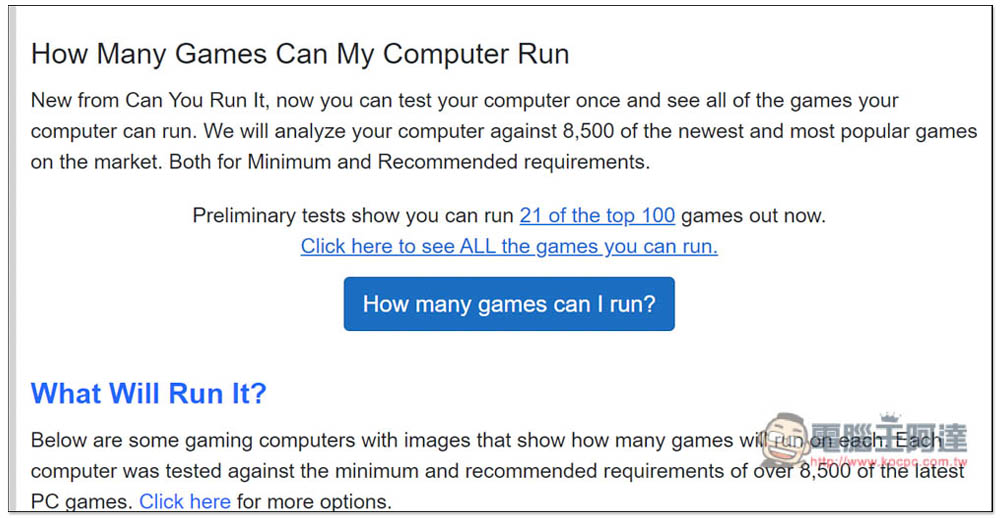
If you want to test all games, scroll down on the homepage and you will see a “How many games can I Run” function. Click on it to start testing. The introduction here is written as 8,500 games, but in fact the game library already exceeds 9,000 games:
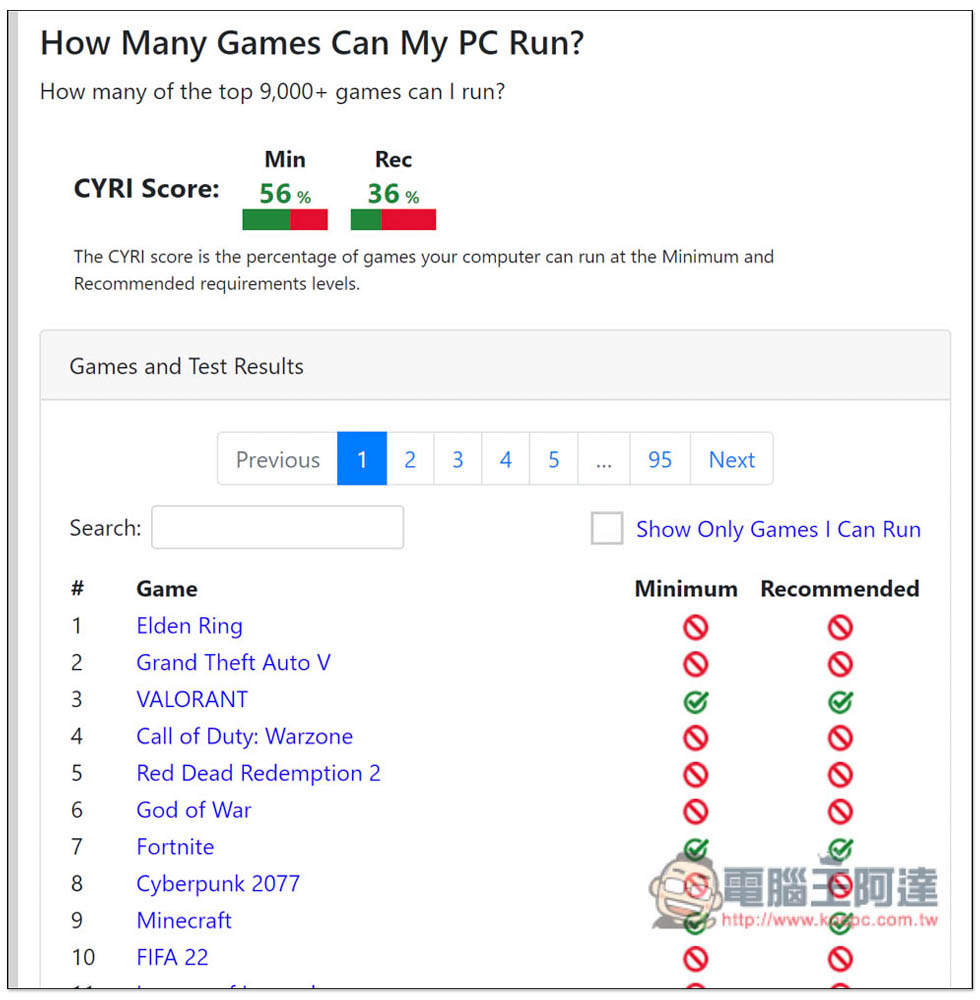
There are more than 9,000 games listed here. My computer passed 56% of the games with the minimum specifications and only 36% with the recommended specifications. This shows that my computer should be replaced because the hardware is not enough. Scroll down to browse which games are playable and which ones are not:
Finally, I would like to add that this is just a direct comparison of hardware specifications. Even if it passes, it does not mean that you can play this game with the graphics and quality turned to the highest. It just runs smoothly under normal settings.
If you are planning to change your computer or upgrade the hardware, and you also have games you want to play, it is quite suitable to use this website to test and see what level of specifications your computer should be at least. This way, you don’t have to worry about buying a bad product and spending money in vain.
Source: KOCPC Chinese