


In the past, we have taught you how to use LINE Lite to log in to the same LINE account with two mobile phones. However, LINE Lite ended its service on February 28, so everyone must be worried about what to do after that. In fact, there is still a way, which is to use a mobile browser app that can install Chrome extensions. However, similarly, only Android can do this on the second phone, and iPhone cannot. So I will teach you below.
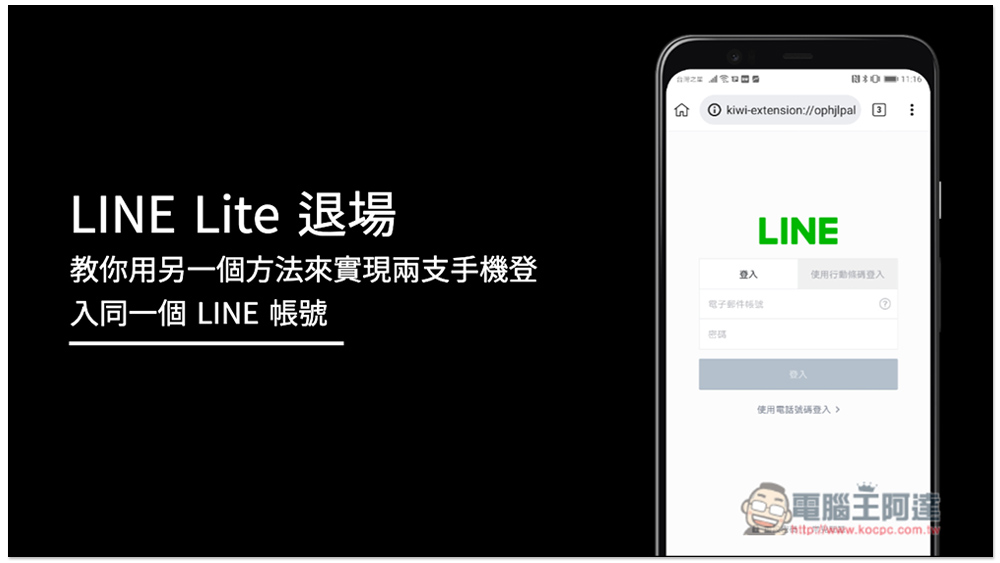
Use Kiwi Browser to log in to the same LINE account on two mobile phones
There are currently some mobile browser Apps in the Play Store that can install Chrome extensions, and this article demonstrates Kiwi Browser. If you find another one you like more, you can change it to that one. Simply put, it is achieved by using the Chrome extension LINE.
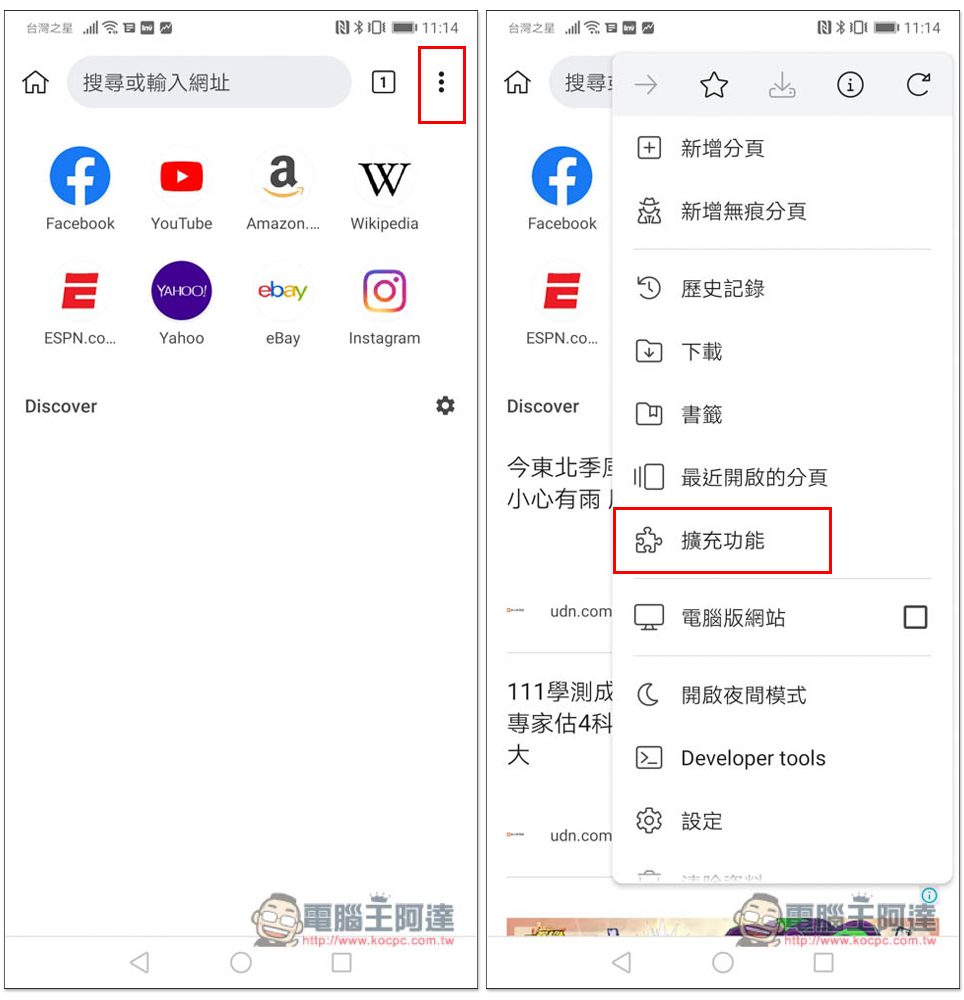
After opening Kiwi Browser, open the… menu in the upper right corner and you will see the “Extended Functions” option:
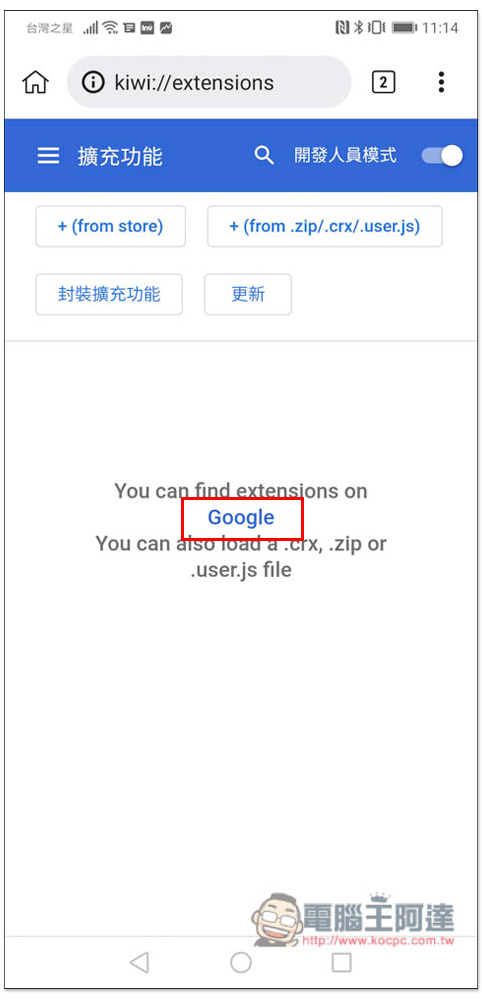
After entering, you will see the Google link below, please click on it:
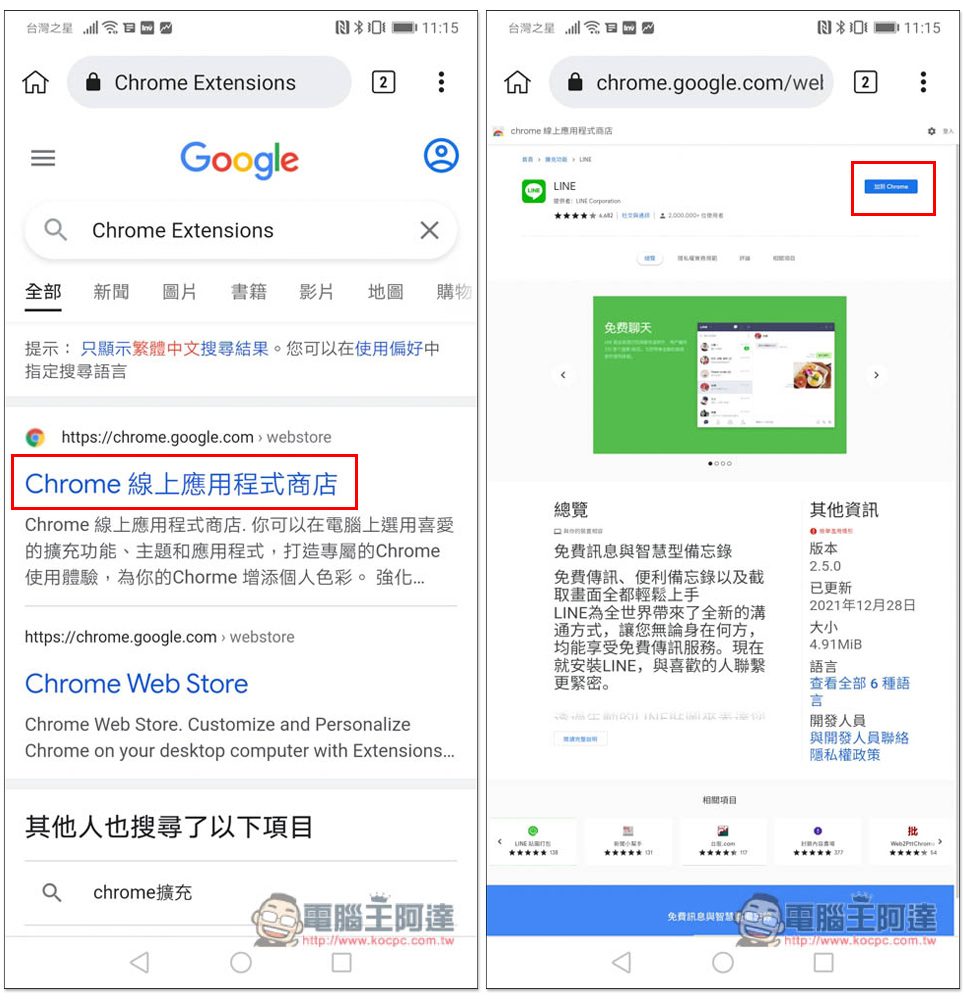
Then Google will automatically search for Chrome extension websites. After entering the website, please search for LINE and click “Add to Chrome” in the upper right corner:
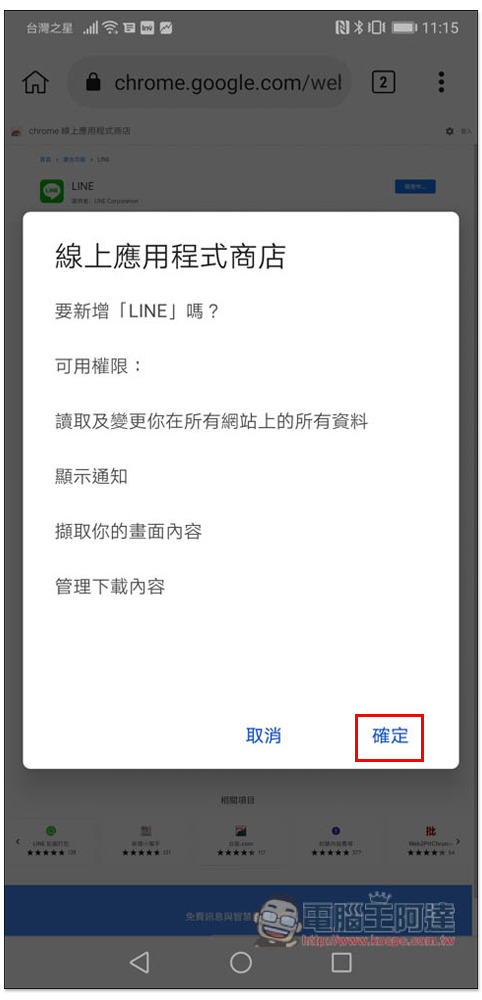
After pressing OK, the installation will begin:
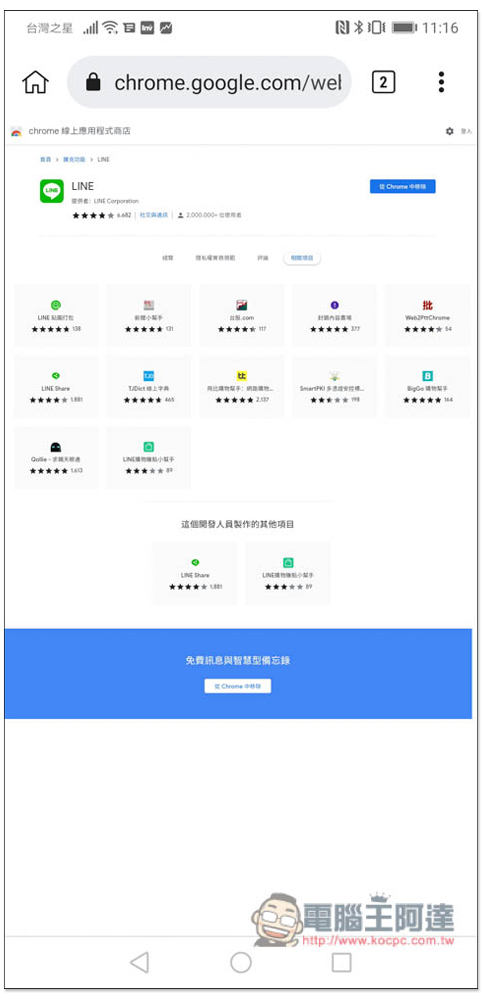
The installation is now complete. If you don’t want to use it in the future, just click to remove it from Chrome, or delete the browser app entirely:
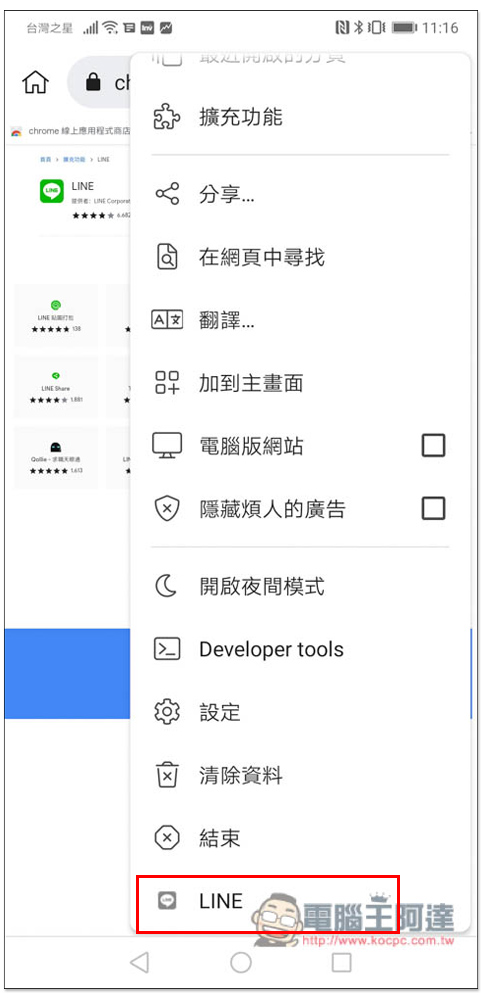
After the installation is complete, please open the… menu in the upper right corner again, and you will see LINE’s extended functions at the bottom:
Then you will enter the LINE login interface, enter your password or log in through the mobile barcode, whichever you prefer. This is the computer version of the Chrome browser extension, so logging in will not affect your mobile phone’s LINE, and you don’t have to worry about being logged out. In addition, you need to enter a verification code to log in to LINE on your mobile phone for the first time. As for the LINE record part, it stands to reason that it should be there as long as you don’t clear your browser’s cookies, but I’m not sure, so I’ll let readers try it out on their own:
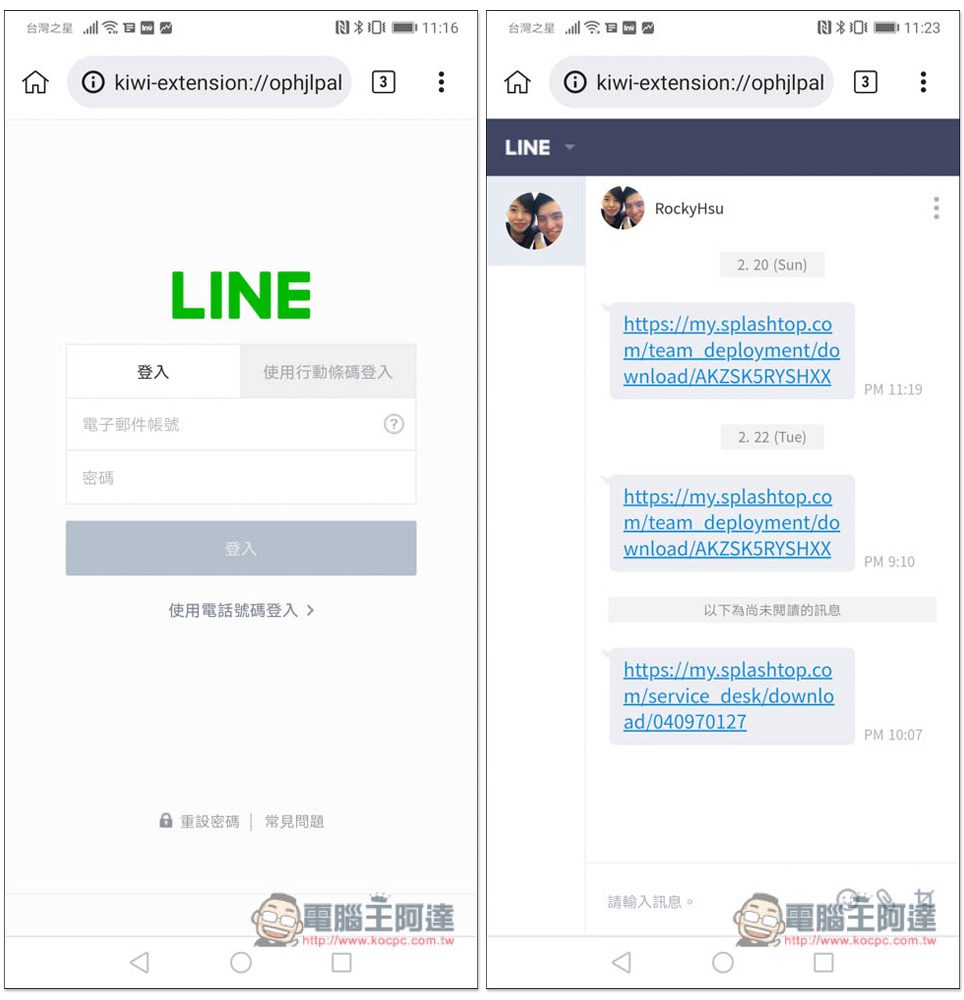
After just logging in with Android, LINE on my iPhone is not affected at all and can continue to be used:
Although installing LINE’s Chrome extension through a browser such as Kiwi Browser can solve the problem of logging in to the same LINE account on two mobile phones, there are still some inconveniences compared to LINE Lite. For example, if someone sends LINE, you may not be able to receive notifications (I am using Huawei P20, not sure about other phones), and you must open Kiwi to see it.
The interface is not very suitable for mobile phone use, and the operation may not be very smooth. But the good news is that at least you can still transfer stickers, files, photos, etc., and all the functions of Chrome extensions can be used.
As for the iPhone, there is still no solution. There is no way to log in to the same LINE account from both.
Source: KOCPC Chinese