

• About Us
King of Computer Media
  • Home
  • Tech News
  • AI News
  • Apps & Tutorials
  • Mobile & Telecom
  • Lifestyle
  • About Us
No Result
View All Result
  • Home
  • Tech News
  • AI News
  • Apps & Tutorials
  • Mobile & Telecom
  • Lifestyle
  • About Us
No Result
View All Result
King of Computer Media
No Result
View All Result

Home - Internet and software applications - Teach you how to enable Chrome’s hidden PDF advanced features, which are better than the original ones

Teach you how to enable Chrome’s hidden PDF advanced features, which are better than the original ones

Rocky by Rocky
January 5, 2021 - Updated on August 4, 2026
in Internet and software applications

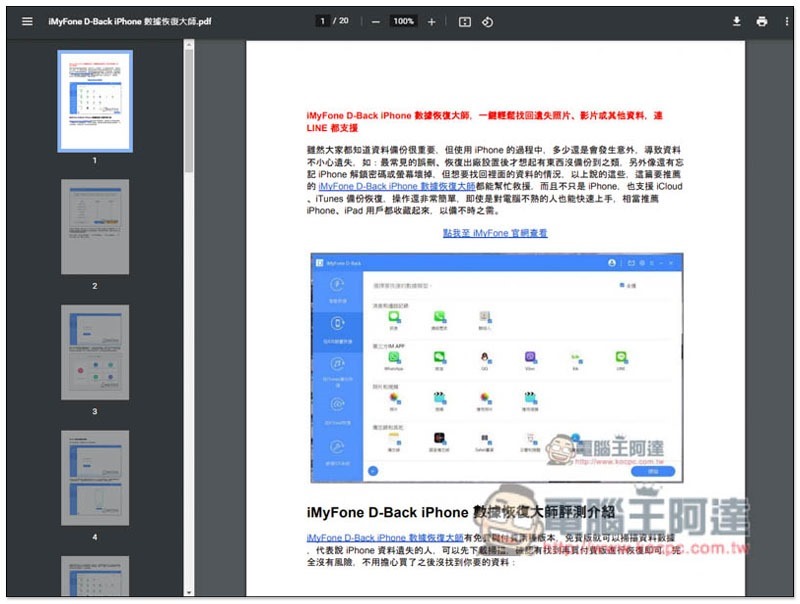
Chrome browser has always had a PDF viewing function, so for those who only need to view PDFs, there is no need to install any additional software, Chrome is enough! Perhaps because more and more people are using it, the Chrome development team has also noticed this. In the latest version, a more advanced and easier-to-use PDF viewing function is provided. However, it is turned off by default and needs to be turned on manually. For those who need it, I will teach you how to find this function.
2021-01-05_172304

Teach you how to enable Chrome’s hidden PDF advanced features

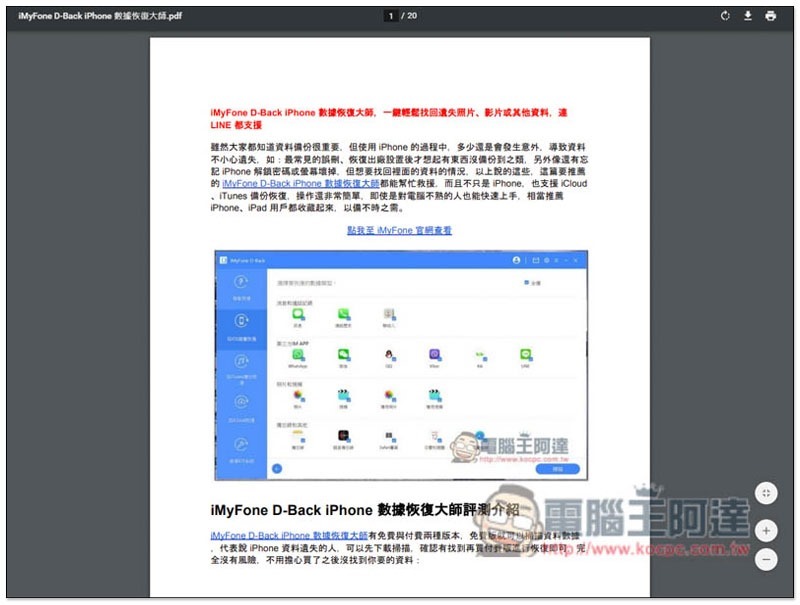
The picture below is the Chrome PDF screen without the advanced version. If the PDF file has many pages, you can only enter numbers or scroll down to read other pages:
2021-01-05_155800

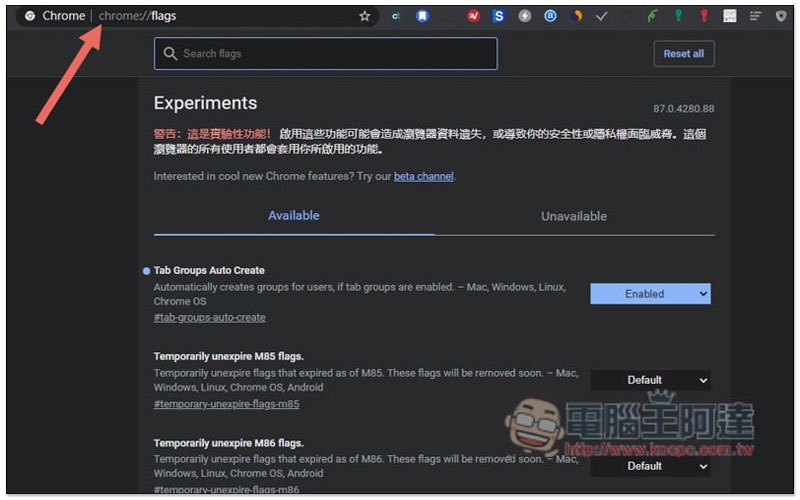
The advanced version option is still in experimental status, so you must go to the Experiments page to open it.

Enter in the address bar chrome://flags/(Or click directly), you will go to this page:
Cropro-2021-01-05-15-58-27

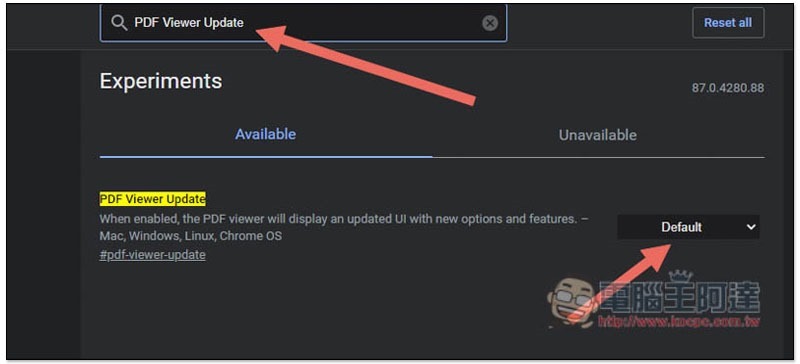
Then please enter the PDF Viewer Update keyword to find this feature:
Cropro-2021-01-05-15-58-47

Click the option on the right and switch to Enabled:
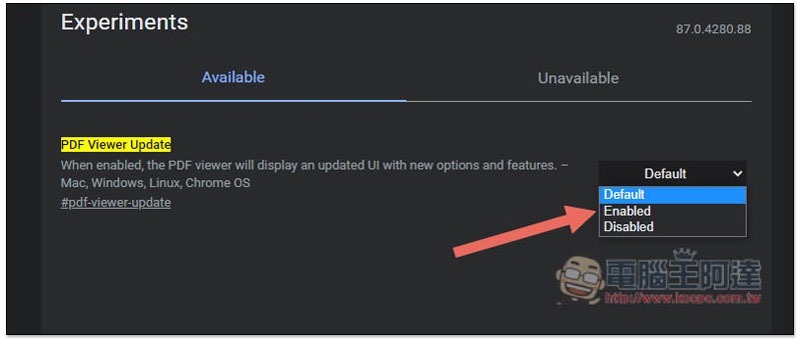
Cropro-2021-01-05-15-58-58

After enabling it, you need to restart Chrome to succeed. Click the Relaunch function in the lower right corner:
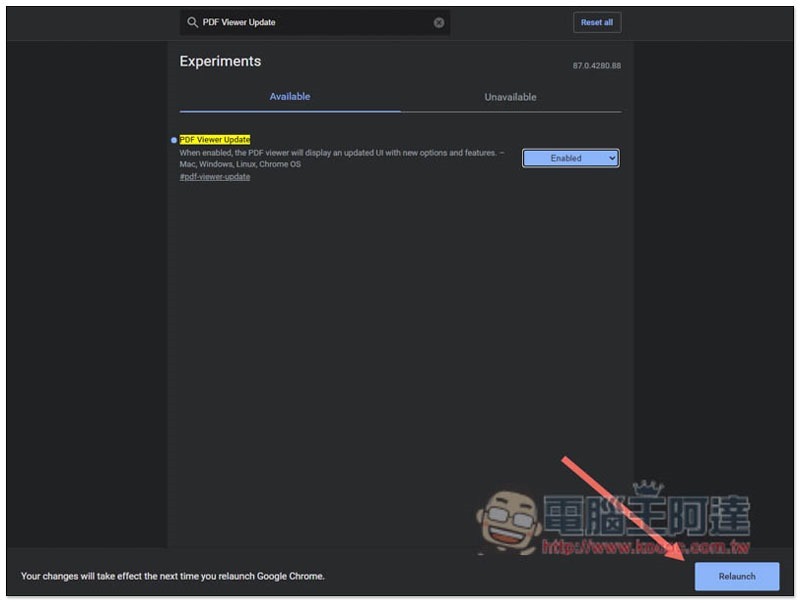
Cropro-2021-01-05-15-59-10

When you open the PDF file again, it will change to this screen. There are thumbnails of each page on the left, allowing you to quickly view and switch. This is really convenient:
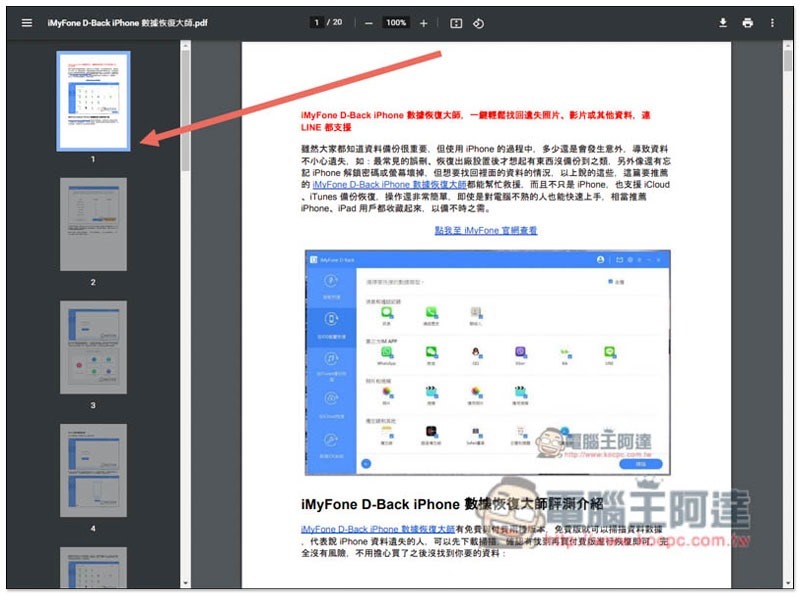
Cropro-2021-01-05-15-59-35

If you don’t need it, you can click the menu icon in the upper left corner to zoom out:
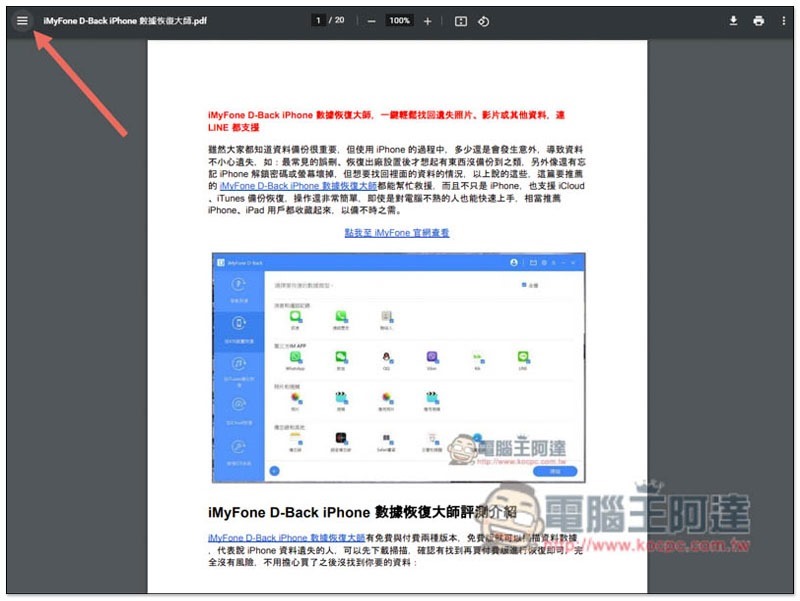
Cropro-2021-01-05-16-00-35

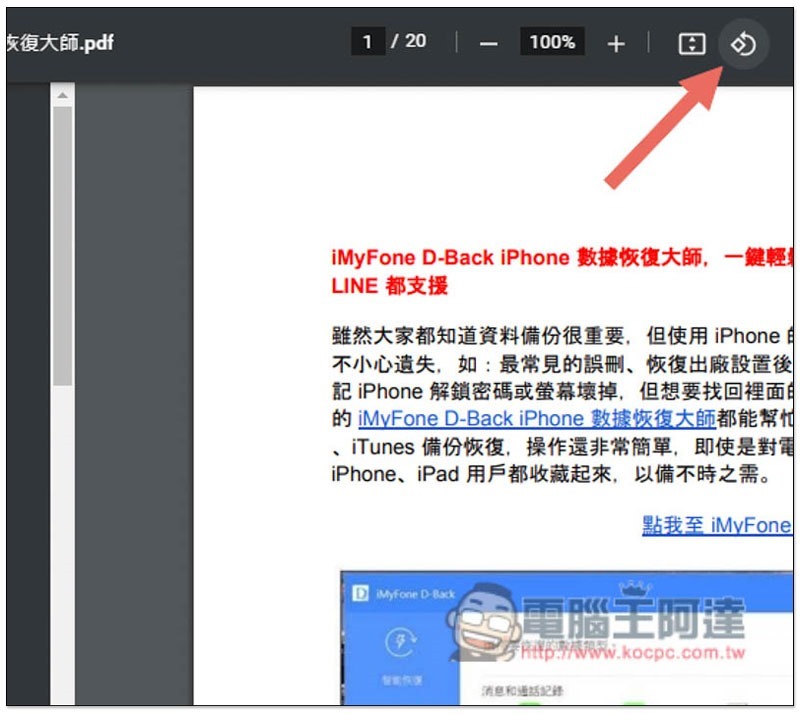
There are two more small functions above, namely “Automatic adjustment according to page size” and “Counterclockwise rotation”:
Cropro-2021-01-05-16-00-46

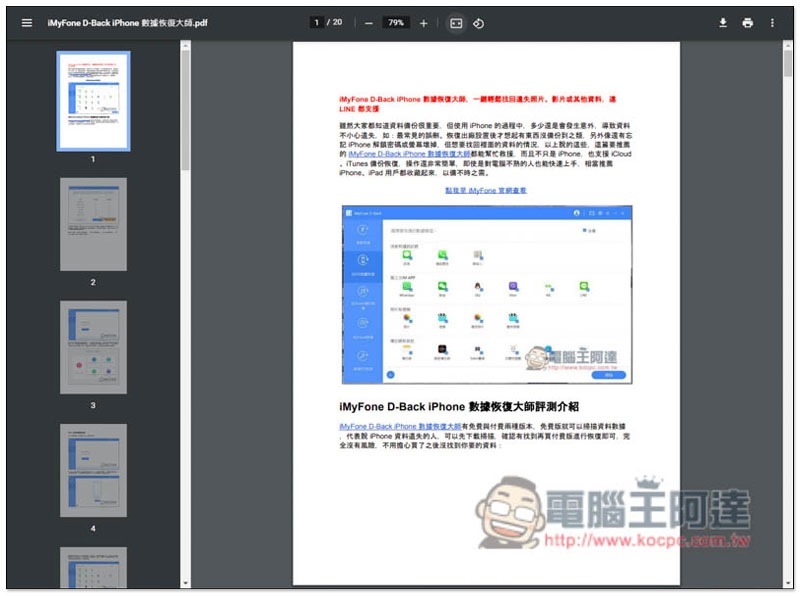
If you want to view this PDF page at once, click Auto-resize to page size, and it will automatically scale to the appropriate size:
Cropro-2021-01-05-16-01-05

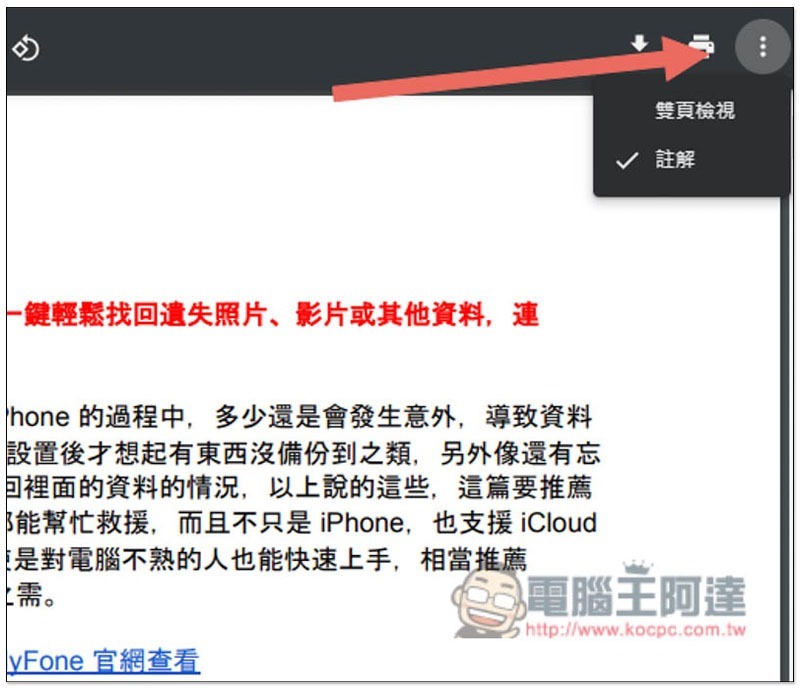
There are also two functions in the menu in the upper right corner: “Double Page View” and “Annotations”, which means that if this PDF has annotations in the future, the Chrome browser will also be able to see it:
Cropro-2021-01-05-16-01-16

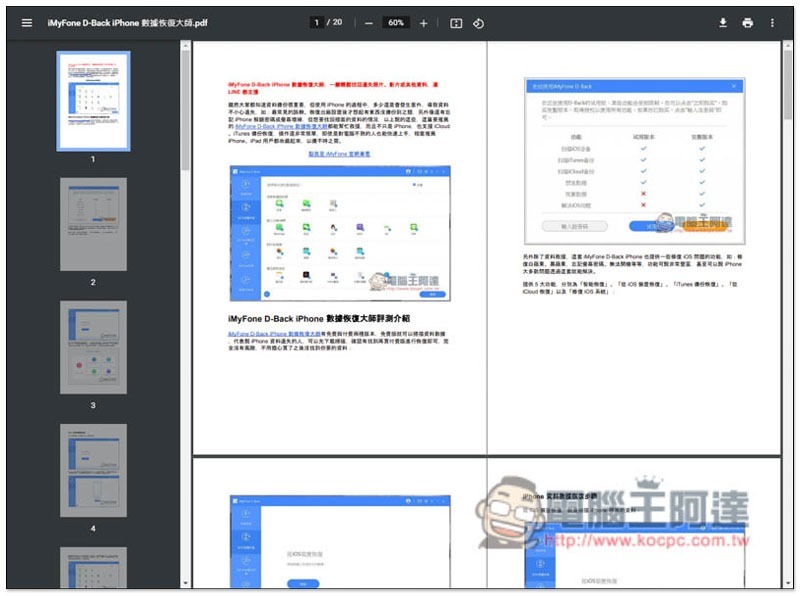
The picture below is the screen of double page view, which can read more pages at one time:
Cropro-2021-01-05-16-01-25

It’s a pity that the current advanced version still does not provide the “edit” function, otherwise it would be better to use. However, according to this situation, Google may also have the opportunity to join in the future.

教你在 Windows 10 中免費安裝 Chrome OS 虛擬機,簡單幾步驟就完成

Source: KOCPC Chinese

Tags: ChromeGoogle ChromePDF

Recent Posts

  • The Xiaomi Pad 8S Pro has passed network access certification and will debut with the self-developed XRING O3 chip.
  • The entire Google Pixel 11 lineup has been leaked! Official promotional renders of the Pixel 11 Pro XL have also surfaced
  • Are Chinese phone battery capacities falsely labeled? A brief look at the “capacity locking” phenomenon in Chinese silicon-carbon batteries.
  • NCC is leaderless, recklessly sending out national-level alert messages!?
  • What does “QR” in QR Code mean?

Recent Comments

No comments to show.
  • About Us

We welcome partnership inquiries and product review opportunities from smartphone manufacturers, iPhone accessory brands, and app developers.koc kocpc.com.tw|Privacy Policy |Hosting & Maintenance: Fast Line Taiwan, A-Chang Digital Technology

No Result
View All Result
  • Home
  • Tech News
  • AI News
  • Apps & Tutorials
  • Mobile & Telecom
  • Lifestyle
  • About Us

We welcome partnership inquiries and product review opportunities from smartphone manufacturers, iPhone accessory brands, and app developers.koc kocpc.com.tw|Privacy Policy |Hosting & Maintenance: Fast Line Taiwan, A-Chang Digital Technology