


Unlike other download tools, DownLoadBunny is a multi-platformVideo downloadtools, ranging from common YouTube、TikTok、Facebook, Instagram, to China Bilibili All websites are supported. The operation is simple, just paste the URL and enter the verification code to get the download points. For situations where you want to download high-quality videos but the videos may have no sound, there is also an online tool for merging videos and audios. This is quite convenient and is recommended for those who need it.
remind:Please confirm whether the video content has legal authorization before use, such as uploading your own works, creatively using CC authorized content or public domain materials. If it is a music or audio-visual work protected by copyright, downloading or converting it without the consent of the rights holder may involve copyright risks and may also violate the terms of service of the original platform.
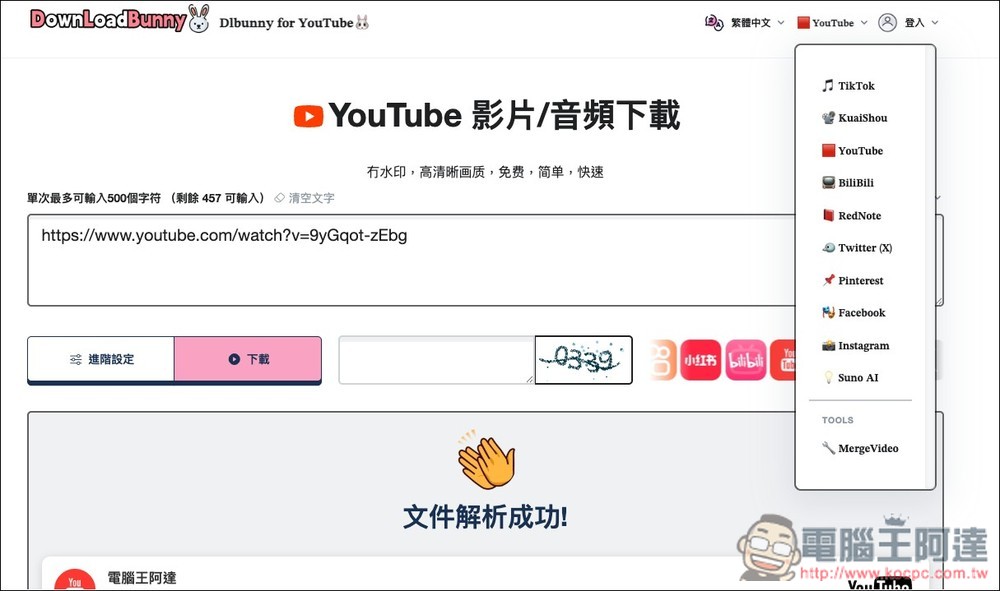
DownLoadBunny multi-platform video download tool introduction and operation instructions
DownLoadBunny is a multi-platform video download tool that focuses on “online installation-free”. Users only need to paste the video link to quickly parse and download the video content. The operation is simple and intuitive, and it is also very friendly to people who are not familiar with computers. It supports multiple popular social platforms such as YouTube, TikTok, Bilibili, Instagram, Facebook, and
In terms of parsing speed, according to reports, DownLoadBunny uses cloud server processing technology. Generally speaking, it only takes a few seconds to tens of seconds to obtain the downloaded file. It also provides a variety of format options, such as MP4 videos, MP3 audios, JPEG images, etc., to facilitate users to download according to their needs. It also supports high-quality and watermark-free saving, which is very useful for creators to collect materials or for general users to back up videos.
Main features
- Supports multiple platforms: YouTube, TikTok, Bilibili, Instagram, Facebook, X, etc.
- No installation or registration required: you can use it directly with your browser
- Multi-format download: supports MP4, MP3, JPEG and other file formats
- High-definition without watermark: Prioritize analysis of high-definition resources
- Fast analysis in the cloud: download results can usually be obtained in seconds
- Multi-language interface: Provide multi-language versions to facilitate global users
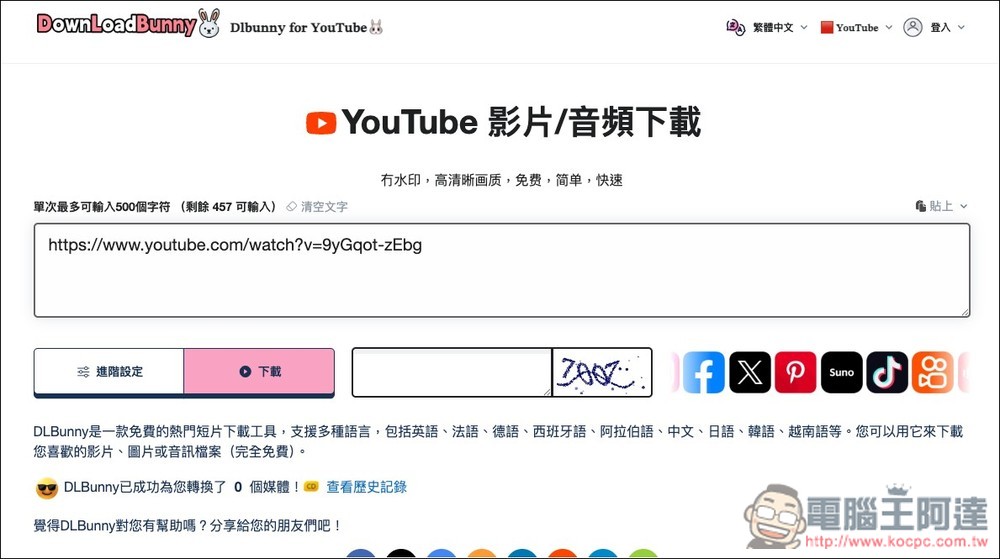
After clicking the link above to enter DownLoadBunny, you will first enter the “YouTube video/audio download” mode. Paste the YouTube link you want to download:
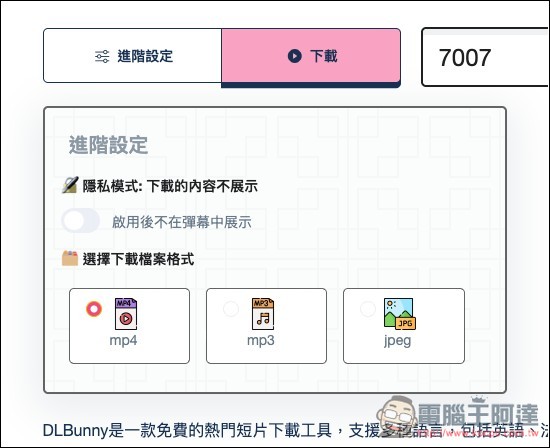
After the advanced settings are opened, you can choose the download file format, including MP4, MP3 and JPEG. There is also a privacy mode, which will not display the downloaded content when enabled. Remember to enter the verification code before clicking the “Download” button:
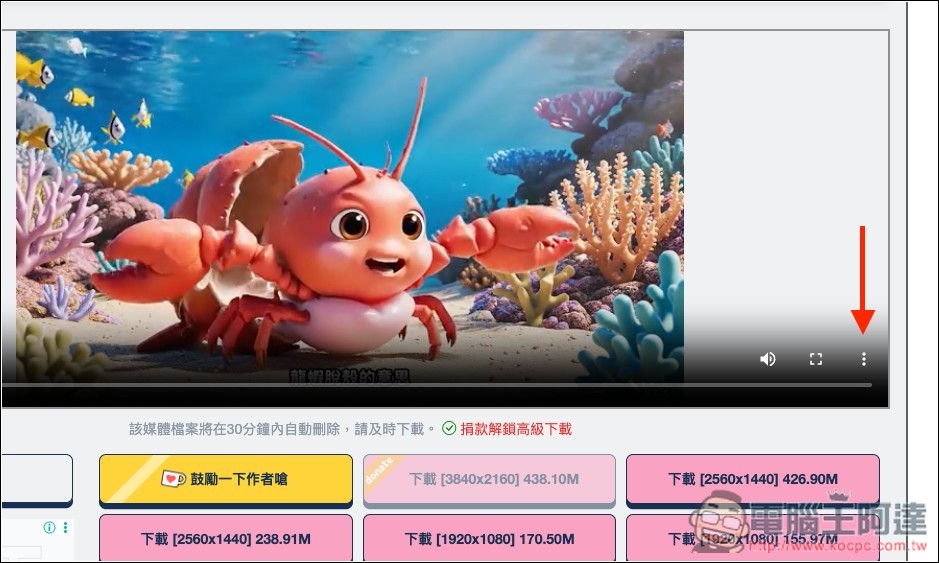
After the analysis is completed, the loading point will be obtained. However, please note that for YouTube, all download sites listed below are audio-less versions, only images, no matter which resolution is:
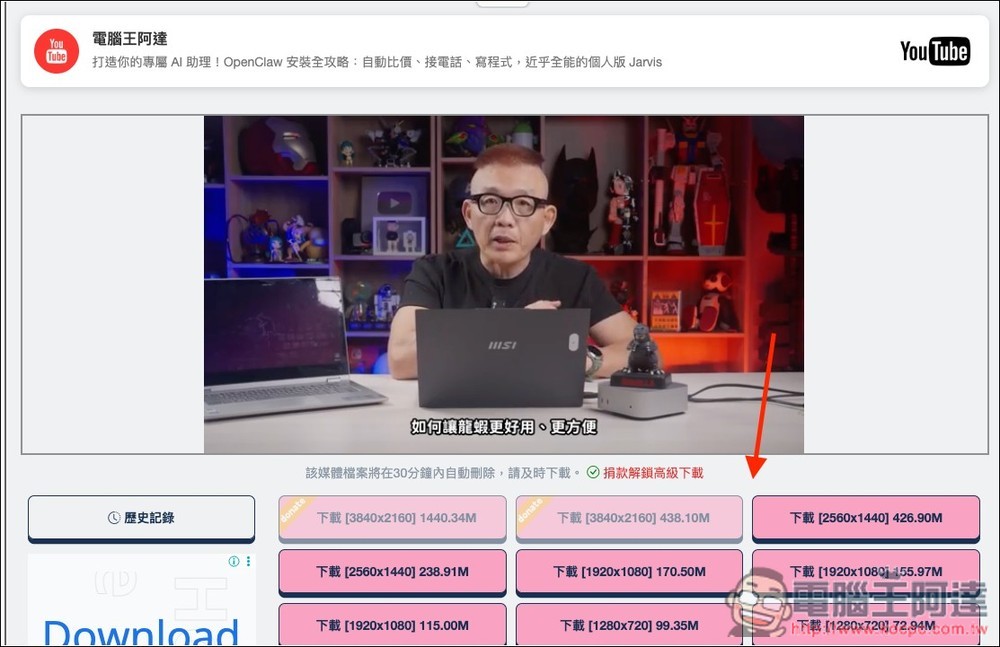
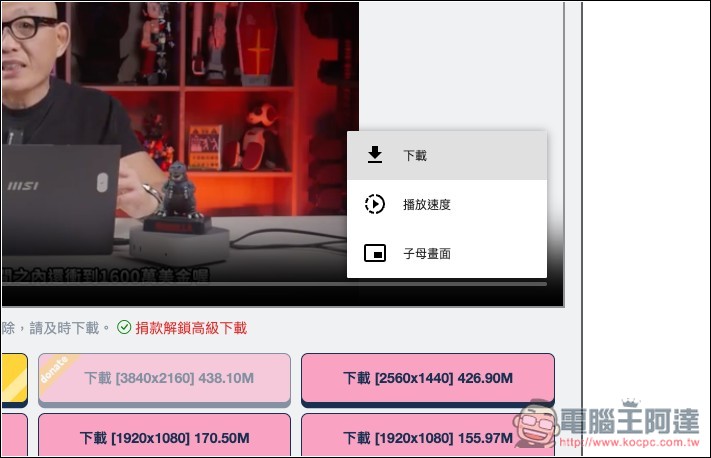
If you don’t want to manually merge video files and audio files and want to download the video with sound directly, you can download the preview video above instead and open the menu in the lower right corner:
Just press download. This is the version with sound:
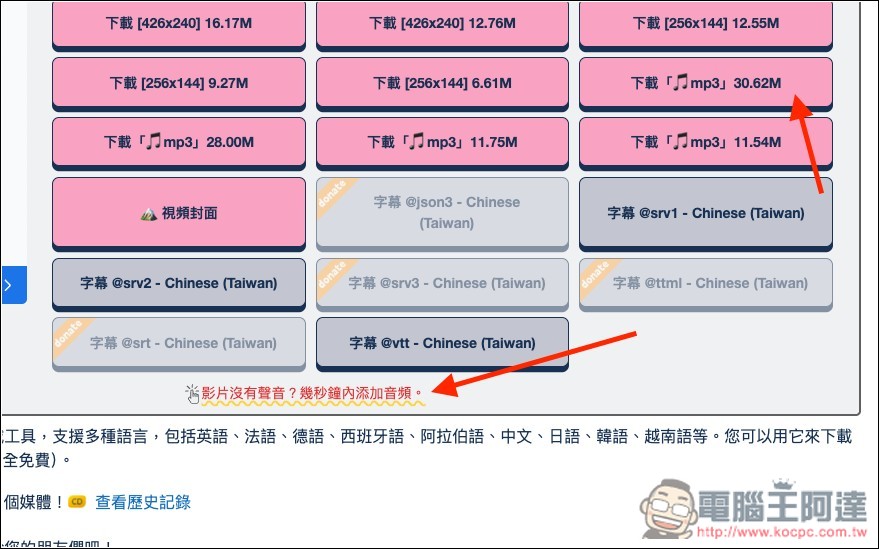
If you want to get a high-resolution video, you can first download the resolution you are satisfied with (such as 2K), then download the audio file, and then click “Video has no sound? Add audio in a few seconds” at the bottom:
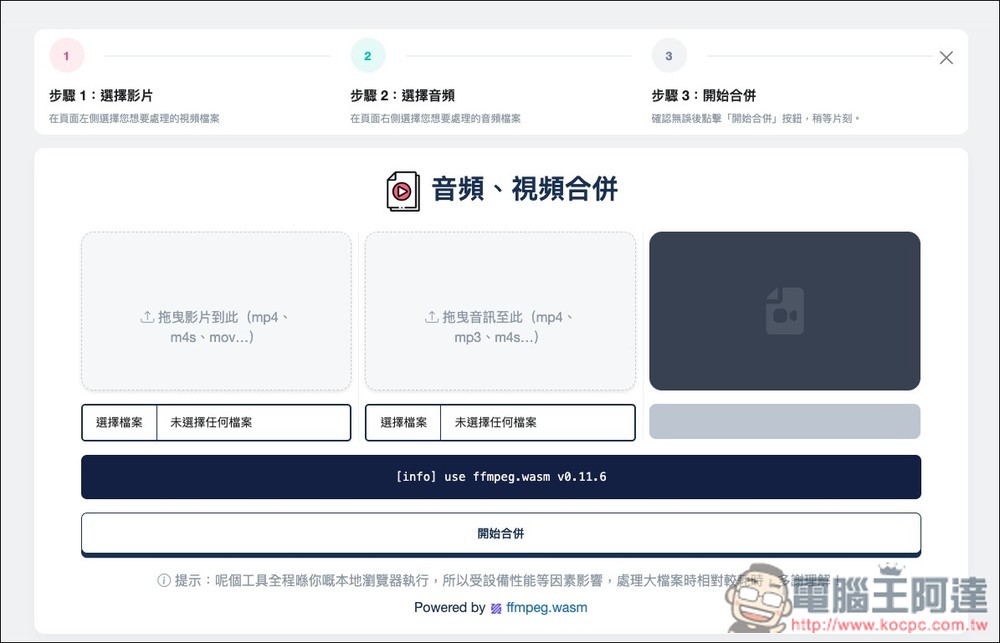
The merge tool will open, import the video and audio separately, and click below to start merging:
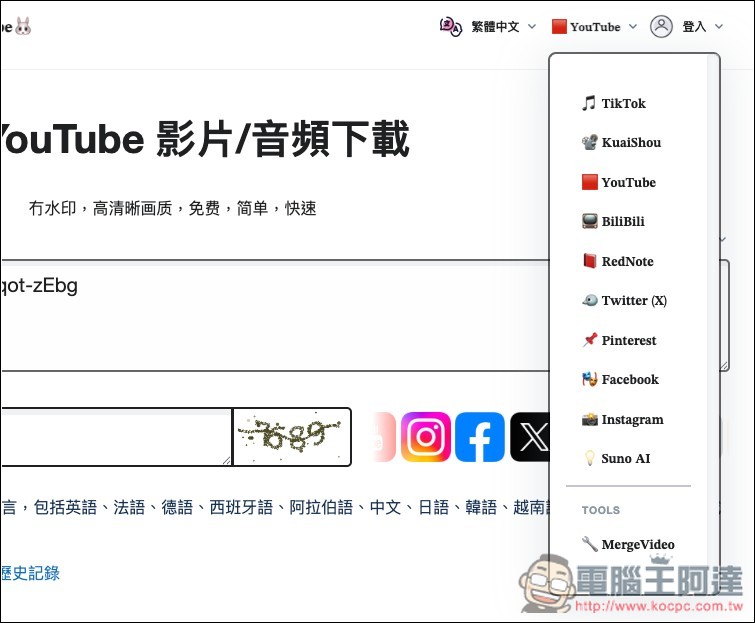
In the upper right corner, you can switch the platform you want to download. Even Suno AI supports:
Source: KOCPC Chinese