


Many Home Assistant users enjoy sharing the smart home control panels they’ve created, and I’ve always admired those that display device status in the home using 3D models. Although the process looks quite tedious, after recently seeing one user’s work, I’m genuinely a bit tempted and have even started thinking about making one myself.
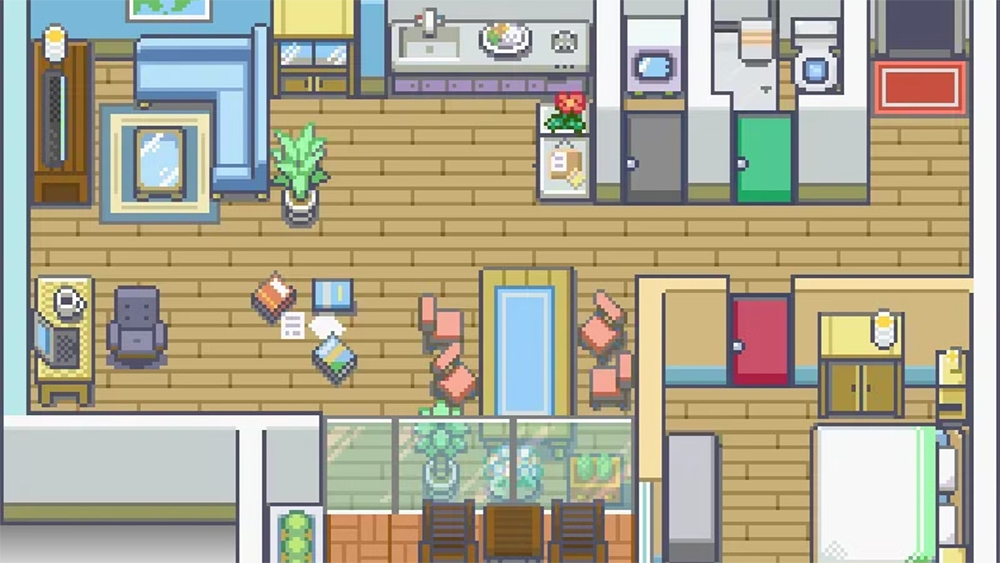
Home Assistant User Builds a 2D Pokémon-Style Dashboard That Reflects Home Status in Real Time
A common approach is to use Sweet Home 3D or Blender to create a 3D floor plan of your home, placing walls, windows, doors, and furniture one by one into the scene, then rendering it into an image. After that, you can create multiple rendered images for different lighting states, such as “all lights off” and “all lights on” versions, and switch between them in the Home Assistant dashboard based on device states. This 3D dashboard visual effect is indeed very appealing.
But Reddit users u/anonym9173 His work is even more surprising; he, following u/katschung Using the detailed tutorial provided, I created a 2D pixel-art floor plan that recreates every room, door, furniture, and light source in my house from a top-down perspective. The style resembles classic top-down Pokémon games—both retro and adorable, making it instantly lovable.
The author says that this set of pixel floor plans took a great deal of time and effort to complete. He made them using GIMP, paired with RPG tilesets, and hand-drew tiles for objects that were hard to find, such as TV cabinets and coat racks. I even ran a little experiment and found that AI image generation technology might be able to speed up the production process, potentially making this kind of work more accessible in the future.
Interactive Pokemon Floorplan Dashboard
by u/anonym9173 in homeassistant
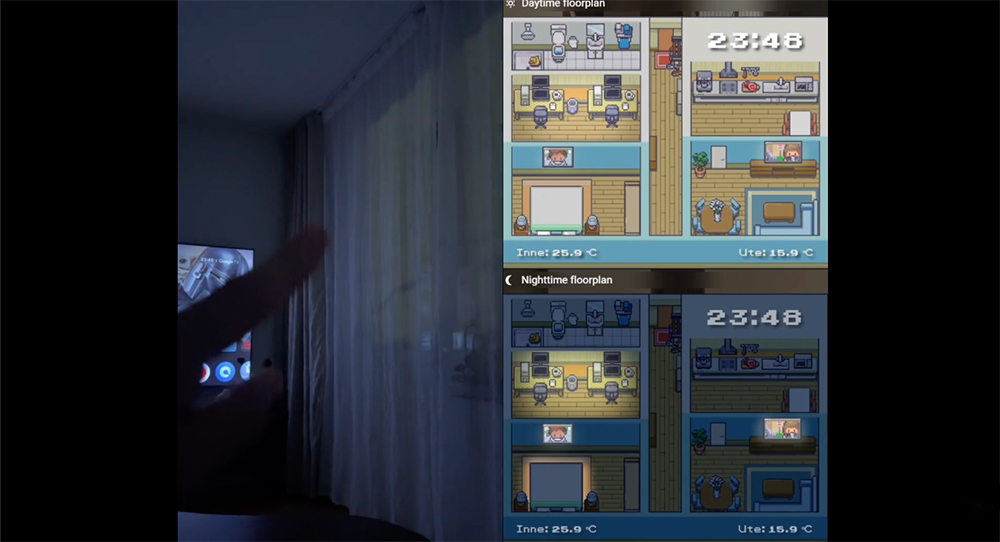
Even better, this Pokémon-style dashboard isn’t just a pretty face—it’s a true real-time display of your smart home’s status. In the video attached to the Reddit post, the creator shows themselves walking through the hallway and into the living room. As the motion sensors detect movement, the lights in each room automatically turn on, and the dashboard updates almost in sync. The brightness of every light is displayed in real time right on the floor plan, making it easy to see at a glance which lights are active.
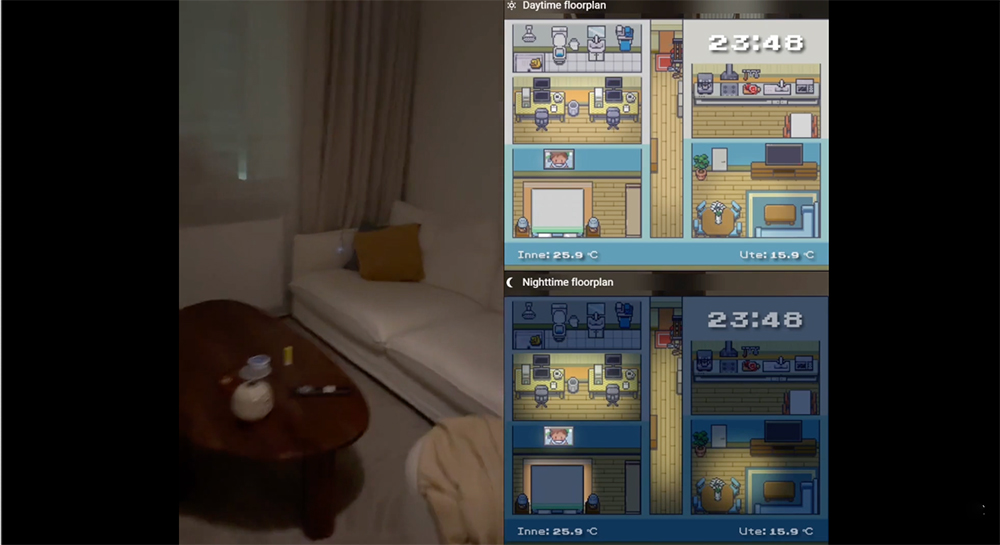
It’s not just the lighting. When the author points at the TV and snaps his fingers to turn it on, the pixel TV screen on the floor plan also switches from black to a lit display, symbolizing that the TV is on. Even the two computers in the same room can have their screen brightness controlled individually through zone sensors, ensuring that only the computer in use lights up and automatically turns off after the user leaves.
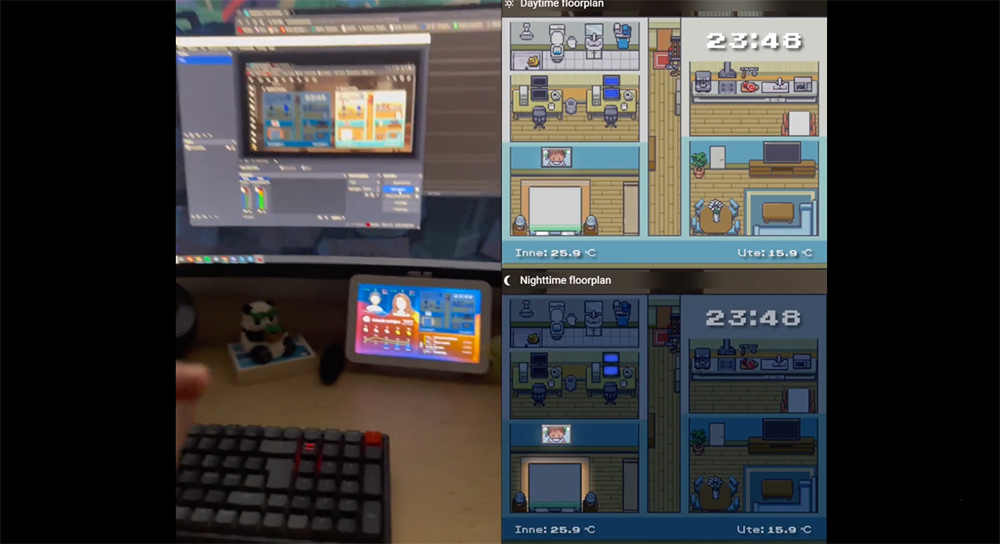
The video also showcases both daytime and nighttime views. The daytime version is bright and clear, while the nighttime version is darker, with only areas where lights are on appearing illuminated. The dashboard automatically switches views based on sunrise and sunset. This design is very practical because night mode makes it easier to see which lights are still on, so before bed you only need a quick glance to confirm whether any devices in the house are still left on. More importantly, this dashboard is fully interactive. You can directly click on lights or other devices on the floor plan to turn them on or off. The button transparency is set to zero, so it doesn’t disrupt the overall pixel art style. Long-pressing a device brings up more options. Even the TV can be controlled through the floor plan—clicking the TV icon pops up a virtual remote control window, letting you operate it directly in your browser.
Honestly, I’m not usually into managing smart homes through a control panel, but this project really makes me itch to try it. I’ve even started thinking that turning my home into a pixel-art world from The Legend of Zelda would be super adorable — I just need to be careful not to actually give in and smash all the vases in my house.
Source: KOCPC Chinese