


Most of us have probably experienced that awkward moment when you hand your Pixel phone to a friend, just to show off a funny meme, and before you know it they’re swiping through your text messages or chat history. Android has long lacked a native app locking mechanism, making this situation of “lending your phone equals exposing your privacy” all too common. Now, Android 17 QPR2 Beta 3 has finally filled that gap for Pixel users with a built-in official App Lock feature—a long-awaited small upgrade for the Pixel community.
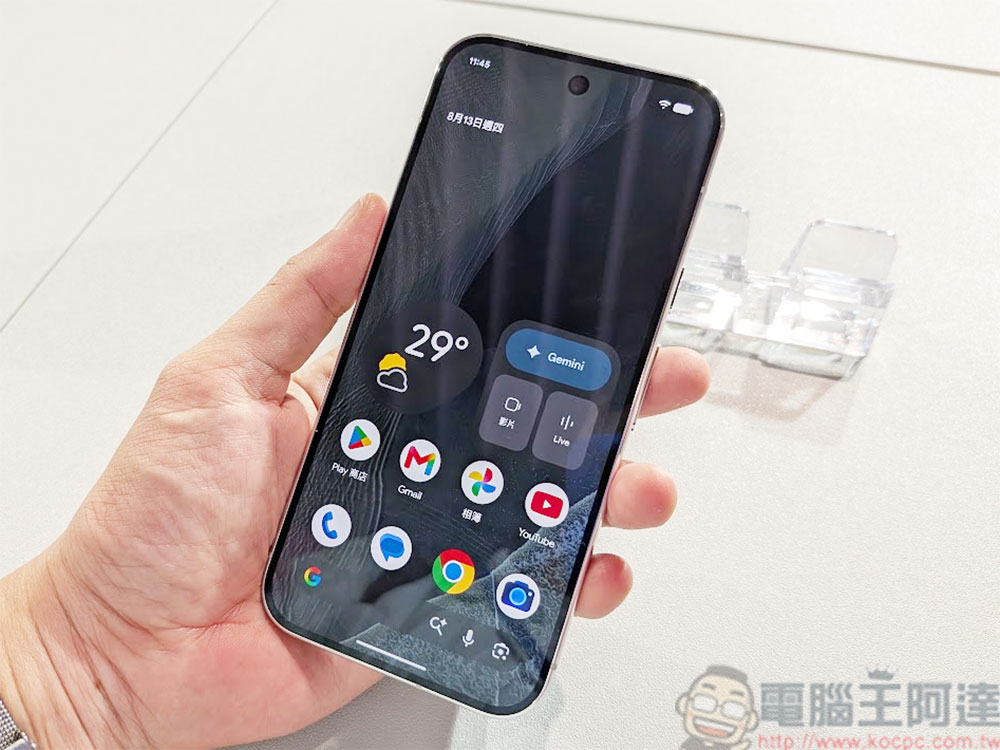
Privacy UP! Android 17 Will Get App Lock Feature
In the new system, just long-press any app icon to see the brand-new “App lock” option in the Actions menu, alongside existing features like App info, Pause app, and Widgets. Tap it once to enable locking. Locked apps require fingerprint or PIN verification before opening, and there’s no way in without passing it. This means the next time someone tries to peek at your bank account, texts, or chat history, the screen will be stuck on the verification page, completely cutting off any chance of a quick swipe.
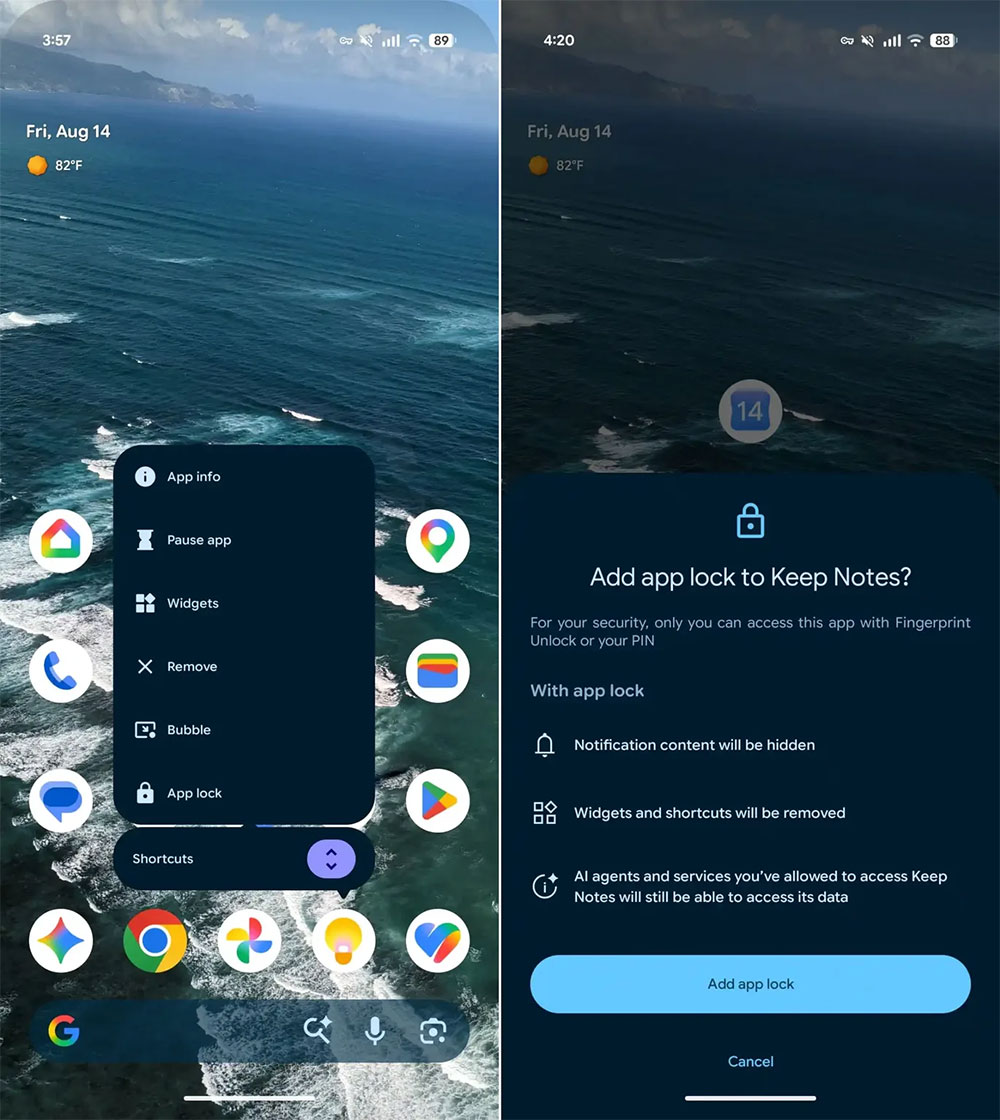
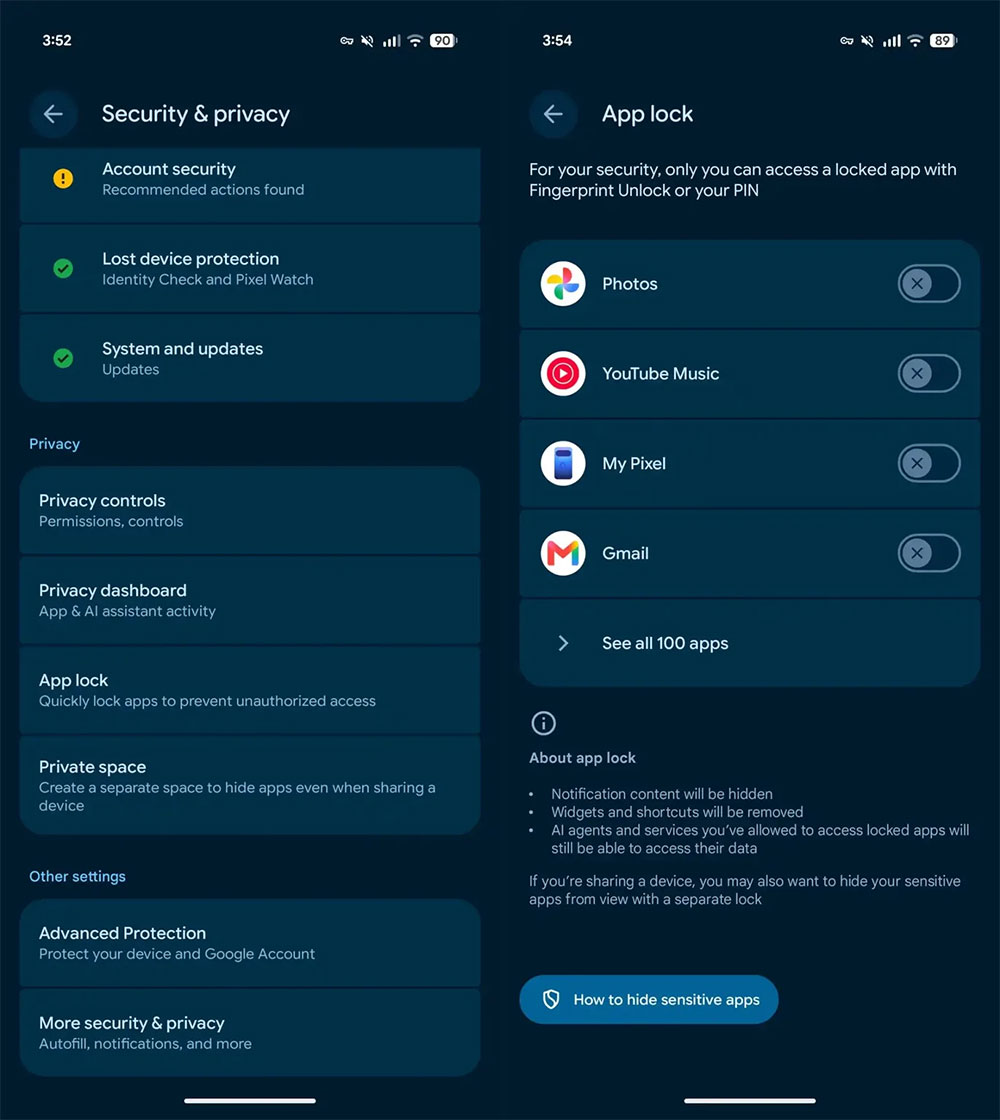
More importantly, Google isn’t just adding a password to the outer layer of the app; according to foreign media, 9to5Google’s teardown reportOnce an app is locked, its notification content is also hidden to prevent sensitive information from being exposed on the lock screen or notification bar. Even the app’s shortcuts and widgets disappear, making any alternative routes into the app completely ineffective. This approach of sealing off every entry point, from the front door to the side doors, makes App Lock’s security more complete and harder to bypass than third-party tools.
However, there is one exception worth noting: if you have granted certain AI agents or services permission to access specific app data, they can still read relevant content in the background. In other words, App Lock is primarily intended to prevent others from snooping when physically using your phone, not to block system-level assistants or AI tools you already trust.
If you want to quickly manage all locked apps, go to “Settings” → “Security & Privacy” → “App Lock.” From there, you can view all locked apps at a glance, or instantly add or remove locks without having to long-press each icon to configure it. Honestly, I’ve always wished Android would offer this kind of native app lock feature. For banking apps, messaging apps, or any tools you don’t want accidentally opened, this extra layer of security is essential. Especially when handing your phone to a friend, family member, or colleague — some information isn’t so much “not meant to be seen” as it is “not meant to be seen by accident.” App Lock fills that subtle but important need perfectly.
Android 17 QPR2 is expected to officially launch in December this year, so Pixel users won’t have to wait much longer to use this feature in the stable version of the system. For users who value privacy and often need to lend their phones to others, this is a small but practical update that also helps Pixel strike a better balance between security and convenience.
Source: KOCPC Chinese