


OpenAI announced today that the ChatGPT Desktop App is officially arriving on Linux as a preview. Following macOS and Windows, ChatGPT’s desktop client now covers all major desktop operating systems. Linux has long been the primary OS for developers, data scientists, and infrastructure engineers, and this release directly responds to years of calls from the open-source community. The new app integrates three key features—ChatGPT (chat), ChatGPT Work, and Codex (code agent)—into a single interface, allowing users to handle general Q&A, multi-step tasks, and code development in one workspace.
Full coverage of mainstream operating systems! OpenAI releases preview version of ChatGPT desktop app for Linux.
Three major features integrated: Chat, Work, Codex
This July, OpenAI reintegrated the previously standalone Codex desktop app into a brand-new ChatGPT desktop application, which contains three core modules:
- ChatGPTGeneral conversation interface for daily tasks such as Q&A, search, and brainstorming.
- ChatGPT WorkMulti-step work mode that can collect data, analyze files, and create documents, spreadsheets, presentations, reports, and websites.
- CodexCode agent interface that lets developers directly open local folders and code repositories, allowing AI to read and write files, run terminal commands and tests, and review code and Git changes.
The Linux version fully inherits all three modules. For Linux users who previously could only access OpenAI services through a browser or Codex CLI, the desktop app provides a visual workspace to manage multiple projects simultaneously, check on long-running tasks, review code changes, and bring local and cloud work together in one interface. The app also comes with OpenAI’s built-in in-app browser and supports Chrome extensions.
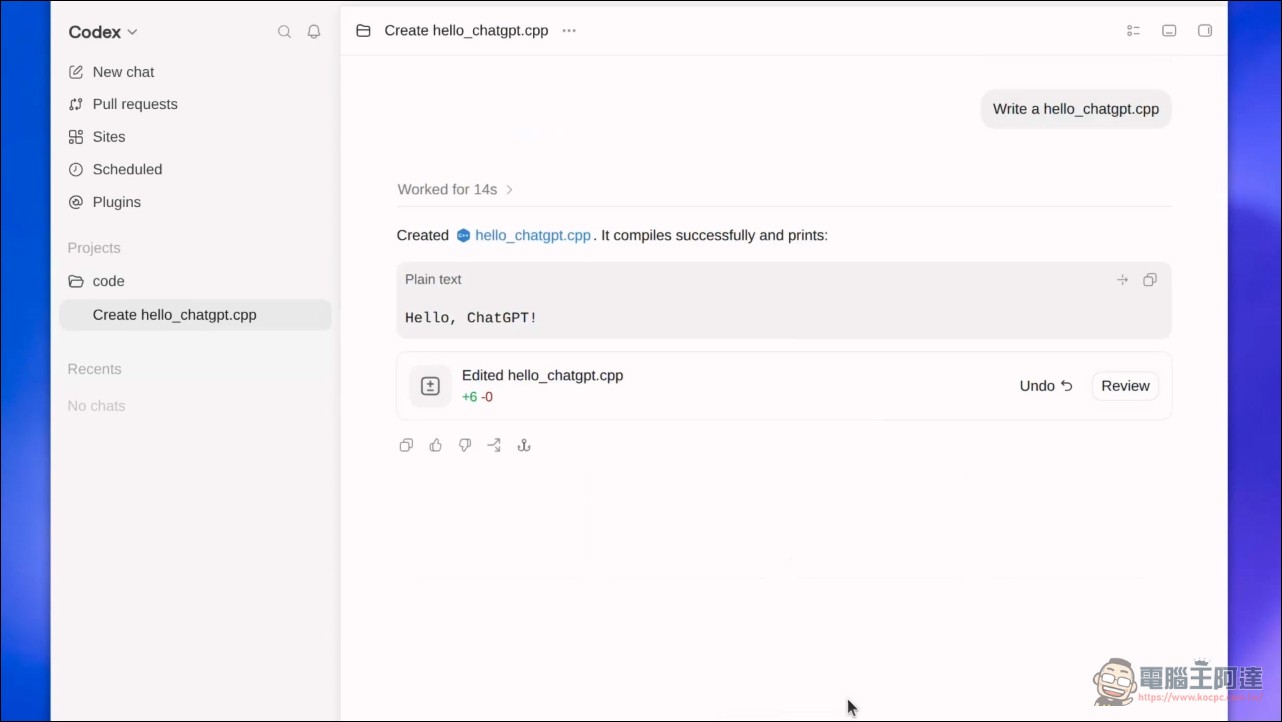
Linux version limitations: Does not support native Computer Use.
Despite the complete porting of core functionality, the Linux version has one clear feature gap at launch: no support for native Computer Use functionality. An OpenAI spokesperson confirmed to The New Stack that ChatGPT cannot directly control desktop applications (such as OpenOffice or GIMP) the way it can on macOS or Windows.
Also affected by this are Appshots (app screenshots), Record & Replay, and voice commands involving desktop applications. However, browser-based workflows (including Chrome extensions) still work normally on the Linux version, and Voice is also available.
This restriction has limited impact on developers who mainly work in the terminal, since Codex CLI itself can handle most coding tasks on Linux. The desktop app’s value lies more in providing a visual work panel rather than replacing the terminal workflow.
Supported distributions and architectures
The Linux version of the ChatGPT desktop application currently supports the following distributions:
- Ubuntu24.04 LTS and 26.04 LTS
- Debian:13
- Fedora: 43 and 44
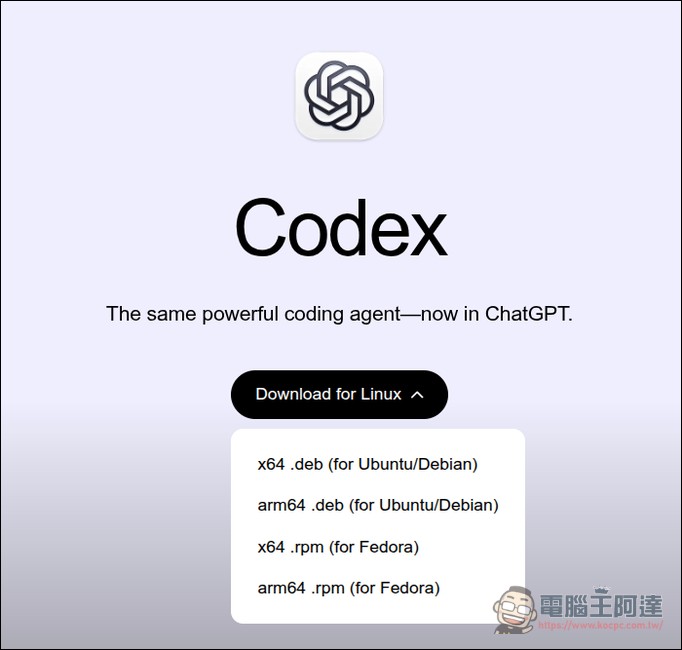
In terms of processor architectures, both x64 and ARM64 versions are provided, and installation packages come in two formats: .deb (for Ubuntu/Debian) and .rpm (for Fedora). Since these distributions are the basis for many downstream desktop editions (such as Kubuntu, Linux Mint, Nobara, etc.), the actual compatibility range may be broader.
The ChatGPT desktop app is now available in preview for desktop variants of these Linux distributions:
• Ubuntu 24.04 LTS and 26.04 LTS
• Debian 13
• Fedora 43 and 44Install with .deb or .rpm packages for x64 or ARM64.https://t.co/BUiM8ttZnI
— OpenAI (@OpenAI) August 11, 2026
The distributions OpenAI chose happen to correspond exactly to the most popular options in the developer community: Ubuntu has long held a leading position in server and cloud development, Fedora is the pioneer of the Red Hat ecosystem, and Debian is known for its stability. OpenAI is not the first to move into Linux desktop applications. About a month ago, Anthropic released a Linux version of the Claude desktop app, supporting Ubuntu 22.04 and later, as well as Debian 12 and later.
The ChatGPT desktop app has landed on Linux, marking OpenAI’s official completion of full coverage across the three major desktop platforms: macOS, Windows, and Linux. Previously, Linux users who wanted to use OpenAI’s graphical interface could only rely on third-party solutions or unofficial ports (such as community-developed codex-desktop-linux project, extracting an Electron application from a macOS DMG and applying Linux compatibility patches)
From Codex CLI to a graphical workspace
In the past, Linux users were not entirely unable to use OpenAI’s development tools. Codex CLI could already run in a Linux terminal, OpenAI’s IDE extension also supported Linux environments, and Codex Cloud offered another path for delegating coding tasks without needing to install a desktop client. The core difference brought by the desktop application lies in the “visual workspace.” Developers can view multiple projects and long-running tasks in the same interface, inspect AI-generated files and outputs, review code changes and Git diffs, and switch between local and cloud work. The application also integrates OpenAI’s browser, extensions, and full ChatGPT conversation features, so users don’t have to jump back and forth between multiple tabs or terminal windows.
However, for senior Linux developers already accustomed to doing everything in the terminal, a graphical interface may not be a necessary upgrade. Codex CLI itself can handle most coding tasks, and the value of a desktop app lies more in multitasking coordination and visual management.
Installation Method and System Requirements
The installation process for the Linux version of the ChatGPT desktop app is fairly intuitive. Users can go to OpenAI’s official download page to get the installation package for their distribution: Ubuntu and Debian users download the .deb file and install it via dpkg or the graphical software center, while Fedora users download the .rpm file and install it with dnf.
After installation, the system will automatically add OpenAI’s software repository, and future updates can be handled automatically through each distribution’s package management tools. The application is built on the Electron framework, which is currently the mainstream choice for desktop AI applications—Anthropic’s Claude desktop version also uses the Electron architecture.
Global users can download and use it starting today, with no need to apply or join a waitlist. However, since it is still in preview, users may encounter unstable features or interface adjustments. At present, the Linux version remains in preview, and OpenAI has not yet stated whether it will add missing features such as Computer Use in the official release, nor has it provided a specific timeline for the official version.
Source: KOCPC Chinese