


YouTube Premium In recent years, not only have prices continued to rise, but cheaper methods of cross-regional subscriptions have also been blocked. This has also made many people who have no budget to buy memberships very troubled. If you haven’t found a solution yet, you can also get one. iPhone, then now App Store There is a product offering a lifetime version that is free of charge「YouPlay」App It’s a good option. It has a built-in video ad blocker and it can be blocked in actual tests. YouTube Advertisements can also be played in the background. In fact, this app can block most online video and audio platforms that have advertisements, even webpage advertisements are no problem. (The exemption has ended)
I would also like to remind you that YouPlay has been free for a few days, and the representative said that it is likely to end in a short time. When performing any confirmation actions, be sure to check whether there is an “amount”.
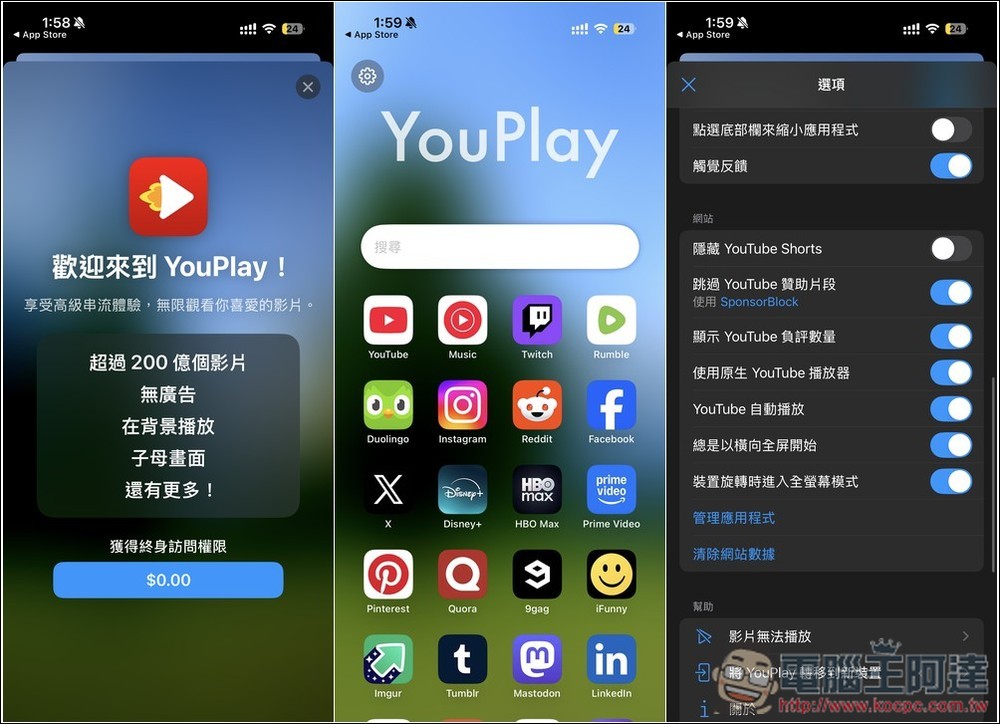
YouPlay Advanced Lifetime Edition is free for a limited time! Can block YouTube ads, background playback, and supports Airplay
YouPlay is a minimalist browser that is billed as specially designed for watching major video websites, including YouTube. It features two main functions: “no ads” and “background playback”. For users who often use mobile phones or tablets to catch up on dramas and listen to music, it can greatly improve your viewing experience and no longer be interrupted by ads. The app design is lightweight, fast, and starts quickly, so novices can get started immediately.
According to reports, YouPlay’s built-in ad blocking function will automatically detect and filter ads inserted before and in the middle of the video, making the playback process natural and smooth. With support for background playback and picture-in-picture mode, the video will continue to play even if you switch to other apps.
The only thing to note is that this is a third-party app after all, so you have to be very careful when logging in to any account or password. When I use this kind of app, I only log in to backup accounts, so it doesn’t matter if it is stolen.
After clicking the link above to enter YouPlay’s App Store page, it is recommended to first check whether the YouPlay Premium Lifetime purchased in the app displays 0 yuan. If so, it means it is free. After installation, open it, and a screen showing $0.00 for lifetime access should pop up. If it doesn’t appear, you can also click on the crown icon above the main screen:
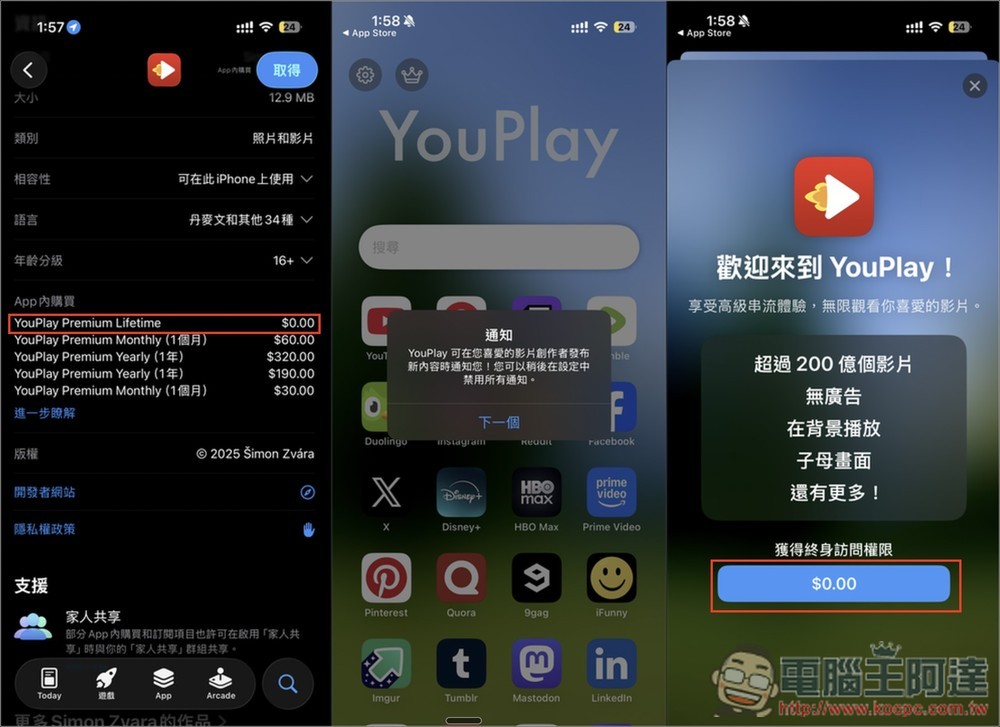
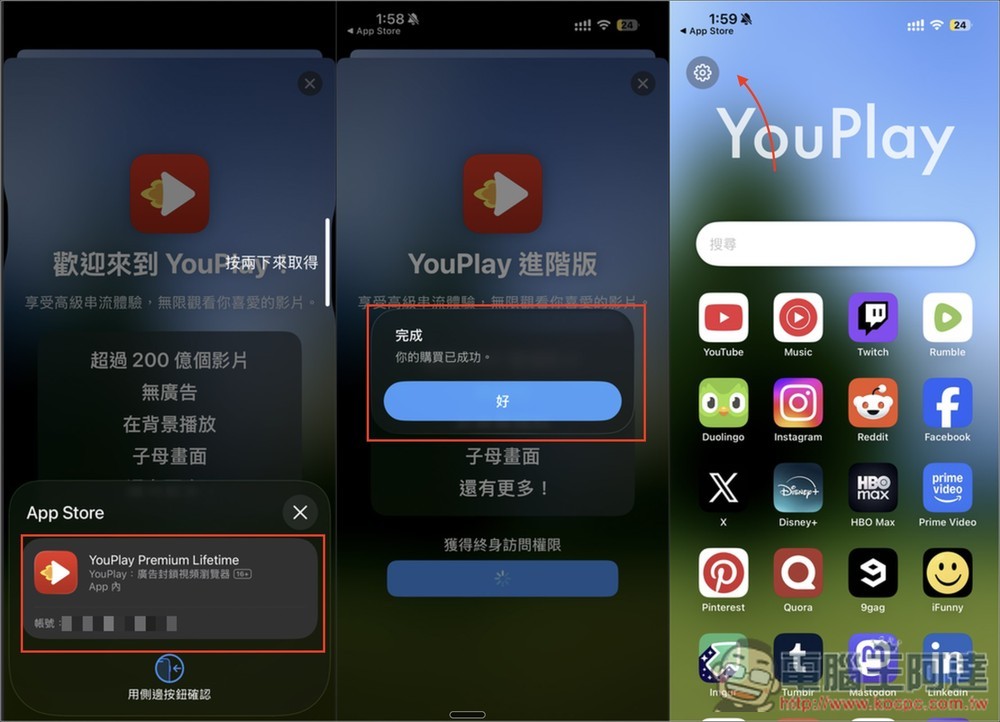
When entering the confirmation screen, please check whether there is really no amount. If there is no amount, the fee is limited. If there is amount, do not click twice to obtain it. “Your purchase has been successful” appears, which means you have upgraded to the advanced lifetime version! The crown icon next to the setting will also disappear:
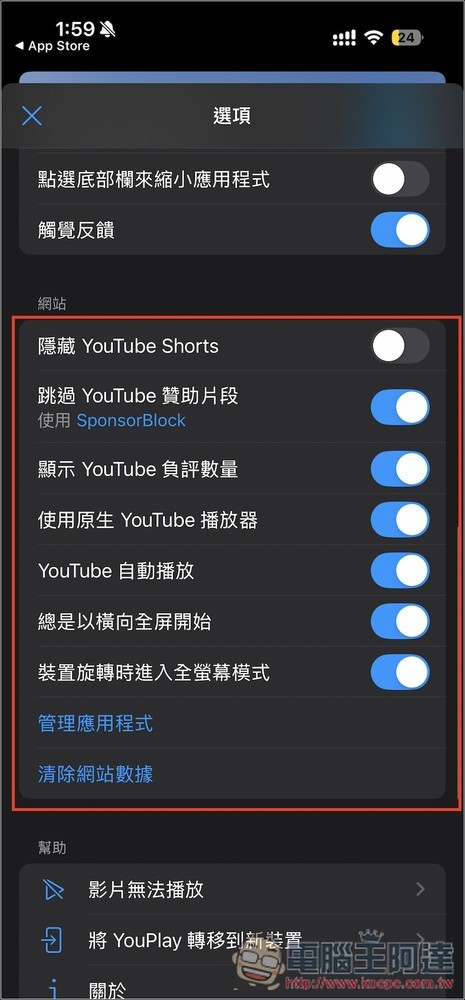
In the settings, there is a YouTube ad blocking setting option. If there is something you don’t want to enable, remember to turn it off, or even hide YouTube Short:
There are no ads in the actual YouTube video playback, home page, and video browsing process:
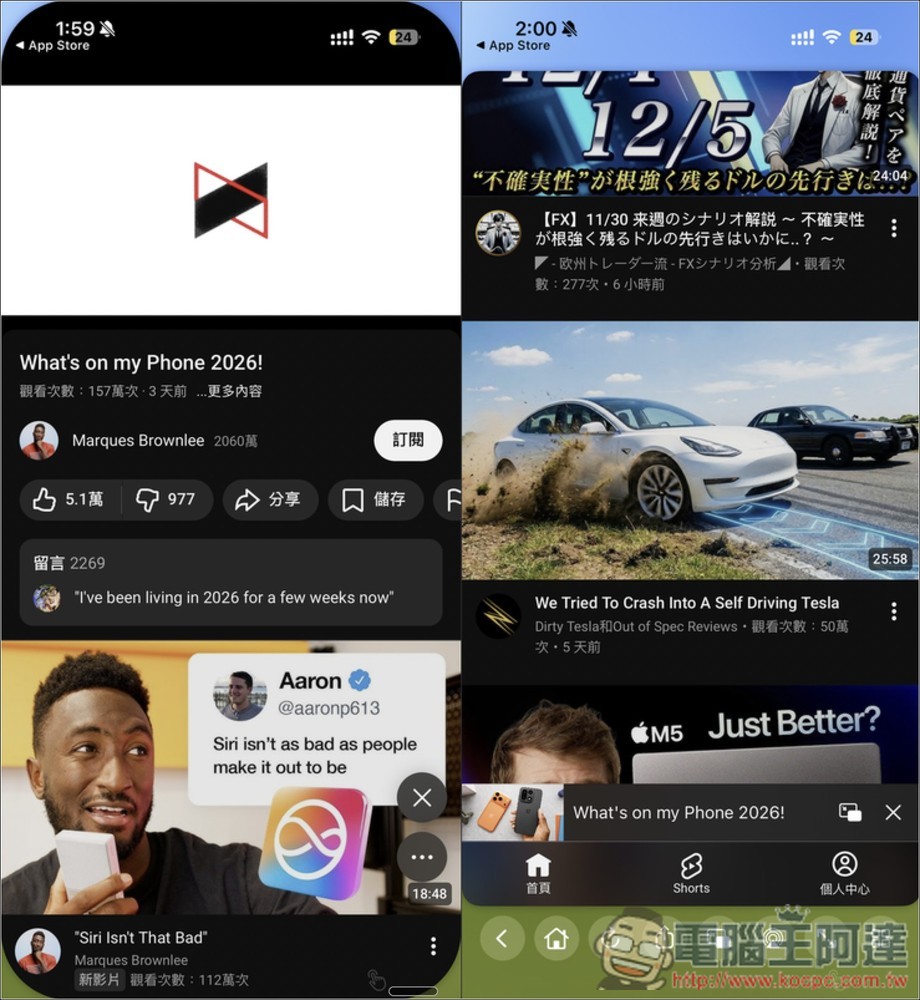
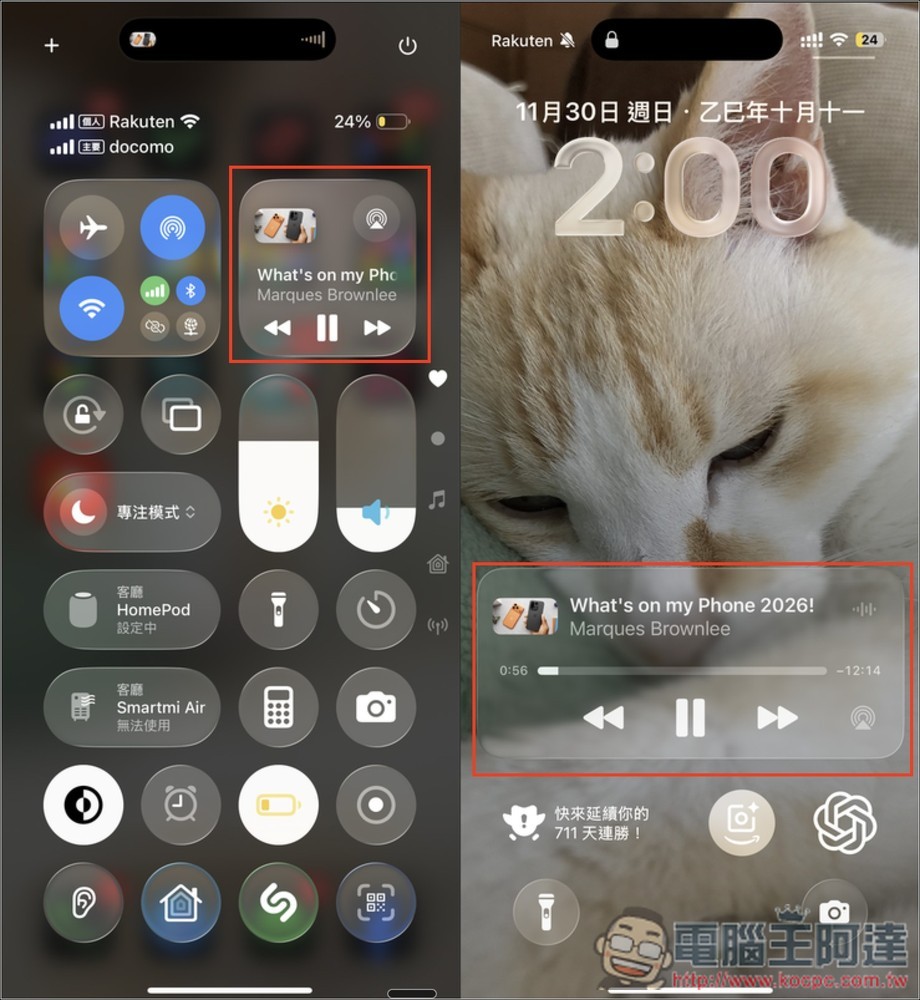
Background playback and standby playback are also successful, and listening to music is not interrupted:
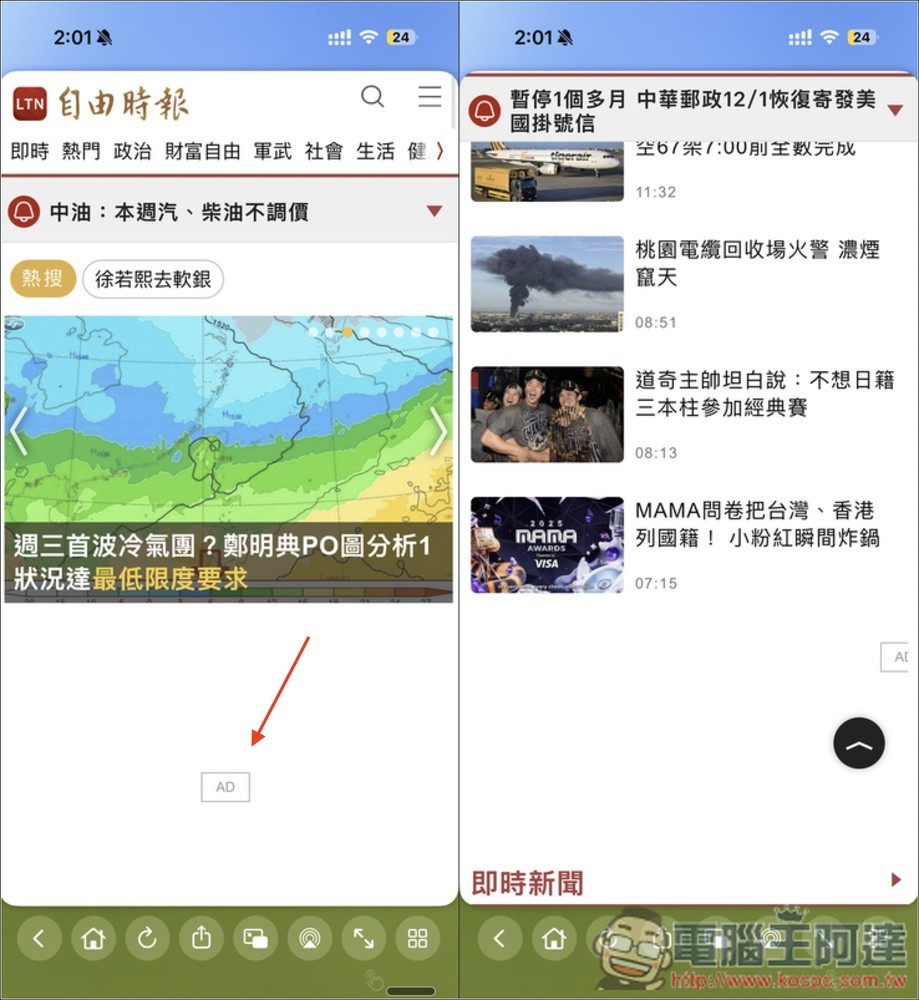
I also have test web ads, which can also be blocked:
Of course, YouTube may strengthen the detection capabilities of its ad blocker at any time, so whether it can block ads now does not mean it will be possible in the future. It still depends on the update speed of the app developer.
Source: KOCPC Chinese