


With the rapid advancement of AI, AI face-changing technology is now becoming more and more powerful. If you want to play with it, and you happen to have an iPhone, “Synthetic Photo AI Face Photo Face-changing” is a good choice, and there is a free version.There is good news here. Recently, the “Synthetic Photo AI Face Photo Face Changing” App is releasing a lifetime version for free for a limited time. After you get it, you can use AI face changing unlimited times, the pictures will not have watermarks, and you can enjoy all the benefits. Not sure when the limited-free event will last, if anyone sees it, please download it and get it.
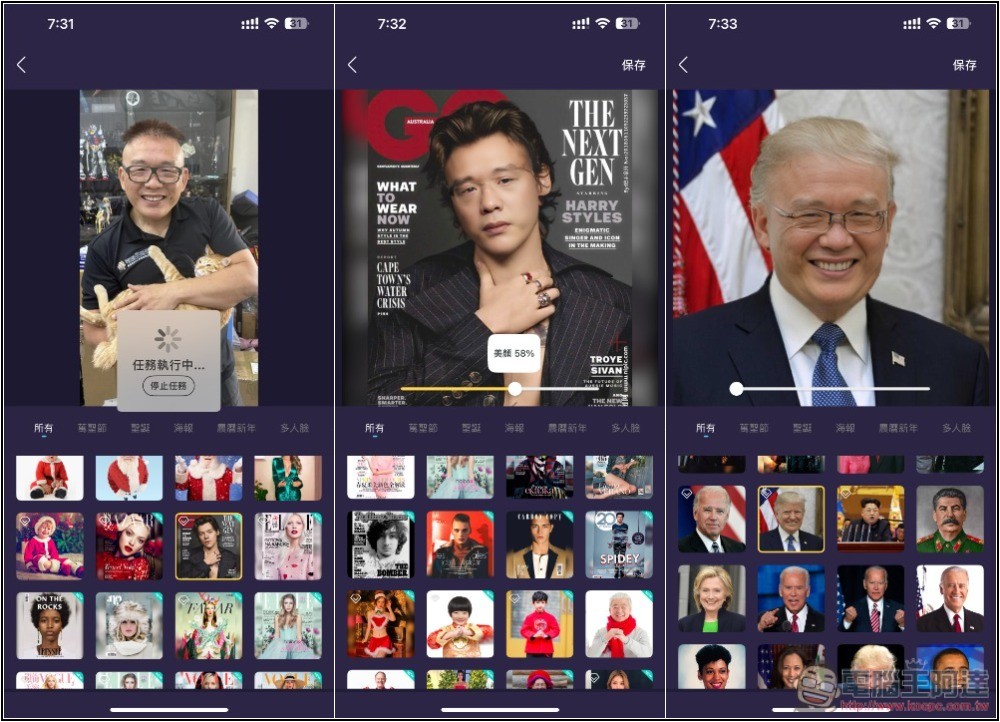
“Synthetic Photo AI Face Photo Face Changing” allows you to easily experience the one-click face changing effect
The original subscription price of “Synthetic Photo AI Face Photo Changing” can be said to be quite expensive. The complete functions cost nearly NT$2,000 per year, so it is very cost-effective to directly obtain the lifetime version this time, and you can use all functions without any restrictions without paying any fees.
In my actual test, the face-changing effect is also good, especially for photos and videos. But I think this part is okay. It also provides the function of generating multiple photo stickers with different effects at one time.
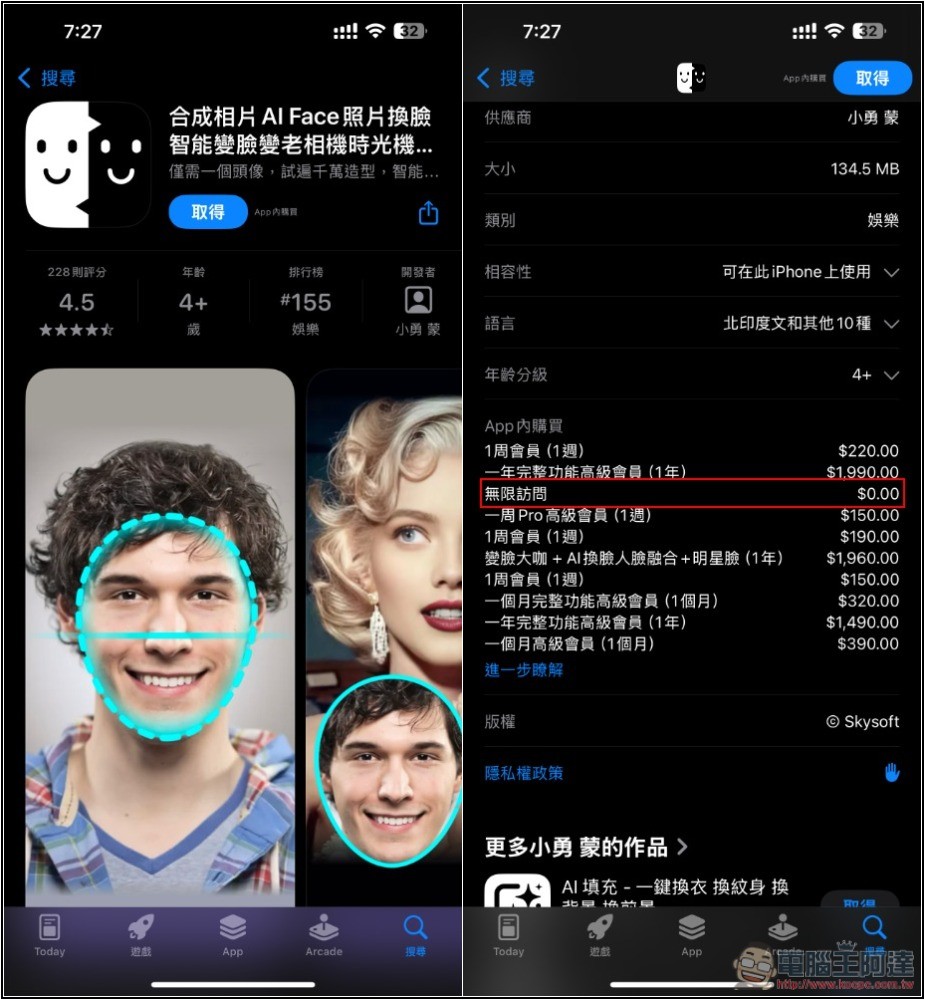
Now after entering the “Synthetic Photo AI Face Photo Face Changing” App Store page, you will see that unlimited access to this one is now 0 yuan:
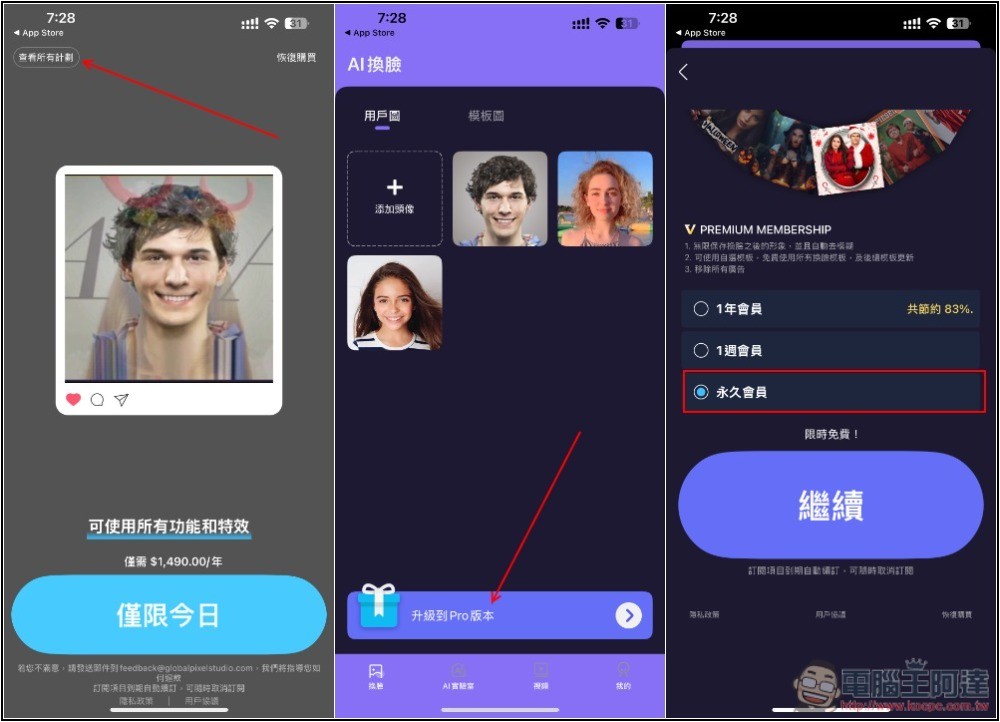
After downloading, installing and opening, the subscription screen will be displayed. Remember to click on the upper left corner to view all plans in this part. Then the lifetime version plan will not be displayed. Please close the plan page entirely and enter the main screen, which is the middle screen in the picture below. You will see the “Upgrade to Pro version” option at the bottom. After clicking it, you will find the permanent membership plan. After selection, instant free will be displayed at the bottom, press Continue:
To confirm whether it is completely free of charge, the screen must be displayed like the leftmost one below, without any amount displayed, so there is no problem. After pressing Get, it will pop up that the purchase has been successful, and you can use all membership functions:
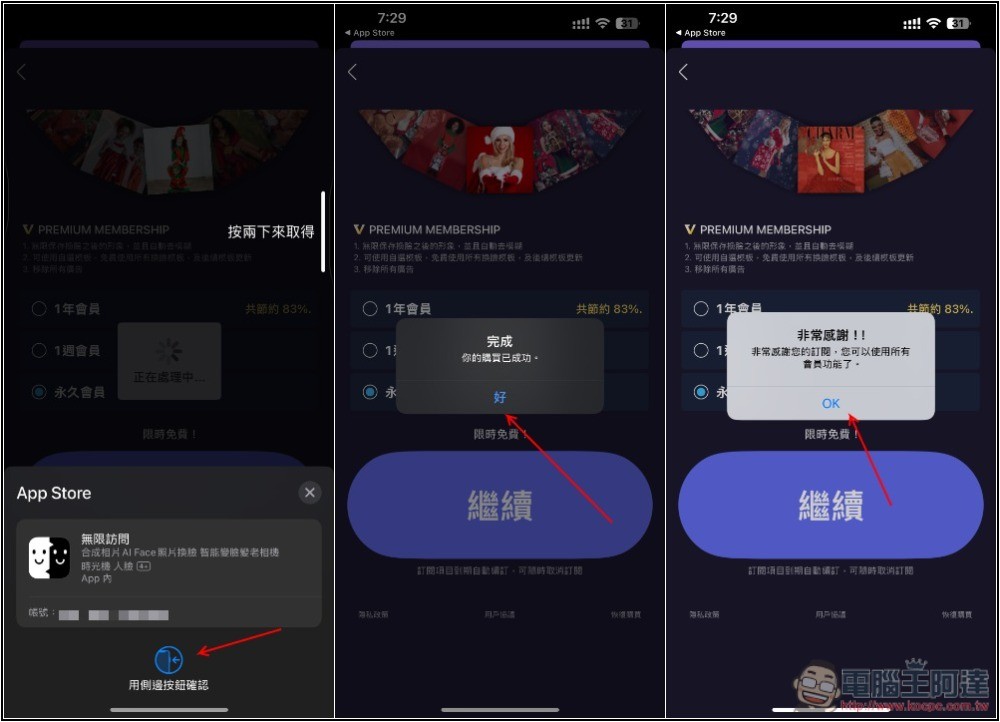
The option to upgrade to Pro membership at the bottom will also disappear. If yours is still there, please reopen the app. Then you can start playing and watching AI change faces.In the photo section, users can upload your pictures. The App has many built-in templates. You can play with them first. If you want to change the face of the picture you specified, please upload it to the template picture. I uploaded the picture of Ada, and then selected the template picture I want to change the face below:
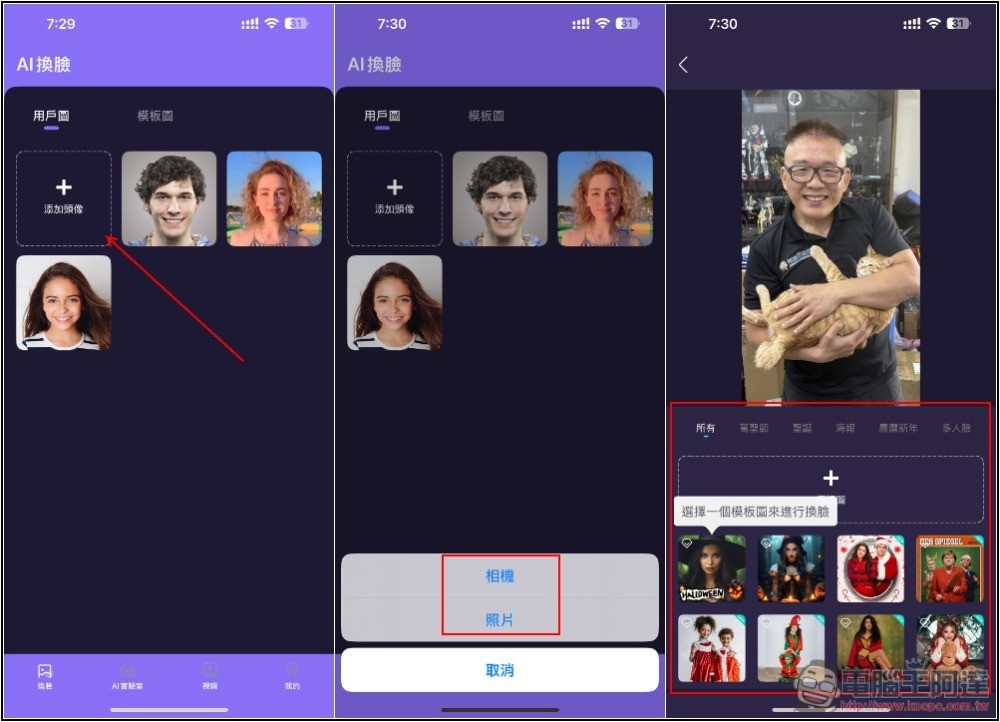
The face changing speed is quite fast, it can be completed in a few seconds, and the effect is quite good, but it is a pity that Ada’s glasses did not change with it:
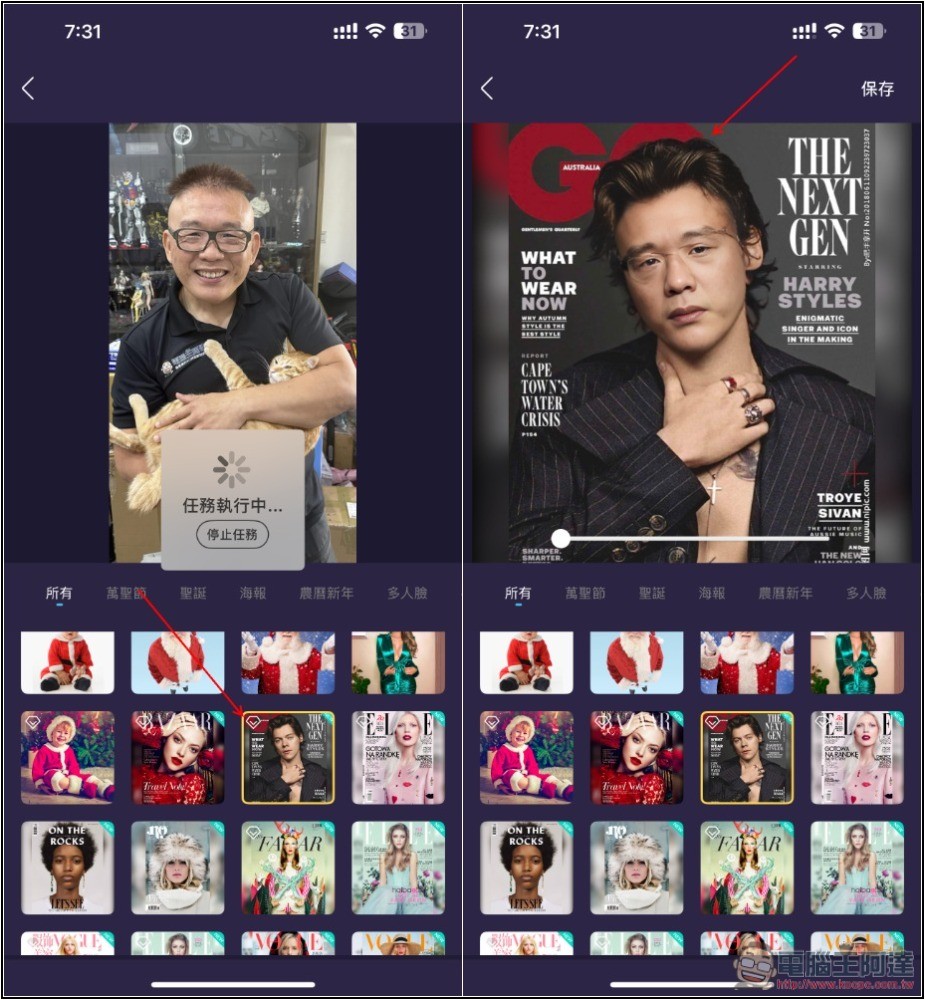
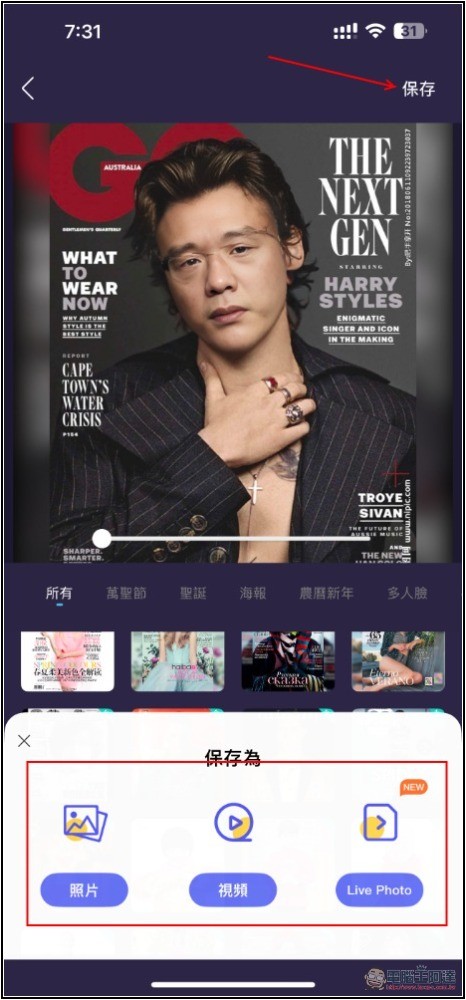
If you are satisfied, click Save in the upper right corner to download the image to your iPhone:
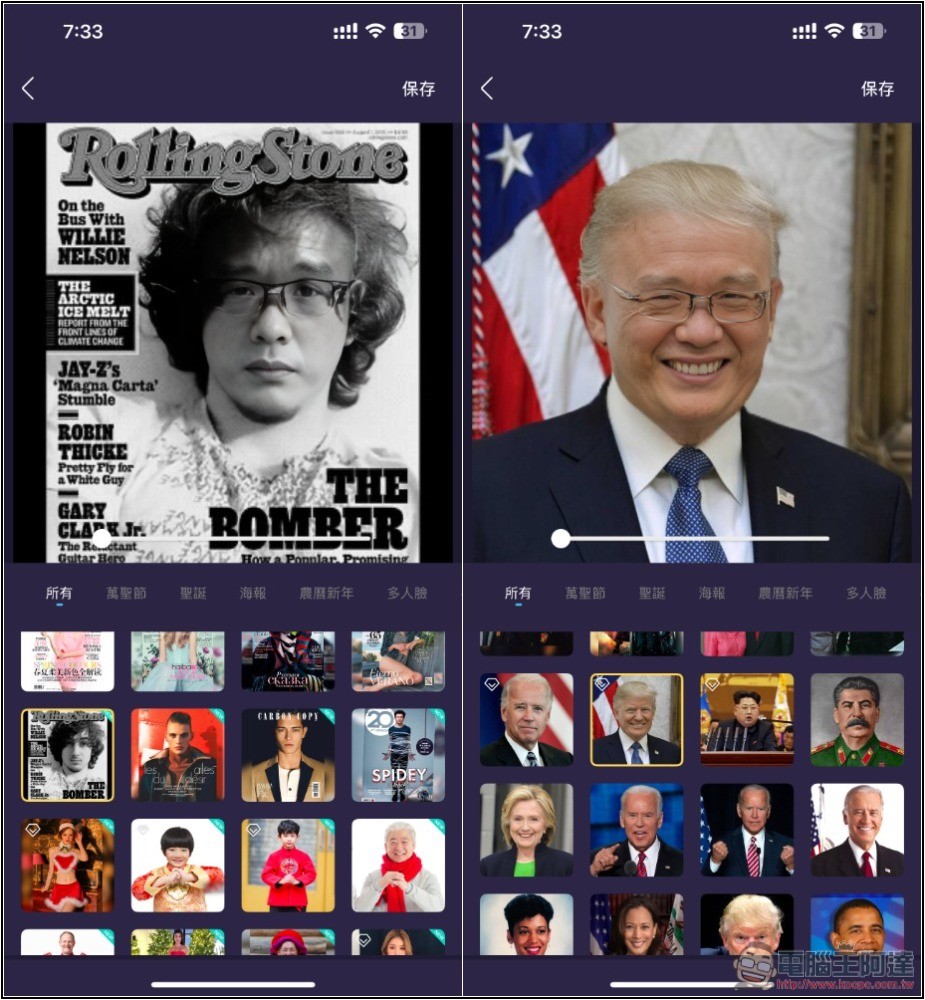
The effect of each picture is very good. I didn’t expect that Trump’s picture is quite suitable for Ada (laughing):
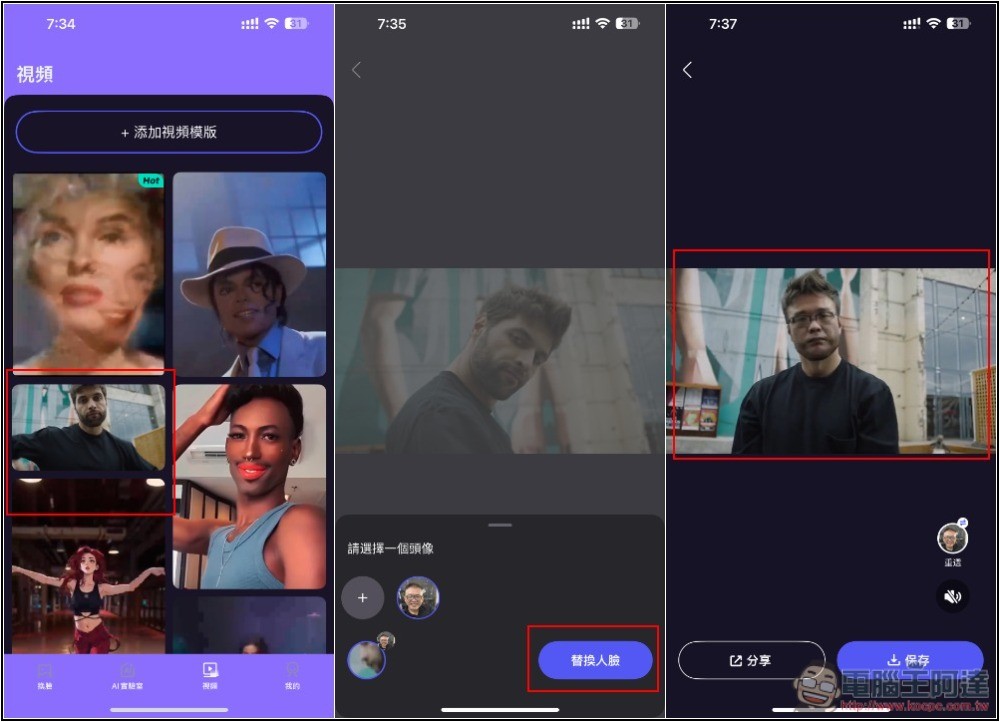
In addition to pictures, it also supports video face changing, but there are fewer templates. You can also upload video templates yourself. Compared with pictures, I think the face-changing effect in videos is pretty good:
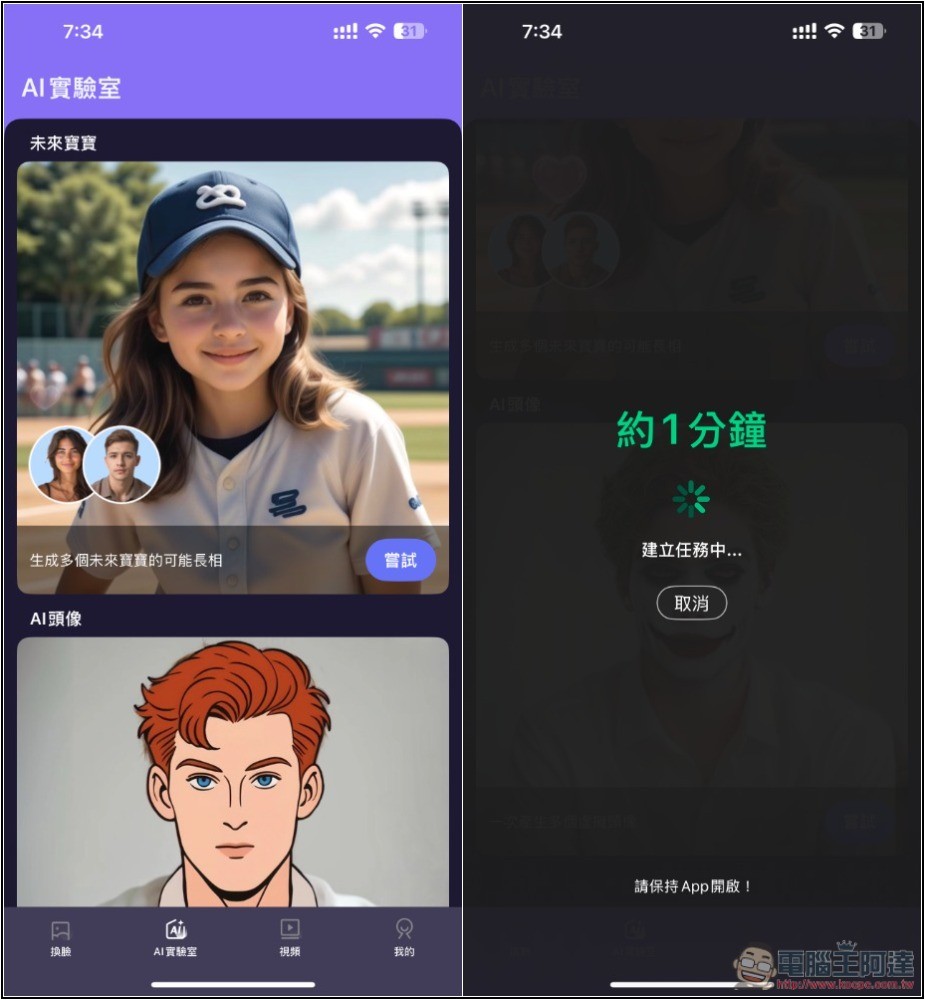
In addition, in the AI laboratory, there will be other new AI functions, such as future babies and AI avatars. The former can use AI to generate the possible appearance of future babies, and the latter can generate multiple different styles of photo stickers at once:
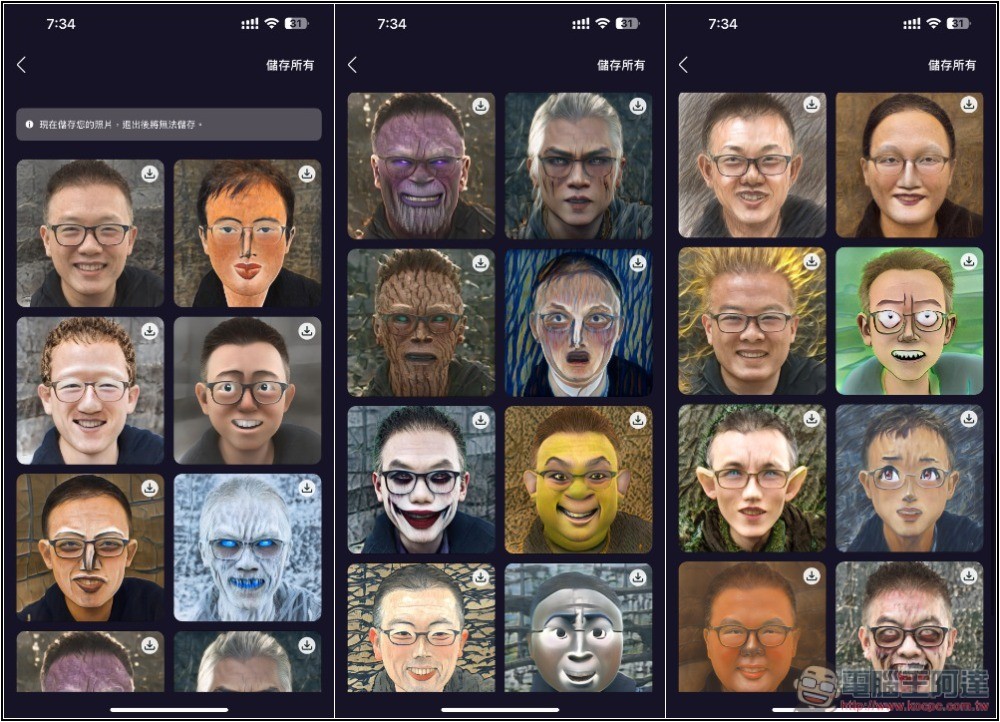
There are really many styles of photo stickers. After uploading the picture, more than 20 photo stickers will be generated at one time. People who always feel that photo stickers are not enough or want to change to new pictures will definitely love:
Finally, I would like to remind you that because the limited-time free promotion is not sure when it will end, you must double-check whether it is free when you obtain it, so as not to pay accidentally.
Source: KOCPC Chinese