


Next, when you need to enter text, you will be able to directly use the official Gboard input method to intuitively take the picture and text information that you originally planned to input manually, take a photo and instantly convert it into text through the built-in image to text function! Continue reading Gboard’s photo-to-text OCR smart lens function is officially launched (hands-on).
Gboard’s photo-to-text OCR smart lens function is officially launched (hands-on)
Although a similar image-to-text function has already been provided in Google Lens, it is not intuitive enough if you always feel that you have to open an app separately or use other gesture buttons to launch it. Next, when you need to enter text, you will be able to directly use the official Gboard input method to intuitively take the picture and text information that you originally planned to input manually, take a photo and instantly convert it into text through the built-in image to text function!
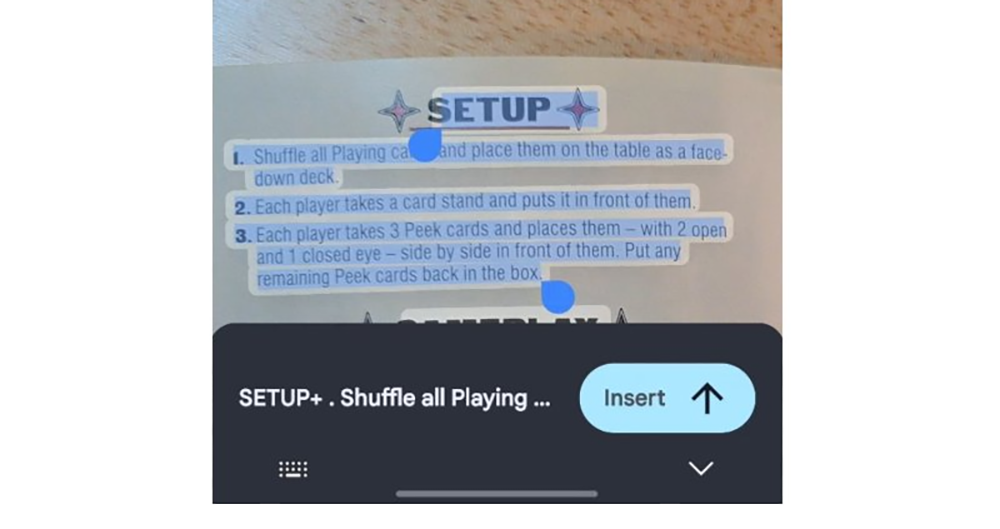
▲Image source: Mishaal Rahman
Although Samsung and Apple have integrated similar functions early on, it still feels like a bit of a tribute. But for most Android users, if you are like the editor, you gave up the Google input method that you have been trying to use for a long time, and finally started using Gboard because of the various good features that were added later. Everyone should be looking forward to Gboard’s latest OCR text scanning function, which was previously reported by foreign media, to officially appear in subsequent versions.
And now, it is gradually appearing in some users’ mobile phones.
▲Image source: Mishaal Rahman
According to Android Central editor Mishaal Rahman shared on the X (formerly Twitter) social platform. The Gboard integration function that will read text in the picture by taking a photo has now appeared on his phone – the point is, although it may take some time to open the server-side process, this is not exclusive to Google Pixel, because he also revealed that his Galaxy S24 Ultra has also received this feature.
▲Image source: Mishaal Rahman
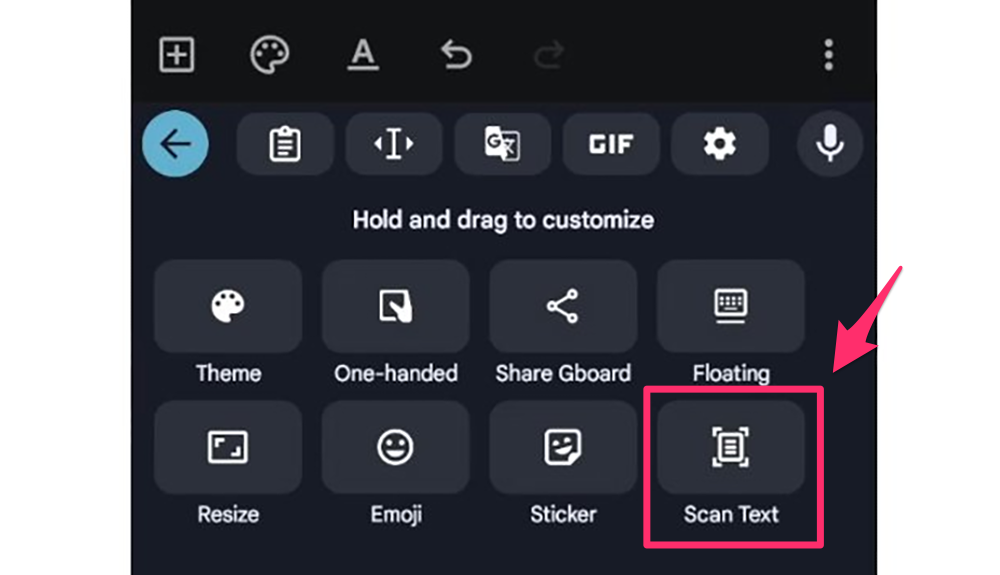
Although this “Scan Text” function can be found in the Gboard extension, it can also be used in built-in input methods or systems including Google Lens and even other systems. But it can be used in the more general Gboard app, which means that any Android phone that can install this app can basically get this more convenient integrated OCR experience.
https://twitter.com/MishaalRahman/status/1760522482056917031
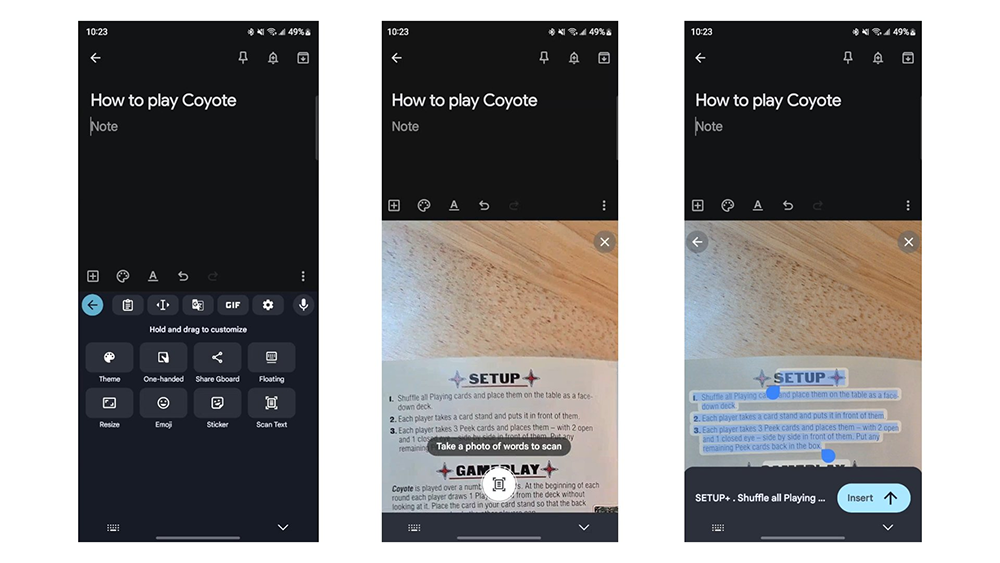
According to Mishaal Rahman’s demonstration and explanation, after turning on the Scan Text function, Gboard’s photo preview screen will occupy more than half of the phone’s screen, and you need to press the photo button to activate the function of recognizing and copying the inserted text – and the photo will not be saved. But if you need to temporarily record the text on the files or pictures you see, this intuitive input function can already save a lot of time to a considerable extent.
In this wave of Gboard updates, some people also discovered that when you turn the screen horizontally, this input method can also default to a floating keyboard to provide a user experience (it will also remember the position!). This is also a very good feature for users who don’t like the entire screen to occupy the horizontal screen. I recommend you try it.
via|
Further reading:
The Google Pay App will become history in June
Source: KOCPC Chinese