


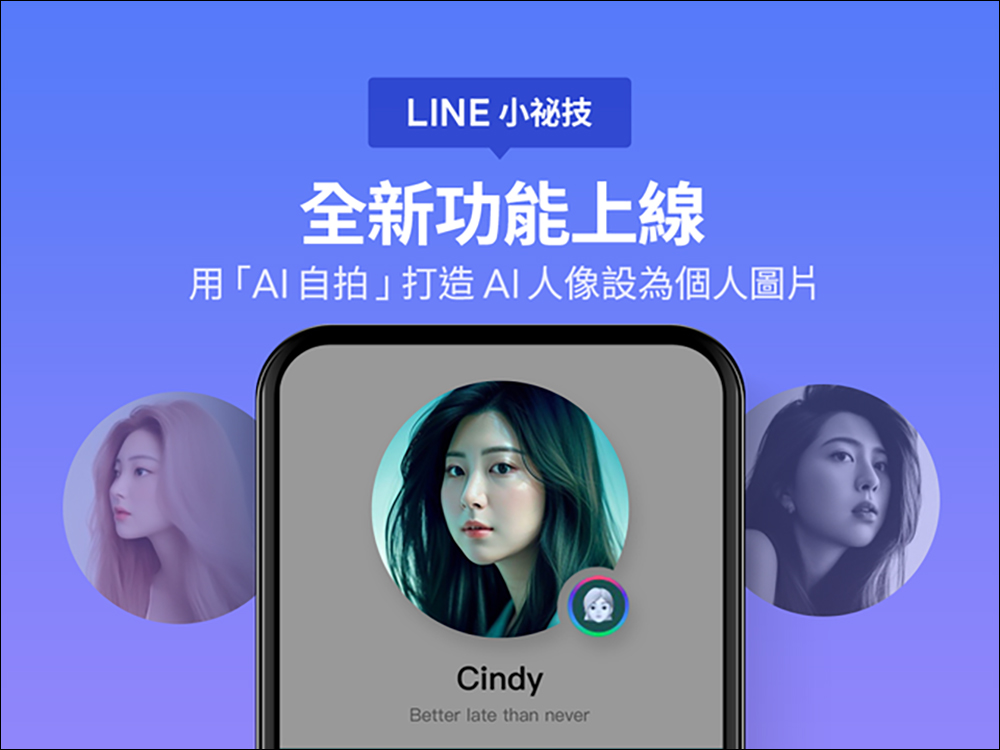
AI drawing is popular, and LINE also announced today (2nd) the launch of a new “AI selfie” service in the “Personal File Studio” of LINE communication software. LINE has launched the “AI Selfie” function. Through AI, users can select and upload photos by themselves and automatically generate AI portrait pictures of various styles. You can also further set the AI portrait pictures as your own LINE personal pictures to show different selves through AI.
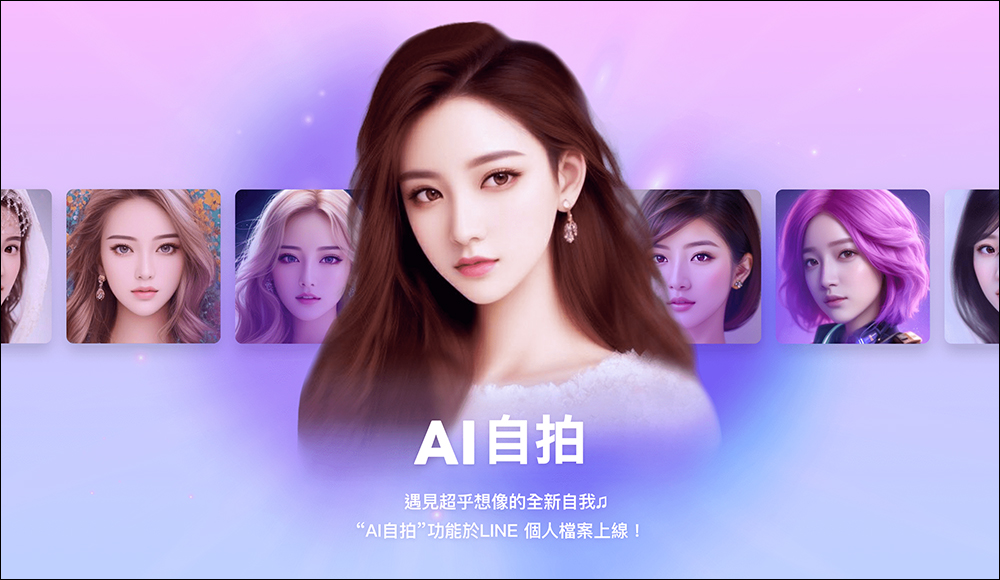
LINE launches a new “AI Selfie” function, which can be used to create AI portraits and set them as LINE personal pictures
LINE announced the launch of a new “AI Selfie” feature earlier today (2nd), allowing LINE users to create AI portrait pictures through the LINE App without downloading other applications. LINE AI selfie function is suitable for iOS or Android LINE 13.7.0 (inclusive) and above. So how to use it? Just keep reading!
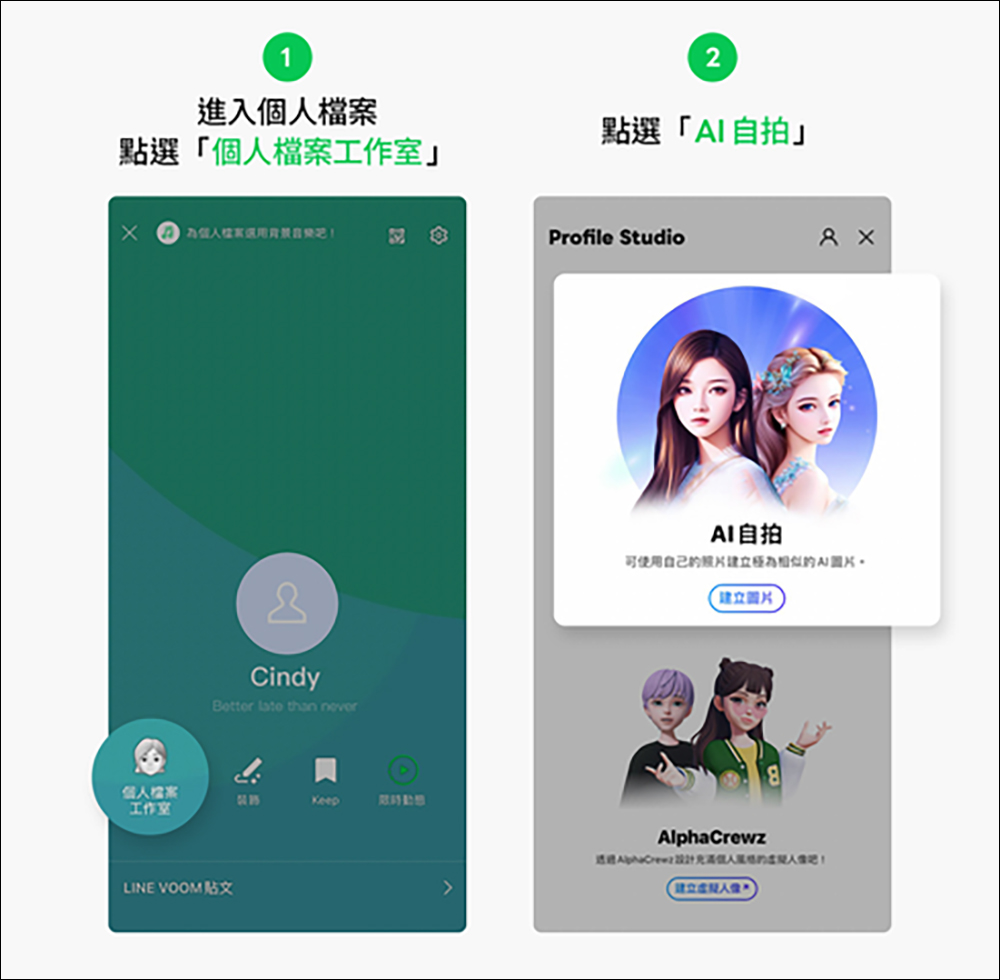
First, open the LINE App and click “LINE Profile Studio” in “Profile”, then click “Selfie”:
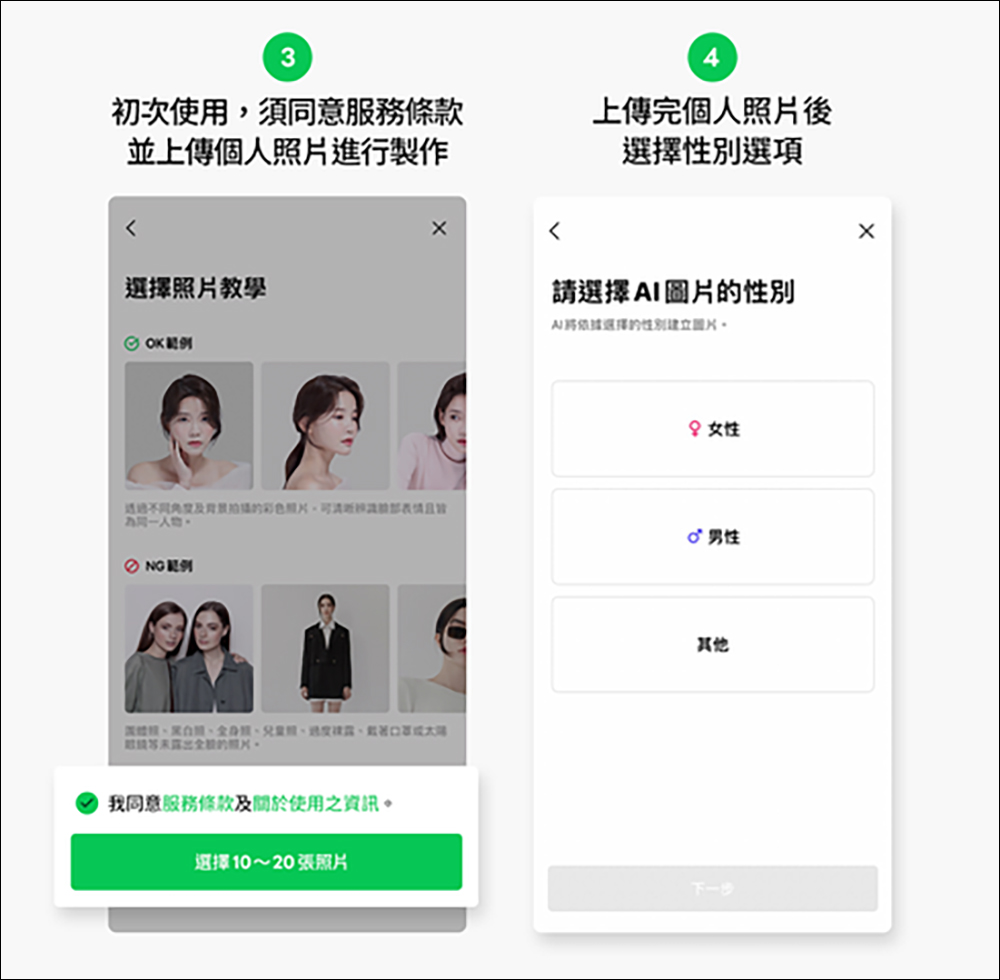
If you are using it for the first time, you must first agree to the terms of service, and then upload 10 to 20 photos with clear personal faces. After uploading the photos, select the corresponding gender and proceed to the next step:
Next, select “Image Plan” and use LINE tokens to pay for the plan. Choosing different image plans will affect the image generation time. If you want to generate 100 AI portrait pictures within 24 hours, the price is 130 LINE tokens. If you want to generate 100 AI portrait pictures in a short time, you need 260 LINE tokens. If there are not enough LINE tokens when choosing a plan, the system will automatically guide the user to the page for purchasing LINE tokens.
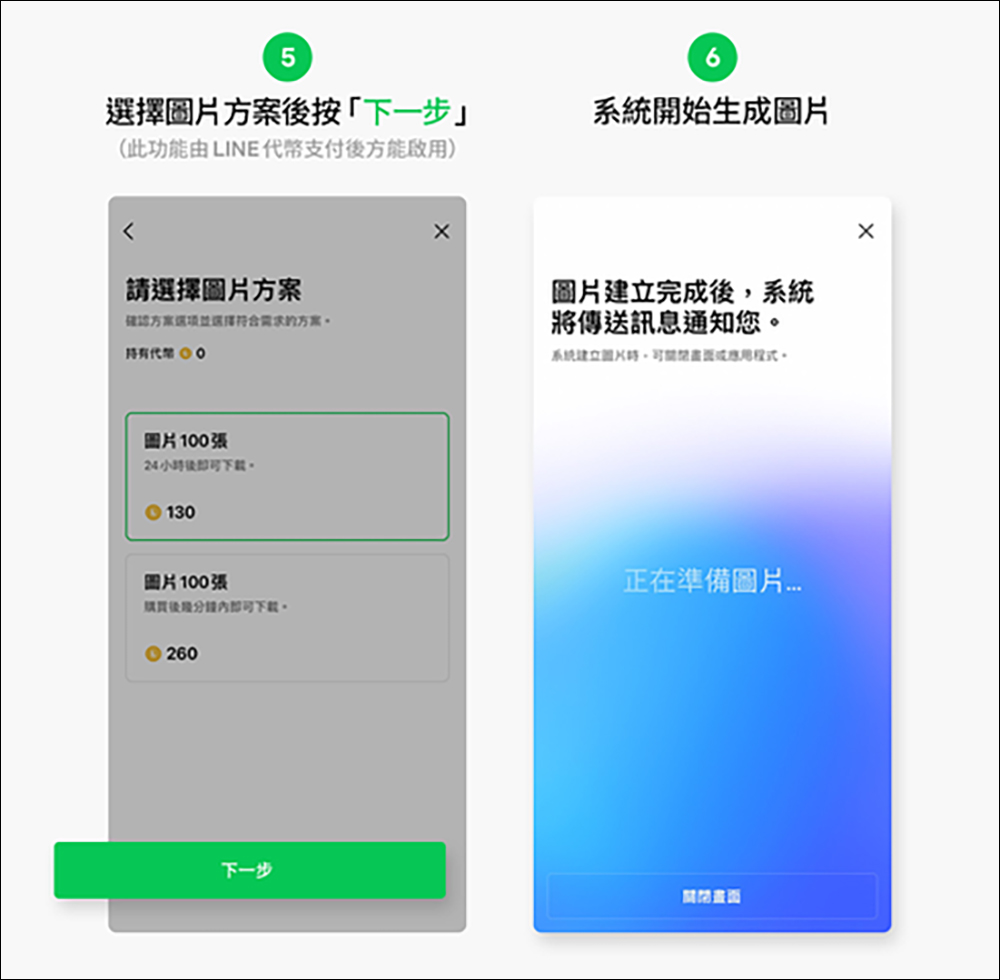
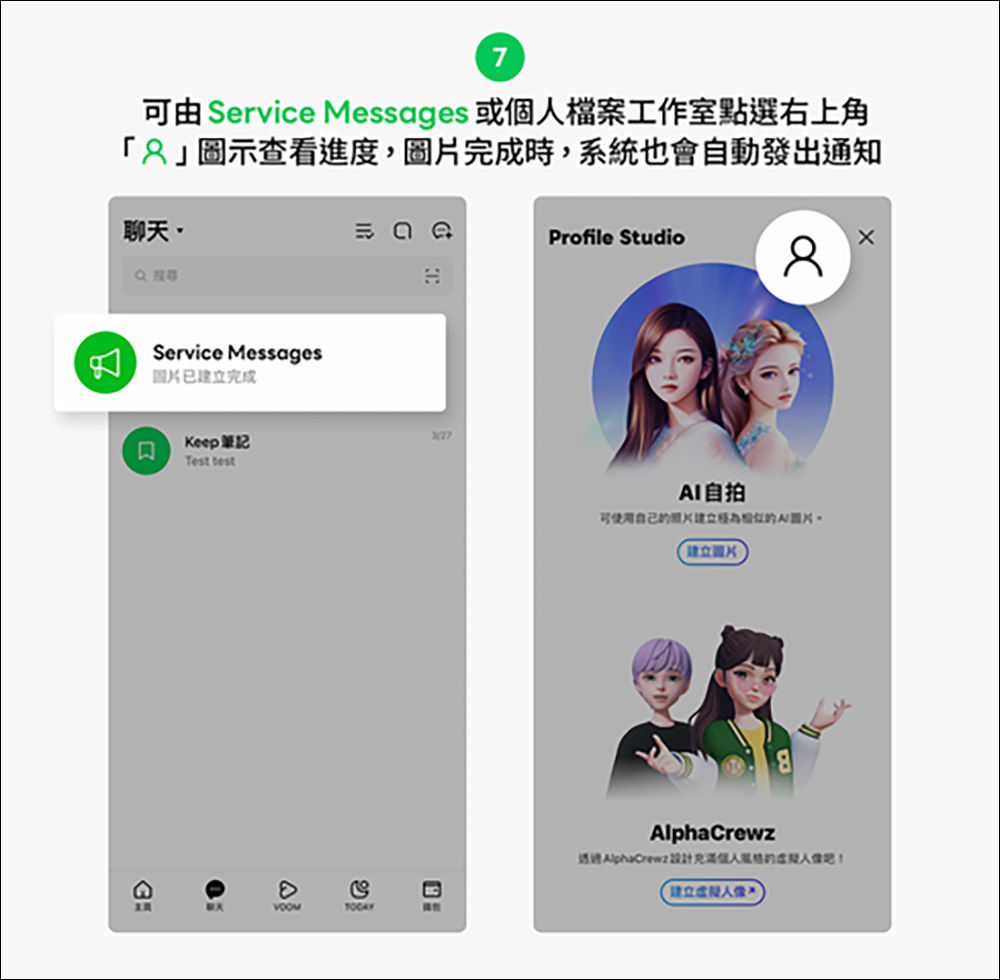
While waiting for the image to be generated, the user can click the “Portrait” icon in the upper right corner to check the progress through Service Messages or the profile studio. The system will also automatically send a notification when the image is complete.
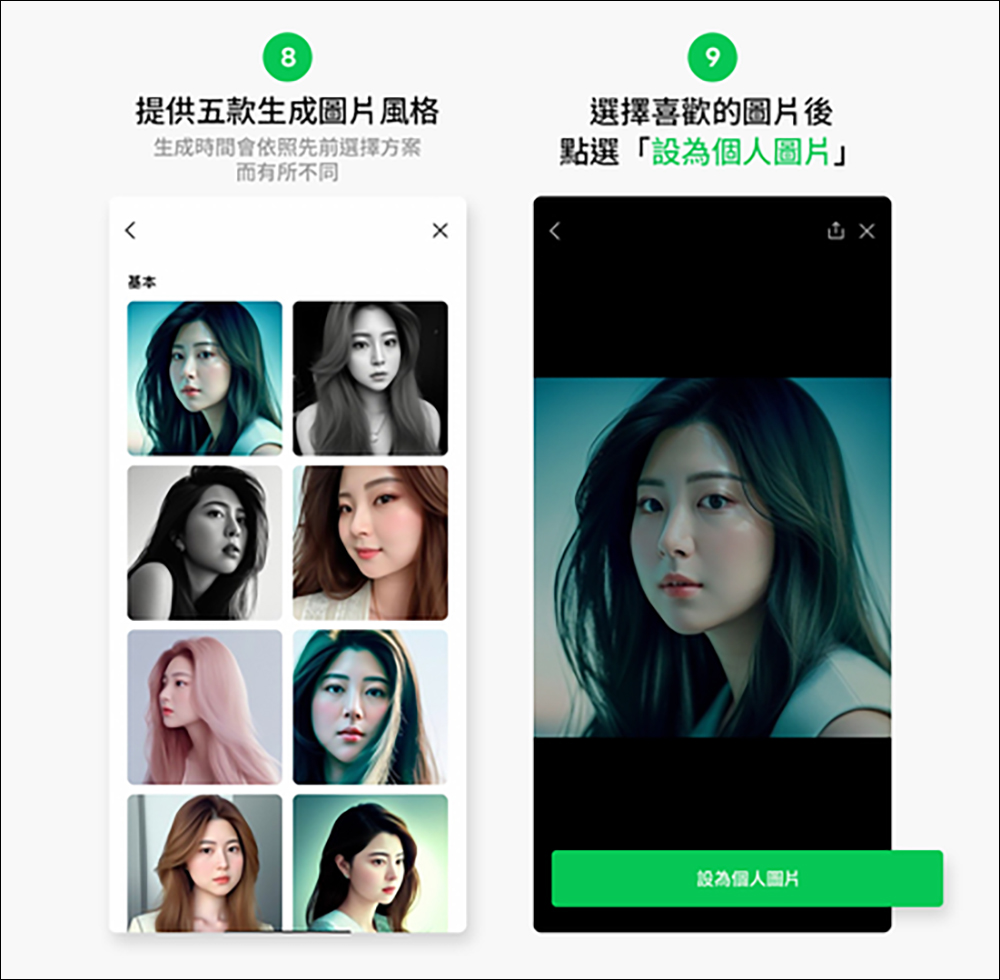
There are five styles of generated pictures for LINE AI selfies. The generation time will vary according to the previously selected options. Users can select the picture they like and click “Set as personal picture”.
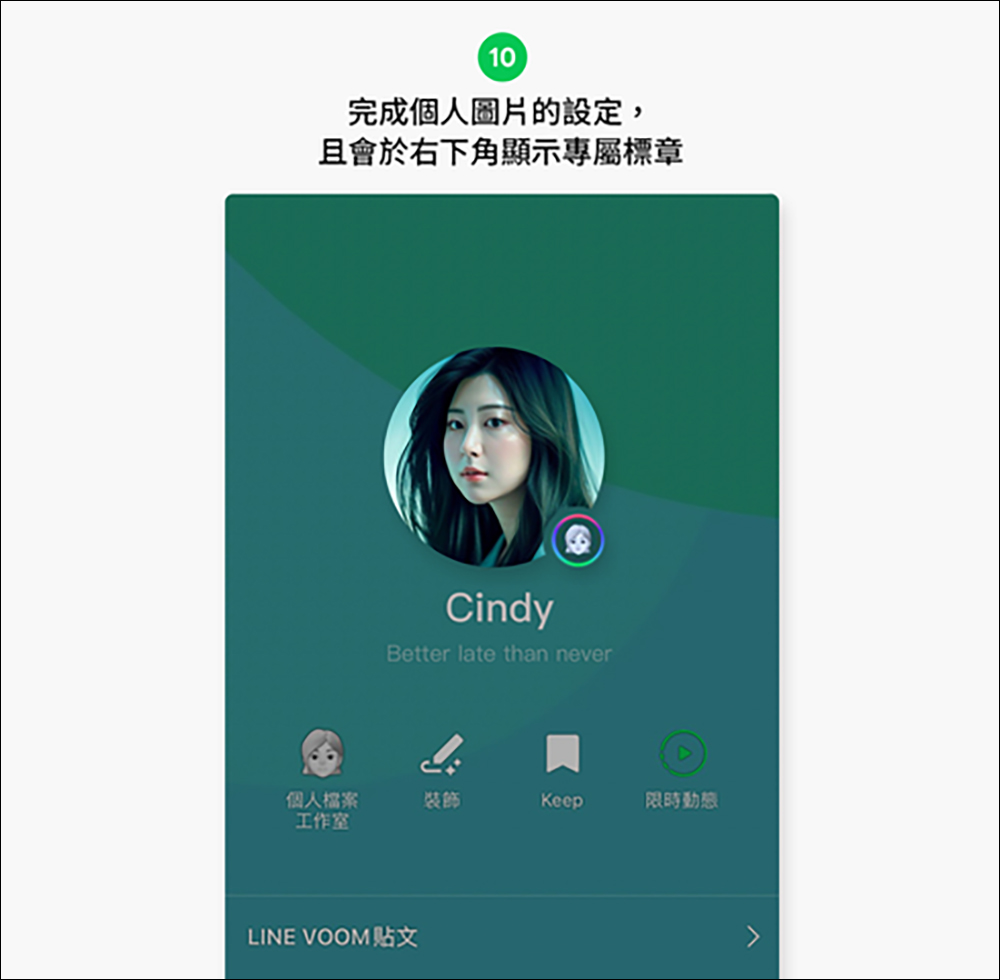
Finally, after completing the setting of the LINE personal picture, an exclusive AI badge prompt will also be displayed in the lower right corner of the avatar.
In addition to the LINE AI selfie function, we also compiled the latest LINE free stickers with you a few days ago. For the download method, usage validity period and conditions of these LINE free stickers, you can refer to our previous articleArticle organization (please click me)。
Source: KOCPC Chinese