


Earlier Google At the I/O conference, Google announced a brand newAI mode“—completely rewriting how we think about search! Combining the Gemini model with Shopping Graph technology,AI modenot only let Google Search is getting smarter, and it can now handle complex tasks like shopping, booking tickets, and finding information. From virtual try-ons to data visualization, from live camera search to personalized recommendations, Google is making search more than just a way to find information—it’s becoming a versatile AI assistant for everyday life. This article gives you a complete rundown of the latest features and highlights of AI Mode!
▲Image source:Google
Google Search Gets a Major Upgrade! New “AI Mode” Launches with Virtual Try-On and Smart Shopping
If you think Google Search has always just been about helping you find web pages, then you really need to get to know the new Google! At this year’s Google I/O developer conference, Google officially launched a major upgraded version of Search — “AI Mode.” This isn’t just a smarter search engine; it’s a transformation of the entire search experience: from finding information to finding answers, and even getting things done for you.
Through AI mode, Google integrates its most powerful Gemini model into the search system, making search more logical, more personalized, and more interactive. It can not only help you organize information and recommend websites, but also simulate clothing try-ons, help you snag discounted tickets, and even become an all-around assistant that can see, analyze, and buy things. Now let’s take a step-by-step look at just how powerful this upgrade really is.
▲Image source:Google
AI Mode was previously being quietly tested in Google’s Labs experimental platform, but has now officially launched, opening first to US users, and will gradually appear on search pages and the Google App search bar over the coming weeks. Its biggest difference is that it can break down the sentence you type into multiple smaller questions, then broadly search the web for relevant answers (this is the so-called query fan-out technology). For example, if you ask “I’m looking for a cute bag suitable for traveling in Portland in May,” AI Mode not only understands clues like “travel,” “Portland,” and “May,” but also further infers conditions such as “it might rain,” “needs to be waterproof,” and “should be big enough,” then helps you find the most suitable styles.

▲Image source:Google
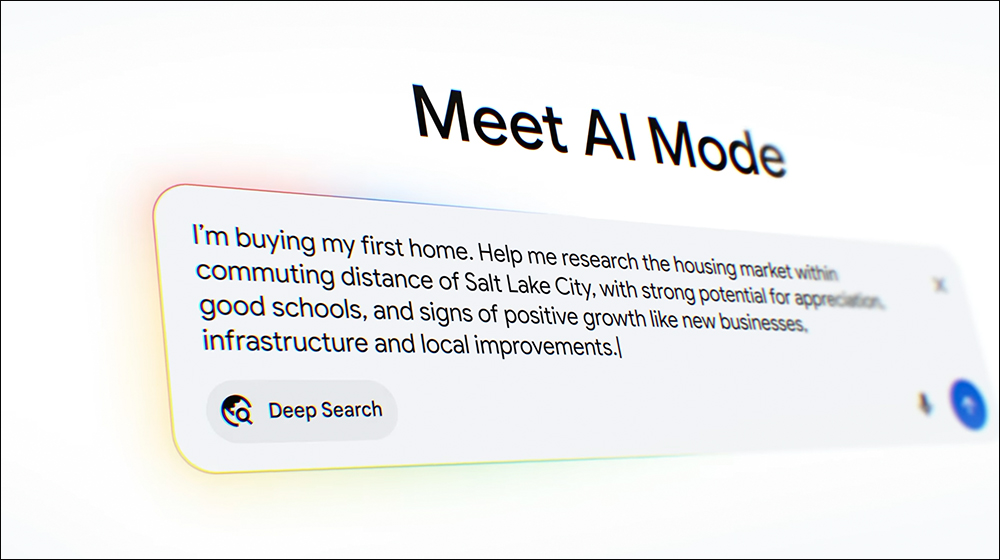
Often when we’re doing research or comparing prices, we have to open a bunch of web pages, copy down information, and put together comparison tables—it’s extremely time-consuming. The “Deep Research” feature in AI mode is designed to handle exactly this kind of tedious work. It can run hundreds of search commands at once within minutes, consolidate information from different websites, draw inferences, and finally generate a complete summary report with sources for every entry. Whether you’re gathering material for a report, comparing products for shopping, or planning an itinerary, it makes everything much easier.
▲Image source:Google
This upgrade isn’t just about “finding answers”—it also includes “helping you get things done.” Google has brought in Project Mariner’s technology to give AI mode what’s called “Agentic Capabilities.” Simply put, you can say something like, “Help me find two cheap lower-level Reds tickets for this Saturday,” and it will automatically visit comparison sites, analyze real-time ticket prices and remaining seat availability, and finally give you a list of options. Not only do you save a ton of time on manual legwork, but you also keep full control over the final purchase decision. This feature will first roll out for event tickets, restaurant reservations, and local service bookings, with partnerships across platforms like Ticketmaster, Resy, and Vagaro.

▲Image source:Google
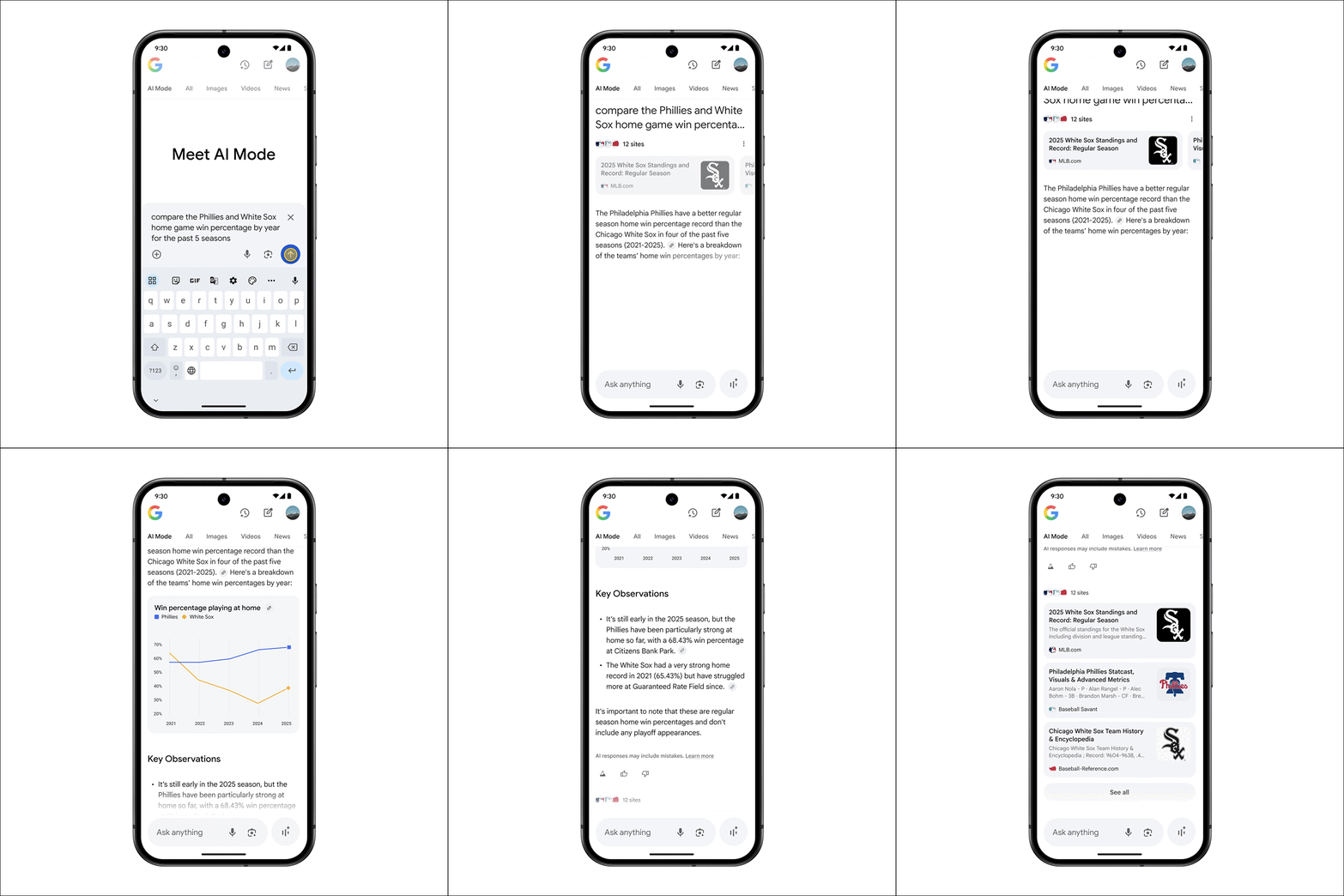
In addition to searching for information and shopping, AI mode can also help you visualize data. For example, if you want to compare the home-record advantage of two MLB teams, AI mode will gather the latest game information and present it in interactive charts. Not just baseball—in the future, it will also be applied to queries in finance, stock markets, and other fields, making everything clear at a glance.
▲Image source:Google
AI mode also supports personalized search. In the future, you’ll gradually be able to connect Google apps like Gmail and Calendar to the search system, allowing AI to provide suggestions that better fit your needs based on your schedule, booking history, and interests. For example, if you search “What are some activities in Nashville this weekend I could do with friends?”, AI mode won’t just find suitable outdoor music events—it will also recommend food options you’ll love based on the restaurant styles you’ve booked before, and even help you look up activities near your accommodation. When the system uses your personal data, it will clearly indicate the sources, and you’ll be able to enable or disable personalization features at any time.
AI Shopping’s Big Evolution: One-Stop Flow from Inspiration, Comparison to Checkout
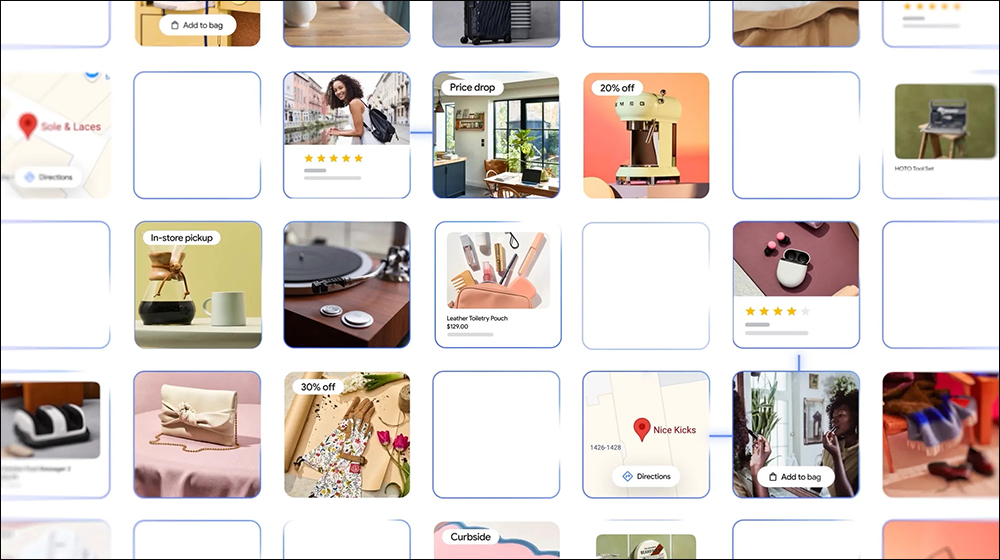
On the shopping front, AI Mode has also received a major upgrade. Google has combined its Gemini model with its own “Shopping Graph” to create an ultra-smart shopping assistant. You just type in a keyword—say, “cute bags for rainy days”—and AI Mode will pull together information like weather, location, and travel timing to pick out the right bags for you, complete with images, prices, reviews, colors, and stock availability. The Shopping Graph has already amassed over 50 billion product listings and refreshes with more than 2 billion updates every hour, so the information stays fresh and accurate.
If you set up “price tracking,” Google will notify you when an item drops to your ideal price, and you can also enable the “Buy for me” feature, which uses Google Pay to complete the payment process for you. This is the so-called “agent checkout” experience, and it will be rolling out in the U.S. over time.
▲Image source:Google
Just try it on! Virtual try-on feature solves decision paralysis.
I’m sure everyone has had this experience: you see a piece of clothing online that you really like, but you’re just not sure if it’ll look strange when you wear it. You decide to take a gamble and order it, only to receive it and find the size doesn’t fit? Now Google has launched a powerful tool—”virtual try-on.” This feature lets you upload your photo to simulate trying on billions of clothing items online, including tops, pants, skirts, dresses, and more. Google uses an image generation model built specifically for the fashion industry. It doesn’t just look realistic; it also simulates details like how different fabrics drape, wrinkle, and shift with your pose. It’s incredibly lifelike.

▲Image source:Google
The virtual try-on feature is currently available in Search Labs in the US, and completed outfits can be saved and shared with friends for reference.
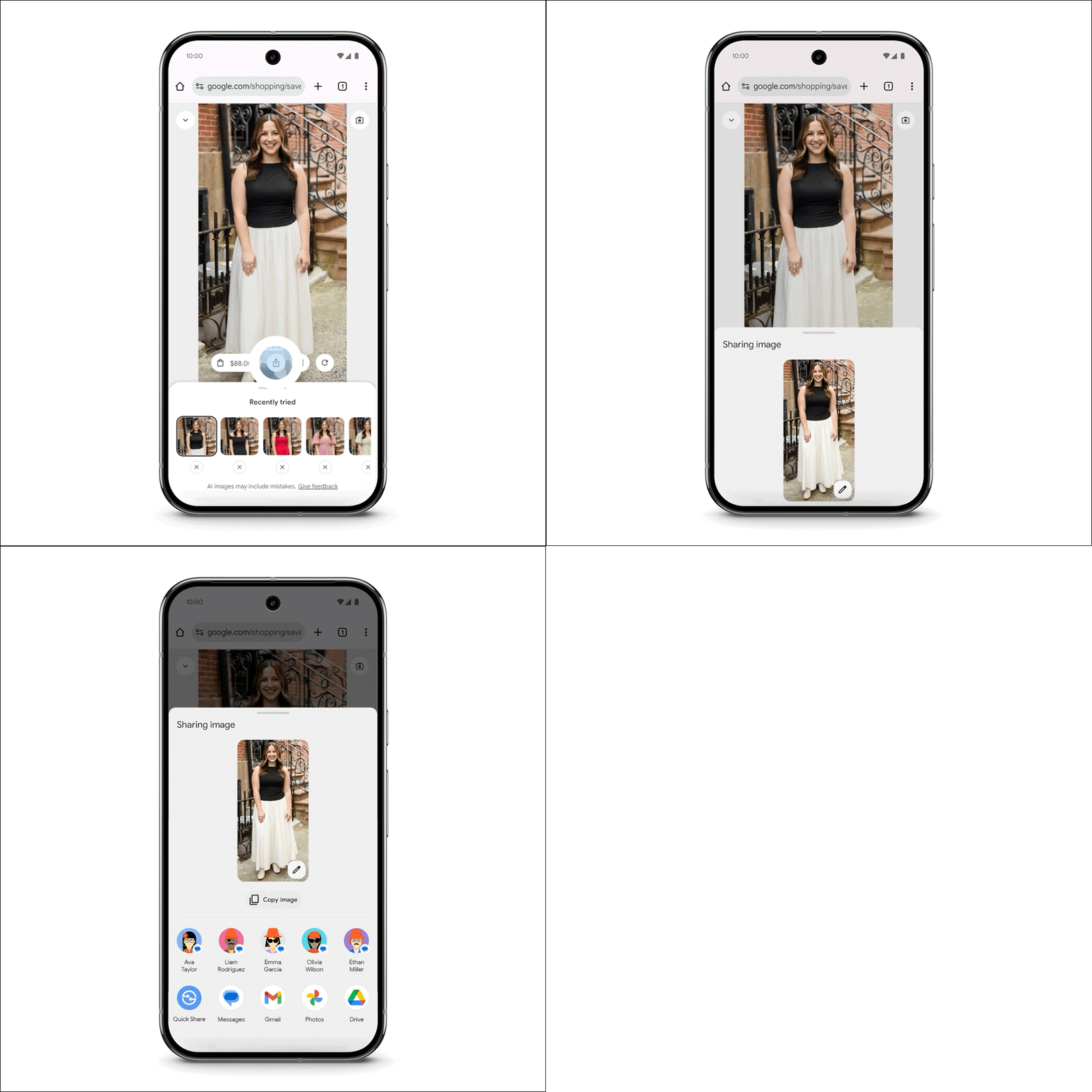
▲Image source:Google
Just click the new “Buy for Me” option, and the system will add the item you want to your cart on the store’s website and securely complete the checkout via Google Pay. Even better, it can track the price of that clothing item, and when the price drops, it sends a push notification to remind users to “checkout.”
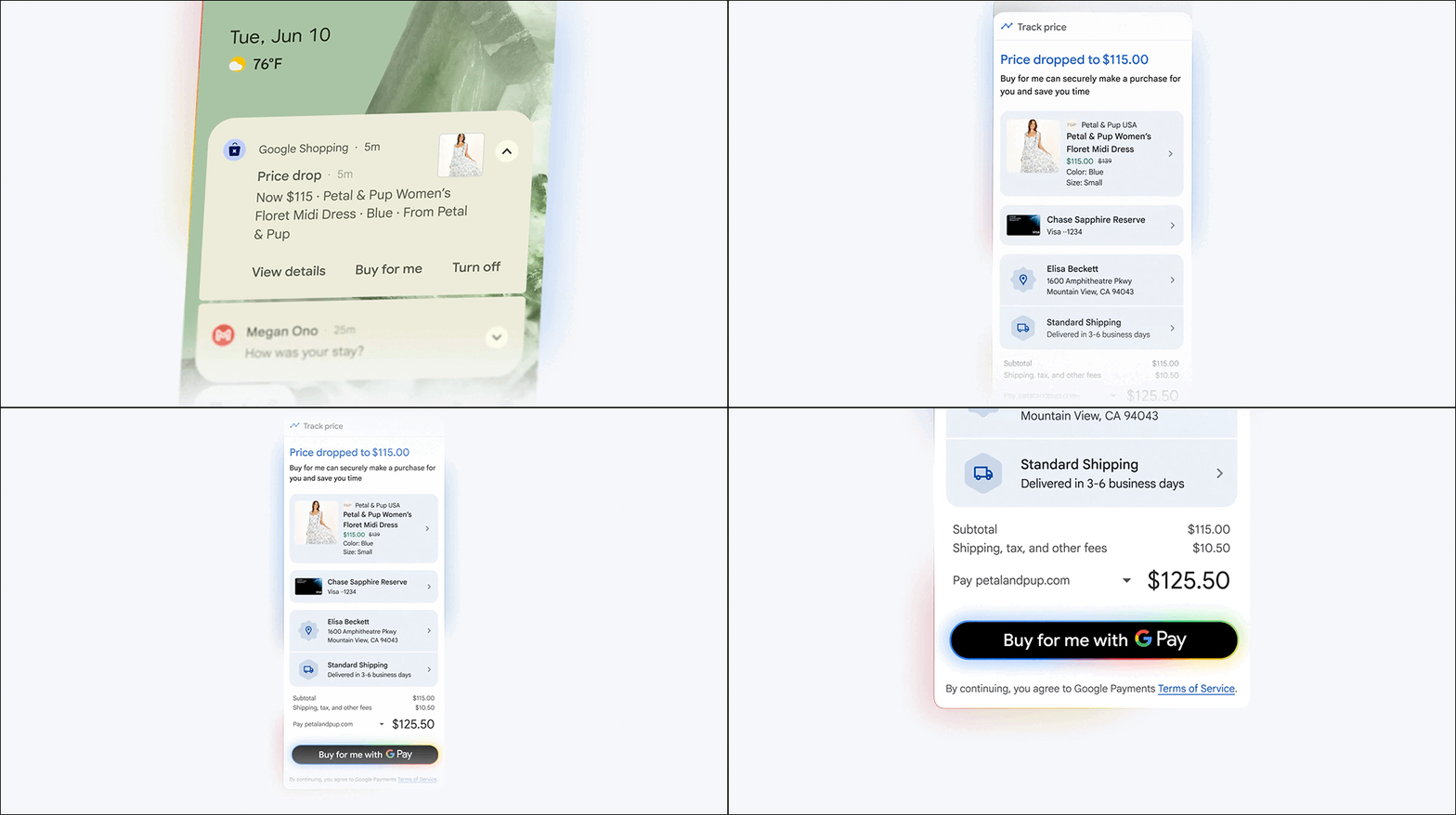
▲Image source:Google
Smart Lens just got smarter! Search Live lets you talk to search with your camera.
Besides searching by text, you can now also “use your eyes” to find answers. Google has integrated Project Astra’s capabilities into Lens, launching “Search Live.” Just tap the “Live” icon in the search interface or Google Lens, point it at whatever’s in front of you, and ask a question—Google will analyze the scene and help you find answers.
For example, if you’re stuck while assembling DIY furniture and aren’t sure where a screw goes, just point your camera at it and ask a question—AI mode will guide you through the process step by step, and even recommend relevant videos or tutorials.
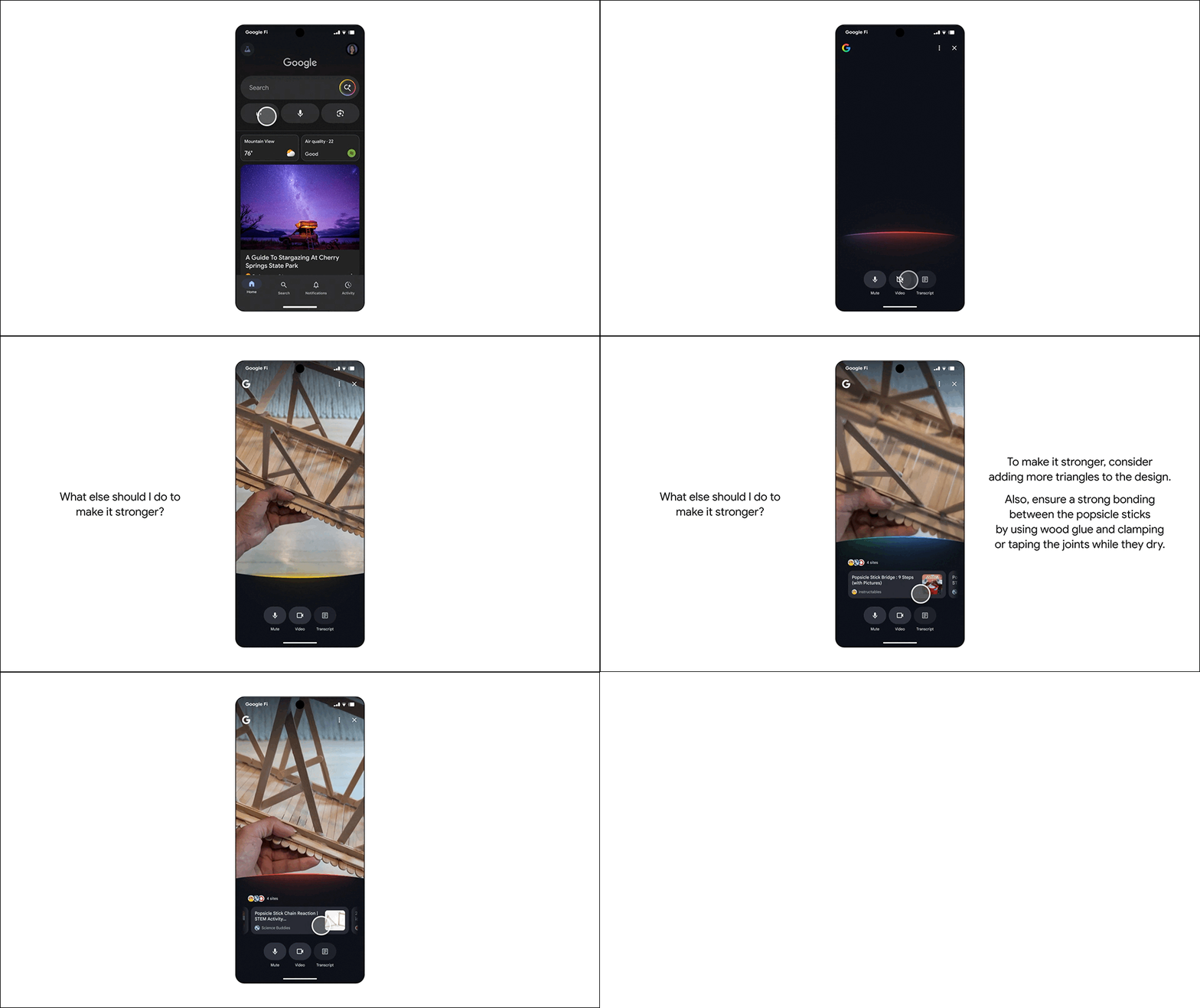
▲Image source:Google
Conclusion
This Google Search upgrade isn’t just about adding more features—it’s a fundamental shift in mindset. From merely providing “answers,” it has evolved to “handling the entire task for you.” AI Mode is like a personal assistant that never gets tired and never minds how many questions you ask, always ready to help you research, shop, check prices, and even analyze data and create charts.
Although users in Taiwan won’t be able to experience this latest feature right away, these features will expand to more markets in the future, which also shows that AI’s role in our daily lives will only become more important.
Further Reading:
Source: KOCPC Chinese