


Some people believe that white noise can help focus or help you fall asleep better. In the latest official version of macOS Ventura released, Apple provides users with a variety of built-in white noise to choose from. This feature is not listed as a key feature that you can see at a glance, but if you really need the assistance of white noise, you will not need to seek assistance from third-party applications or websites if you learn it.

How to turn on white noise to help focus in macOS Ventura?
The white noise feature first appeared in iOS 15 and now officially enters macOS with the release of macOS Ventura. Next, we will teach you where this function is and how to enable it. It can be easily done with just one click.
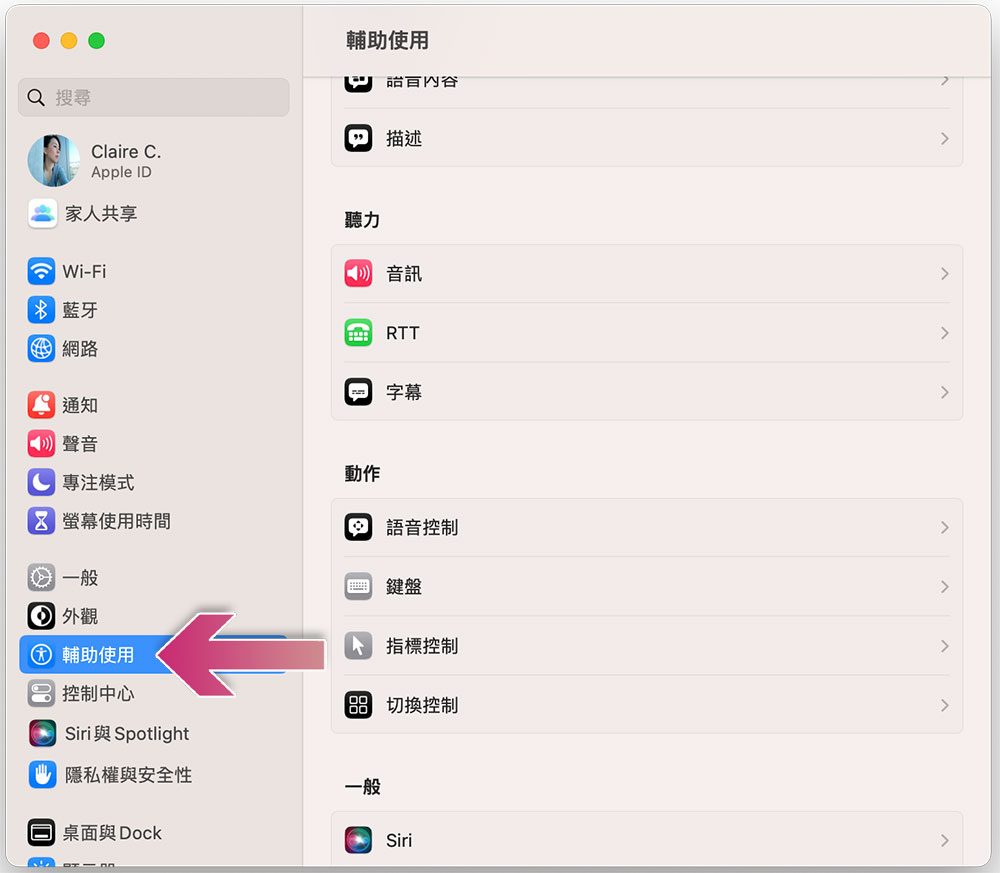
- Open “System Settings” and find the “Accessibility” item in the left sidebar.
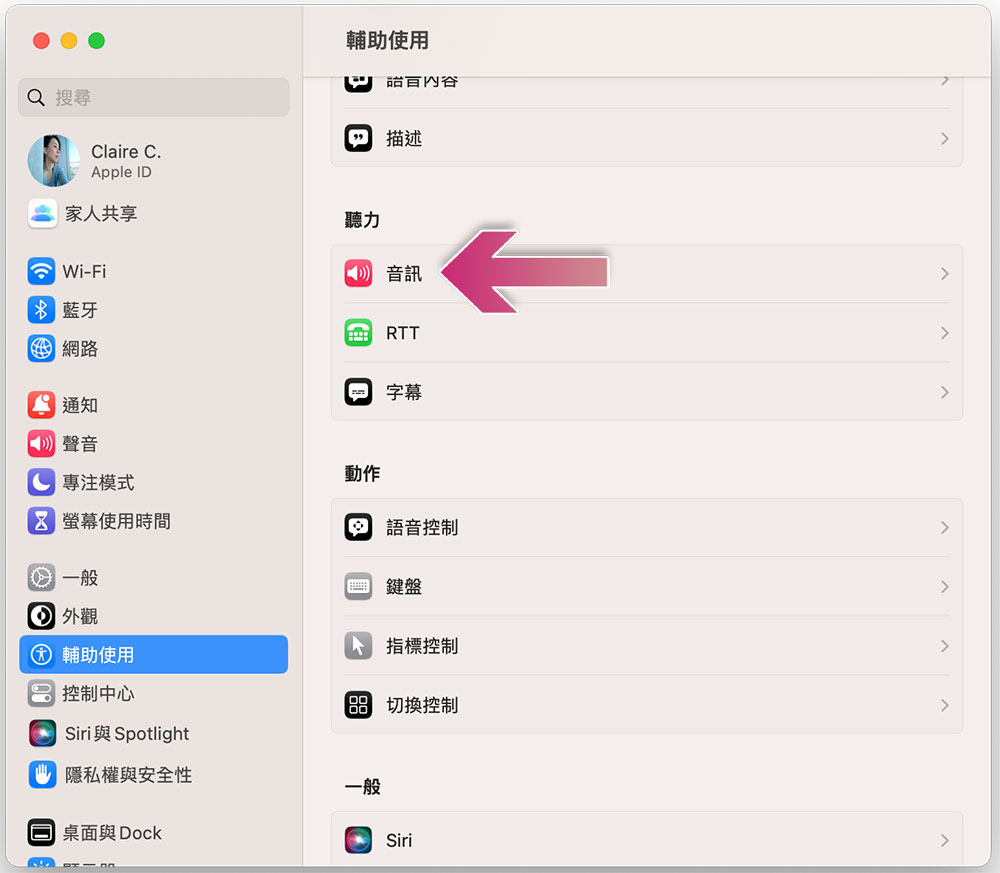
- Scroll down in the function options block on the right, find the “Audio” item, and click to open the settings menu.
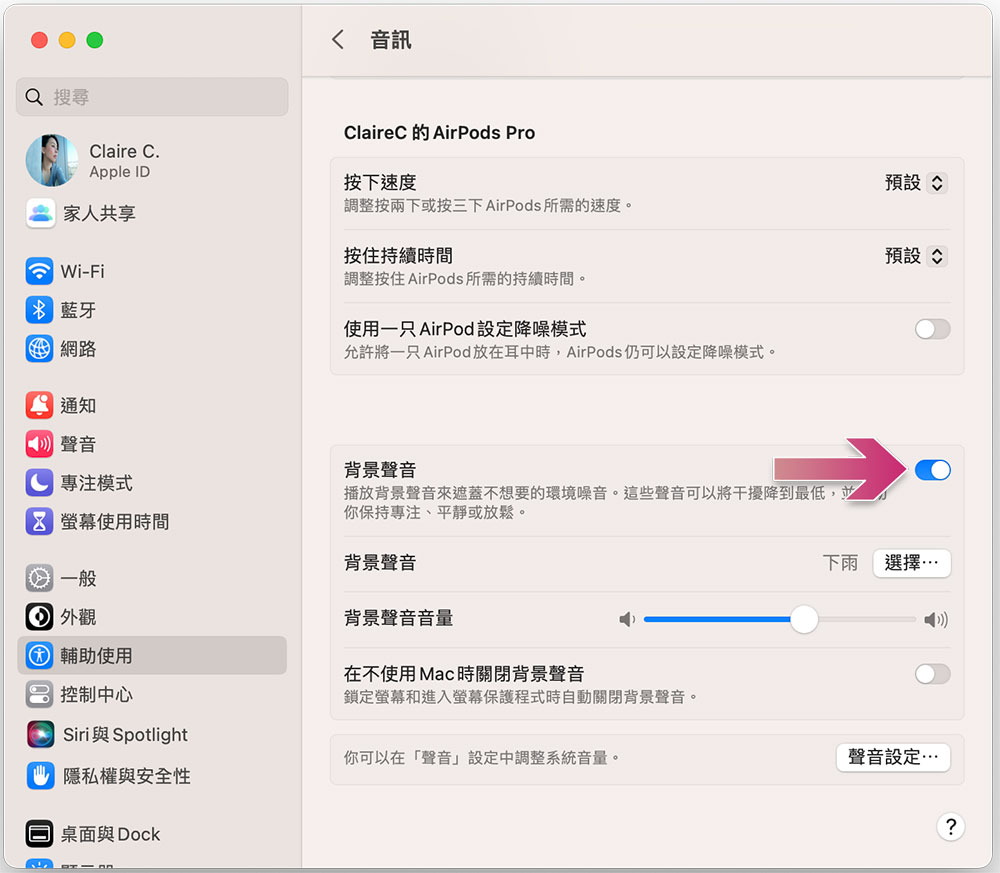
- Turn on the “Background Sound” switch in the audio menu to play white noise. There are several setting items in this block that the author will briefly introduce:
1. Background sound: Turn on or off white noise.
2. Background sound (type): You can select the sound effect you want to play.
3. Background sound volume: You can adjust the volume of white noise playback by dragging the slider at the back.
4. Turn off background sounds when you’re not using your Mac: Turn this switch on to turn off the sound when the screen is locked or the screensaver is activated.
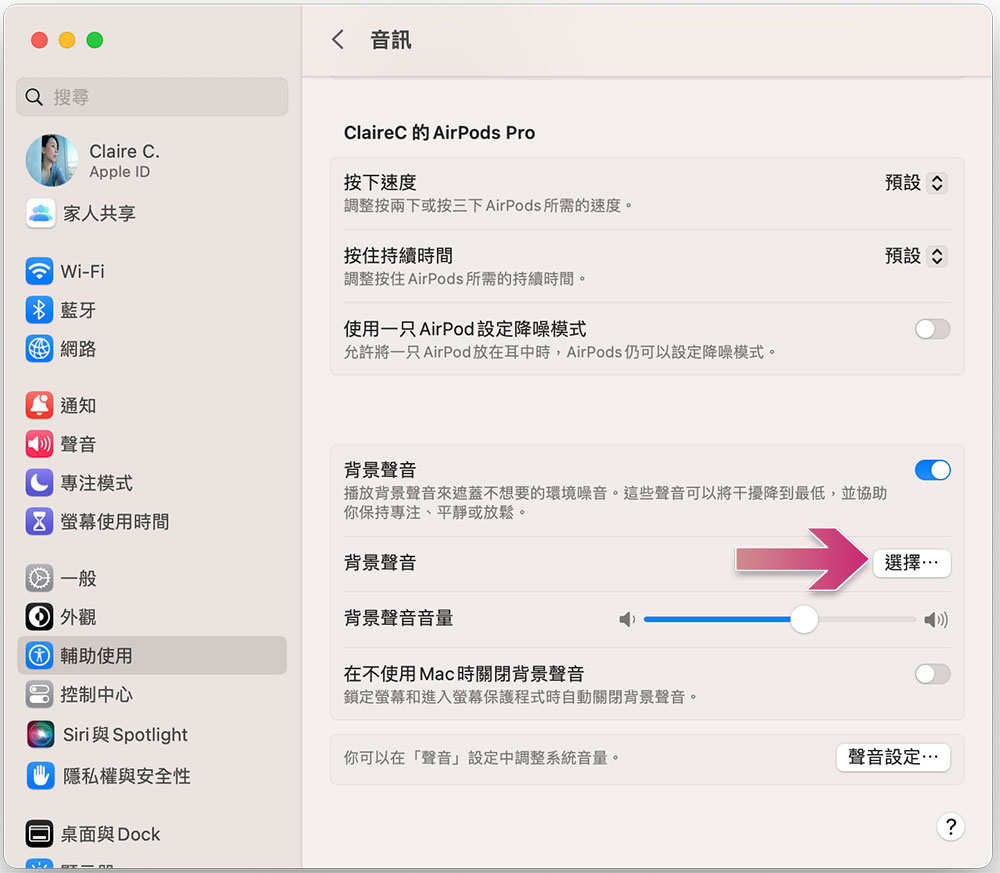
- macOS Venture provides a total of 6 different white noises for listening. You can click the “Select” button behind the background sound to choose:
1. Balanced noise: similar to darker noise static sound effects, but the proportion of each frequency is more balanced
2. Bright noise: static sound effect, less bass in the audio effect
3. Dark noise: static sound effect, audio effect with heavier bass
4. Ocean: Sound effects that can be heard like scattered on the beach
5. Rain: Audio effect of heavy rain
6. River: the sound of gurgling water
If you play other media, such as Apple Music or YouTube, when the background sound is activated, the background sound will continue to play, which will definitely make you feel irritated and difficult to hear clearly. At this time, you can quickly turn off the background sound through the menu bar or control center without having to call up the settings every time, but you must first open the access permission:
- In “System Settings”, click “Control Center” in the left sidebar.
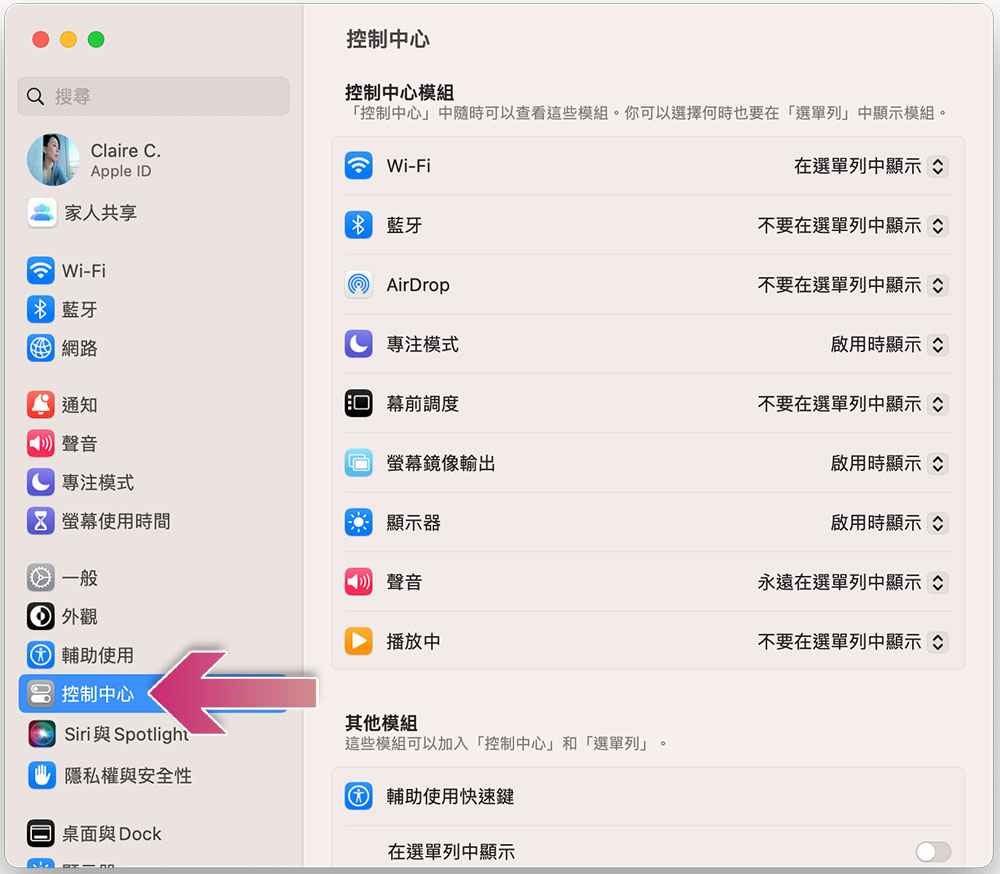
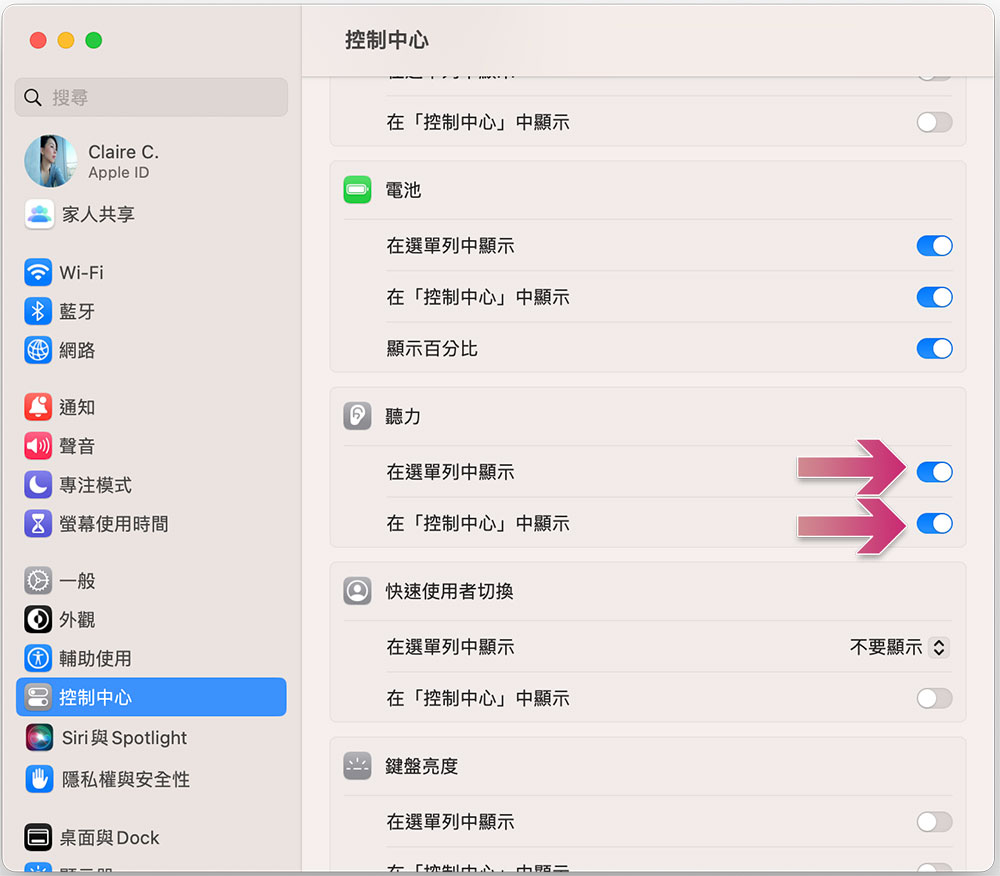
- Scroll down in the settings area on the right to find “Hearing” and turn on the switches for the “Show in Menu Bar” and “Show in Control Center” options.
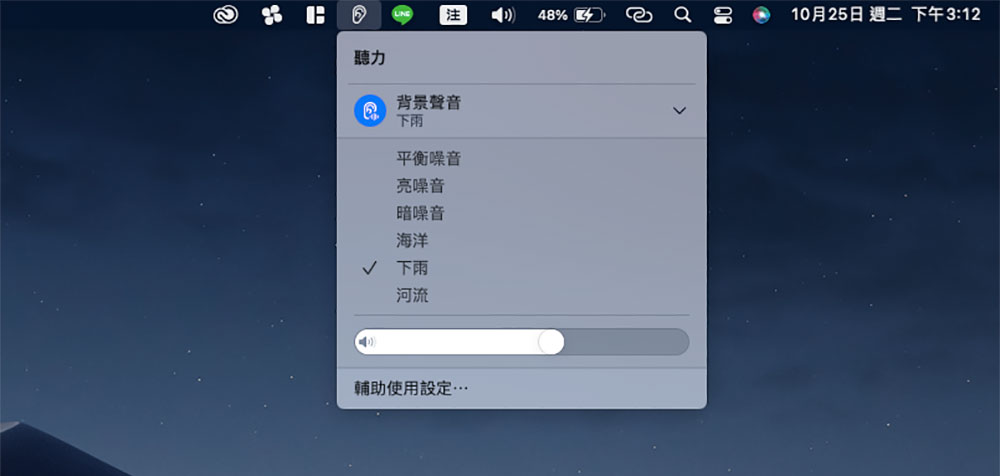
- Next, you will see an “ear” icon in the menu bar. Click it to quickly turn on and off the background sound, adjust the track, and adjust the volume from here, without having to go through the settings!
Source: KOCPC Chinese