


What communication software do you usually use to chat with friends? In addition to LINE, many people also prefer to use Facebook Messenger to send messages, photos, videos or free video and voice calls. In fact, FB Messenger has launched an interesting text effects function before. Today I will share with you how to use FB Messenger special effects messages!
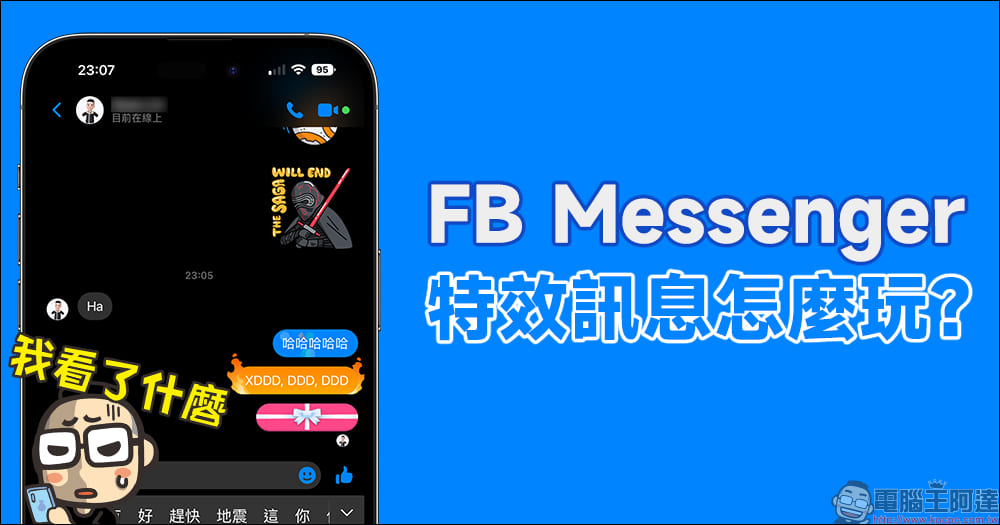
How to use special effects messages on FB Messenger? Messages of love, flames, ribbons, and gifts are spread like this!
When you usually use Facebook Messenger to chat with friends and send messages, in addition to text, pictures, and stickers, you can send various GIF memes, which also makes the chat atmosphere more joyful. In fact, Instagran has launched a gift messaging function before, and this function is also supported by FB Messenger! How to use various special effects messages on Facebook Messenger? Today I will share with you how to use the special effects of flames, ribbons and gifts!
First, enter a piece of text that you want to display a special effect message in the Facebook Messenger chat room. Do not click to send directly. Click the “magnifying glass” icon in the text input box, and various special effect messages will appear below to provide choices!
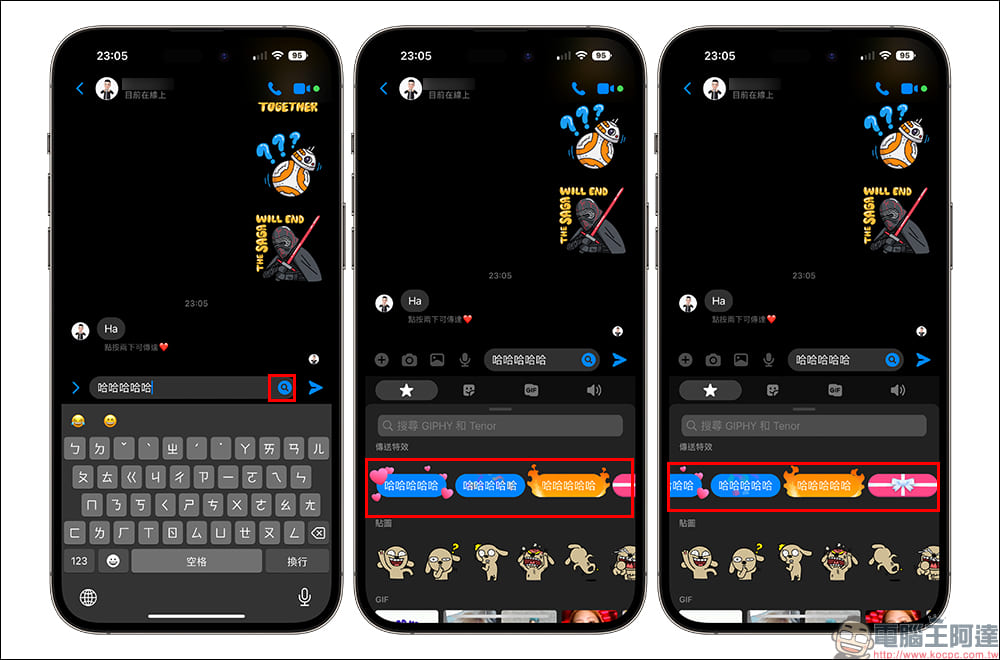
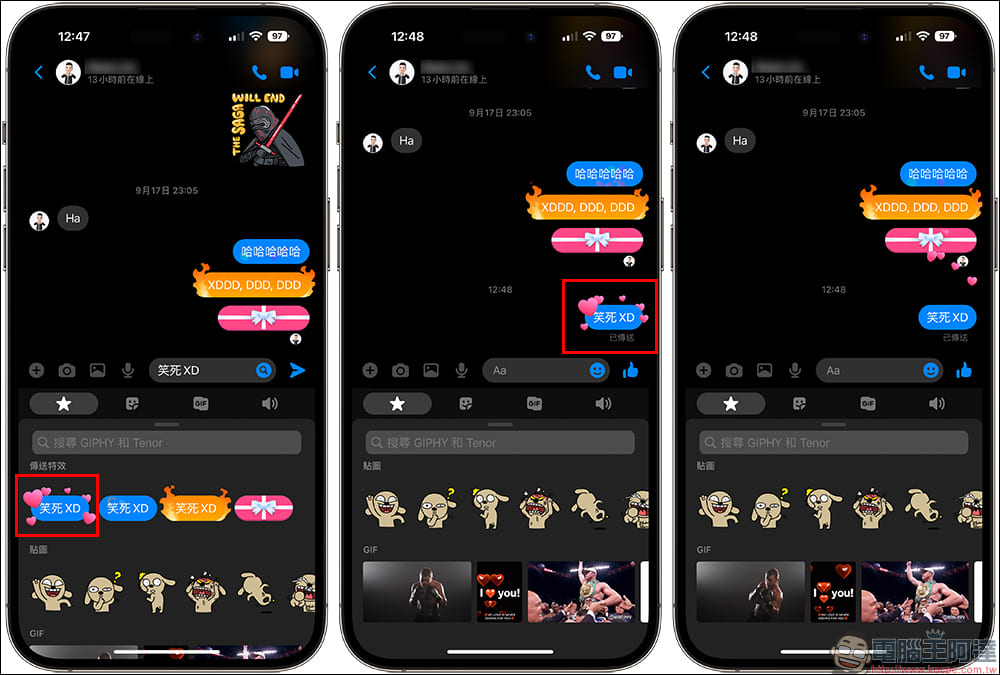
The first is a love message with special effects. After you click on it to send it, you will see hearts flying around the message box. If you want to communicate with your partner, it is quite suitable to use a love message with special effects to make the other party feel your heart.
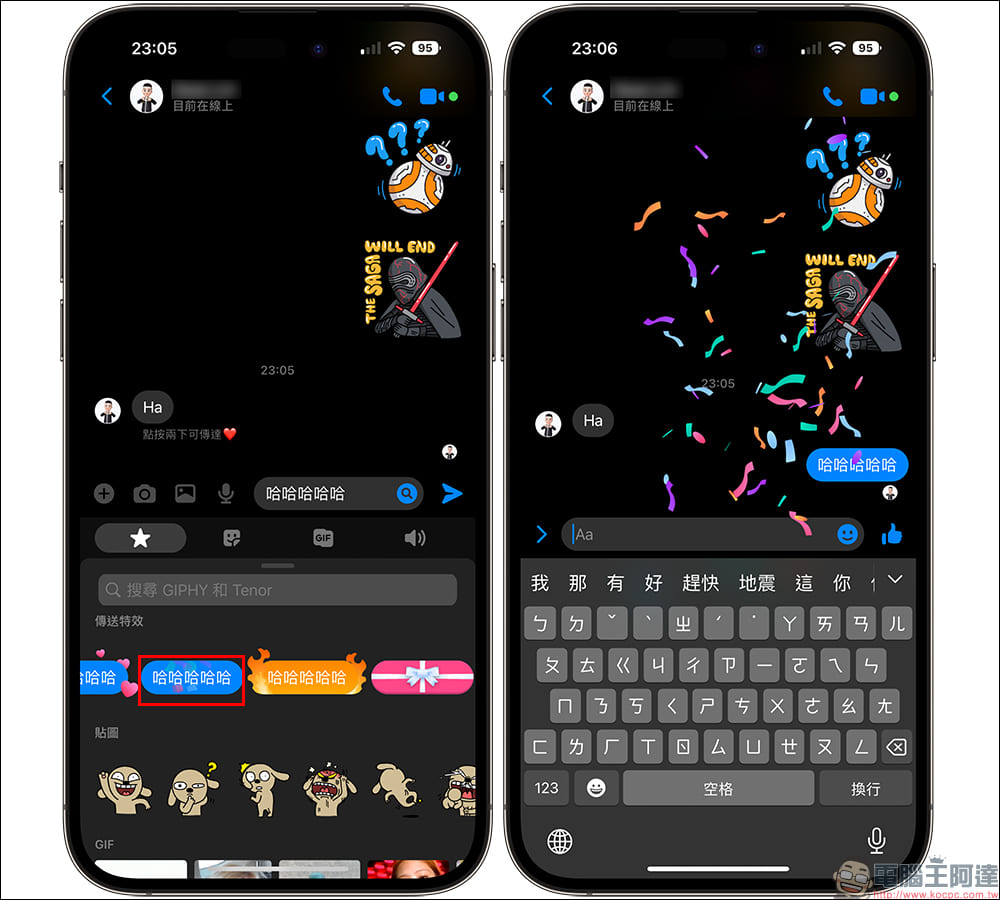
A special effect message with “ribbons”. After clicking it to send this message, the chat room page will spray out colorful ribbons. If you want to play this special effect repeatedly, just click on the message again! Ribbon messages are highly recommended to be sent during celebratory moments, because they make people feel happy just by looking at them!
The “fire” special effects message is also quite cool. Sometimes when friends are chatting and starting hell jokes, they can be paired with fire special effects to make the “laughing” effect even more intense. In addition, if you sometimes want the other party to feel the warm atmosphere, flame effects are also a highly recommended choice.
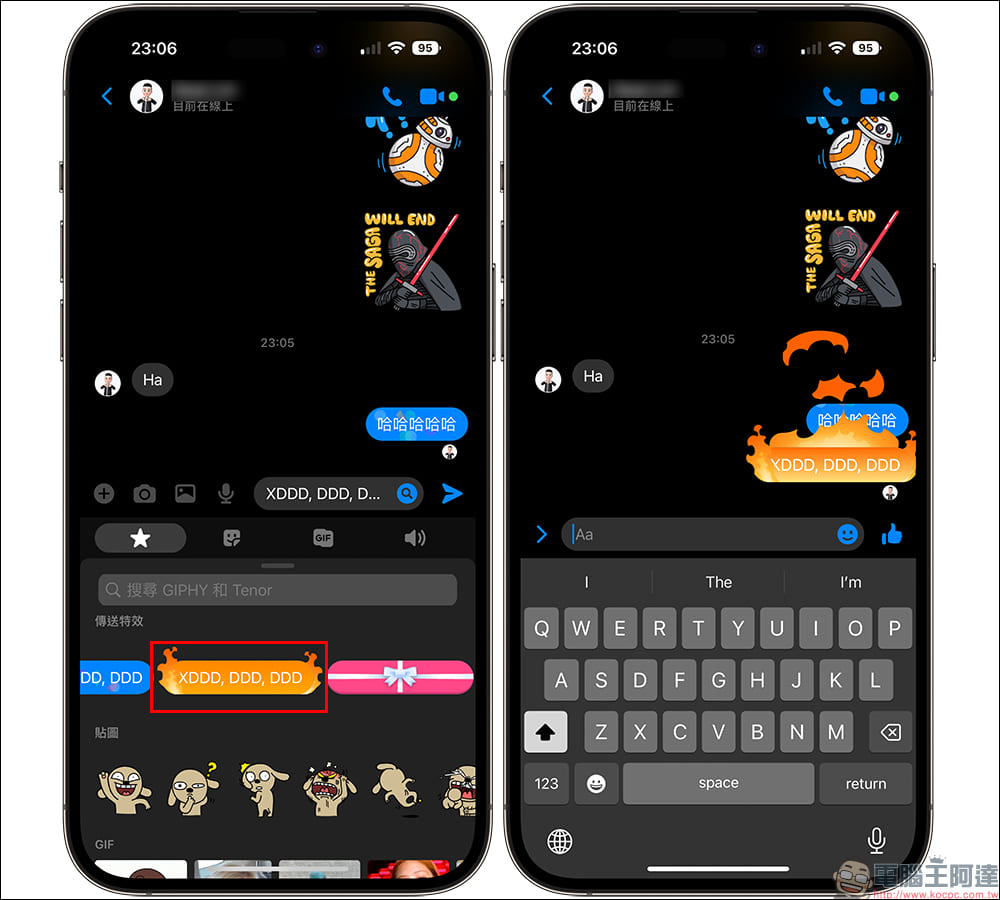
If you have some shy little secrets that you want to tell your friends and want to keep a sense of mystery before your friends open the message, you can choose to send it as a gift message with special effects. After the gift message is sent, the message will be covered with a gift box. You need to click on the gift box to open it and see the text message content inside. The length of the gift box also depends on the text length of the user’s gift message. If a long string of text is sent, the gift message box will become very long.
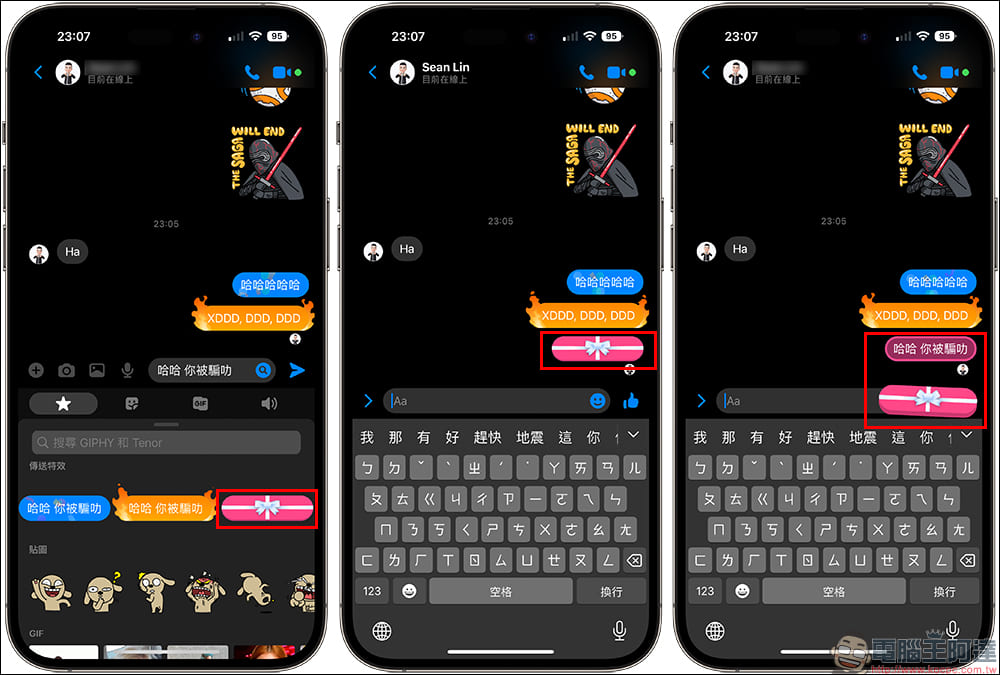
How to use special effects messages on Facebook Messenger? (video)
If you still don’t know how to use Facebook Messenger’s special effects messages, let the computer king Ada briefly share with you how to actually use this message. If you haven’t played with these special effects messages before, you might as well use them to make chatting with friends more fun when you send messages next time!
Further reading:
iPhone 14 Pro Max teardown video released, giving us first look at the new phone’s internal components
Source: KOCPC Chinese